Stop waiting for the perfect moment, and start streaming now

We’re now in 2020. New year, new me? Or finally, the year where you start streaming? So what’s stopping you from creating the content that you want?

Fear is an obstacle that everyone faces regardless of profession. Whether it be fear of failing or rejection, or not being good enough for our chosen path – even the fear of the unknown can play a role in you pursuing or not the things that you plan or want to do. They say that you can never be fully ready unless your mind is determined to push through it.

We talk a lot about streaming on the blog and how we can help content creators make the most engaging content there is with our software. You may be a skeptic, why streaming? Should you do it too? I mean, why not right? In previous articles, we’ve made lists on what else you can stream, what to say in-camera, things to check before every stream and many more to help you get started.

Now, let’s chat about why you should be streaming and why you should do it now. No more excuses.

It’s all about the timing

When are you ready to start your streaming journey? Is there such a thing as perfect timing? Personally, if you’re lucky, yes there might be perfect timing, but for the not so lucky people on earth, we need to create opportunities and make that perfect timing ourselves!. When there is none, we create one.

Waiting is a waste of time. Again, it depends on luck on whether we receive a sign that will prompt us to start doing what we’re supposed to do. Issac Newton had the opportunity to discover the law of gravity when an apple fell on his head. But Einstein created a new study where he studied gravitational waves that do not exist in Newton’s law of gravity. Same with content creators, some are lucky to receive an opportunity to discover but most of us must create those opportunities ourselves because it cannot be made for us. Pave our own way and start this adventure with one step at a time.

In the wise words of Nike, just do it.

Regret

You don’t want to be that person who keeps on referencing the past, right? If only you started this back then, and it might have grown to be something bigger by this time. Most of us have gone through the same experience, the same conversation in our minds with the what-ifs and what could’ve been. The regret is killing us slowly, figuratively. 

We, humans, have a thing for the past. We love to reminiscence and explore the what-ifs – what if I did this or that when I was younger, we can only imagine the possible outcomes. Reality is, not to burst your bubble, it will all remain an idea if you don’t do something about it. You’d love to explore the options but are too scared to actually put things into action. That’s what separates the successful people of this generation – putting things into action and taking the risk of doing what they want to do. If it fails, then it fails – you cannot change that. But the lesson here is that you have no regrets because you were able to do it anyway.

Be brave enough to do the things you’d want to do, if it fails then it’s bound to fail. It’s up to us if we want to stand up and make it better. There will be no more room for regrets since we’ve done it! No more what-ifs or it could’ve been me.

Who is your audience

People are intimidated to start their streaming journey because they feel that they have no audience. Who will watch my stream? Would I look like a loser and stream with no viewers? 

It depends on your purpose – who are you streaming for?

Some are looking into streaming and building a community around it. There are also those who stream because it’s fun and it doesn’t matter whether they have viewers or not. Essentially, it’s up to you. 

Share your knowledge

If you stream, what benefit can you give the audience aside from humor and entertainment? Most gamers tend to stream for fun and showcase their game experience. But underneath the fun is sharing how they play a game.

Gamers show their progression in the game, how to complete quests and tasks, where to farm an item and how to defeat a difficult boss. 

Game streaming is more than playing a game, it is also a way to share knowledge and strategy without you knowing. Ingenious eh? 

Have fun

What matters most is that you’re having fun and you enjoy what you do. At the end of the day, it’s your happiness and fulfillment that truly matters.

We at XSplit encourage content creators to continue making awesome content – not just for games but in entirety. Might it be for personal use or for professional/business, you can try our software and see which one fits your needs. 

Start creating today and don’t let your fears stop you from becoming the person that you aspire to be.

If you have any questions about our software, you can contact us at xsplit.com/support or join us on our socials: Facebook, Twitter, Instagram, and Discord.

Personal Branding: Tips to Develop and Improve it

Whether people notice it or not, everyone has a personal brand. If you’re thinking “oh sure, that’s easy. I’m the Twitch streamer with the beard who plays shooters.” While that may be technically true, it might not be completely accurate. Remember, your brand isn’t just what you say about yourself – that’s only a small portion of it. Your brand is not just how you describe yourself, it’s mostly how others perceive you. Let’s see what we can do to improve personal branding.

What is personal branding?

Perception is everything. I know it may seem disingenuous and a little bit dishonest, but think about it like putting your best foot forward instead of wearing a mask.

Take Dr. Disrespect as an example. I think he’s a master of personal branding. He’s consistent with his character and reinforces it throughout all his other online and offline touchpoints, but at the same time, he is very clear that the Dr. Disrespect persona is just a character and that he and Herschel Beahm IV are not the same person. 

As a streamer, you’re partially an entertainer, partially an educator, among other functions you fulfill, and as such, you are a public figure to a certain extent. To build up a good personal brand, the goal is to try and control the narrative and shape the perception around you.

Before we go through the different ways we can improve and reinforce personal branding, let’s discuss why personal branding is important in the first place.

Why is it important?

With a very distinct personal brand, it will be easier for you to stand out from the crowd. On Twitch alone, there is an average of 3.3 million broadcasters every month. Each and every one of them is competing for eyeballs and view time, both of which are very finite resources. Keeping yourself distinct will help your recall and stickiness, your ability to be persistently remembered.

Photo by Shagun Damadia on Unsplash

A distinct brand, being very clear of the value you offer, is going to help persuade some of those eyeballs to land on to you. An established brand lets viewers know exactly what they can get out of watching you. When your brand is clear about who you are and what you can do, people who are after what you offer are going to come.

Your personal brand will also help build trust. If you’re known as the go-to guy for specific things, then anything you say will have more weight. Reputation goes hand in hand with your personal brand. Of course, you’d still need to have the knowledge and actual expertise to back up that trust, but your personal brand helps people understand that you’re the subject matter expert.

If your personal brand resonates with certain groups of people, they will be drawn to you naturally and stick with you. Personal branding helps cultivate loyalty. It’s exactly why some people prefer Coke over Pepsi or Nike over Adidas. People will gravitate towards what speaks to them more.

How do you Build up Your Personal Brand?

There are a number of ways to improve, enhance, and amplify your personal brand. 

The initial step, and I think one of the most important, is to figure out who you are. Your personal brand cannot be fake. It is an enhancement of who you are. It has to absolutely be genuine.

Ask yourself some basic questions.

“What am I most passionate about?”
“Are there things I’m very good at?”
“Am I excited by what I’m doing?”
“What do people say about me?”
“What are some of my most positive qualities?”
“Am I aware of my negative qualities?”

Photo by Austin Distel on Unsplash

Try asking a friend for help if you’re having trouble answering any of these questions. Once you’ve arrived at your answers, you’ll have a much clearer understanding of what you stand for and what value you can offer to your audience.

Now that you’ve answered who you are, you should determine the value you can offer. It can’t be too far off from what you’ve already identified as who you are. Your personal branding is not a lie, it is not a front – it is just an amplification of who you are and what you love.

Once you have that, you will be able to identify your niche. Armed with the knowledge of what you’re selling (yourself), you can find people who’ll be buying. Who would you appeal to? For example, if you’ve identified yourself as a shy, introverted guy who gets really intense with Pokémon games, then lean into it. Your audience will be like-minded people. You’d have to find people who like chill streams who essentially like a more intimate stream. 

Design your communications in line with your audience. You’d have to design your stream according to what you’ve identified so far. Let’s go with the intimate stream example again – you’d have to make sure to speak in a manner your audience would appreciate, maybe bring your webcam a little closer to your face, keep the music low, and the gameplay chill. Not everyone has to be the obnoxious screaming streamer. If that’s their niche, their branding, then great. But if it’s not you, then don’t force yourself to be.

Caring for your Personal Brand

Once you’ve built up your personal brand, it takes some doing to make sure it doesn’t drastically change or deteriorate. You need to control your brand’s narrative. 

You have to remember that your brand isn’t only online. When you’re talking to your audience outside of your stream, you have to remember that things you say and the way you behave affects the perception of you. And things that happen offline eventually reach the internet anyway. That’s why it’s also very important to have a personal brand that’s genuine. 

That said, it’s also very important to be very visible online. Design your online presence by how you want to be perceived. You’re the trendy social influencer type of streamer? Then always make sure to not be caught dead using whatever social media your mom uses, but be very active on apps she’d never even heard of. You’re the tech expert? Then show up on forums, have well-informed opinions on the latest tech, and make sure everyone knows what you’re talking about.

Photo by Product School on Unsplash

By virtue of being visible offline and online, don’t be afraid to network with people. Like in most industries, who you know is equally important as what you know, sometimes even more so. Ever notice how some streamers blow up after they squad up with popular personalities and streamers? That’s not to say it wouldn’t have happened otherwise, but it probably never hurt. But by being in tight with people with the same audience and the same niche, you’ll have access to more opportunities and more viewers. And when it’s your time to help out others in your circle, do so and that helps your personal brand, too.

—–

These little tidbits are just the basics of personal branding that I’ve picked up from 15 years of working in the marketing industry. It goes much deeper than this, but this is a very good start. And remember that your personal brand never stops evolving, so you should never stop developing it.

엑스플릿 게임캐스터를 평생 무료로 사용하실 수 있는 베타 테스터 혜택을 신청하세요!

엑스플릿 게임캐스터 V4 의 오픈 베타 테스트를 출시한지 약 한달 정도가 지났습니다. 짧은 기간 안에 중요한 부분들이 다수 개선되었고 수많은 사용자들의 피드백에 힘입어 여기까지 오게 되었습니다. 다시한번 긍정적이고 건설적인 피드백을 해주신 여러분들께 감사드립니다. 더욱 섬세한 요구 및 문의는 언제든지 엑스플릿 공식 디스코드에 오셔서 의견을 남겨주시기 바랍니다.

아직 초기 단계인지라 미래에 적용될 많은 업데이트와 신규 기능들을 준비중에 있습니다. 추가로 이제 곧 연말이 다가오기도 하여서 이번 기회에 엑스플릿 게임캐스터 베타 사용자분들을 위한 특별한 이벤트를 준비하게 되었습니다.

엑스플릿 게임캐스터 초창기 사용자들을 위한 ‘파운더스 라이선스’ 를 제공 해드리려고 합니다. 이 라이선스는 엑스플릿 게임캐스터 베타 기간때 사용하신 분들이 추후에 기획될 프리미엄 기능 및 서비스가 도입되면 이러한 부분 모두 평생, 완전 무료로 사용하실 수 있게 됩니다.

파운더스 라이선스 획득하는 방법

엑스플릿 게임캐스터 평생 무료 혜택을 가질 수 있는 파운더스 라이선스를 획득하시려면 일단 엑스플릿 게임캐스터를 실행 후 우측 상단에 표기된 본인의 계정 이름을 선택하시면 됩니다. 그 후 표기되는 관련 가이드를 차례대로 진행하다 보면 파운더스 라이선스를 자동으로 획득하시게 됩니다. 굉장히 간편한 방법으로 최첨단 인터넷 방송, 영상 녹화 프로그램을 평생 마음대로 사용하실 수 있게되는 기회 입니다.

xsplit gamecaster founder license

엑스플릿 게임캐스터 파운더스 라이선스는 베타 테스트 기간에 해당 프로그램으르 사용해주신 사용자분들께 조금이라도 보답할 수 있는 방법중 하나로 준비하게 되었습니다. 이로인해서 저희들이 꾸준히 업데이트를 진행하는동안 모든 신규 기능 및 서비스들을 무료로 경험하실 수 있게 될 것 입니다. 아직 확정된 부분 결제 시스템 등 추가 비용이 필요로 하는 방안은 없지만 이 기회를 통해 마음껏 엑스플릿 게임캐스터를 사용해주시는것 만으로도 많은 감사를 드리는 바 입니다.

엑스플릿 게임캐스터의 파운더스 라이선스는 오픈 베타 기간안에 누구든지 신청하실 수 있습니다. 오픈 베타 기간의 만료일은 대략 2020년 상반기 즈음에 다시 공지해드릴 것 입니다. 한번만 신청하면 평생 라이선스의 소유자가 되실 수 있으니 빠른 시일 내로 신청하시기 바랍니다.

엑스플릿 게임캐스터의 미래는?

올해 10월에 새로운 엑스플릿 게임캐스터를 출시하였습니다. 이 후 거의 각 일주일 정도의 주기로 사용자와 시청자들 모두 고품질의 인터넷 방송을 경험하실 수 있도록 다양한 업데이트와 버그 픽스를 진행중에 있습니다.

곧 다가올 2020년을 기다리며 엑스플릿 게임캐스터와 기존의 엑스플릿 브로드캐스터 그리고 엑스플릿 자매 프로그램인 브이캠, 익스프레스 비디오 에디터 모두에게 신규 기능 및 사용자 편의 업데이트를 꾸준히 진행할 예정입니다. 당분간 엑스플릿 게임캐스터 관련된 업데이트 진행 정보를 접하시려 하거나 궁금하신 점이 있으시다면 엑스플릿 공식 SNS 인 트위터디스코드를 방문하여 문의 주시기 바랍니다.

감사합니다!

#엑스플릿 #엑스스플릿

Awesome Updates in XSplit 3.9

An update for XSplit Broadcaster 3.9 is now available and it brings a whole host of new features that have been long requested by the community. From finer color correction controls using LUTs, to the ability to override the transition for a specific scene. In this post, I’m going to go over what I feel are the coolest new features we’ve added in this update and what you can expect going forward.

You can update to this version in-app or download it from the Broadcaster page.

LUT Support & Filters

Color look-up-tables (LUTs) allow you to recolor a source using an image representation of the spectrum of colors. It essentially remaps the colors from the LUT to your source. Quite a complicated way of saying they recolor your images. They look like the image below and we’ve included some examples to help you get started using them quicker. There’s a full guide here if you want to create your own.

In addition to LUTs, we’ve also added some filter effects you can use that will allow you to do things like make your camera look like an old movie. You can access LUTs and Filters via the source properties window in the effects tab.

Stream Dashboard

When you’re streaming, you want to be able to see all of the information that’s important to you. That’s why we created the Stream Dashboard extension. It works with the four main streaming services, so that’s Twitch, YouTube, Facebook, and Mixer. It will show your chat, stream stats and then all the events you receive whilst streaming such as followers, subscribers, likes, etc. This is all inside a singular extension that you can drag and move around. There are a few improvements we’d like to make in terms of the flexibility in size each of the panels can be but this already simplifies a lot of things without needing to have a bunch of browser tabs open.

OBS Scene Importer

We understand that setting up your scenes and getting it to look great can take considerable time and effort. You may already have your dream setup in OBS but would like to explore what other options are available. That’s why we made the OBS Scene Importer extension. It allows you to take what you’ve already created and import it into XSplit Broadcaster so you can get started quicker. We’ve aimed to cover as many sources and properties as possible to make this a seamless experience. All it requires is for you to export your scene collection from OBS and then import using the OBS Scene Importer extension. From there we do all the hard work of importing your hard work.

Per Scene Recording

For the longest time users have asked for the ability to record something different from what is being streamed and we’ve finally made that possible with per scene recording. Now, you can specify which scene gets recorded. Whether that’s the live/active scene or one of your choosing. This is useful if you want footage without overlays or other elements. Combined with our automatic application audio track, you can record your game with only the game audio whilst streaming at the same time.

per scene recording

Transition Override

Sometimes you want a scene to have its own transition. A common use for this might be a replay scene which when you switch to it, will play a replay. Now you can make that scene use its own transition like a 3D animated replay stinger. Whilst you could do this before by manually switching/changing the transition, it would require thought and effort. Now it’s just a set and forget which will hopefully make producing shows that much easier.

The best thing is, these aren’t the only features we’ve added in the latest patch. We’ve made a ton of improvements across the board and will continue to do so. We know we still have areas we need to work on, audio is one of them but we think we’ve made good strides with the Audio Mixer extension. Next up is the ability to use DSP effects such as compression and equalization with the next major update. Of course, there are smaller things we can do to improve too like showing audio meters for individual sources and more.

So, those are the key highlights of the recent patch and what we are looking to do over the next short while. We’ll continue to push regular updates to the Public Test Release (PTR) as and when they become available to allow you to get hands-on features before we release them to the open public. If you want to reach out to me or any of the XSplit team, you can join our Discord and message us there. Additionally, you can post on our community forum or hit me up on Twitter.

Let us know your thoughts about this XSplit 3.9 update in the comments section below.

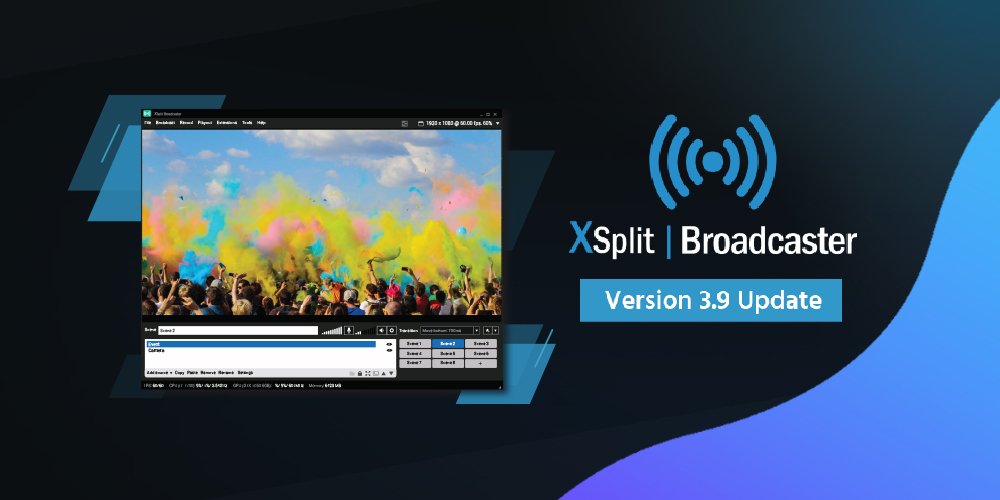
XSplit Broadcaster 3.9 Released!

An update for XSplit Broadcaster 3.9 is now available and it brings a whole host of new features that have been long requested by the community. From finer color correction controls using LUTs, to the ability to override the transition for a specific scene. In this post, I’m going to go over what I feel are the coolest new features we’ve added in this update and what you can expect going forward.

You can update to this version in-app or download it from the Broadcaster page.

LUT Support & Filters

Color lookup tables (LUTs) allow you to recolor a source using an image representation of the spectrum of colors. It essentially remaps the colors from the LUT to your source. Quite a complicated way of saying they recolor your images. They look like the image below and we’ve included some examples to help you get started using them quicker. There’s a full guide here if you want to create your own. In addition to LUTs, we’ve also added some filter effects you can use that will allow you to do things like make your camera look like an old movie. You can access LUTs and Filters via the source properties window in the effects tab.

Stream Dashboard

When you’re streaming, you want to be able to see all of the information that’s important to you. That’s why we created the Stream Dashboard extension. It works with the four main streaming services, so that’s Twitch, YouTube, Facebook, and Mixer. It will show your chat, stream stats, and then all the events you receive whilst streaming such as followers, subscribers, likes, etc. This is all inside a singular extension that you can drag and move around. There are a few improvements we’d like to make in terms of the flexibility in size each of the panels can be but this already simplifies a lot of things without needing to have a bunch of browser tabs open.

OBS Scene Importer

We understand that setting up your scenes and getting them to look great can take considerable time and effort. You may already have your dream setup in OBS but would like to explore what other options are available. That’s why we made the OBS Scene Importer extension. It allows you to take what you’ve already created and import it into XSplit Broadcaster so you can get started quicker. We’ve aimed to cover as many sources and properties as possible to make this a seamless experience. All it requires is for you to export your scene collection from OBS and then import using the OBS Scene Importer extension. From there we do all the hard work of importing your hard work.

Per Scene Recording

For the longest time users have asked for the ability to record something different from what is being streamed and we’ve finally made that possible with per scene recording. Now, you can specify which scene gets recorded. Whether that’s the live/active scene or one of your choosing. This is useful if you want footage without overlays or other elements. Combined with our automatic application audio track, you can record your game with only the game audio whilst streaming at the same time.

Transition Override

Sometimes you want a scene to have its own transition. A common use for this might be a replay scene which when you switch to it, will play a replay. Now you can make that scene use its own transition like a 3D animated replay stinger. Whilst you could do this before by manually switching/changing the transition, it would require thought and effort. Now it’s just a set and forget which will hopefully make producing shows that much easier.

The best thing is, these aren’t the only features we’ve added in the latest patch. We’ve made a ton of improvements across the board and will continue to do so. We know we still have areas we need to work on, audio is one of them but we think we’ve made good strides with the Audio Mixer extension. Next up is the ability to use DSP effects such as compression and equalization with the next major update. Of course, there are smaller things we can do to improve too like showing audio meters for individual sources and more.

So, those are the key highlights of the recent patch and what we are looking to do over the next short while. We’ll continue to push regular updates to the Public Test Release (PTR) as and when they become available to allow you to get hands-on features before we release them to the open public. If you want to reach out to me or any of the XSplit team, you can join our Discord and message us there. Additionally, you can post on our community forum or hit us up on Twitter.

Let us know your thoughts about this XSplit 3.9 update in the comments section below.

Say Hello to the New XSplit Community Forum

A lot of what we do is based on what the community wants and that is magnified through our product updates and releases where we, especially more recently, highly consider and prioritize things that are sought after. Better overall user onboarding, quality of life improvements, highly requested features, bug fixes, even a no-frills free live streaming app for gamers! Those are all not possible without your feedback whether it’s from our social channels, Discord server, Feature request pages, in-app feedback, what have you!

The New XSplit Forum

xsplit community forum

It helps to have all those mediums but having a forum (yes, a forum!) is invaluable. Some of you OGs may recall us having one in the early days and that brought a ton of value both ways.

The new community forum is almost like a fusion of our live chat support and our Discord server since you’re going to get the best of both worlds. Official support from the XSplit team? Check! Interaction with our product managers and devs regarding something you strongly feel should be prioritized? Check! How about casual chitchat with our community managers, brand ambassadors, and fellow users? Check! 

Why not take a look at some of these interesting threads that have been getting some really nice interactions? 

But it’s not going to be an XSplit Forum without content that’s about XSplit products whether an in-depth guide on the new Custom LUTs & Filters, a quick resource thread listing all our guides and frequently asked questions, or hell even every release notes from every PTR updates no matter how small or big they are. You need information about XSplit products, it’s a good place to start. 

What’s going to happen with the current support system? 

It’s not going anywhere so you have nothing to worry about if you’re the type who prefers a one on one conversation with a support team representative. Besides, there are some cases where this type is more suited such as billing issues, remote controlling desktop computers, and so on. 

One advantage of a forum compared to one-on-one support is the former has public information that users can find whereas the latter is purely private. So say there’s a commonly-reported issue that crop up, the forum can just display a single page (which is called a thread) for it that is readily accessible and viewable by users. They can likewise share information on whether the solution or information is helpful or not. 

But the best part of all is the crowdsourcing aspect so there’s that. 😉 

In the end, it’s about what you want

To be perfectly clear, we’re not telling you there’s a better or more preferred way to get interaction with our team or other users. In the end, it’s about us catering to what people actually want and as they always say, to each their own. 

Having said that, we’d still love to see you in the XSplit Community Forum! Check it out and join in on the fun.

인터넷 방송 동시 송출 방법과 이해

보통 인터넷 방송을 시작할때는, 마치 온라인 게임 케릭터의 외상을 변경하거나 케릭터의 능력치와 이름을 결정하려고 고민하는것과 같이, 내가 사용할 아이디, 방송할 플랫폼 선택, 다양한 종류의 방송 장비 구비, 등등의 준비 과정을 거치셨을겁니다.

그러다 시간이 흘러 인터넷 방송이나 영상 콘텐츠 제작 분야에서 어느정도 자리잡게 되면 어느덧…

“여기서 어떻게 더 나아갈 수 있을까?”

​…라는 질문을 하게 될때도 있습니다.

아주 정상적인 마인드이며 누가보면 욕심이라 할 수 있겠지만 본인이 자신있는 분야에서 조금더 성장하고 발전의 틈새가 보이기 시작하면 이 모든것을 기회라 볼 수 있습니다.

​인터넷 방송의 경우엔 ‘동시 송출’ 이라는 개념이 존재합니다. 방송 PC 의 사양과 인터넷 업로드 속도가 평균 이상이라면 이론적으로, 또 기술적으로 누구나 적용할 수 있는 인터넷 방송 기술 중 하나입니다.

동시에 여러가지 동영상 스트리밍 (인터넷 방송) 플랫폼으로 송출이 가능하다… 다만 준비 과정이 조금 복잡할 수 있다.

앞서 말한듯이 동시 송출의 방법은 여러가지가 있고 이론만 이해한다면 동시 송출을 고려해보기 전에 본인의 실질적인 상황과 비교해 본 후 진행 결정을 내릴 수 있습니다. 동시송출에 대한 가이드는 온라인이나 동영상으로 어느정도 찾아볼 수 있지만 해당 콘텐츠들에 기술적인 용어가 많이 사용되었을 경우에는 전문가가 아닐 시 이해하기 조차 힘들 수 있습니다.

방법 1. PC 의 힘을 빌려라

소프트웨어 자체에서 캡쳐 인코더를 동시송출 하도록 지원하는 인터넷 방송 프로그램인 엑스플릿 브로드캐스터 (XSplit Broadcaster) 를 예시로 가정해보겠습니다. 기존에 방송 플랫폼 설정을 하시는 방법은 엑스플릿 유튜브 채널의 튜토리얼 영상 (한국어 자막 적용 추천) 또는 다양한 공개 영상을 검색하여 확인해보시기 바랍니다. 일단 하나의 방송 플랫폼 설정하는 방법을 아신다면 같은 방법으로 채널 설정을 여러개 설정한 뒤 원하는 플랫폼들을 활성화 하는것이 결국엔 동시송출입니다. 다만 이전에 주의하실점이 있습니다.

기술적인 용어를 최대한 배재하고 정확한 수치가 아닌 가정의 수치로 이해하기 쉽도록 설명드리겠습니다.

PC 점유율 이 1 에서 100 까지가 있다 하고 인터넷 속도의 평균 업로드 전송량이 초당 100 Mb 인 PC 와 인터넷 환경이 주어졌다고 칩니다. 이때 한 플랫폼으로 송출시 PC 점유율 20, 8 Mb 의 업로드 전송량이 필요하다 치면 이론적으로 다른 플랫폼의 송출 설정이 첫 플랫폼과 최대한 비슷할 경우 최대 5개의 플랫폼으로 PC 자체에서 동시송출을 할 수 있습니다.

5개의 플랫폼 동시송출로 인해 PC 점유율 100이 되면서 한계치에 도달하고 각 송출시 필요한 업로드 속도가 8 Mb x 5 이어서 최종 100 Mb 에서 40Mb 정도만 사용하고 업로드 대역폭에 여유분이 생기는 경우이죠. 다시 한번 지적하자면 이는 정확한 수치가 아니고 예시를 든 부분입니다.

하지만 현실적인 변수를 적용한다면 약간 (또는 크게) 달라질 수 있습니다. 일단 PC 의 점유율은 항상 0 에서 시작하는 경우는 없습니다. 오로지 PC 의 전원을 켜고 윈도우 운영체제만 돌아가도록 한다 해도 이미 5 에서 10 의 점유율을 기본으로 잡고 들어간 뒤 인터넷 브라우저 실행, 바이러스 백신 프로그램, 자동 업데이트 기능, 등 수 많은 이유때문에 점유율의 높낮이가 일정적이지 않을 수 있습니다. 추가적으로, 방송의 품질을 최대한 고품질로 하려 할 수록 한 플랫폼의 송출에만 필요한 점유율 요구치가 높아질 수 도 있습니다. 이러한 변수로 인해 원하는 개수의 플랫폼 동시 송출을 못 할 수 있는 경우가 대다수 입니다.

한가지 조건만 충족할 수 없고 모든 조건의 궁합이 잘 아울러져야만이 안정적인 환경에서 동시 송출을 할 수 있고 소소하지만 불가피한 오류를 최대한 회피하려면 그만큼 트러블슈팅 경험과 테스트 과정, 비교 분석등의 준비가 필요로 합니다.

게다가 어느정도 계산으로 PC 점유율과 인터넷 업로드 환경을 짜 맞추어도 대부분의 고사양 게이밍 PC 소유자 혹은 영상편집이나 사진 및 이미지 디자이너분들은 공감하실 수 있는 부분은 PC 점유율이 높으면 높을수록 본인의 PC 가 자기 역할을 재대로 하지 못하거나 심하면 팅김현상, 고장에 이를수도 있다는 것입니다. 내용물이 그릇보다 커지면 어쩔수 없는 현상이긴 하지요.

따지고 보면 하나의 플랫폼만으로도 송출할때도 예상한 만큼의 품질로 출력되지 않는 경우도 결국엔 PC 점유율 관리에 속할 수 있습니다. 인터넷 방송시 가장 중점으로 준비할것은 방송 장비, 소셜미디어가 아닌 가장 기본적인 PC 관리임은 분명합니다.

방법 2. 동시송출 전용 온라인 서비스

동시 송출을 일반적인 PC 로 가동할 시 부딫힐 수 있는 기술적인 제한을 현실적으로 파악하여 개인과 단체를 위해 생겨난 여러 동시 송출 서비스가 존재합니다. 이중 대표적인것으로 Restream.io 라는 서비스로써 누구나 사용할 수 있는 기본 패키지는 두개에서 세개 까지의 선택적인 플랫폼으로 송출이 가능하며 유료 서비스인 프리미엄 패키지는 이보다 더 많은 플랫폼과 고급 기능에 접근할 수 있습니다.

하나의 플랫폼으로 송출할 자원만으로 여러가지 플랫폼으로 송출을 가능케 해주는 Restream.io 서비스

간단히 설명하자면 기존의 한 플랫폼 분량의 PC 메모리와 인터넷 속도만으로 다수의 플랫폼으로 동시 송출할수 있다는것이 장점입니다. 하지만 결과적으로 본인의 PC 와 송출할 목표 플랫폼 사이에 하나의 단계를 더 추가하게 되는것이므로 직접 송출하는것보다 미세한 시청자와의 소통 딜레이가 생길 수 있는점을 감안해야 합니다

동시 송출 서비스의 대시보드에서 원하는 플랫폼들의 설정이 완료되었다면, 최종적으로 해당 동시송출 서비스의 방송 연결 RTMP 주소를 방송 프로그램에 입력하여 저장하거나 사용하시는 방송 프로그램에 해당 서비스의 플러그인이 있는 경우엔 일반적인 로그인 절차로도 설정이 가능합니다.

엑스플릿 브로드캐스터 (XSplit Broadcaster) 에서는 리스트림 계정으로 로그인하여 설정할 수 있다.

이렇게 동시 송출을 할 수 있는 방법은 개개인의 사정과 환경에 따라 다양하게 적용할 수 있습니다. 특정 플랫폼의 파트너쉽에 의한 제한을 잘 파악하여 방송 콘텐츠와 의미에 맞는 이유로 동시 송출을 해본다면 추가적인 편집이나 작업량의 시간을 단축할 수 있어서 삶의 질과 편의성에 어느정도 영향을 줄 수 있는 부분이기도 합니다.

#엑스플릿 #엑스스플릿

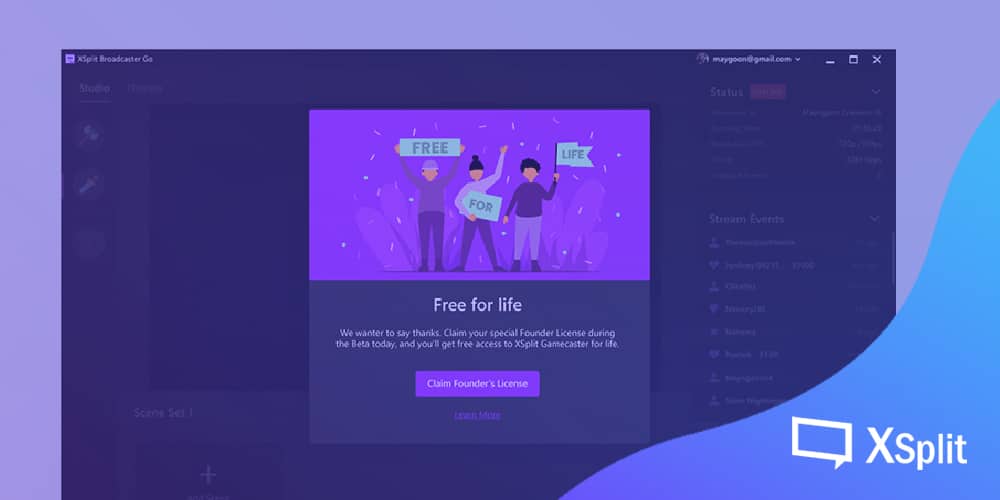
Claim your Founders License now, for Free XSplit Gamecaster for Life

It’s been a little over one month since we launched XSplit Gamecaster V4, a complete reworking of the app and we were blown away by the tremendously positive feedback we received from our community. For that, we are truly humbled and have been listening carefully to all of your thoughtful comments and suggestions via our Discord and Feature Upvote.

We still have some way to go as we continue to update the app with new features and improvements, but as we approach the end of the year thought it appropriate to give you all a special thanks for taking a chance on trying out XSplit Gamecaster.

With that in mind, we are introducing the Founders License, available for all who try out Gamecaster through the open beta and grants them complete access without any license restrictions for life

How To Claim your Founders License

To be eligible to claim your free XSplit Gamecaster Founders License, you need only open up XSplit Gamecaster and click your user account in the top right corner and follow the onscreen instructions. It’s that simple and takes just a few seconds.

xsplit gamecaster founder license

The XSplit Gamecaster Founders License is our way of saying thank you by guaranteeing you free access for life to the app as we continue to develop it. While we have yet to announce any further plans for monetization options in-app, we know there has been some confusion from our early-adopters as to if they will eventually be locked out of the app and served a paywall, this license is our promise to you that will not be the case. 

The XSplit Gamecaster Founders License will be redeemable throughout the Open Beta period. We expect to announce a date for the end of this period in the new year, so make sure to claim your Founders License while you still can!

What’s Next for XSplit Gamecaster?

Since launching back in October the XSplit Gamecaster team has been introducing new updates at a rate of nearly once a week, each time addressing bugs and issues as well as polishing the user experience for easier navigation and greater control of your broadcast. 

As we move into 2020, We are looking to introduce new features into XSplit Gamecaster as well as continue development on XSplit Broadcaster, XSplit VCam, and XSplit Express Video Editor. In the meantime, to stay up to date on the latest developments of XSplit Gamecaster and our other applications, make sure to follow us on Twitter, as well as join our Discord where updates are shared. 

The Perfect Games for Chatty Streamers

Streaming games is an easy proposition when you’re a pro player (well, as easy as becoming a pro player is which I’m told is “very hard you have no idea”), you can rely on your skills and pro plays to make a good stream. What if you’re like me, however, and are average at best at competitive games but like chatting with your audience? Well, fear not friends, here is a list of some games that I have found have the magic combo of space, fun and the unexpected. Perfect for chatting with your audience.

Euro Truck Simulator 2 / American Truck Simulator

Euro Truck Simulator 2 game

These games have grown and grown in popularity on streaming platforms and the ability to chat with your audience while you play is a big one. There’s a whole layer of gameplay where you can grow your trucking business but honestly, for me, it’s all about the road trip. Pick the longest journey, put on some relaxing music and sit and chat with friends. The chat is your co-pilot, the person on the other end of the CB Radio keeping you sane as you barrel down the road that never ends. The game keeps you focused enough while leaving your brain free to converse. Either of the Truck Sim games will work, though there is more variety and a larger modding community in ETS2 due to it being the older of the two. 

Chris’s Top Tip: Play this game offline with your favorite music, it’s the most zen-like experience you can have in a video game. I imagine it’s the same experience people who like to “go for a drive” have but being a city dweller I never had a car. The brain is focused enough to disengage but free of distraction enough to just enjoy your music.

American Truck Simulator on Steam

Jalopy

Jalopy game

Imagine the advantages of a Truck Sim but with the need to keep both your car and elderly grandad in good health along the way? Keeping a chill atmosphere but with added drama such as your car running out of gas in the middle of a wooded dirt road, leaving you to walk forward hoping you find a gas station. Get to the gas station and find you only have enough money for half a can only to have to walk back in the dark. Tires will blow, engines will start to billow smoke and it all creates a wonderful emergent narrative that you and your audience have experienced together. There’s a narrative element to the game which happens around you, and I won’t spoil it here. Honestly, as far as chatty streaming games go this delightful indie is one of the best. 

Chris’s Top Tip: You get asked if you want to take your grandpa with you at the beginning, do this for your first playthrough but after that leave him behind. You have your co-pilots in the chat and I think this is the game at it’s best. 

Jalopy on Steam

Titanic: Adventure Out of Time. 

Titanic: Adventure Out of Time game

Honestly, you could pick any adventure game but this one held a special place for me and my audience. Laughter, puzzle-solving and some of the finest B Movie acting you will ever see. Adventure games let you work with your audience to play the game while having a unique and, mostly, relaxing atmosphere where you have the time to figure things out. Finding older, more obscure FMV like adventure games is my jam and Titanic: Adventure Out of Time ticked that box mightily. Stop WW2 by finding a necklace? Or something like that? Who knows, but boy did I and my community have fun together as I streamed it. 

Chris’s Top Tip: Go weird, old and wacky. GOG.com is the hook up here and the adventure yourself and your audience will be talking about for years awaits! 

Titanic: Adventure Out of Time on GOG.com

L.A Noire

L.A. Noire game

So L.A. Noire itself isn’t exactly a slow, chill game but it has a lot of quirks. Again, there is an element of watching, listening and reacting with your audience. The strange facial expressions aside, there is a strong plot here and plenty of action. For me, this is also a great example of adding your own layer to a game as a streamer. An audience member of mine said, “you should do it all backward” and thus a new experience was born. Walking backward, driving backward, nothing is straight forward for Cole Phelps, The Backwards Detective. Something like this can be done with a lot of games and honestly made L.A. Noire an unlikely favorite of my audience. 

Chris’s Top Tip: As a chatty streamer, make games your own! Try a different type of run in a game to make the space for you to chat, give characters a new personality with your commentary. Do voices, experiment and have fun! 

L.A. Noire on Steam

L.A. Noire Bonus Track

Bonus Track: Shenmue. Play Shenmue, now, today. It’s weird, old, kinda tough to wrestle the controls but if you want to combine everything we have learned from the above games? Shenmue has you more than covered. Chill moments to talk as you walk from place to place or while you work at the docks, bizarre B Movie voice acting to enjoy, and a game you can add your own layers to. It’s even easier now with the rerelease out there.

Shenmue I & II on Steam

Game Types to avoid as a chatty streamer

Competitive games

competitive games

These can be pretty difficult if you’re a chatty streamer, or at least if you’re me. I find you get too into a game, for example, Overwatch. I’ll zone in on the action and play it the way you’re meant to, which is giving it your full attention. At this point, however, your audience is just watching some who is, at best, basically fine at Overwatch play. I’m not talking to them unless it’s between matches and even then it’s mostly to catch up on what they have been saying. 

Narrative / Text Heavy Games 

narrative heavy games

Disco Elysium, I’m told, is a wonderful game, with brilliant writing and while it may be perfect for someone looking to practice voice acting I find with a text-heavy game you don’t end up with much time to chat. Most of your time is spent reading aloud. Some streamers enjoy this and many audience members get a lot from it but when it comes to talking with your viewers there, in my experience at least, can be not much time. There is a chance for discussion of what has just happened but this is a more analytical approach to streaming and less freewheeling chatter.

So there we have it, playing some of these games is a great way to allow and create great conversations with your audience. And hey, while you’re here, you can stream everything I mentioned right now, for free using XSplit Gamecaster! (XSplit Gamecaster is free, not the games, pay your game developers, friends.) Taking your streams to the next level? XSplit Broadcaster has you covered!

게임 방송을 위한 필수 준비물 4 가지

게임 방송의 필수적인 요소 네 가지에 대해서 알아보자.

이전에는 인터넷 방송을 하기 전에 가져야 할 마음가짐과 계획에 대한 글을 작성했었다. 내가 어떤 장르의 방송을 송출하는지에 관계없이 공통적으로 가져야 할 자세였고, 이번에는 그 중에서 특별히 게임 방송의 특수성을 감안해, 게임 방송시에 발생할 수 있는 여러 문제를 살펴보도록 하겠다.

게임 방송인은 뷰티나 요리 같은 타 일상생활 방송 장르에 비해 컴퓨터 친화성이 높아 쉽게 방송 설정에 적응할 수 있을지 모르나, 인터넷 방송은 송출자에게 보다 종합적인 과제를 선결할 것을 요구한다. 단순히 자신의 방송 프로그램을 송출에 최적화시킨다고 전부가 아닌 것이다.

근래의 게임 방송에 있어 필수적인 요소, 내가 방송 화면 안에 송출할 수 있는 요소는 크게 분류하여 보면 다음 네 가지와 같다. 게임, 웹캠, 크로마키, 방송 채팅창으로써, 하나라도 설정을 게을리 할 경우 바로 그 여파가 나타나게 된다. 각 요소를 간단하게 설명하여 보자면 다음과 같다.

전 세계 인터넷 방송인들이 대부분 추천하는 웹캠 브랜드 로지텍의 c920 또는 c922 모델 제품. 로지텍 웹캠 구매시 엑스플릿 프리미엄 라이선스가 선물로 제공되기도 한다.

게임 방송을 하기로 마음먹었으면 게임을 송출하는 것은 필수적인 선택이다. 최근 몇몇 신작 게임들은 편리하게도 게임 자체에서 방송 설정을 대신하여 주는 옵션을 지원하거나, 그래픽 카드 자체에서 게임을 인식하여 방송 설정을 지원하거나, 게임을 구매한 플랫폼 프로그램에서 방송을 도와주는 경우가 많다.

이러한 트렌드를 반영하여 엑스플릿에서도 1컴, 1모니터 환경의 게임 방송에 최적화된 엑스플릿 게임캐스터를 개발하기도 하였다. 현재 완전 무료로 사용할 수 있으며 별도의 라이선스 구매가 필요 없다. (베타 테스트 기간)

이런 편리한 경우라면 그대로 진행하면 되지만, 일부 게임은 송출이 매우 어려울 수 있다. 최근 게임 중엔 스트리트 파이터 5를 예로 들 수 있는데, 해당 게임은 64비트로 제작되어 몇몇 플랫폼에서 게임 영상을 인식하지 못하는 문제가 있었다.

이럴 때는 송출 소스에서 프로그램 캡쳐를 선택하는 것이 아니라 모니터 캡쳐로 대부분 해결이 되나, 매우 예전, 몇십년 전에 발매된 도스 게임을 송출할 때는 이조차도 인식할 수 없는 경우가 있다. 이제 대한 해결책 중 하나는, 게임용 PC와 송출용 PC를 따로 둬서, 게임용 PC의 모니터 영상 자체를 송출용 PC에서 인식하게 설정하는 것이다.

방송과 게임 외적인 문제도 생각해 볼 필요가 있다. 타 플레이어와의 대전 자체가 컨텐츠인 대전게임 같은 경우엔 게임 제작사 측에서도 게임 송출을 매우 환영하고 장려하는 편이지만, 스토리 감상을 주 컨텐츠로 삼는 게임을 방송하는 사람이 늘어날 경우 해당 게임의 제작사 측에선 큰 피해를 입는다. 심지어 게임 제작사 측에서 게임 플레이 분량 중, 방송해도 괜찮은 범위와 그렇지 않은 범위를 미리 공지하기도 한다. 과연 내가 이 게임을 방송하여도 괜찮은 것인가? 라고 자문해 볼 필요가 있다.

다음으로는 방송 채팅창을 언급하고 싶다. 화면 내 채팅창 송출은 취미로 소수 지인들에게 게임을 보여주기 위해서라면 상관없지만, 불특정 다수 시청자들이 내 방송을 봐 주길 원한다면 방송 구성에 있어 필수적이다. 내 채팅을 방송 화면에서 확인할 수 있다면 방송 시청자들에게 소속감을 주고, 자신이 이 스트림에 기여한다는 느낌을 준다. 도네이션 알림이나 구독 알림 등도 채팅창과 같은 카테고리로 묶어서 볼 수 있다.

채팅창과 알림은 일반적으로 사설 서버의 송출 소스를 사용하기 때문에 기술적인 문제는 잘 발생하지 않는다. 채팅창과 관련해 발생할 수 있는 문제라고 하면, 채팅창의 내용과 관련된 문제일 것이다. 방송 규모가 성장하면 반드시 누군가는 채팅창을 망치려고 한다. 트롤링은 필연적으로 발생하는 것이므로 미리 염두해둬야 할 것이며, 그것 자체는 방송 내용에 그다지 상관이 없으나 대처와 관련된 문제가 종종 발생할 수 있다.

채팅창 관리 시 관리원칙은 명확해야 한다. 알기 쉬운 원칙을 세워 명확히 고지한 후, 누구든간에 동일한 원리원칙이 적용되어야 한다. 몇몇 스트리머들이 일부 “더” 중요한 시청자에 대해 좀 더 느슨한 규칙을 적용하는 경우가 있으나, 대부분 좋지 않은 결과로 마무리되는 경우가 많고, 절대 추천할 수 없는 운영 방식이다.

게임 방송을 하면서 일일이 채팅창을 확인하는 것은 게임 장르에 따라 대단히 어려운 일이 될 수 있다. 이럴 때 신뢰할 수 있는 일부 인원에게 관리를 일임하는 경우가 많으나, 이 경우 대단히 신중하게 생각해야 한다. 부 관리자를 단순히 친분만으로 임명하는 것 보다, 과연 그 사람이 적합한 성격을 가지고 있는지 생각을 하고 진행하여야 한다. 분쟁에 있어 물러섬이 없고 신중하지 않은 성격이라면 해당 작업에 추천할 수 없다.

게임 화면 자체에서 채팅창, 팔로워 알림, 방송 현황 등을 표기해주는 엑스플릿 게임캐스터의 인게임 오버레이를 사용한 예시.
게임 내에 채팅창이 표기되어 있지만 스트리머에게만 보이고 시청자들은 풀스크린으로 방송을 시청할 수 있다.
물론 시청자에게도 보이도록 설정할 수 있다.

방송 기술이 발전하면서 채팅창에 일부 명령어를 도입해, 외부 도구, 즉 가젯을 이용하는 경우도 종종 눈에 띈다. 가젯을 이용할 경우 사용할 가젯들을 자신의 상황에 따라 고려하라. 필수적인 몇 가지만 최소한도로 추가하는 것이 좋다. 일단 재밌을 것 같으니 추가하고 보는 식의 너무 많은 도구들은 오히려 시청자에게 피로감을 준다. 명령어를 인식한 봇들만 채팅하는 유령선같은 채팅창이 될 가능성이 있다.

게임과 채팅창이 게임 방송에 있어 필수적인 요소라면, 부가요소는 게임 플레이어, 즉 스트리머의 모습을 보여주는 영상일 것이다. 흔히 ‘웹캠’이라고 부르는 소형 카메라를 통해 스트리머의 모습을 화면에 송출하는데, 웹캠 단독으로는 설명할 수 없고 스트리머를 방송에 소개하는 모든 요소를 묶어서 설명해야 한다. 마이크, 조명 등을 들 수 있다.

인터넷 방송의 초창기까지만 해도 웹캠, 즉 스트리머의 모습을 방송에 송출하는 것은 필수가 아니었다. 게임 방송을 한다는 것 자체만으로 신기했으므로 게임 이외의 설정엔 별로 신경을 쓰지 않아도 괜찮았으나, 지금은 방송 플랫폼도, 스트리머도 너무 많다. 새로 게임 방송을 시작하는 사람이 웹캠 없이 시청자를 모으려고 한다면, 메인 콘텐츠 이외의 상당한 이유가 있어야 할 것이다.

캠과 마이크의 사용에 대해서는 개개인의 스튜디오 사양에 따라 워낙 다양한 환경이 존재하므로 섣불리 얘기하긴 어려우나, 캠을 사용하고자 한다면 조명 반사판 사용을 추천한다. 전문적인 방송인이 아닌 이상에야 보통 일반적인 주거공간에서 방송을 진행하는 예가 대부분인데, 이 경우 해당 조명을 방송 사양에 딱 맞게 사용할 수 있다고는 기대하기 힘들다. 전문적 촬영용 반사판은 고가이나, 인터넷 방송용 소형 반사판은 저렴한데다 그렇게 구하기 어려운 물건이 아니다.

크로마키 (chroma key) 는 화면 합성을 위해 마련한 배경으로써, 블루 스크린, 그린 스크린 등의 용어는 들어 보았을 것이다. 쉽게 설명하자면 내 뒤의 공간에 단색 천을 넓게 펼쳐 놓는 것이다. 이건 필수적이지는 않으나, 사용할 경우 많은 것이 편해진다.

엑스플릿 브이캠은 별도의 장비 없이 오직 웹캠 만으로 크로마키 효과를 적용해줄 수 있다

방송을 시작하는 사람이 부담감을 가장 많이 느끼는 요소가 크로마키라서, 사용을 하지 않는 사람들도 많은 편이다. 만약 방송을 하는 스튜디오가 일상생활을 공유하는 공간이라면 크로마키를 반복적으로 설치, 해제하는 것이 좀 귀찮을 가능성도 있다.

허나 여러 장점 또한 제공하는데, 일단 시청자의 방송 집중도를 높일 수 있다. 크로마키를 사용하지 않고 웹캠을 송출할 경우, 해당 영상을 오래 시청하다 보면 시청자가 피로감을 느낄 수 있다. 스트리머에게 있어서도 편리함을 주는 요소가 많은데, 크로마키 이외의 배경 설정에 신경을 쓰지 않아도 되므로 주변 공간의 사용도를 높일 수 있다.

이상이 기본적인 게임 방송의 구성요소 네 가지라고 생각하며, 수많은 개개인의 방송 환경에 따라 설명한 요소들은 얼마든지 변경, 추가될 수 있다.