Problems You Find On Your Stream

Streaming is a great way for players to share their own personal gameplay experiences online in real-time. Here gamers have the chance to display their talents while sharing their own unique reactions to certain set-pieces to entertain people. All you have to do is just be yourself, this is a great way for players to kickstart their online gaming careers, by putting themselves out there, and finding an audience who wants what they have to offer.

It all sounds great, but just like driving, or performing surgery, there are a lot of different ways it can go wrong, and a lot of different problems that you’ll encounter along the way, some more than others.

Here are three of the most common problems that people face whenever they’re trying to do a live stream.

Insufficient Bandwidth

This is something a lot of first-time users find themselves facing whenever they try to live stream themselves gaming. They try to use the live gaming feature on their console or PC, but then they get a warning saying they don’t have enough signal strength to broadcast, and when they try to share their gameplay anyway, they end up getting cut-off in the middle of playing.

This can happen unexpectedly too, sometimes you can’t even start broadcasting video for more than ten minutes without the signal cutting off, other times you manage to record a live stream for more than an hour before the video starts to cut out. 

This happens for a multitude of reasons, one can be because there’s more than one person using the wifi in your house, and you don’t have enough internet to share. Or it can also mean that your wifi connection doesn’t have enough gigahertz to support a live broadcast, which is understandable. 

For players who want to record videos of their gameplay or do a gaming livestream, you’re going to need a network connection strong enough to carry your broadcast for as long as you need it to.

A lot of general wifi networks don’t normally have the capacity needed to properly support a video stream, and uploading one takes up a lot of data, but that doesn’t mean you should start spending money to better upgrade your plan. There are other options you can go for so that you can save money, and apply for another data subscription.

The best solution you can look for is to use the XSplit Broadcaster software in order to give you a better signal strength connection that can support video streaming, and uploading. This streaming software will allow you stream yourself doing gameplay, or a podcast for as long as you want, hours on end without having to worry about getting cut-off. XSplit will also allow you to upload pre-recorded videos faster in a matter of minutes instead of just hours.

Bad Audio Output

There are going to be few instances when your streaming, and you’re going to find the sound quality on your videos to come out a little choppy, the audio will probably start cutting in and out while you’re talking, and you might hear some static on your chat frequency. 

For players aiming to be the next Pewdiepie, or the next Ninja, it’s one thing to want to simply broadcast your gaming footage online, but it’s another to want to be able to showcase your own reactions and personality while playing. And in order to do that, you’re going to need the right set of equipment so that you can capture everything you say and do while you’re playing.

First-time players will probably want to resort to using the earbuds that came with their console-setup, which will work for a few months, but after a while, they start to get worn out, and they begin falling apart. This means you’re going to need a proper gaming headset with a built-in microphone so that you can hear your teammates online better. 

As for the microphone, you can have the option to use the one built into your headpiece, but if you plan on using your streaming channel for a podcast or to record commentary, getting a high-def recording mic so that you can get a clearer sound quality on your channel.

System Crash

If you don’t take good care of your gaming system there is a definite chance that it will break down while you’re playing, either from loose snack crumbs, or from a broken exhaust fan in your system, or worse…

Any computer owner can tell you that there are plenty of different ways for you to wreck your system, a lot of them are pretty obvious, but there are times when you could be breaking your computer without really knowing it. One day you’ll find yourself online, and next thing you know your cursor won’t move, or your screen froze, and next thing you know, you’re going to have to buy a new computer altogether. This can mainly stem from accidentally downloading malware data from random browsing sites, or from a lack of using your computer’s built-in antivirus software.

In order to prevent this kind of thing from happening, or from happening again, it’s important that you get a security software that can actually tell you which you surf websites are actually harmful to your computer before you actually log-in to them. 

Another thing you need to do to keep your computer safe is perform regular quick system scans on your PC on a daily basis (at least) in order to make sure that there aren’t any problems with your software updates. 

And along with doing quick scans, you should perform a full security scan at least once a week, in order to be extra thorough. Full scans take about two to three hours, depending on how much data and programs you have stored in your unit.

These are all pretty common accidents that happen to a lot of gamers, especially for the first-timer streamers, but as long as you remember to learn from your past mistakes, and have all the right equipment ready, you should be fine.

So have fun and try not to accidentally set your system on fire.
Everything you need to know about streaming on Mixer

Ninja, Shroud and now you too!? Thinking of making the jump to Mixer? Well, here is everything you need to know.

This year has been an interesting one for Microsoft’s Mixer (formerly known as Beam). In the last few months alone, the platform has gone through some tremendous transformations, losing both of its co-founders to bringing on two Twitch heavyweights with Ninja (and more recently) Shroud joining its ranks of celebrity streamers.

Whether you are a die-hard bleed purple Twitch fan thinking of jumping ship or just looking to get an idea of what’s on offer, we wanted to prepare a handy guide telling you everything you need to know about this brand new platform, how it compares to the likes of Twitch, and MOST importantly build a case for why you may want to consider making the switch.

Before we dive into the nitty-gritty of what makes Mixer different, it’s worth mentioning that both of our streaming apps XSplit Broadcaster and the new and improved XSplit Gamecaster both have native streaming support to Mixer, meaning easy login, authentication along with widgets for chat and alerts being automatically set up. In the case of XSplit Gamecaster, you can also choose from hundreds of beautiful overlays pre-configured for use with Mixer too! 

So you now know what it takes to stream to Mixer, but why should you bother? What does Mixer have to deserve your attention, and how can a new Microsoft backed platform compete with the likes of Twitch?

Give me that sweet sweet FTL

Right out of the gate, one of Mixer’s most touted features is that it gives their users the ability to stream in super-low latency, which essentially means less delay between you “the streamer” doing something, and the time it takes for your viewer to see it happen. Dubbed FTL or the Faster Than Light streaming protocol, this feature aims to offer users sub-second delay as opposed to RTMP’s more standard delay which can be anything upwards of 5 seconds. But what does this mean for you? 

Well, ideally it means less stream lag for your audience, meaning a practically instantaneous back and forth between you and your viewer, which can help create a more authentic rapport with your audience and build stronger connections with your community. Well, that’s the promise anyway. As with most of these types of features, your mileage may vary due to a number of different factors such as unstable connections or fluctuating internet speeds which can in (the worst case), offer a less than ideal presentation (we’re talking dropped frames and stuttery video). So make sure to test a little and see if you can find that sweet spot. The good news is Mixer’s Low Latency FTL protocol is fully supported within XSplit making it easy enough to get started with this rather unique feature. 

A whole new way to interact with your audience 

Another area Mixer touts is the gamified nature and level of interactivity on offer to audience members. Now admittedly this is not wholly unique to Mixer with Twitch closing the gap somewhat through its bevy of extensions. However, it is fair to say that Mixer does execute things with a little more panache, offering some neat visual feedback for both streamers and viewers through its XP and sparks system. Just like an RPG you can earn XP and level up to unlock new features, or even influence the gameplay on stream through Mixplay. it’s pretty unique and creates quite a sticky user experience which when utilized properly could very likely lead to better viewer retention.  That’s the promise anyway.

A chance to stand out?

Now take this one with a huge pinch of salt, but one of the most common reasons for why you should consider streaming to Mixer is the ability to stand out from the crowd. With Mixer being one of the younger platforms, its audience and pool of creators have yet to grow to the megaton levels of Twitch or YouTube, supposedly meaning that as a new streamer you have a better opportunity to gain viewers similar to the early gold-rush days of Twitch. 

This essentially gives you an advantage, going up against a far less competitive community giving a shot of being the big fish in the still relatively small (but rapidly growing) pond. Which, I dunno…while there have certainly been some success stories on Mixer, with a few folks streaming professionally, it is still very much a hustle. So maybe not make this your sole reason for jumping across. Props to Mixer though for proactively showcasing up and coming streamers on their homepage, and having some well thought out community guidelines. 

Co-Streaming for everyone

So look, Twitch has Squad Streaming, but right now it’s still only limited to members of its partner program. However, Mixer lets you try this feature out for free without the need for partnership status. Co-Streaming essentially allows for you and up to three friends to simultaneously stream to a single channel. This can be especially great for team-based multiplayer games such as PUBG, Minecraft or Apex Legends creating a streamlined presentation where the viewer can easily hop between each player. Even more, mind-blowing, you can even co-stream with your friends from an Xbox One, eliminating the need for any sort of 3rd party app entirely. But, you didn’t hear that from me. Please use XSplit.

Get Hype in the HypeZone

Dumb name, awesome feature. Mixer’s HypeZone is like a never-ending highlight reel except happening live. Thanks to some rather cool integrations between Mixer and various game developers, Mixer’s Hypezone cycles between final moments of matches in a variety of games such as PUBG, Fortnite, and Apex Legends. Essentially giving you all the meat of those final chicken dinner moments without the slow-paced build-up. This can be a great platform for more skilled streamers to showcase their wins and can be a pretty addictive viewing experience for those watching. It’s a neat if relatively niche feature that won’t be for everyone but is very cool nevertheless. 

You really really like Xbox. 

Mixer is owned by Microsoft, creators of Xbox. If you really really like Xbox, Mixer has had a knack so far of rewarding that loyalty. Whether it’s the native Mixer integration on console or the array of official Microsoft game-related community streams, Mixer really is the best choice if you are a fan of the platform and its growing ecosystem. Even better Mixer streamers can earn money through Xbox Gamepass if a viewer signs up through their channel, offering additional opportunities to earn revenue which brings us on to… 

Easier ways to start earning 

Unlike Twitch, which has some fairly lofty restrictions to become an affiliate and the coveted Twitch Partner, Mixer offers a variety of options to create engagement and start earning money. Mixer’s use of donation systems and currencies (such as sparks embers and subscribers) provides it’s streamers with more monetization options some of which very similar to Twitch albeit, with a much lower barrier of entry.

Is Mixer for you?

Ultimately whether you decide to stream to Twitch, Mixer, Facebook or DLive, there is no fast pass to becoming the next Ninja or Shroud. However, the folks over at Mixer have definitely put together an appealing package. With features geared towards offering streamers minimal lag while offering audience interaction and unique player participation perks such as co-streaming, Mixer is definitely worth checking out.

For now though, in terms of raw users and viewership Twitch is still king, but that doesn’t mean you should sleep on Mixer. Plus by offering a range of additional perks like no platform exclusivity, xbox integration and of course the vague possibility of viewer success due to not being the biggest. You could do a lot worse.

The beauty of streaming is the ability to create your own content and choose where to put it, and thanks to XSplit it really is simple to set up and start streaming to Mixer just to try it out. In the case of XSplit Gamecaster, it’s as simple as logging in with your Mixer account, choosing a theme and hitting stream.

So what about you? Are you thinking of streaming to Mixer? Have you tried already? I’d love to hear your thoughts, so leave a comment below or join our discord where you can tell me why I’m wrong in real-time! It will be great!

Useful Tools and Tips for Esports Coaching

With esports on track to becoming the next big industry in entertainment, more resources will be required to ensure high-level gameplay and entertaining matches. One of these resources is coaches, which has grown within the industry over the years with a variety of websites offering coaching services. If you’re looking to coach the next Bugha, Shroud or just some casuals with limited time to practice, then make sure to give yourself a competitive edge with these important tools and tips. The tools outlined in this post are available in XSplit Broadcaster, which you can start using for free by signing up for an account.  

Using Skype and NDI to review student gameplay

One of the most important aspects of a coach is to be able to view your student’s practice and give feedback with minimal delay. This is best achieved by using Skype’s NDI functionality. Have your student install skype and set XSplit Broadcaster as the video input on Skype using the settings menu.

Skype settings audio and video
Skype settings advanced calling

Now go to the calling section, click on advanced and allow NDI usage.

XSplit Broadcaster add gameplay

In XSplit Broadcaster have your student add gameplay source to capture their PC gameplay or use a capture card for console gameplay.

Now when you start the skype call you will be receiving their gameplay feed with minimal delay. You can also capture this feed in XSplit by going to add source, streams, and adding the NDI stream from the Skype call. This will be useful for recording and giving feedback on their gameplay using the other tools mentioned in this blog post. 

Recording and Editing sessions

XSplit Broadcaster local recording properties

XSplit Broadcaster allows you to local record your coaching session so that your students can review your lessons. Some useful features for local recording are the ability to automatically split files based on time and pausing recordings, so you can avoid recording downtime during the session.

XSplit Broadcaster recording locally

After a few sessions with a student, you can use XSplit’s express video editor to pull together clips from various sessions to show their progress. The express video editor is 100% free and easy to use. You can also insert cue points into your recordings to make it easier to locate highlights.

XSplit Express Video Editor

Reviewing Replays with Whiteboard Source

One of the most common coaching practices is reviewing replays of matches and pausing to point out strategies. One powerful tool is XSplit’s whiteboard source. To enable the whiteboard source, go to add source > general widgets and click on whiteboard. Right-click on the whiteboard source to view the instructions. 

Whiteboard source

Using the drawing tools from the whiteboard source you can review your student’s matches and outline strategies or highlight mistakes they may have made in their gameplay. 

XSplit Broadcaster Public Test Release whiteboard source

Teaching advanced techniques with gamepad and keyboard visualizers

XSplit Broadcaster gamepad visualizer

One of the newest additions to XSplit Broadcaster is the gamepad visualizer. This lets you display the inputs of any gamepad device connected to your PC. To use the gamepad visualizer, go to add source, find more sources and install the gamepad visualizer. Once you have added the gamepad visualizer as a source, you can right-click on it to choose from a variety of skins, even arcade sticks!

This is a great tool for showing off advanced techniques like combos, option selects and more. With the power of recordings and the replay feature, you can also see where you may have missed an input or blocked in the wrong direction. If you’re teaching PC games, we also have an input visualizer for keyboard and mouse.

XSplit Broadcaster keyboard and mouse visualizer

Virtual Camera Support for One on One Sessions

If you will be doing a private one-on-one session with your students, you can use XSplit Broadcaster’s virtual camera with any of the popular VOIP services like Discord, Skype and Google hangouts. The virtual camera will display your live scene in XSplit. In your VOIP software, look for the menu where you select video input and select XSplit Broadcaster as your camera source. You can also watch this video for more details on how to set up the virtual camera.

Skype private one-on-one session

Using Projector Mode for In-Person Sessions

Multiple displays

If you will be coaching a live session with your students, then projector mode is a helpful tool instead of a group of people crowding around a monitor. Connect a screen to your PC’s GPU and set your desktop to extend.

XSplit Broadcaster projector mode

In XSplit, go to Playout, Projector, select your screen and the scene you wish to display. If you launch notepad in windows and screen capture it, you can also display an easy to edit lesson plan for the day!

Use a meeting scheduler for training sessions

If you are a freelance coach, it can become daunting to avoid scheduling conflicting sessions with a variety of students. I recommend using one of the various free scheduling websites that integrate with popular calendars like Gmail and Outlook. Hubspot offers this service for free, which you can check out here. One of the features to take advantage of is offering multiple slots for your students to choose for training sessions. 

Create a Lesson Plan for Sessions

You are as much a teacher as you are a coach for your pupils. It is good to create a lesson plan in advance for each section. This will be where you can outline your objectives for each training session, working to achieve the desired goal. There are a variety of resources online that will show you how to build a lesson plan online. It is recommended to give your lesson plan to students in advance so they can know and prepare for the session, so they can spend more time improving, rather than listening to the instructions for each session.

We hope these tools are useful for kickstarting your esports career! If you’re an experienced coach, let us know in the comments other useful techniques and tips you’ve learned!

Wanna Level up and Stream Events but on a Budget?

It starts differently for everyone, for some it may be seeing a big gaming event being streamed. For others, it’s simply a desire to see their own small local event get streamed online. Meanwhile, there are those who are simply looking to expand their personal brand into something bigger. Whatever the reason, some streamers may want to go beyond just streaming from their homes, to actually casting a small event.

Now for a few people, however, this is also where they hit their first stumbling block. Going from streaming at home to actually streaming an event, no matter how small, is quite a big leap. The extra hardware required, and the accompanying costs can scare off more than a few aspiring event streamers.

Ironically, the fact that streaming is so much easier these days can make this step feel even more daunting. Streaming on a personal level is so much easier these days than it was a few years ago. As such, it’s easy to look at all the equipment used by other people, especially those who’ve already established themselves and get discouraged because of how expensive it all looks. People end up falling into the trap of thinking that you need a similar, expensive set up to stream an event.

The key to avoiding this trap is to break an event stream down into what you need to capture, and then figuring out how to best do so within a small budget. In other words, focus on what actually needs to be streamed, instead of acquiring equipment that may not even be necessary.

Breaking down your sources

At its very core, streaming simply involves capturing feeds from a number of sources, and then mixing them together to broadcast over the Internet. Moreover, there are actually only two kinds of sources: video and audio.

For streaming on a personal level, this breakdown is pretty simple. The game being played provides both a video and audio feed. Meanwhile, your microphone and camera provide a second audio and video feed respectively.

Now, most personal computers can easily handle this. At most, all you’ll really need to spend extra on is a capture card if you’re capturing from a console or a second computer.

When streaming an event, however, both the number and video sources increases. And most computers aren’t really built to handle multiple sources well, at least in a way that’s easy to manage for putting out a quality stream. This is especially true for something that you should consider to be one of the most important parts of a stream — audio.

Audio capture, mixers, and just keeping it cheap

Calling audio one of the most important parts of a stream may sound surprising to some. However, if you think about it, it’s the audio, specifically the commentary provided by you and your co-casters that really transforms a stream from just some people playing games, into an actual show worth watching.

Now, most streams for events and video game tournaments will most likely have at least two casters on the mic. Now, this is where things can start getting expensive because you’re going to need a mixer for this. Yes, you can try simply trying to plug in two USB microphones to a PC, but from experience, this is usually more trouble than it’s worth. A PC doesn’t really work well as a mixer, as such, trying to use it as one often results in badly balanced audio that can ruin a stream.

Of course, the issue with mixers, and audio equipment, in general, is that they can get expensive. The key is to remember what exactly you need for now and work around that, using a bit of creativity in the process.

Creativity is something that’ll go a long way when trying to keep down costs. When I was starting out with streaming events, I used a simple Behringer XENYX 302USB. Some of you may already be familiar with this as it’s an inexpensive, but decent USB mixer that is often recommended for streamers. Now while the 302USB does the only cost as much as a new video game, it has the disadvantage — it only has one microphone preamp.

For those not familiar with how microphones work, the signal coming from them is actually quite weak. Mixers use preamplifiers to boost these signals to something useable. The problem is that mixers can only have one microphone per preamp, which is a problem when streaming something like an event where you might have at least two casters talking over gameplay.

In my case, I worked around this issue by using a pair of cheap, 3.5 mm splitters to allow me to connect two headsets for casters to the mixer. Now, this comes with a caveat — this setup requires the use of two identical headsets (a pair of HyperX Cloud Stingers in my case) to work. You lose having fine control over the individual casters since the mixer wasn’t designed to manage two microphone sources. Using two of the same headset ensures that the same quality signal is coming from both.

In addition to this, the other advantage of a mixer is that I can run the game audio through the mixer itself, mixing everything there. The balance between the game audio and the audio from the casters is arguably more important than the balance between the casters anyway. You want to make sure that neither the game nor the casters overpower the other.

Now while there are other ways to play do this set up that may be just as cost-effective, one of the reasons I chose the Xenyx 302USB is the fact that it’s something that can, and is used for personal streaming. Should you decide that event streaming is not for you, you can still continue to use it. That said, should you continue to stream events, it is also easy to expand this setup with a few extra bits of hardware.

Video feeds, and why you shouldn’t overload your USB ports

Now adding additional video feeds, usually, caster and player cams sound like it’ll be much easier than audio. Just slap a few extra webcams (my personal favorite is the Logitech C922 webcam, which you can actually get with a 3-month XSplit license) on your computer and call it a day. However, anyone who’s actually tried to do this may have figured out that it isn’t that easy.

The problem with just sticking extra webcams into a PC is that doing so can easily overload the PC’s USB controller. 1080p and even just 720p video from multiple sources (including the game) do require a lot of data after all. Now, not all PCs will suffer from this, however, it’s something you need to look out for.

This is an issue I actually ran across in one place I help run the stream for — a small gaming shop called GamePad Gaming Lounge. This shop runs weekly streams and occasional tournaments (including a number of Tekken World Tour Dojo events), and I’ve helped them with setting up and running their stream. Since the shop was on a budget, we ran two Logitech C615 webcams for their stream set up. However, only one camera would work at any given time, due to the overloading issue.

To fix this, we elected to run the player camera at a lower resolution. We decided to do this because the feed from this camera was never shown at full screen — it was always part of the layout on another scene. The caster camera, on the other hand, had its own dedicated scene that was at full screen.

Planning and creativity go a long way

Streaming events can be a satisfying direction for any up and coming streamer. A number of known streamers, including some who are now at Xsplit, got their starts this way.

Now while it can be an expensive endeavor, as I’ve explained above, proper planning and a bit of creativity can go a long way to keeping your costs down.

Plan what you’re streaming, know what it is you need to stream, and build around that, not around some dream build that you cannot afford. Be open to both the idea that you may want to upgrade in the future, as well as the fact that you may find out that event streaming is not for you.

More importantly, be creative in how you set up your stream. A little bit of extra thought and effort can go a long way towards finding ways to avoid having to spend a lot.

Should Your Company Live Stream? Here are Ones That Do.

Live streaming, by virtue of its popularity and the sheer volume of users, has become synonymous with gaming and influencers. However, with live streaming being the new generation of video content, many industries have been making the most of the technology. We’ve already written about how live streaming is used in retail and video e-commerce. Now it’s time to tell you about some uncommon companies that also live stream. Maybe this will tell you if your company should live stream.

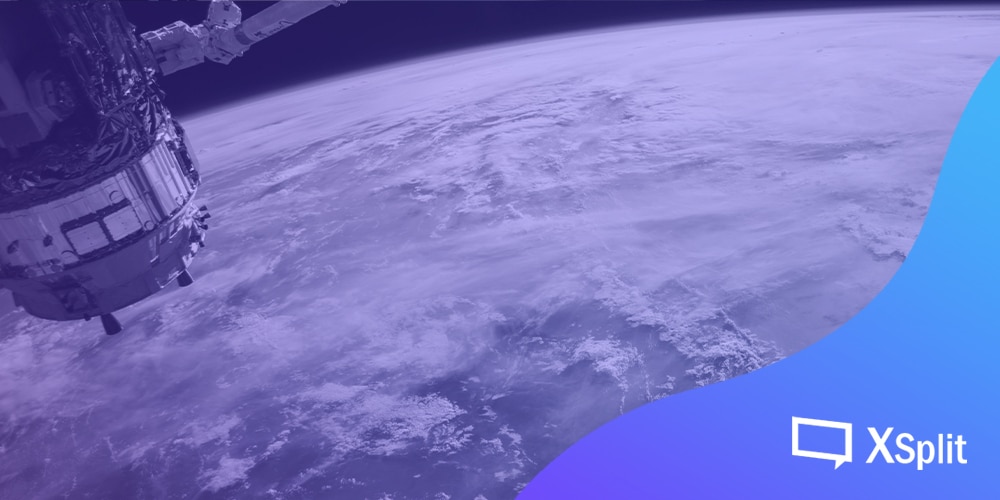
Yes, NASA literally live streams things – a lot of things, in fact. And their streams are viewed all over the world. With their content being about incredibly interesting topics, they are able to command a large number of viewers. 

National Aeronautics and Space Administration

Part of their many initiatives is to educate and get people interested in space. So, as you might have guessed, their content consists mostly of educational documentaries. They also show views of Earth from space, spacewalks, discussions about their equipment and other things of spacey nature.

NASA has a page specifically for their live streams that lists down all their scheduled events such as showcasing next-generation spacesuits and media teleconferences. 

And pretty much at any time, you’ll find something on live on NASA’s YouTube. As of the date of writing, I’m actually feeling an overwhelming sense of calm as I watch a satellite’s live view of Earth.

It makes me feel so small, so insignificant, in the face of the vastness that is our planet. This is the kind of thing that should replace those virtual fireplace videos some people put on to chill.

Your company might not have access to outer space, but maybe you have something just as interesting you can live stream.

Train Stations From All Over

One of the very basic elements of a live stream is a video source. You know what streams video practically 24 hours a day? That’s right – a CCTV camera. And you know what public place has a ton of CCTV cameras? Well, there’s a bunch, but if you guessed train stations, then you’d be right.

There are entire networks of feeds that just show either a railway lines, intersections, or train stations. You, as the viewer, are there waiting for the next train to pass by. There’s a real sense of anticipation as you wait for the next train to roll by. After all that build-up, the pay-off is surprisingly quite satisfying.

There are a number of reasons for the existence of these streams. There’s the obvious one – monitoring and security. They are CCTV streams after all. That’s their primary function.

Another reason would probably be because there are a lot of people who just like trains. It’s not that weird, really! There’s a lot to like about trains – the sound they make when they speed across the tracks, their sleek designs, the function they serve in our ever-evolving complex societies… you know, cool things.

Railcam, a website based in the UK, which installs and operates railway webcams, has over 17,000 subscribers. They are non-profit and operate largely funded by donations.

If you want to see the Bullet Train operate in Tokyo, Japan, check out this channel

To find more, just search “Train Live Stream” and you’ll find so many streaming feeds of entire stations and railways. It’s good fun, and it really does feel like you’re exploring the world and traveling. It’s quite satisfying for someone who likes to travel but never really has time to.

This just shows that even the most niche things can have an audience. Maybe your company has something to live stream, too.

Parks and Zoos

Are you an animal person? Do you enjoy seeing creatures of all shapes and sizes walk around and generally exist? Well, you’d be glad to know that at any time you wish, you can surround yourself with all sorts of zoo animals via the power of live streaming?

Some zoos and parks have a feed of their zoo animals doing zoo animal things, like eating, grooming, sleeping, and probably just being all-around cute.

The Animal Adventure Park holds live streams of their animals. Last time I checked in, I was watching some giraffes chew on what I can only describe as a nutritious pillow. The streams aren’t 24 hours, but they do go for quite some time.

One of the most famous zoos in the world, the San Diego Zoo, has one of the most amazing live stream setups for zoo animals. Once you drop by their live cams page, you can choose your cuddly creature of choice. They have cameras in enclosures for the baboons, penguins, pandas, koalas, and tigers, just to name a few.

Zoos and Parks live stream. Does your company have interesting things to live stream?

Most of the time, you’ll end up watching just the habitat for extended periods of time, but much like the train live streams, it’s the anticipation and build-up that gets me hooked.

Another channel that features animals is called Explore Live Nature Cams, and they seem to shoot in parks and riverbanks. You’ll get to experience nature in its more raw form, from the comfort of your own home. In the stream I tuned into, I was watching a grizzly bear (or what I assume is a grizzly bear) catch and consume some fish. For 30 or so minutes, I was cheering him on, as he endeavors to catch more fish. I even felt bad for the guy after a couple failed attempts and then BOOM, he snags one right out the air.

As our bear protagonist moves away from the river to indulge in his fishy treat, another bear comes out of nowhere and fights him for it. It’s some heavy drama if you ask me.

Your company may not have cute animals, but there’s bound to be something interesting to live stream. It doesn’t have to be a 24/7 always-on kind of thing.

Funerals Services

It doesn’t get any more unconventional than this.

When a loved one passes away and some of their family members are unable to attend the wake or the funeral, they can choose to simply just watch the live stream of the wake or funeral. An ever-increasing number of funeral homes have been offering live streaming at a tiny cost and it’s being met positively. Around 20% of all funeral homes in the United States offer such a service.

Funeral live streaming lets friends and family pay their respects in some fashion even if they’re from a different country or are unable to travel, but another side benefit to live streaming is documentation.

When holding a service, it’s great to be able to go back and hear all the wonderful things people have to say about the deceased. Memories are going to be shared, stories are going to be told and a recorded live stream will be the best way to relive all of those.

Know any other weird, unconventional live streams?

I’ve covered a few here, but I’m sure there are a lot more streams out there that are just as unconventional as the ones I’ve mentioned here. 

Mukbang was supposed to make it into the list but that’s been around for years, and it’s considered a bit mainstream now. What are your favorite off-kilter streams? Let us know in the comments! And oh, keep it clean!

Other Forms of Content you can Live Stream

Many content creators, especially streamers would play video games with the expressed purpose of live streaming it to their favorite streaming platforms, because let’s admit it, playing games while people are watching can be fun. Viewers can follow you on your journey as you fight against zombies or completing a visual novel story, or they can laugh with you at your crazy antics in multiplayer games. But we all know video games aren’t the only thing anyone should just focus on, there are a ton of other geeky things that can be live-streamed, so if you are still in the fence on trying out different things outside of video games, then we have a couple of things that you can really live stream if you want to do something creative.

Doing a Talk Show or Podcast

It may sound cheesy to do your own talk show on a live stream, but if you are the type that loves to talk about a lot of topics, then this will work for you. Just sit down in front of your camera, place some good decorations as your background to make it more presentable or just use XSplit VCam to simulate a green screen chroma effect. You can also use XSplit Broadcaster to help you in creating professional overlays as well as the stream annotations that you can even use to write down lists or illustrations to aid in your topic discussion. You then think of a topic that you can to talk about, it can be about a new game that got you hooked for weeks or maybe that last movie that you watched that left you with a bad taste. Your audience can even engage with your discussion in which they can ask questions that you can respond to. You can even tag someone as your guest to share their inputs as well, or even have a healthy debate which can give more insights on the topic that you tackling on. The only thing to keep in mind here is to always keep your discussions civil. No need to go all rage for any disagreements.

Tabletop Gaming session

Tabletop is a game but this time it’s more on the non-electronic side. You can do live streaming with tabletop games such as board games, card games, and even classic pen and paper roleplaying games. So if you are a fan of Dungeons & Dragons or Magic: The Gathering and you want to show off your best campaigns or matches with your other buddies, you can do videos out of these. Though keep in mind that this may require a more complicated setup depending on what game you will be streaming. It may require you multiple cameras and microphones placed on the area or some unique overlays that will show multiple screens on your plays. But if you managed to pull this off, it will be one heck of an experience and you could encourage other tabletop geeks to do it as well.

Toy/Figure Unboxing

Any geek has at least one or two figures on display at their room, but if you are someone who is into figure collecting,  you could do a series of content out of it. Unboxing videos are trending content nowadays, but doing it in the form of a live stream makes it even more fun as you can engage with your audience. You can do a video from the new action figure that you received from your preorder or that hard to find a toy that has eluded you for years. You can even showcase its nifty features and accessories, or compare it with the other figures that you have in your collection. The sky is the limit here.

Model Kit Building

You could say that this has similarities with toy unboxing, but what makes this different is that you have to assemble the whole thing, and it’s a fun reason to stream it. The setup can be the same with a typical unboxing content except for it being longer as you have to assemble your kit. Just ready your tool kits, grab a can of soda, and start with the building. It can be of any model kits as long as those are your field of interests, mechas, sports cars, World War II vehicles and even plastic brick toys. There’s no limitation on what you want to build here. If it’s a large scale starship that has hundreds of pieces to put together, you can use an episodic format that encourages your viewers to watch your progression up until you finally finish it. And if you’re not satisfied with just straight building your kit, you can go the extra mile by doing panel lining or even painting it, you can even use the live stream as a tutorial on building and painting model kits.

Event Coverage

There will be events and conventions that are catered towards geeks, and it is a good opportunity to do some coverage from it. While some content creators make video content that is pre-recorded, doing a live stream video is still possible. All you have to do is have a really good smartphone that shoots great quality videos, and a lavalier microphone that you can use for commentaries. You can roam around the convention area like you are having a tour to give an idea on what’s inside the event, or do interviews of guests or exhibitors if the organizers permit it. And in some cases, you don’t need to limit yourself in just conventions, you can do it in community events and share the fun of the community with your audience. And don’t forget, be sure to abide by the rules of the events that you are attending, and if some certain areas or segments prohibit any form of video recording, please do follow those rules.

And there you have it, these are some of the geeky things that you can do in your live stream outside of video games. But these are just a tip of the iceberg as there are still many ways to do other forms of live streaming that many haven’t tried tapping in too, so time to make use of your creative juices and start doing some more awesome contents. 

Happy streaming!

6 Indie Games to Live Stream in 2019

There are a ton of great talents in the independent scene, in which most of these games are passion projects by these developers, meaning you know they made these games with love. Though they lack the budget and manpower that from triple-A companies, that still doesn’t stop them from making their projects a reality, and in some cases, they produce games that are outside of the usual tropes that we found in mainstream games, giving it more of bizarre and unorthodox gaming experience.

Now with 2019 almost draws to its closure, we listed out six of the indie games that are worthy to play for your live stream sessions, whether being one of the most anticipated titles or it just being a wacky game. Streaming these games will give you a ton of fun.

Wargroove

If you are a fan of turn-based strategy games and pixel art, then you should give Wargroove a try. A homage to the classic Advance Wars series from Nintendo, Wargroove puts you in the role of a commander and can choose from the four different factions, each having unique units that are tied to the faction’s theme. You can get to choose twelve different commanders that showcase their distinct personalities and traits that will give an advantage to your army. This is a great game to stream if you want to show off your neat strategic plays or you just want something that can encourage your viewers to interact with you in making the best approach in a specific map.

Untitled Goose Game

Part puzzle game, part stealth game, pure hilarity. As the title suggests, you play as a goose and your goal is to just, make a lot of mess to the inhabitants of the town. Grab objects, startle people or just scare children as you complete objectives at each level. Completing certain tasks may require being undetected to avoid being detected by your victims, and in some cases, you may require to trigger a series of events just to complete a specific objective. This is a fun game if you are just looking for something that just lets you do crazy things if you just want to stick to one certain level, a great choice to do a live stream and let them laugh with you on the hilarious antics that you would do in the game.

My Friend Pedro

A side-scrolling shooter that lets you kill enemies in style. If you’ve played the old Flash games when you were a kid a few years back, My Friend Pedro’s gameplay will surely remind you of those old games. Shoot down the enemies while dodging their bullets and slowing downtime which could remind you more of the classic Max Payne games, it also includes parkour elements where you can do flips, wall jumps and other acrobatic moves that can help stack up more points. The game lets you be more creative in clearing each level, which adds up the replayability value. If you are the certain fellow who loves to show off with their best kill shot in clearing a level or perhaps doing a hardcore approach by beating the game in the hardest difficulty in one sitting without getting killed, this would be your go-to game especially in streaming, and watch your audience go wow on your playthrough.

Bloodstained: Ritual of the Night

If you are into exploring castles in old-school side-scrolling style, then this game is for you. From the same man who popularized the Metroidvania gameplay in the modern Castlevania games, Koji Igarashi launched Bloodstained as its spiritual successor to the classic Symphony of the Night. As Miriam, you hack and slash your way against the undead and demons as you explore the labyrinth for hidden secrets and unravel the mysteries in the story. With a blend of RPG elements, you can also equip different sets of armors and shards that can unleash different types of attacks. Fans of speedrunning challenges can stream this game as watching these kinds of videos can be quite entertaining, from completing the game within the fastest time or discovering new secrets, making your audience surprised with your tricks in speedrunning.

Forager

If you are into open-world exploration, crafting, and farming, but more of a simplified presentation, you should try out Forager. A 2D open-world game that takes inspiration from other indie games such as Terraria and Stardew Valley and some mechanics from idle management games. You get to explore regions and forage for minerals, food and other resources so that you can expand your land, there are different playing styles that you can focus on, from being an adventurer to a builder or even a merchant. Doing live streams on open-world or even sandbox games can be an engaging experience for your viewers, as they can watch your journey in building up your progression.

Risk of Rain 2

Jumping from 2D games, we’ll be heading to 3D games with Risk of Rain, which coincidentally also jumped from 2D to 3D for its second game. This roguelike multiplayer game lets you play it solo, group up for a four-man team as you fight your way through monsters to find ways in escaping the planet. You will be able to loot for powerful gear to increase your survival. Every new playthrough will be randomized, making it more challenging and increases its replayability. When doing live streams for the game, it’s a great opportunity to tag along with other streamers on your multiplayer session that can help build their respective audiences and have a continuous collaboration.

I hope you will enjoy these games, as these will definitely give you a lot of a great time for your streaming sessions. And to have a better gaming live stream quality, you can try out XSplit’s Gamecaster that has all the essentials you need to start your live stream career. It allows for capturing in-game footage, chroma key support, in-game Twitch integration and express video editor that will give you a professional-looking live stream in one application. You can start downloading Gamecaster by heading to this link

Instagram Marketing and Live Streaming

Instagram Influencer Marketing

Who’s on Instagram? Everyone.

Aaah Instagram & Influencer marketing. Name a better duo, I’ll wait. From superstar models & celebrities to your Fortnite Twitch streamer, it’s safe to say, if you’ve got a celebrity crush you stalk on your phone, that person is an Instagram Influencer. Sure, sure, Instagram is the home of artistic photographers and indie creatives (#sunset#streetart) but as a marketer and business, you should really think of Instagram as a marketplace for brand advocates and potential candidates for your ads.

The name of the game? Get as many followers as you possibly can so brands reach out to you for a sponsored post for up to a million $, only if you’re Kylie Jenner or Cristiano Ronaldo of course. You won’t be getting paid as much because you’re obviously not one of the Kardashian sisters, but you can still expect a large sum of cash. Numbers vary largely depending on the demographic and industry but you could expect $1,000 per 100,000 followers. Now the road to building such an audience might be long and gruesome, but the payout might just be worth it.

Everyone wants a slice of the pie, and there are thousands, if not millions, of influencers for industries such as food, fitness and the likes. Personally? I like burgers and fried chicken. That doesn’t mean I’ve never smashed the like button on scenic pictures from the Bahamas with an acai bowl as the main portrait. You know the picture I mean? Of course you do, there are literally millions out there with every shade of color from a rainbow. That’s part of the problem: as we reach saturation, influencers that aren’t celebrities might have to start thinking out of the box and offer more than just daily lifestyle pictures.

https://www.instagram.com/p/Bp__gEWHrfK/

Instagram TV: the best tool no one uses

Video > Photo

If a picture paints a thousand words, then live video is a museum tour. While metaphors and literary imagery may not be my forte, trust me, I know about live video content. Instagram stories were already a leap forward for providing audiences with more insight into the lifestyles of influencers. The more genuine aspect of it, as well as the snippets of personality shown, was an immediate hit on the platform. Stories were but a stepping stone for Kevin Systrom, Instagram founder, who declared the era of “Vertical Video” officially launched.

Rough Start…

When launched on June 2018, it was expected to be a YouTube-killer, but unfortunately ran into some hurdles. The switch for short-form video snippets to long-form videos with production needs like music, transitions, etc. was not an easy switch for an individual influencer. The vision for Instagram TV was “creating” content. It wasn’t a big hit with most influencers because it required more time and effort to build content. Understandable, since the biggest barrier of all was that, unlike YouTube, views on IGTV were not monetizable through ads. Tough sell.

But still some hope ahead?

Then, in February this year, Instagram started previewing IGTV feeds on the home feed. View numbers exploded. Not a big surprise really, discoverability and ease of search was also a factor in the poor launch. Video on Instagram receives about 38% more engagement than image posts. Live video numbers will surely surpass that soon. For now, it seems IGTV is not quite the hit with lifestyle influencers they thought it would be.

Why should Brands care about IGTV then?

You are not an influencer, you are a Brand.

Yes, IGTV was not a home run with individuals. But you do know 70% of users look up a brand on Instagram? Unlike YouTube, influencers don’t have a way to “game the system” with SEO tricks and clickbait tactics, it essentially comes down to brand popularity (and money for ads, sure). Organic reach is a huge factor for IGTV, despite what you’ve heard about Instagram ads. Users want to see brands evolving their content mix, and IGTV is the perfect gateway for that. Think fashion brands, one of Instagram’s core audiences. Sure, runaway pics are nice, but imagine watching it live? All the attendees are doing it anyway to flex on their followers, why wouldn’t you, as a Brand, capitalize on that? Some have already started doing it. Low risk, potentially high reward.

Case and point: Food

There are very few brands that have been utilizing IGTV. BBC News is one of them, but of course, this is more about capturing demographics they do not have access to on other media channels. But the Food Network? Best decision they made. Food content is old but gold: it was never going to die. What had died, however, was the medium generally used: Television. Sure, some demographics of mothers may still tune in, but how do you get the younger folks on their phone? IGTV.

Everyone likes food, you just have to reach them in the right places. They even write content for their Instagram audience. I’m going to be honest, I’m not familiar with how brand advertising and product placement works for these businesses, but I bet there’s money to be made. And we’re talking about a brand generally not associated with Millenials. Think Tasty, Spoon University and all those food porn pages that exist. They have a real opportunity to build engaging live video content and earn themselves another avenue for brand sponsorships. BuzzFeed even partnered with Instagram on building an incubator specifically for IGTV creators. I’m not completely sure what the progress has been, but there is definitely room for growth.

Conclusions

If you don’t see the big picture of Instagram Live Video content, I have failed in my mission… The point is, the cool kids are on Instagram, brands should be on IGTV because people like video, especially live. Oh and if money is what it takes to convince you: a third of Instagram users purchased a product via their phone. So create some video content, build an audience, have a purchase flow, and you’re set. Do you really think Facebook would buy a platform with no ad monetization on views if there wasn’t a bigger picture?

Evolution of Shopping: Live Video Commerce

This article will tackle eCommerce marketing but still in the realm of live streaming. Learn how live streaming is enhancing the eCommerce experience.

This will be a different topic to discuss on the blog, we usually talk about the community and software updates on this space but for this article – we shall tackle something else that is e-commerce but still in the realm of live streaming.

Late September 2019, Samantha Cheh wrote an article on Tech Asia on how live streaming is enhancing the eCommerce experience. This live stream shopping trend has been slowly growing in popularity in these recent years. It started in China and has been slowly creeping into the US market via Amazon Live. Before we go further with this discussion, let’s start from the beginning.

Back in the day, consumers have always bought merchandise from either a physical store or a merchant. This is the normal retail shopping that we know of, where you go to a physical store to inquire about an item and its selling price, maybe haggle a little, maybe purchase the item and then leave. It might be a simple process back then, right? When you like an item you saw on display, then you will most likely purchase it. But these days, we most likely do not have the time to go to a physical store and look for the item you’ve been meaning to purchase for whatever purpose it might serve.

Through the years, the shopping experience has evolved to be able to cater to our fast-paced lifestyles and has a huge emphasis on convenience. Thus, the creation of the home TV shopping channels in the late ’70s. This trend has steadily grown in popularity in households over the years – with the popularity of television use for distribution of news and some sports updates until the launch of cable TV in the 1940s

In this article from 2008, Isabel Isidro mentioned that if you want great exposure to your product then home shopping networks can be for you! One advantage is that once a product is featured during a timeslot, there is also a demonstration involved showing what the product is, what it does, the benefits of purchasing and owning one, and the value for money – response and purchase may be instantaneous but you’ll need to have a huge inventory to keep up with the demand. Another thing is, showcasing your product on the show might not necessarily mean that it’ll be a hit so there’s also a huge risk involved.
But who has time to watch TV these days? We’re all almost always on our mobile and browsing social media – with 5.11B unique mobile users, 4.39B of which are internet users, and 3.48B are on social media. With the growing internet and mobile consumption, it is not far that commerce will progress online to offer more convenience and accessibility to the people who need it. We also need to note that for the past year, Amazon and Taobao have been named the top websites visited – that says a lot for our online content consumption.

E-commerce has boomed through the years, with earnings surpassing most of the current retail stores causing the recent ‘retail apocalypse’ as shoppers are now shifting to online shopping for their needs.

But we need to step it up further, what makes online shopping more interesting is the thrill of doing the sale on live stream! Taobao does it best, as one of the most competitive live commerce platforms in China.

taobao live website homepage
Screenshot from the Taobao Live website.

Who says live streaming is just for broadcasting video gameplay? For other parts of the world, like China, IRL streaming takes 80% of the total streaming population. Similarly, the landscape of live stream commerce has become a massive trend in China and slowly transcending into other countries – another advantage of live streaming in e-commerce is that you can interact with the merchant and receive a realtime response. The immediate response or engagement from the seller tends to have a positive impact on the curious audience – making them want to buy the product more during a live sale broadcast, that’s a sale right there!

It goes to show that live streaming can be used not just for entertainment purposes but can also uplift and advertise a business or product in real-time. To most in the western countries, we see live streaming as a means of entertainment, whereas in our Asian brothers – they have been utilizing the power of live broadcasts not just for entertainment but also for business. It might be odd so some people, but this is an emerging trend that will truly be widespread in the near future making e-commerce platforms more competitive and entertaining.

Creating Content through Video Games

A community that is built by content creators, for content creators. Changing engagement in gaming through streaming – the rise of the new social gamer.

Gamers Assemble your first step to becoming a content creator
Gamers Assemble content creation workshop, September 21 at Game Over PH, Quezon City.

XSplit has recently been active in participating in local events and workshops in the Philippines. Usually, the team sponsors bigger community meet-ups abroad and it’s seldom that you hear about the local events scene here in Manila. In its drive to have more social and community visibility – the team strives to be as active in being physically present in the events that we support whenever we’re able to.

Streaming being mainstream these days has presented a new wave of curious onlookers who would want to know more about what streaming is and how brands like XSplit can help with the knowledge transfer. More often than not, to non-streamers, streaming can be a technical and arduous task; some might not be interested in streaming games but is interested in what streaming live content can do for their businesses.

In the new age of online media, we have the constant bombardment of content on whichever social platform that we are on – whether we’re on Facebook, Twitter, Instagram, YouTube, Twitch, etc. – we are constantly faced with a problem that is too much information. Not everything is entertaining and fun anymore, thus more and more people are opting for a new detox trend of going offline for days, weeks and months at a time.

The stress of our fast-paced internet lifestyle has taken its toll and now people have delved into creating content that they want to consume themselves as a counter-measure, thus the birth of content creators and influencers.

But one does not become a good content creator by just wanting to be one. Thus, supporting this kind of workshop is valuable to the growing demand for learnings for the aspiring content creator. Although locally in Manila, these workshops are supported by companies and brands who believe that new-age content can come from these talented individuals who have good vision but lack the how-to in making their ideas into reality.

In full support for the newly anointed gaming content creators of Collab Asia in the Philippines in partnership with BrenPro TV and XSplit brought the first of many content creation workshops in the country.

We hope that these small steps create a ripple of encouragement for those wanting to enter the streaming realm – whether for video games, business or education. We hope that XSplit can be part of your content creation journey from here on and beyond – the current offer in our suite of software is geared towards those who want to create content and share it with the world. If you have any questions, simply join our Discord server, chat with us on socials or connect with our support team via xsplit.com/support.

Collab Asia content creators and partners – XSplit and BrenPro TV.