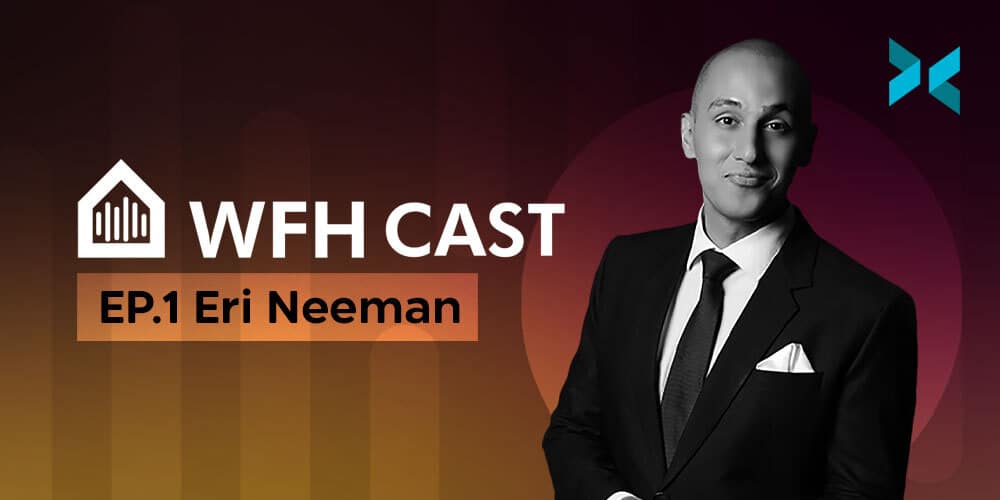
Being an Esports Host from Home – WFH Podcast with Eri Neeman

Here at XSplit, we’ve always been interested in how people use our apps, but beyond that, how people get their work done. From the apps and systems they use to how they focus on the task ahead. We used to love the side chats at trade shows and conventions with industry friends. Sitting down sharing stories, and discussing how we work. Since we’ve all been unable to go to shows in the last few years we wanted to take these conversations online and we thought they might be interesting to you. With that, this podcast with Eri Neeman was born!

In our first episode, the content team, Louis Vigil and Chris Slight sat down to talk to Eri Neeman. Eri is a popular esports host from the Philippines who has hosted events such as the Manila Major and ESL One Katowice. We spoke with Eri Neeman on this podcast about how he shifted his business to working remotely. We also discussed some tips for others in a similar situation.

Eri Neeman Podcast Interview

The following is a brief excerpt from the show:

Chris Slight: So when the pandemic hit and everything started getting canceled, how did you pivot your work?

Eri Neeman: First of all, it was just kind of accepting that OK, this was the situation. This is it. I knew there was going to be no work. Like, your entire calendar, however many events I had, that was just wiped, right? And I kind of saw it as an opportunity to do things I’ve always wanted to do but never really had the time to do it. Because it was just meetings, hosting, meeting with clients, and that cycle would go on for a year and you’d rarely get breaks.

Eri, Louis, and Chris go on to discuss everything from Eri’s background in the industry. As well as the equipment they use, and advice for transitioning as a host to a work-from-home environment.

You can watch the show on YouTube or listen on Apple Podcasts and Spotfiy or download it directly as an MP3 from our Soundcloud page.
Tips to Keep Your Twitch Channel Safe and Avoid DMCA Takedowns

It’s the email that every streamer dreads: the DMCA takedown notice. Remember, when it comes to copyright, Twitch has changed from a policy of muting audio to one of fully removing the offending clips. Repeat offenders run the risk of being banned completely, so streamers constantly need to be on their guard with the music and audio they’re allowing to go live on stream. Don’t worry though, we’ve got the tips and tools to help you avoid DMCA strikes on Twitch right here.

How to avoid a DMCA takedown on Twitch

After multiple massive, platform-wide DMCA headaches on Twitch in 2020 and 2021, it should be clear that you can’t use copyrighted music in your content. The most common way this has happened in the past is by listening to Spotify or some other music service during your livestream. But there are other ways that may not be as obvious for problematic audio to creep into your channel.

Got the football game on your tv in the background? If your mic picks it up, that’ll probably get flagged. Playing a trailer off YouTube that uses a pop song? A takedown notice could be headed your way. It’s important to keep your stream as clean as possible when it comes to audio. Come to mention it, if you need help getting your audio set up perfectly, we’ve got a guide for that too!

One person enjoying watching another stream a game on a PC, they both have gaming headsets on it would be useful to know how to avoid DMCA takedowns on Twitch
Photo by RODNAE Productions from Pexels

Will deleting clips and VODs protect your channel?

The DMCA rules on Twitch are in a constant state of flux. Early on, the platform would simply mute audio on VODs where it detected copyrighted music. There was no real way for live detection to happen. Technology and policies have both changed, however, and these days there is increasingly active live detection of copyright infringement. This is especially for TV and sports audio!

Twitch will remove or require the removal of any offending clips and VODs if flagged. It all adds up to potentially massive problems for streamers of all levels. Most importantly, the penalties for repeat offenders can still be very stringent, with permanent bans on the table. Really, the only thing to do is just be very diligent and make sure you’re sticking to music you have the rights to play.

So what can you safely play?

The good news is, there are a number of options out there that can provide music that’s safe for your channel to use. Gamecaster even has its own library of copyright-free music! Called Grooves, available for anyone to download and stream for free and use in their broadcasts. No registration or credit card is required, just click and go! There are more than 150 professionally produced tracks in a variety of genres that you can throw into your stream to set the mood without worrying about a DMCA claim ruining your day.

Music can be not only a great background to your content but sharing your favorite tracks with your community or other streamers can be a great way to connect further. Now that your channel is safe from the threat of DMCA strikes, learn how to secure the rest of your online life with our guide to protecting your privacy while streaming on Twitch.

Online Security When Working From Home

With the increase in working from home, there are a number of things we need to think about in order to stay secure online. These new challenges aren’t too difficult, but keeping your data safe is very important! We’ll take you through some of the key things to consider for online security in this blog.

Stay secure online

When data is at risk, it’s very important to ensure that your connection is secure. The best way to do this is to have a VPN set up so that all your connections go through a network. This ensures that any data that goes across the internet is fully encrypted, even if you’re using insecure protocols such as SMTP or HTTP. A VPN will also protect you if you’re using a public wifi connection, such as at a coffee shop – you’ll be protected even if someone else on the network is trying to snoop your data.

If you’re part of a company, the other big advantage of using a VPN is that it allows you to access all of the network services in the office as if you were actually there yourself. This includes servers, printers, projectors, and anything else that’s available on the network. With everyone on a VPN, those services don’t have to be made open to the internet in general, greatly improving the office network security.

A person sat on a bed using a laptop with a large open window behind them looking out on to a tree looking to stay secure online.
Photo by DocuSign on Unsplash

Personal data security

If you’re using a laptop outside the home or office you need to think about keeping your data secure. The first things to consider to stay secure online are:

  • Anti-virus software, which helps protect from viruses that could steal or encrypt your data – ransomware attacks where a criminal demands money to unencrypt your files are sadly getting more frequent.
  • Disk encryption will protect the data on your computer if somebody steals it – without your password, they won’t be able to read any of the data on the computer or even start it up without wiping it. This doesn’t get you your computer back, but at least it means you can be sure the data is safe!

Speaking of losing your computer, making regular backups is important as well. Keeping files on the office servers means you don’t have to worry about hardware loss or failure, and your IT department should already be backing up the servers. It’s also a good idea to make sure you’re familiar with what real and scam emails look like. Phishing attacks, where an email tries to convince you to go to a dodgy website, are also common. Remember to check the domain name in any links to help stay secure online.

Giving away information

Sometimes the simplest security slip-ups are the most damaging when you’re trying to stay secure online. Imagine doing a presentation to a supplier or client, but when you share your screen, you accidentally show your desktop where there’s a document about a deal with their competitor. Or perhaps, during a meeting, you’re sharing your screen when an email notification about a sensitive or personal matter comes through and a notification pops up. You can avoid these moments by using XSplit Presenter to share just a single application, rather than sharing your entire screen.

You can also use XSplit VCam to blur the background of your webcam if you’re in a call, which helps if your home office isn’t quite as private as you would like it to be.

Using complicated, random passwords and saving them in a password manager also helps enormously, giving you all the security of never repeating a password whilst still only having to remember one.

Whilst there are plenty of potential pitfalls in online security, there are also a lot of solutions. As long as you’re careful, you shouldn’t have any problems and can be confident that you will stay secure online.

The Twitch Affiliate Contract Explained

Every streamer on Twitch is out there shooting to get their channel to the level where they snag a Twitch Partnership invitation. That purple checkmark is a badge of honor for the content creators who work on the platform. But the first step to your streaming success is probably the Twitch Affiliate program. Today we’re going to help you understand a little bit about what the Twitch Affiliate contract looks like and what you can and can’t do with the program.

How is an Affiliate different from a Partner?

The Affiliate program exists to allow early-stage streamers who are serious about their careers to start earning money on Twitch. The differences between Affiliate and Partner are primarily in how much they earn. It’s probably easiest to think of the Affiliate program as the younger sibling of the Partner program. Affiliates can…

  • Receive payouts from viewers cheering bits on their channel
  • Earn commissions on paid and Prime subscriptions
  • Earn revenue on ads watched on their streams 
  • Earn commissions on games and merch sold through their channels
  • Activate channel points for viewers
  • Run polls directly through Twitch chat
  • Access five sub emotes

Partners get all of the above but also get custom Cheermotes, can access up to 60 emotes for subs, and earn ad revenue at a significantly higher rate than Affiliates.

A man standing in front of a bay of gaming PCs with his arms outstretched and a smile as he wears a gaming headset wondering about the twitch affiliate contract being explained.
Photo by RODNAE Productions from Pexels

What is ‘exclusivity’, and what does it mean for Affiliates?

The Twitch Affiliate contract has a clause that may be a little confusing, dealing with “exclusivity”. Essentially, it says that by becoming an Affiliate, you are giving up the right to go live on Twitch and another platform at the same time. That means Twitch has exclusive rights to your stream when you’re live. The important thing to understand, however, is that they only have exclusive rights to you when you’re live on Twitch. You’re free to end your Twitch stream then start a Facebook Gaming/YouTube multistream right after. You’re also allowed to embed your live Twitch stream on another site, such as your personal webpage, as many times as you like. Plus you can still upload any non-live content like VODs to other platforms as well.

It may seem a little limiting, but the tradeoff is being able to make money directly from your channel and start building towards Partner.

Twitch Affiliate requirements

Becoming an Affiliate does have some requirements, and technically there’s also an application process, but it’s more of a formality. Compare that to the Partner application, which, as most streamers know, is pretty heavily scrutinized. The Affiliate standards are:

  • you’ve reached 50 followers
  • you’ve streamed for eight hours total
  • you’ve streamed on seven different days in the previous month
  • you’ve averaged at least three viewers per stream

Once you’ve hit all of those milestones (it will track them on your dashboard in the ‘Road to Affiliate’ achievement) a button will appear on the page to let you apply to the Affiliate program. Just click that, wait a few days for a response, and you’ll be all set to start earning your keep as a professional streamer!

One big note we want to add is remember you still need to pay taxes, depending where you are located globally, on your Twitch earnings. So do keep this in mind!

It’s much easier to get on your streaming grind when you’re making a little money from your channel, and securing Twitch Affiliate is an important first step to becoming a Partner. Need help hitting those requirements? Check out our guide to finding your voice as a new streamer for ways to nudge that viewer count up.

같은 컨텐츠를 여러 플랫폼에 등록해야 할까?

한번 제작한 똑같은 컨텐츠를 다른 플랫폼에도 올리기에는 조금 부담스러울 수 있다. 하지만 의외로 좋은 홍보 전략이 될 수 있다. 이러한 작업에 전혀 부담을 가질 필요가 없는것이, 바로 내 작품을 여러 사람들에게 제시하는데 있어서 제한을 두지 않아도 된 다는 것이다. 한 영상을 제작하기 위해 녹화 혹은 인터넷 방송을 송출한 노력에 비하면 이정도 작업은 비교적 쉬운 일이다. 물론 여러가지 고려해 볼만한 부분들을 같이 생각해보도록 하자.

각자 플랫폼마다 분위기가 재각각이다

특정 플랫폼만을 추구하는 시청자들은 다 그럴만한 이유가 있다. 대부분의 플랫폼마다 잘 나가는 형식이나 장르의 영상들이 재각각이기 때문에 자기가 좋아하는 종류의 영상을 주로 찾아본다면 특정 플랫폼을 주로 드나들게 된다. 예를 들어, 트위치에서는 인터넷 방송을 진행하는 스트리머들과 이를 시청하는 시청자들과의 소통이 실시간으로 진행되곤 한다. 이에 비해 유튜브에서는 미리 편집된 영상을 업로드하게 되며 시청자들은 굳이 실시간이 아니어도 언제든지 새로운 영상을 보거나 이미 봤던 영상들을 다시 찾아보며 댓글을 다는 플랫폼이다. 실시간 방송과 유튜브 영상의 큰 차이점은 분위기이다. 실시간 방송은 항상 재미있거나 원하는 장면만 나오는 것이 아니기에 이에 대한 이해가 필요하다. 유튜브 영상은 재미있는 장면만 짜집기 하거나 특정 하이라이트만을 가지고 그 위에 자막이나 영상미를 더해주는 여러가지 요소들이 편집되어 나오기 때문에 더욱 흥미롭거나 더 유익할 수도 있다.

심지어 소셜 미디어 서비스들도 여럿 존재하기 때문에 인스타그램, 페이스북, 트위터, 틱톡 등 다양한 플랫폼들에도 영상을 짤막하게 업로드 할 수 있게 된다. SNS 플랫폼들은 사람들의 집중이 한정되어 있기 때문에 짧은 상영 시간의 영상들이 다양하게 보여지는 곳이다. 그러니 영상 전체를 업로드 하기 보다는 주목하거나 재미있는 부분만 30초 가량 편집하여 업로드 하는것이 더 바람직하다.

A person with a gaming headset on stood in front of a row of gaming PCs in a large room with two other people next to them, they are shrugging but smiling thinking about reusing content.
Photo by RODNAE Productions from Pexels

컨텐츠를 재활용 하는 것이 가능한가?

여러 유튜버 성공사례에 의하면 트위치 방송에서 보여준 장면들 중에 재미있고 기억될만한 부분들만 잘라내어 편집한 영상들을 업로드 하는 것 이었다. 한 달 정도의 방송 분량을 가지고 가장 멋진 장면들만 추려내어 약 20분 이하의 영상이 만들어 지는데 이는 실시간 방송을 시청하거나 시청하지 못했던 사람들에게 모두 인기가 있었다. 트위치 자체에서도 1분 가량의 클립을 따로 떼어내는 기능이 있고 이 기능은 시청자들이 직접 할 수도 있어서 이러한 장면들을 시청자들이 미리 손쉽게 클릭 몇 번 만으로 제작해줄 수 있어서 편집자는 비교적 쉽게 소스를 찾아낼 수도 있다. 여러 작은 클립들을 이어 맞추는 작업이 조금 고될 수 있지만 이를 감상해주는 시청자들이 있고 새로운 컨텐츠로 자리잡을 수 있기에 주어지는 보상은 더욱 보람있게 느껴질 수 있다. 높은 실력을 자랑할 수 있는 모습들과 우연히 만들어진 기적같은 장면들이 한 곳에 모여져 있으니 반응 역시 뜨거울 수 밖에 없다.

주로 다루는 영상의 장르에 따라 짧고 굵은 영상들을 여럿 제작할 수도 있지만 단 번에 주목을 끌 수 있을 장면이어야 한다. 예를 들어 FPS 게임의 하이라이트는 굉장히 어려운 스나이퍼 샷을 보여준다거나 탈것을 몰 수 있는 게임의 속도와 반동으로 인한 공중 곡예 장면 등을 삽입할 수 있다. 이에 비해서 마인크래프트에서 건축을 한다거나 과정을 모두 보여줘야 하는 게임들은 금방 지루해서 거들떠 보지도 않을 수 있다. 하지만 마인크래프트에서도 여러 멋진 장면들이 트위터에 많이 보여지는 경향이 있어서, 뜰 것 같은 장면들을 선정하는 것이 중요하다.

모든 플랫폼에 알맞는 형식으로 내 컨텐츠를 편집하려면?

이 세상에는 수 많은 영상 편집 프로그램이 있으며 기능 역시 가지각색이다. 이제는 스마트폰에서도 영상 편집이 가능한 시대이다. 영상의 시간만 줄여주는 단순한 프로그램에서 자막이나 그래픽을 삽입할 수 있는 고급 프로그램들도 스마트폰에서 가능하게 되었다.

인터넷 방송 프로그램 역시 한번에 여러 플랫폼으로 동시 송출이 가능하다. 엑스플릿 브로드캐스터 같은 경우에는 원하는 플랫폼들에 미리 가입을 해놓은 상태에서, 로그인 기록만 각자 입력해두고 원할 때마다 다수의 플랫폼에 실시간으로 방송을 하는 것이 가능하다. 게다가 동시에 녹화는 물론, 편집도 어느정도 가능한 프로그램이어서 일석삼조의 효과를 누릴 수 있다.

그렇다고 막상 기존에 있는 영상을 붙여넣기 식으로 아무곳에나 업로드 하면 무용지물이다. 철저히 해당 플랫폼의 분위기나 영상 형식을 잘 공부한 뒤에 기존 컨텐츠를 약간 변형하여 노력을 곁들여 알맞는 영상을 올리게 된다면 이에 걸맞는 보상이 뒤따를 것이다.

Should You Put Your Content On Multiple Services?

It’s very tempting to reuse content by uploading the same footage to multiple sites, but is this actually a good idea? It feels sensible –⁠ after all, you’ve put all that effort into making your video or your stream. Why not try to show as many people as possible? There are definitely a few things to consider when it comes to multiplatform streaming, so let us take you through the options.

Different sites have different feels

The sort of content that viewers are looking for on different sites can vary. The greatest advantage of sites like Twitch is that it’s live and being able to interact with the streamer. People can then upload their VODs to places like YouTube. These polished videos are edited to show off the best bits, often with effects and overlays added. A live-stream viewer can sometimes treat a stream as background entertainment. Something that’s running on a secondary screen whilst they’re working on something else. But if someone is seeking out videos, they’re more likely to be concentrating on the show. They’re wanting a well-crafted story to follow –⁠ something which can hold their interest. So the content you upload to each site has to differ.

Then you have to consider social media channels, whether that’s Reddit, Facebook, Twitter, or TikTok. All of these require the audience’s attention to be grabbed very quickly and typically expect very short videos that don’t need much setup or explanation. A brief pause in their scrolling, rather than a real-time investment.

A person with a gaming headset on stood in front of a row of gaming PCs in a large room with two other people next to them, they are shrugging but smiling thinking about reusing content.
Photo by RODNAE Productions from Pexels

Is there a way to reuse content?

A number of very successful Youtube producers take footage from their Twitch streams and produce highlight videos. Turning anything from an evening to a month’s worth of streaming into a ten or twenty-minute best-of video. Twitch itself has the Clips feature, allowing short chunks of a stream to be saved as a highlight to show on your channel. Editing your footage to a fraction of its length by pulling out the best bits is a lot of work, but it’s very rewarding. It also shows your stream at its best, skipping over the mistakes and the grind and focussing on the highlights, the hilarity, and the moments of pure skill or luck.

Depending on the content of your stream or videos, it may be possible to pull out a short chunk for social media. However, you need something that grabs attention quickly and doesn’t require time to set the scene. A perfect sniper shot in Warzone or a big jump or crash in a racing game could work. But, showing off a machine in Minecraft or Factorio is might be less likely to grab people’s attention. But this can really depend, it’s best to use your judgment here. We’ve seen some amazing Minecraft machines blow up on Twitter!

How do I change my content to suit a different service?

There are many pieces of video editing software available with a variety of features –⁠ some come preinstalled on smartphones, but only allow you to trim the start and end of a clip. Others are very expensive but allow movie-quality effects to be created. Personally, I use Kdenlive which is free and reasonably powerful, allowing clips to be cut up, rearranged, and layered. It doesn’t touch actual image processing that might be used, for example, to remove a mustache from a character.

Some streams may be suitable for multiplatform streaming, allowing you to broadcast on more than one service with the same feed. A tool such as XSplit Broadcaster makes this very easy, streaming to wherever you want and allowing for eye-catching effects and transitions so you can switch between different sources, play pre-recorded clips, and more!

There are definitely ways to reuse content on different platforms, however, it does take some thought. You can’t just upload the same video to multiple platforms. But, with some careful editing and targetting your content to specific platforms, you can certainly make it fit.

The Best Graphics Cards For Your Streaming Setup

Crypto miners and pandemic-related disruptions to supply chains have led to a noticeable shortage in the number of chips and graphics cards available. This is a real nuisance for streamers looking to upgrade their setups in 2021. Unfortunately, there’s nothing you can do about what’s currently on the market. So, let’s run through the best of what you can actually get right now.

In some cases, these might not be the very first cards we’d recommend for the best streaming setup. They do, however, have one massive advantage over others in each category: you can actually get your hands on them!

The best graphics card for getting started

The effects of a decreased supply and increased demand have trickled down even into the entry-level tier of graphics cards. This has created scarcity and driven up prices. However, there is one card that’s actually both available from retailers and delivers a pretty good value for your money: the Nvidia GeForce GTX 1650 Super.

Overlooked perhaps because the original 1650 was something of a flop for Nvidia. The Super constitutes a slight upgrade on the architecture of the original card but makes a massive leap forward in the memory speed. Replacing the GDDR5 (Graphics Double Data Rate memory – the RAM of a graphics card) of the 1650 with ultra-fast GDDR6. This makes it a worthwhile investment for streamers looking to get started. As with any of the cards on this list, you’ll probably need to hunt around a bit to track them down. But, we’ve had the best luck with the ASUS version released under their ‘TUF Gaming’ line.

The best card to upgrade your rig

If you’re looking to make the jump to 4K gaming or higher-resolution streaming, the Nvidia RTX 2060 gives you all that, plus real-time ray-tracing (a high-tech method for rendering light and shadow within games) of the RTX series of cards. It also features the latest-gen GDDR6 in its onboard memory. Even if the markets were wide open, the RTX 2060 would be a good mid-level card, but it’s become even better value thanks to a drop in the retail price following the release of Nvidia’s RTX 3000 line in late 2020. The ASUS and Gigabyte versions are fairly easy to locate without much digging, but, as always, just consider the markups – it’s always worth checking the retail price of any of these cards before buying.

A Geforce RTX in a PC is one of the best graphics cards for streaming.
Photo by Christian Wiediger on Unsplash

The best high-end card

Demand for top-tier cards is crashing hard against that chip shortage mentioned earlier, creating historic scarcity. If you’re planning to go all-in here, your best bet is to pick up the AMD 6900 XT. It’s one of the most powerful cards on the market and there’s a window of availability right now if this is your time to upgrade. Although, it’s likely to be at a significant markup. It’s worth noting that AMD cards do seem to be lagging behind in the high-end GPU arms race, at the moment at least. They lack Nvidia’s Deep Learning Super Sampling (DLSS) technology that uses AI and machine learning to enhance performance. So, if you can hold out until the much cheaper RTX 3080 returns to retailers, we’d recommend you do so. 

Realistically, building and upgrading your streaming PC in 2022 will require patience and careful searching. Fortunately, hardware isn’t the only way to improve your stream! Check out our guide to improving your viewership for more ways to grow as a creator.

How to Pitch Your Non-Profit

Pitching and fundraising are probably the most important parts of operating a non-profit. They’re also the most challenging aspects. There is a lot of competition for grants and investments, and it’s more important than ever to try and distinguish yourself from others. Here’s how you can use XSplit Presenter to give yourself an advantage when pitching to non-profit investors.

Keep it professional to pitch a non-profit

We’ve all been in presentations where someone’s desktop or messaging notifications have popped up on the screen and interrupted or distracted them. At best, this comes across as a bit unprofessional, at worst this could cause potential investors to lose interest altogether. 

This is a danger specific to presenting by sharing your screen directly on pretty much all video meeting platforms. Fortunately, there’s a way to erase the worry about unwanted messages popping when trying to pitch your non-profit’s cause to interested parties. Because XSplit Presenter functions as a virtual camera pointed at your pitch deck, not your desktop. It shares your presentation, and only your presentation, with your audience. No need to worry about an errant Slack message disrupting your flow or distracting your audience.

Integrate your existing web and social presence

A common story for non-profits is limited bandwidth to generate creative and promotional assets. XSplit Presenter allows you to show off the hard work you’ve put into building your online presence. You can show this directly in your presentation by integrating your existing web pages and social media accounts with your pitch deck.

And this is not just a static screenshot: you can seamlessly add web pages with full functionality to your pitch. Within Presenter they act the same way as a slide in a conventional presentation. This allows you to show off things like apps, client portals, or even just media and promotional material in their native environment. You can also easily add videos from YouTube or files directly.

Multiple people sat around a large meeting room table with their laptops open, looking towards the far end of the table where someone is pitching a non-profit.
Photo by Christina @ wocintechchat.com on Unsplash

Stay in the picture

We’re sure we’ve all also experienced that moment of disconnect that happens when an online presenter in a meeting switches from their webcam to sharing their screen, visually pops out of existence to become just a disembodied voice speaking over their slides. So much of compelling non-profit investors to join your cause while pitching a non-profit is forming connections. In these online meetings, losing the connection to your face unquestionably makes that harder.

XSplit Presenter allows you to add your webcam as an overlay to your presentations. This lets you stay a visible part of your pitch. Not only that, but it has a number of attractive formatting options to help integrate your cam into the overall style of your deck. Want to bring in a co-presenter or specialist on a specific slide? You can do that, too, adding additional NDI sources such as Skype calls as overlays. This allows you to bring in additional voices easily and in an attractive manner.

While this guide may feel directed mainly toward remote presentations, you can actually use all these features in your in-person presentations as well. Looking for more ways to improve your online presentations? Check out XSplit’s video guide to leveling up your presentations with Presenter for more tips and tricks.

Easy Communication Tools to Make Your Life Easier at Work

Collaboration is the new normal in the workplace, with employees encouraged to work together to share ideas, increase productivity and accomplish common goals. However, there is more to collaboration than meetings and messaging. For far-flung teams, especially, it may make sense to use easy communication tools to organize work, share documents, give feedback and collaborate. Here are a few of the best apps available on the market today.

The original easy communication tools

Microsoft Office is the most-used office suite around and is likely already at the center of many workplaces. Using Microsoft 365 gives teams the ability to collaborate directly on the same set of documents. Workers can share and edit documents together, speeding up the workflow. What makes Microsoft 365 more attractive is that it’s cloud-hosted, meaning it can be used not just with Windows, but also Mac, Android, and iOS.

Asana is another veteran in the collaboration arena and has been used since 2008 by companies like Uber and Intel. It’s designed to make tracking and organizing projects easy, using Kanban-like project boards or lists. Asana allows users to create to-do lists, set reminders for upcoming deadlines, send requests and facilitate conversations and comments on work.

Communications and collaboration tool Trello is another app that’s easy to use. Similar to Asana, it lets users set up project boards, set up to-do lists, and delegate work. Trello also has the advantage of integrating a number of apps, such as Evernote, GitHub, Google Drive, and Slack, to make collaborating with your coworkers even easier.

A desk with a laptop connected to a monitor with a well organised set of tools that could be helped by easy communication tools.

Communication tools focused on collaboration

With more and more people working on mobile platforms, it makes sense to use easy communication tools that are optimized for mobile. Collaboration platform Podio is equipped with mobile apps that make it easy to use on the go. In common with many other business collaboration apps, Podio comes equipped with tools for sharing files, checking the status of ongoing projects, and sharing feedback, along with third-party services and apps, such as Dropbox, Google Drive, Evernote, and Zendesk.

Flock offers a communication focus, somewhat similar to Slack. The app offers channels for group communications or one-to-one, as well as audio and video calls and screen sharing. In addition, it offers collaboration tools such as polls, note sharing, and the ability for users to assign tasks. There’s also integration with third-party apps like Google Drive and Twitter, with notifications appearing directly in channels.

You can also use XSplit Capture to record or screenshot your desktop and share it instantly during meetings. It even lets you add voiceover and annotations quickly and efficiently. You can then generate a unique link to share with the necessary people and find these captures again from your account, as they’re stored in the cloud!

Ones to watch

Basecamp has positioned itself as an all-in-one collaboration and communications platform. It offers a wide variety of standard features, like chat, message boards, to-do lists, and scheduling, and automated check-in. However, it also acts as a single place to store all documents, files, and folders, making it a useful all-in-one collaboration platform.

Drag-and-drop functionality and ease of use make Monday a very good workflow management and collaboration platform. It also integrates with Slack, Trello, Google Drive, Dropbox, and other apps, which means it can be used as a central nexus for collaboration on a range of projects.

There is a huge variety of online collaboration tools out there. No matter which one you chose, they’re all designed to make sharing ideas easier and to work faster and more efficiently – whether you are working remotely, hybrid or in-office.

How To Create The Perfect Pitch For Potential Streaming Sponsors

One of the simplest ways to get sponsors for Twitch or YouTube is to use a connection service to introduce you to companies that match your brand or level of influence. However, if you want to target specific companies to work with, then you’ll need to impress them with an attractive, informative pitch deck. Let’s have a look at what you should include when you pitch streaming sponsors to your channel and brand.

What key points should you include to get sponsors on Twitch?

It’s likely that these companies receive many pitches and proposals, so it’s a good idea to keep the introduction short and sweet. Tell them about yourself, the content of your stream, and why you have approached them. Also, detail how the proposal will benefit them.

Next, give them the important figures from your channel, including subscribers, average viewer numbers, and social media channel followers. Include your broadcast schedule, as it will give the company an idea of how often you stream and roughly how long each session is. If you have any positive reviews or comments from other companies, you could look into adding these as well.

Two people sat on a stage environment streaming looking to find out how to get sponsors on Twitch.
Photo by Alena Darmel from Pexels

What should you leave out?

While you want to show your channel figures to get sponsors for Twitch, try to avoid referring to Twitch’s own statistics as a company. These include general overviews of Twitch’s audience, including age, and how often viewers are watching Twitch streams. These apply to all channels, and, if the company you are reaching out to is aware of Twitch, they’re likely already aware of the growing influence it has.

It’s worth considering the tone you use as well. Over on your channel, you’ll be used to adopting a particular tone, language, and humor to attract viewers. With this pitch document, leave the jokes at the door and keep it formal. After all, when you pitch streaming sponsors, you’re entering into a business negotiation. However, keeping some of your own flavor is important so don’t go too dry, just maybe skip the memes.

How should you present your brand to get sponsors on Twitch?

Ideally, try to convey that your brand reflects the company you’re pitching to. Take time to do research and find out what the company’s mission is, what qualities it embodies and what type of culture it promotes.

Use this to create links between their brand and yours, in order to illustrate that there’s already an existing level of synergy. If you’ve used their products or services, include this and say why you liked them, but equally, don’t be dishonest. Rather than rely on third-party reviews, consider trialing at least one of the company’s products before approaching them. This will give your pitch authenticity.

Creating a live pitch deck

Instead of a simple letter, consider transforming your pitch into a live pitch deck using XSplit Presenter. This can make your proposal more engaging and more visually appealing by allowing you to include logos, screenshots, and graphs of your statistics. Rather than crash someone’s inbox with a graphics-heavy PDF pack, Presenter lets you record your presentation as you give it, you could also just record it, then upload it to YouTube and send the link over for even less hassle. You can appear in the video so they get an immediate sense of who you are and what you’re about. It’s also a good idea to add video and any web links in the video as well, again, you can appear in the video on top of them!

Before you consider sending out your proposal, complete a check on your channel to see what further improvements you could make to increase its appeal to both viewers and sponsors. Think about ways you could improve your viewership in order to increase your chances of landing a sponsorship deal.