Remove XSplit User Access Control Prompt

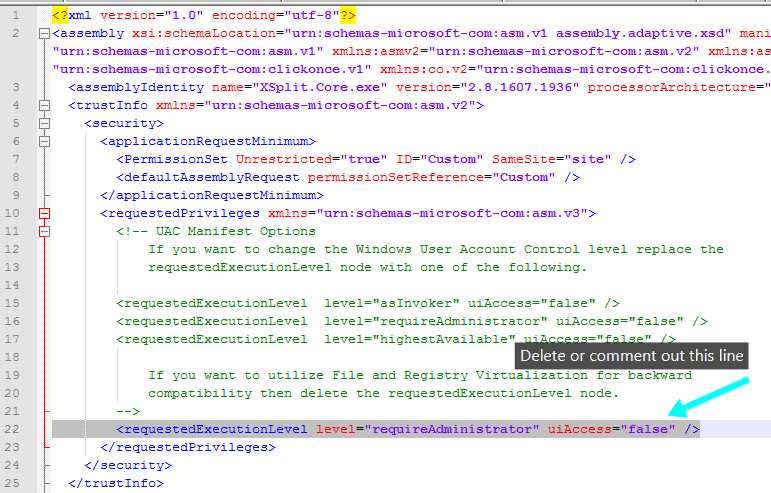
As the live broadcasting community grows so does the need to have broadcasting software implemented in various environments. By default XSplit is set to run as Administrator for compatibility with other programs (e.g. games) that may also run as Administrator. This “setting” is included in the application manifest, removing it will allow you to launch it without the UAC Administrative prompt.

Please be aware that UAC virtualization is in effect for XSplit when launched with this change.

To run XSplit without administrative privileges, please do the following.

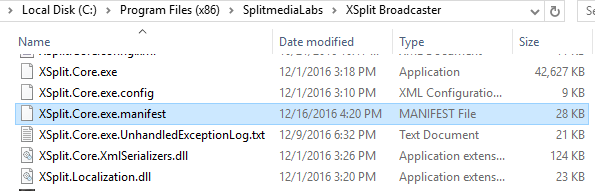
  1. Edit the file “XSplit.Core.exe.manifest” by locating it in the default directory
    \Program Files (x86)\SplitmediaLabs\XSplit Broadcaster\XSplit.Core.exe.manifest.

    You can use an editor of your choice or even the included windows notepad to do this.
    XSplit Core exe manifest

  2. Delete or comment out the requestedExecutionLevel noderequestedExecutionLevel
  3. Save the changes.
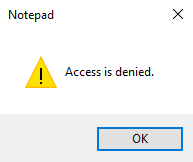
    Please note that if you get a “Access is denied” message, you will need to save the file to another directory and then paste it in the \Program Files (x86)\SplitmediaLabs\XSplit Broadcaster\ directory, overwriting the original file.

    notepad access is denied

  4. Run XSplit.Core.exe

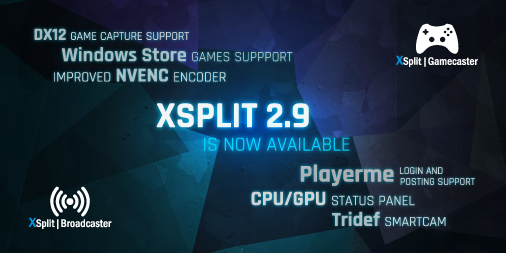
XSplit 2.9 is now available

Our XSplit 2.8 release was well-received thanks to some kickass new features like unlimited scene support, global sources, new plugin store and a refreshed user interface among many other things. With XSplit 2.9, we worked on adding even more features as well as making improvements on the existing ones based on all the feedback you gave us.

We want to announce this version release a little different and instead of going through each of the new features in text as we normally do in the past, we had our product manager, Victor Fontanez aka Spooky go through each of them in a video so you can see them all in action. 

You can get the latest version through the app or from our website here. For the full list of new features, improvements and bug fixes, check out the respective change logs for XSplit Broadcaster and XSplit Gamecaster

Enjoy this version update and let us know your feedback through the comments section below.

Introducing XSplit Arena!

When not working, the staff at SplimediaLabs have a competitive streak, whether playing Ping Pong or matching up in LoL, Overwatch or SFV. It’s with this in mind that we decided it was time to settle the score once and for all.

XSplit Arena

XSplit Arena is a double elimination tournament featuring 8 SplitmediaLabs staff members from our Manila Development center, each competing over the next 7 weeks to find out who is the one true champion of them all. The winner receives ultimate bragging rights and the official XSplit Arena trophy (which we still haven’t made yet) and will be broadcast live from the XSplit studio every Friday at 7am EST. Each broadcast will contain matches from the tournament to be live streamed on our channel at twitch.tv/xsplit.

Come join us this Friday, November 11 starting at 7am EST, and hang out with the team for good times and friendly competition. Join the conversation in chat or tune in to our social media channels for updates!

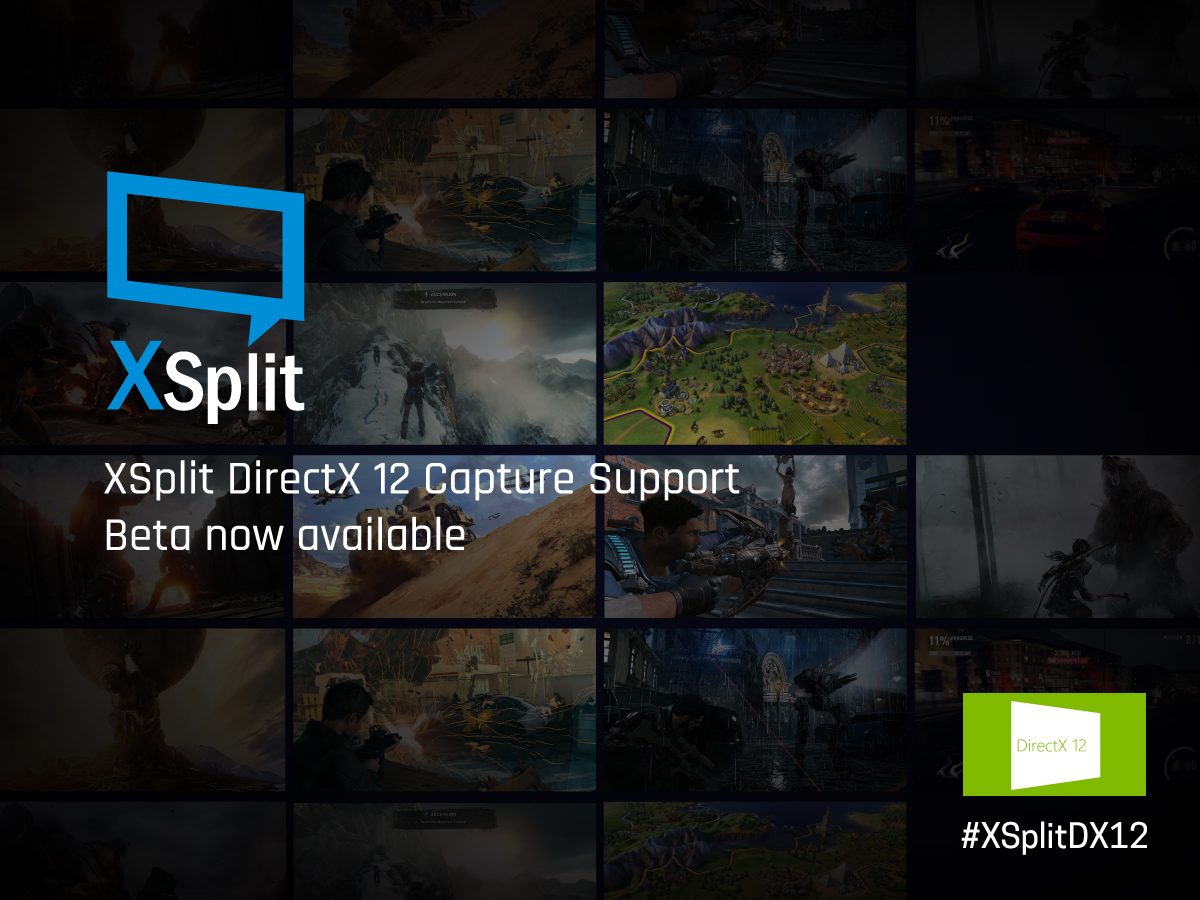
DX12 Capture Support is Now Available

More and more games are coming out with DX12 support and the XSplit community has been making it clear that we need it in XSplit as soon as possible. Well, we’re happy to announce that we now have support for DX12 capture in XSplit 2.9 beta – if you’re a daredevil and you love testing bleeding edge streaming features then give us a hand by trying it out and reporting any issues you come across.

Popular DX12 games such as Forza Horizon 3, Gears of War 4, Battlefield 1, to name a few, can currently only be captured through screen capture if running in DX12 mode. With DX12 game capture support, you will now be able to capture these games with  XSplit.

Download and try out XSplit Broadcaster and Gamecaster 2.9 beta with DX12 support through the links below

As always, we’d love to hear your feedback on this release and if you find any bugs or come across any other issues you can comment below or create a support ticket at xsplit.com/support. Enjoy, and let us know if Vulkan support should be next!

DISCLAIMER: This is a beta version of XSplit 2.9 and not recommended for production. This product contains several new features, improvement and fixes, but has not yet been fully quality tested, so please don’t shout at us if it’s not perfect ;-).

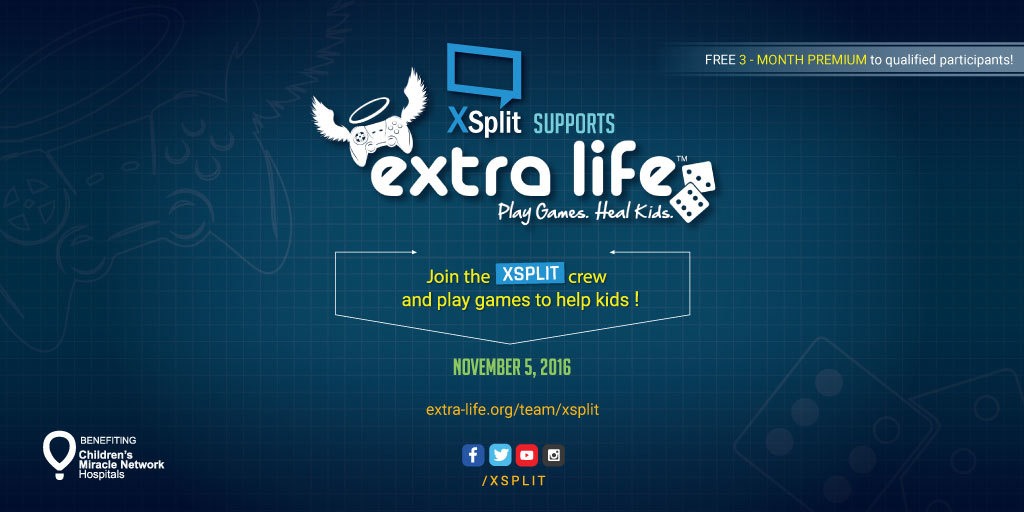
XSplit is ALL OUT for Extra Life 2016

It’s the season of Extra Life and we here at XSplit are once again throwing all out support for this charity gaming marathon by providing everything you need to start raising money for the event. This is the fourth straight year that we’re supporting Extra Life because we have every reason to!

XSplit Supports Extra Life Play Games Heal Kids

Raise only $10 & get XSplit Premium for FREE

We received some really good feedback last year when we lowered the threshold to $10 from $25 two years ago. This year will be the same again. If you raise $10 or more, you will automatically get a 3-month XSplit Premium for FREE.

Our aim is for Extra Life to continue breaking records and we know continuing with a lower threshold is a step in the right direction for us to help achieve their goal.

XSplit team to play & participate

The folks behind the best live streaming software in the world can’t just be the folks behind XSplit. We play games too! In case you missed it, some of our HQ staff participated last year by playing and streaming games ignoring how introverted and camera-shy they are!

It’s gonna be more fantastic this year as our team has grown and have added a little bit of star power which translates to having more staff involved and more time to play games and stream! This is the perfect opportunity for you to see us in action!

Our own gaming marathon will be live streamed on our Twitch channel at twitch.tv/xsplit on the actual game day, November 5 2016.

Join our Extra-Life Team

We’ve long understood that it’s never about us so we’re looking to get you to take part of the event as a member of our Extra Life team. Not only do you get free promotion from us for your stream but you can also get some cool XSplit swag as well if you’re one of top raiser for the team!

So if you haven’t signed up yet or if you’re already gaming but not part of any team yet, we would be very happy to have you as part of our team! Go to extra-life.org/team/xsplit and hit the ‘Join’ button.

Get Featured as Our Spotlight User of the Week

We have a great, fun, and new opportunity for you! As you may or may not know, we have a Weekly show on Twitch.tv called XSplit Weekly which is shown every Wednesday, where we talk about the latest in XSplit news, events, and what happenings are going on, on the Twitch front. Each episode we showcase streamers from our stream team and Elite members.

Here is an example:

<span id=”selection-marker-1″ class=”redactor-selection-marker”></span>

For the first time we are now opening up this opportunity to the public. We will be featuring videos from the #XSplitFamily community! The rules for this are: the video has to be 1-2 minutes long, highlighting yourself, your stream, and some of your favorite features on XSplit. Each week a new person will be chosen, so there are a lot of opportunities to be picked! If you are chosen, you will be featured in our social media channels for the week and there also may be future opportunities with your video   Please fill out this form if you’re interested – https://goo.gl/forms/3OhN4w1yO…

When submitting video, you are agreeing that you are okay with video to be used for social and marketing purposes. If you have any questions, please reach out to me on Twitter at @ugrgaming.

Interview w/ Erick Rodriguez of Stream Overlay Pro

As some of you already know, our company has been growing quite a bit in the past couple of months with our acquisition of Player.me and Challonge, and recently Strexm and Stream Overlay Pro.  Having said that, we thought it would be of the community’s interest to get to know more about our other products by interviewing the key personnel behind it.

Today, we will be interviewing Erick Rodriguez who is responsible for a really cool stream overlay tool currently in-development called ‘Stream Overlay Pro’. As part of the acquisition, Erick has now joined the SplitmediaLabs internal development team.

Erick Rodriguez of Stream Overlay Pro

When we announced our acquisition of Strexm.tv, we also mentioned that we have agreed to have Erick Rodriguez of Stream Overlay Pro join the SplitmediaLabs internal development team.

Get to know more about Erick and Stream Overlay Pro in our interview of him below.

Tell us a little about yourself, your background and what you’re up to

Erick: Hello! My Name is John Ericson Rodriguez (please call me Erick, my full name is quite long), and I’m the inventor and head developer of Stream Overlay Pro. I have a degree in Computer Science from the Universidad Autonoma de Colombia in Bogota city, and since I got my degree I have been working for companies related to Internet, media and publishing in the last 15 years in diverse countries around the world. I master the arts of Publishing, Web Developing, GUI Designing, jQuery/PHP/CSS3/HTML5 scripting. (yes, because programming should be also an art :D). I’m married with a beautiful Filipina, we have a 3 year old boy and I love Fighting games, and programming.

What is Stream Overlay Pro and how does it differ from other similar tools?

Erick: Stream Overlay Pro is a very unique product on the market: It allows you to create powerful dynamic overlays for video streaming productions without making the user to write a single line of code. Over the past several years I have seen how overlays for game tournaments were built and it is quite exhausting to have a creative process where you have to involve programming.  To achieve this new paradigm, Stream Overlay Pro is a package that is composed of two main components:

  1. A Photoshop-like environment (tentatively named Stream Overlay Pro – Manager) where you import your graphic assets, set behaviors (animations, sets of dynamic information from local and remote sources) to your text and graphical objects, and a flexible management of data sources.As result you have an automatized overlay(s) for your productions. Also it differ from other tools the fact that you can design custom alerts with behaviors that are not present on other alert services, import datasets from any kind of source and communicate with other third party applications to fetch data in real time.
  2. A controller (Stream Overlay Pro – Controller) which is a powerful application that helps to control the flow of data to your overlays.

The uniqueness of Stream Overlay Pro provides a new paradigm in streaming production, since there are no designing tools specifically designed for the purpose of streaming.

Also, when you create projects for your stream using Stream Overlay Pro, what you design is 100% compatible across popular streaming software*, including both XSplit and OBS, so you won’t be tied to a specific application.

I encourage you to read this post I wrote some time ago:https://www.streamoverlaypro.com/introduction-stream-overlay-pro/, this will give you some moreinsight.

*Depends of their internal architecture and how those applications render HTML

How do you see Stream Overlay Pro benefiting broadcasters in the future?

Erick: Stream Overlay Pro benefits not only the gamer on his home production, but also big organizations that need a quick and professional tool that allow the creation of powerful productions. With Stream Overlay Pro streamers won’t have the limitations of learning a computer programming language to create dynamic overlays. In exchange, they have absolute control of the design and they adjust overlays in real time if an urgent change is required.

For that reason Stream Overlay Pro provides to the user a set of behaviors that can configure each aspect of the overlay (alerts, data feeds, dynamic events involving images or media, you name it).

I feel the streaming community we address only want to play their games and it is difficult for them to create dynamic overlays : they have to go over the process of learning computer programming and do test and trial on the process or to go over a complicated process where they probably won’t get what they need which could be very frustrating; so for this reason Stream Overlay Pro can help them to achieve in a considerable short amount of time what they envision in their minds.

Can you give us some insight on what the “grander vision” for Stream Overlay Pro looks like?

Erick: I believe Stream Overlay Pro is going to be a game changer in the higher end stream community: it is not only addressed to high-end productions, but also aims to provide the streaming community with a tool that can provide benefits and value for casual streaming.

Being acquired by SplitmediaLabs is a real honor, and a dream for people like me who enjoys video games and programming. We share visions regarding the gaming community, and this gives to Stream Overlay Pro incredible potential to have a synergic relationship with XSplit Broadcaster in order to provide to our clients powerful tools to create incredible productions.

Also we love what we do, we love games and we work with passion to achieve our objectives. So based on this shared vision I think Stream Overlay Pro can help the entire streaming community.
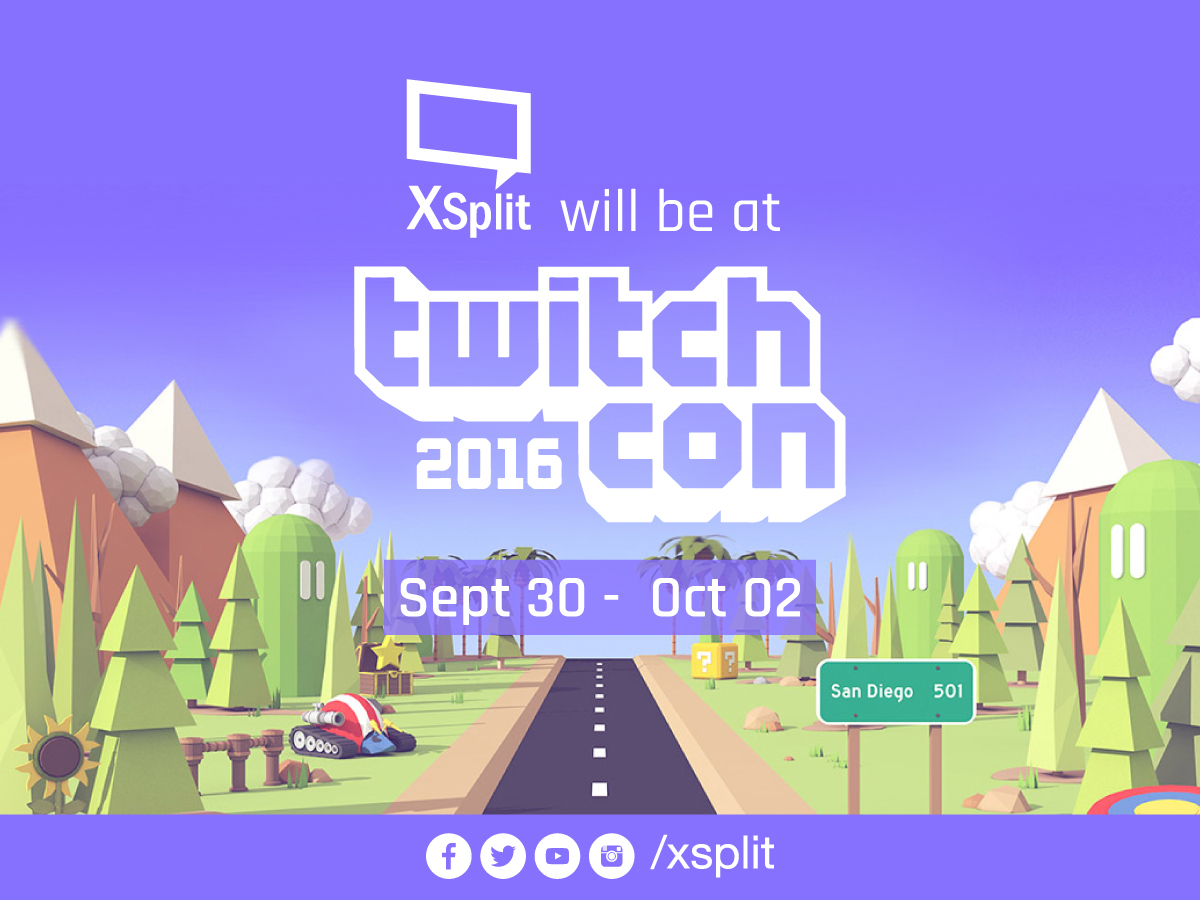
XSplit at TwitchCon 2016

We’re excited to announce that we will once again exhibit in this year’s TwitchCon! The event will be from September 30 to October 2 2016 and we will be having an education booth this year!

XSplit at TwitchCon 2016

XSplit Education Zone

This area will be dedicated to educating users on how they can get started with creating their own professional-looking broadcast using XSplit! We will be bringing in a lot of our staff at the event so make sure to drop by and say hi to them that you’ve been mostly communicating with online.

Whether you’re a newbie or someone who has already been live streaming for a while, our education zone is made for you!

Activities and Giveaways

As I’m sure you’re already aware of, we love doing activities and giveaways during these events and it will be no different for TwitchCon. We will have a lot of swags and exciting prizes to giveaway over the course of the event so make sure to drop by the booth as much as you can.

We will likewise ensure those who are not able to attend the event get real-time updates from through our @xsplit channels. So plenty of TwitchCon content for you folks who won’t be able to attend.

Other product booths

Our two recent acquisitions PlayerMe and Challonge will also be having their own respective education booths that they will be using to demonstrate their products. We highly suggest that you check them out as well as they are located nearby our booth. Click here for PlayerMe’s announcement on TwitchCon and here for Challonge’s.

See you there!

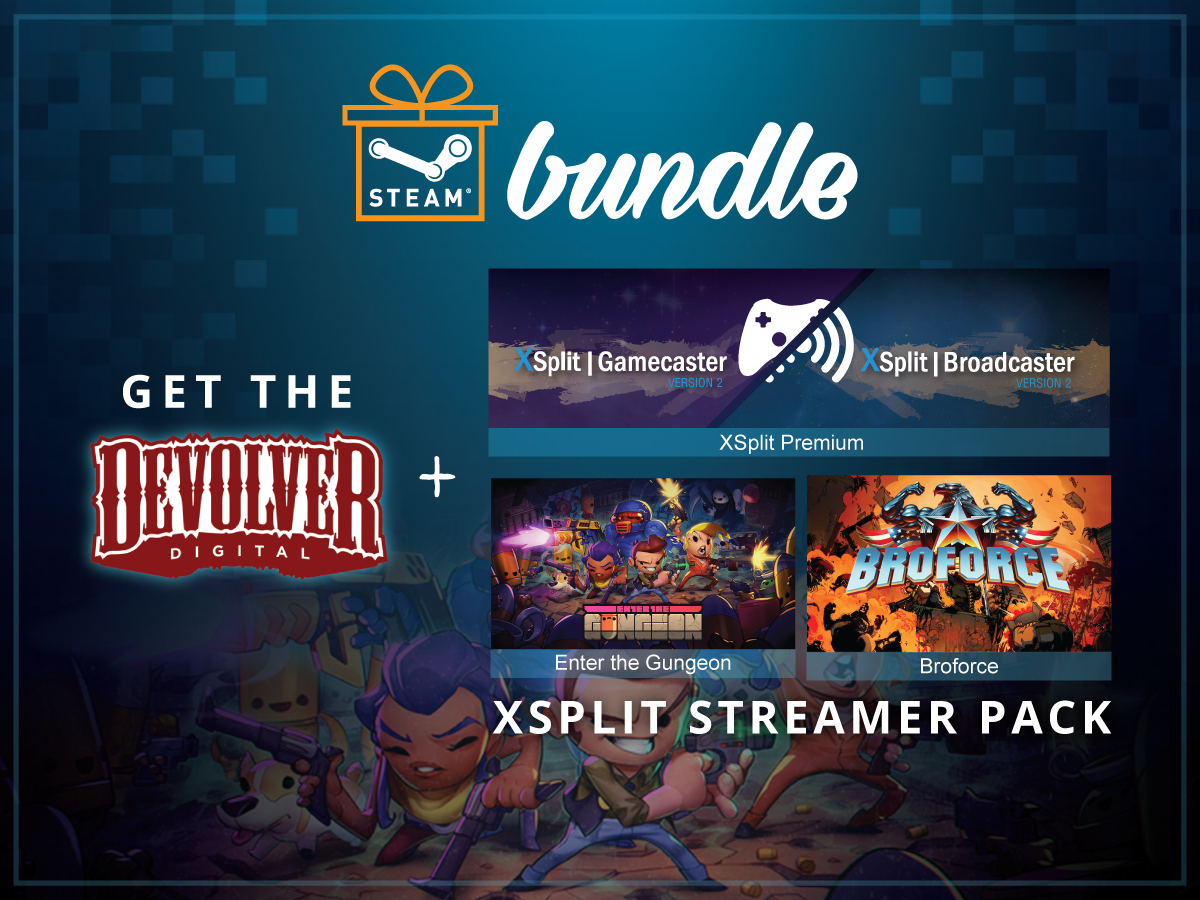
The Ultimate Streamer Pack Steam Bundle

We have partnered with the renowned video game publisher Devolver Digital to bring you the Ultimate Streamer pack bundle on Steam. The bundle contains an XSplit Premium along with Broforce and Enter the Gungeon games from Devolver Digital.

Devolver and XSplit Streamer Pack Steam Bundle

Here’s a quick description of the bundled games in case you’re not too familiar with them:

Broforce When evil threatens the world, the world calls on Broforce – an under-funded, over-powered paramilitary organization dealing exclusively in excessive force. Brace your loins with up to four players to run ‘n’ gun as dozens of different bros and eliminate the opposing terrorist forces that threaten

Enter The Gungeon is a bullet hell dungeon crawler following a band of misfits seeking to shoot, loot, dodge roll and table-flip their way to personal absolution by reaching the legendary Gungeon’s ultimate treasure: the gun that can kill the past.

These two exciting, action-packed games can be streamed of course using XSplit. The Premium license more than allows you to share your gameplay to the world with ease. It is the same XSplit that powers countless live streams and recordings around the world.

Save 25% by getting this bundle exclusively from Steam today.

Improving your XSplit Experience with NewTek NDI

The latest update to XSplit Broadcaster and XSplit Gamecaster 2.8 includes some important improvements for our NewTek NDI integration. We now support NDI inputs and outputs with audio and alpha channel for video. We’ve also made a variety of stability improvements for NDI sources.

What is NewTek NDI?

NDI is NewTek’s new protocol that can allow software and hardware to interact with each other via LAN.

Why would I use NewTek NDI?

While NewTek NDI may seem like a complex feature, it can actually be used in a variety of situations by both new and experienced broadcasters. This article will outline some use cases for NDI, both simple and complex.

Using NewTek NDI to create Multiplayer Gameplay Content

One of the common requests we’ve received in the past is an easy way to allow players to display multiplayer gaming sessions with their friends. As long as you have a router with open ethernet ports, this can be easily achieved with NewTek NDI!

Say you have a friend over to play Overwatch with, and you want to share both your screens on your stream. If you are connected to the same LAN network, have your friend open up XSplit Gamecaster and go to the settings tab. In the settings tab, check the “Enable NewTek NDI Output” box.

XSplit Gamecaster settings tab enabling NewTek NDI Output box
On another PC, launch XSplit Broadcaster and go to Sources > Other > NewTek NDI Stream and select the broadcast from your friend’s PC.

XSplit Broadcaster Sources NewTek NDI Stream
Now arrange your scene as you like and create multiplayer content with your friends!

multiplayer gameplay content using NewTek NDI

Using NewTek NDI to connect XSplit Broadcaster with NewBlueFX Titler Live Broadcast

One of the biggest benefits to NewTek NDI is that it allows XSplit Broadcaster users to gain access to a wide array of high end production software. One of great piece of software is NewBlueFX’s Titler Live Broadcast. Titler Live Broadcast allows you to easily create dynamic 3D graphics similar to what you see during sports broadcasts with scoreboards and lower thirds. Using NewTek NDI, you can easy bring your Titler Live Broadcast graphics and animations in your XSplit Broadcaster scene.

First, make sure to enable the NewTek NDI output in Titler Live Broadcast. Go to Settings -> Device and select the NDI option.

enabling NewTek NDI output in Titler Live Broadcast

Now add the NDI output from Titler Live Broadcast to XSplit Broadcaster. Go to Sources > Other > NewTek NDI stream and select the machine that is running Titler Live Broadcast.
adding NDI output from Titler Live Broadcast to XSplit Broadcaster

Once you have positioned Titler Live Broadcast’s NDI output on your scene, anything you display in Titler Live Broadcast will appear in XSplit Broadcaster.

Titler Live Broadcast in XSplit Broadcaster

And that’s how easy it is to use different applications with XSplit Broadcaster via NDI. There are countless of other ways you can use NewTek NDI with XSplit Broadcaster. Make sure to follow XSplit’s social media for more NewTek NDI guides and you can read more about NewTek NDI here.