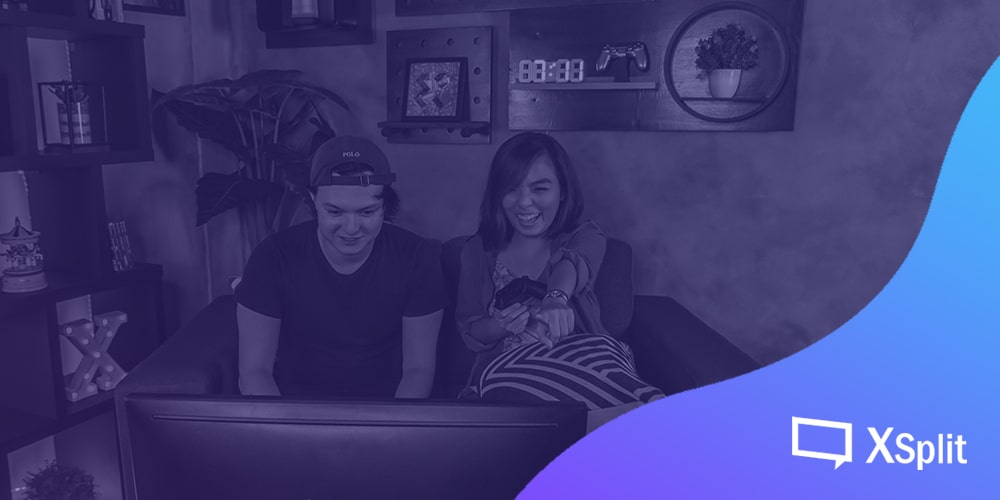
Setting up for a Couch Multiplayer Gaming Party

Playing cooperative or even competitive with friends is always fun when playing in one place, whether at your home or someone else’s. May it be for hours of competitive mayhem in Super Smash Bros. Ultimate or finishing that tough level in Overcooked! 2. The fun aspect of playing in a single room with friends is far better than playing online from separate locations, just like in the good old days. But that shouldn’t hold off gamers who would prefer having couch multiplayer sessions even if online multiplayer is now a thing. So with that in mind, we listed out some tips on setting up your couch gaming party for a whole night of non-stop gaming sessions.

Set up a schedule

Before preparing for the couch gaming party, you got to make sure that a date has been set. That means you need to schedule which day is available for everyone, and more importantly, where will the venue be. Make sure that all of the invited friends have agreed on a specific day, time and they will commit to it. Once that is done, you can also set up a reminder on your email calendar and add your friends as recipients, so in that way, they will be reminded for the game day. And if it goes well, maybe you can do a weekly or monthly schedule, just be sure to keep your friends updated and encourage them to bring other friends as well, as long as your place or whoever’s going to host the session can accommodate a lot of people.

Set up your gaming area

Now that a date has been set, it’s time to clean up your living room in preparation for game day. Be sure that there is ample space for your guests to relax, you can add a couple of bean bags and even pillows to keep them comfortable during game hours, also put up a place to keep their bags and other belongings in a secure place that they brought in. Have an area for your food and drinks to avoid getting your equipment get messed up with food stains and liquid spills.

You would also need to set up your network connection in case your gaming session would need multiple laptops to be connected either wired or wireless, and make sure to set up a guest Wi-Fi hotspot in case your friends need to use the internet. Don’t forget to bring out extra game controllers and fight sticks just in case some didn’t bring theirs.

Ready your snacks

Then, of course, having a gaming party would not be complete without the snacks. Be sure to head to the grocery store and stock up on your supplies or have your friends bring in their share. Make sure the snacks are in different varieties like chips, cookies or any other finger foods, as for drinks, ask your friends if they prefer alcoholic, soda or even both. Alternatively, you can have pizza deliveries as your midnight snack or dinner and have your friends share the payment, you can even do a potluck-style of food gathering where your friends can bring specific food and make your gaming session a feast.

Which games to play

Everything is almost complete, so it’s time for the games. You can ask your friends in advance on what certain games they would like to play, you can even ask them to bring their games as well. Having a variety of competitive and cooperative games can give a good balance so everyone won’t get tired of the same type of game. 

You can even set up a themed activity, like for example, a gaming session during the Halloween season. Maybe put up games that are themed on horror or zombies, or maybe more into fantasy-themed games and even encourage your friends to wear outfits or costumes of their favorite job classics. It’s a wacky idea but it’s definitely something worth considering.

Or as an icebreaker, bringing out a board game or card game that everyone can play to take a break from all those video gaming. Who knows, they might even discover a new game that they would actually get hooked into.

Setting up for streaming

This is entirely optional but it wouldn’t be fun if you can’t share your epic moments with your friends in your game nights. So maybe you might want to stream it and share it with your other friends, hook up a webcam and a microphone and make sure the camera is angled in the middle so everyone is visible with the microphone placed on a table with everyone surrounding it so their voices are audible. For best results, you can try XSplit Broadcaster for easier setup and have a professional-looking overlay for your live stream, or go with the XSplit Gamecaster that is more straightforward for live streaming games and can add an overlay for chats that lets you interact with the viewers and other widgets to enhance the presentation. And if it all goes well, you could do this as a regular thing and who knows, maybe you can become a popular content creator someday.

Just have fun

Make sure everyone gets a chance to play, whether they haven’t tried the game or feel that they aren’t good enough to compete with other people. The session doesn’t need to be all about showing off their best moves or combos, it’s more about having fun and strengthening your bonds, just like in those anime series, well with less of the cheesy parts.

You can add some twists to your gaming sessions to make things fun or to encourage everyone to try out new games. Things like adding a new set of rules or conditions to make the games more challenging or even hilariously fun, but of course you have to make sure everyone agrees with the idea of setting new conditions to the games, as you can still enjoy. 

And there you have it, we hope that this little guide can help make your gaming session with your friends more enjoyable, and make more of this multiplayer gaming party your monthly or even weekly gathering. Plus, you can invite more friends to join the party, as we all usually say; the more, the merrier.

Fixing Common Audio & Video Problems for New Streamers

So you’ve finally built your dream streaming setup. You’ve got your scenes set and you’re ready to kick off your streaming career. You hit the stream button and jump into your game. All of a sudden your game feels laggy. You look in chat and everyone is saying they can’t hear you and the video is stuttering. You feel a rush of disappointment as hours of preparation have seemingly been wasted.

No need to despair, we’re here to help you solve some of the most common live-streaming issues for upcoming Twitch, Mixer, Facebook Gaming, and YouTube Live superstars!

Audio Issues

The most common issue with audio is noisy audio or a buzz in your audio.

If the audio seems noisy, first be sure to check the levels you’ve set on your microphone device. The higher the gain level on your microphone, the higher its sensitivity to surrounding sounds like air conditioning noise or background noise. One great way to check your microphone levels is to use the audio mixer extension.

XSplit broadcaster audio mixer extension

Go to extensions, add extensions, and click on find more extensions. Install the audio mixer extension and check your audio levels without speaking into the mic. If the levels seem too high, reduce the gain on your microphone. You can also try to move your microphone away from noisy items like a mechanical keyboard or your PC’s fans. 

If you have a buzz in your audio this is likely due to the power source. This usually happens if you are using a mixer or capturing audio with your streaming PC via the line in port. The cheap and simple way to try to fix this is adding a group loop isolator between your audio source and your line input.

ground loop noise isolator

You can also use a power conditioner to remove electrical hum if the ground loop isolator does not work. These tend to be pricey and could add more bulk to your setup. I only recommend using these if you absolutely need to get rid of every bit of buzz in your audio. 

power conditioner

For recent windows updates, especially one of the major fall updates, be sure to check your default audio devices. Windows has a nasty habit of changing your default audio devices after an update. Make sure to check that you aren’t using the wrong microphone device.

windows default audio devices

Finally, for complete peace and mind, keep an extra pair of headphones around to use with XSplit’s audio preview. The audio preview is the final mix that your viewers will hear and is great for fine-tuning audio levels.

XSplit Broadcaster audio preview

Video Issues

Modern-day game streaming is all about keeping a minimum of 60fps for both the streamer and the viewer.

If you, the streamer, feel like your FPS is dropping too much or the game feels off; it is likely your CPU and GPU running out of resources. Many games will try to use the maximum amount of GPU resources possible, and it can leave your streaming software without anything to work with.

The best way to manage this is to limit the frame rate of your games. So if you are on a 60hz display, set the frame rate limit in-game to 60fps. If your game does not have this option, XSplit’s game source can limit the frame rate.

XSplit broadcaster game source

If you are on a high refresh rate monitor, try to limit the frame rate to a multiple of 60 like 120 or 180 or even 240hz. 

Now if you see that your CPU is constantly at 100% while streaming, then you’ve likely set your encoding settings too high. If you are using an encoding preset like slow, try increasing it to medium or fast. To maintain 60fps, decrease your resolution, go for 1280×720 instead of 1920×1080. And, if your PC isn’t a multi-core monster, see if you have a GPU with a hardware encoder like NVENC, Quicksync, or VCE. 

XSplit Broadcaster Twitch properties

Check the stream if it’s choppy due to dropped frames, you need to adjust and drop your bitrate. If you know that your internet connection is unstable, then enable adaptive bitrate. Adaptive bitrate will increase or decrease the bitrate depending on the available bandwidth. If you notice the bitrate tends to stay consistently lower than your target, consider lower your resolution so that visual quality can be maintained. 

XSplit Video Encoding Setup

Having issues with your webcam looking too grainy or having a low frame rate? Check your area if you have proper lighting, fixing the lighting can easily solve this issue.

Even a simple desk lamp or switching on a room light can be a huge improvement.

desk lamp for lighting


Once your lighting is settled, there are a couple of key settings for your webcam.

First, if your camera has a poor frame rate, reduce the exposure level. Go into your camera source settings and configure your video output. 

camera source settings

If your camera looks too grainy, reduce the gain. If your camera looks too dark, then get some more lighting!

camera gain settings

Once your camera settings are good, don’t enable automatic or you’ll lose all your settings!

When using a capture card and see a message that the device is not available, you can try these fixes:

XSplit Broadcaster Device Not Available

First, make sure another video app isn’t using the device like skype or discord. If that doesn’t work try refreshing the device in the source menu. Finally, using the IT classic, unplug it and plug it back in.

If you are having issues with switching to scenes with videos, make sure you’ve tried saving the video in memory.

keep source in memory option

Finally, one last tip people overlook. Make sure to enable archives for your Twitch streams. This way, you can make clips or highlights to share on social media. You can find this option in your channel settings.

Channel settings save broadcast

For Facebook and YouTube streamers, make sure your broadcasts are 4 hours or less to have a VOD automatically created. Hopefully, these tips are helpful to both novice and experienced streamers.

What are the common audio & video issues you’ve encountered in your streaming career and how have you solved them?

Streamers, Care for Your Mental Health

From an outside perspective, streaming might seem like an easy gig. After all, most viewers see streamers playing video games all day, and they think to themselves, “Oh, he’s living the dream.” Little do they know, streaming as a day job involves a lot of pressure, and it isn’t as easy as it may seem.

Mental stress is a very real thing that can affect anyone, of course, not just specifically streamers and content creators, but because some parts of society expects them to be living the easy life, their mental health issues might be dismissed.

Effects of Mental Stress

Caring for your mental wellbeing is vital. Psychological stress can affect you in many ways, some more obvious than others.

When you’re starting to feel the strain of the grind and the pressures it brings, you may begin to experience anxiousness and inexplicable nervousness. You become easily distracted, tend to worry too much, and your sleeping pattern may start to change.

When stress levels get too high, you may go through a whole range of mental and physical symptoms. You may start feeling excessively fatigued for no good reason. Stress makes our bodies produce hormones that act as sedatives, which helps calm us down during times of extreme duress. When these hormones occur in large amounts for extended periods of time, they make us feel exhausted and in some cases, even depressed.

Depression is serious and should never be treated lightly. Everyone experiences periods of sadness, but when it becomes chronic and recurring, it may be time to do something about it.

People experiencing depression are always irritable and generally, lose interest in things that they used to do. This headspace can be troublesome for a streamer – what started as a project done out of love and passion will begin to feel like a chore.

Besides being excessively tired and having trouble sleeping or staying awake, depression can also manifest itself in physical pain such as headaches, muscle cramps, or digestive issues. It can even affect your appetite in either extreme direction.

Depression can make people see life through a different lens, making them want to stop doing things they used to enjoy and affecting the way you make decisions. In extreme cases, patients may wish to inflict self-harm. If you’re starting to feel like you want to harm yourself or others, reach out and ask for help. There are a number of hotlines in many countries that offer such services. Here’s a list of international suicide help hotlines.

Stress can also manifest itself physically. One can experience abnormally fast heart rate, dizziness, restlessness, shortness of breath, and hyperventilation.

When you start experiencing these symptoms and they seem inexplicable, then you should consult a doctor.

Prolonged stress also leads to burnout. Burnout happens when stress becomes overwhelming and you’re finding it hard to do anything because you’ll feel exhausted and frustrated and helpless. Burnout leads to a lack of energy, which means way less productivity, which then leads to less streamed hours, and potentially decreased income.

You’ll know you’re experiencing burnout when you feel a general lack of energy, and you don’t feel like doing anything, even getting out of bed seems like a herculean task. It may not even happen suddenly. It could just be something that gets worse and worse over time.

Burnout can lead to fatigue, headaches, muscle pain, reduced immunity, frequent illness and a change in sleeping and eating habits. Anybody experiencing burnout also feels emotional duress such as feelings of self-doubt, defeat, detachment, among others. Victims of burnout also feel a general lack of drive and motivation.1

Sources of Mental Stress for Streamers and Content Creators

Like with most healthcare, prevention is always better than cure. The first step is to identify the source of stress. For most people, familiar sources of stress include work and specific life experiences.

When it comes to working, it could be long hours or dangerous work conditions or just being generally unhappy with the job. Then there are some life events like the death of a loved one or the looming shadow of financial obligations, or to a more severe extent, traumatic events like natural disasters or violence.

All those sources can affect everyone and we all have to be careful to take care of our mental health, but there are certain sources of stress specific to aspiring and career streamers and content creators.

Beginners struggling to take off might find it challenging to find a footing. Sometimes just speaking to an empty chat room in and of itself can be stressful. If it’s something you’ve decided to try and do your full-time job, when it isn’t going as planned, it can be a source of undue pressure and anxiety.

Just getting people to interact with you can be difficult. Lurkers and channel jumpers won’t usually interact with a budding streamer.2

The pressure to stick to your streaming cadence can also lead to additional stress, although doing that is vital to a streamer’s success. In 2018, popular then-Twitch streamer, Ninja, lost about 40,000 subscribers after going on a two-day break3. With him being Ninja, it probably was easy for him to bounce back, but smaller streamers might have a much harder time doing so. But maybe it was the right call to go on break. It all depends on how much care you want to put into your wellbeing.

Another source of stress can be less-than-ideal physical health.4 Gaming streamers who are seated all day may experience some health issues related to general sedentariness. Mental wellbeing is easier to achieve when the approach is holistic, so one has to look after one’s physical health, as well.

How Can Streamers Improve Help their Mental Health

After identifying potential stressors, what can you do to make sure you’re taking care of yourself, both mentally and physically?

Here are a few tips:

Once you’ve identified your main source of stress, remove it if you can.

Of course, this may not always be possible, especially when the main stressor is very much part and parcel of your life, like bills or health issues, or even just the unrelenting monotony of following a 16-hour streaming schedule. If that’s the case, then you’ll need to do other things to deal with the realities of life.

Keep physically active.

When you’re not physically active, it can negatively affect your mental health and mood states. You don’t have to be an Olympic athlete; you just have to make sure you’re paying attention to your body. Keep a regular exercise schedule, as light as it may be. It can be something as simple as taking a brisk 15 minute walk every morning or a quick 5 minute HIIT session every day. It’d be much better if you follow an exercise program with professional help so someone can monitor your progress. Think of it like grinding out levels for a legendary piece of armor.

Just standing up and doing some stretches every half hour will help you with your energy levels. You can even just do some yoga poses. The good thing about that is, you don’t necessarily have to stop your stream. You can let your viewers watch you exercise. You can keep your mic on so they can hear your pained grunts. Not only will it be good for you, it’ll also be quality entertainment.

Eat properly.

You don’t have to follow a crazy diet, like limiting yourself to a piece of dry chicken breast and a half a piece of steamed asparagus every meal. You just have to make sure you eat at a regular schedule and you eat enough to satiate you.

The timing and volume of your food are important, but so is the quality of your food. Maintain a well-balanced diet to give you enough energy to maintain that streaming schedule, to keep your energy levels up to be entertaining for your viewers.

Eat less of the stereotypical food for gamers like energy drinks, cheesy junk food, and fizzy lime-flavored soda pop, and have more fiber, more vegetables, more fruit, more protein. Avoid trans fats and saturated fats.5

Plan your breaks.

You are a human being. You are not a machine. Heck, even machines need to be turned off and maintained every now and again. You have to make sure to take time to rest and give yourself to recuperate.

First, you have to decide how long you want to stream and play. Maybe try to use your analytics to see when your viewership is highest and plan your streaming hours during that time. Give yourself a set amount of streaming hours, and a set amount of recuperation time. It can be as simple as taking a 15 to 30-minute break after a few hours of streaming, and make sure to stand up every 30 minutes of sitting down to prevent blood pooling in your legs.6 That goes for everyone, not just streamers! Anyone sitting down on an office job or just gaming or just lounging around should stand up every 30 minutes and let their blood flow normalize.

TL;DR

Mental stress can turn the wonderful activity of streaming into a chore and drain your passion. Too much stress can lead to burnout and depression, which can affect your mood, your health, your relationships, and your career.

Make sure to take breaks, exercise, eat properly, and only stream if you enjoy it enough to keep doing it for extended periods of time. If you feel like your stress is too much to bear, then don’t be afraid to ask for help.

Always make sure to take care of yourself, mentally and physically. It’s the best way you can keep grinding away and streaming. It’s the best thing to do for yourself and for your viewers and fans.

Top 5 Industries using Live Streaming: Retail & Sales

Live Streaming is BIG…

You heard it here first folks, Live Streaming is the next behemoth of Marketing. What? You’ve heard it before? Well, what if I told you people spend more time watching live videos than… Huh? You’ve heard of Twitch and Facebook Live before? Well, I guess my job here is done…

I kid of course.

We here at XSplit have always believed in the power of Live Streaming and we think the industry has yet to reach its full potential. Sure, you’ve heard of Gaming and Esports taking the planet by storm, all those Gen-Zers with their yeets and yikes are micro-influencers in their own right. But today folks, I want to discuss the success we’ve seen in other industries and use cases where live streaming has brought about a new era of brand marketing and awareness expansion.

You might make fun of kids sitting at home and playing video games for a chance to earn money, but what if I told you, you could be selling whatever product or service you want from the comfort of your couch, also limiting conventional advertising costs and you know, staying in for the day! Those kids don’t seem so crazy now, right? Salesmen have been cold-calling random folks since the telephone was invented. Sure, prospecting clients has gotten slightly better, but no one wants to pick up the phone to be given an elevator sales pitch right?

Kids these days would rather hear their favorite content creator on YouTube tell them what PC to buy while playing the trendiest game at the time (Skyrim is still cool right..?). Women prefer seeing their favorite Instagram model eat [insert brand] granola bars every day for breakfast than a cheesy TV ad spot of a happy family, sat down at the breakfast table, smiling up to their ears (come on guys, we all know what everyone is like in the morning before work/school…).

Retail: a dead end for marketing innovations?

First is an area that I truly feel is one of the biggest potential winners if they were to leverage live streaming to its full capability: Retail & Sales. We all know e-commerce has taken over and physical stores are no longer the sure bet they used to be; with an emphasis on location and flashy street signs, why would it be more effective than an online store?

Online advertising might be expensive, but it sure as hell isn’t more expensive than a rental space on High Streets. Why wouldn’t you at least try to switch to a digital-only model? Whilst one might think it involves more complex logistics, the reality is, the supply chain is much more streamlined, delivering the output straight to the consumer and only worrying about overall stock & inventory rather than checking performance of individual stores, and looking into an ungodly amount of factors that may or may not be the reason for a decline in sales.

Yes, physical retail stores will remain for years to come, but what of the profit margins on each one of them? Heavily cannibalized by both competitors and their own online stores. An argument can be made that it is not a zero-sum game, and both can grow alongside one another. But my email transaction receipts vs the number of receipts in my wallet says otherwise, I bet yours do too. My point is, Physical Retail peaked long ago. Online Retail? It’s booming, sure, but it can still grow way beyond the current scope.

Facebook: The online store and marketplace open to all

Mark my words, live streaming on Facebook might just be the next QVC, and I’m staking my reputation on the line by declaring it will be exponentially bigger than anything ever achievable on cable TV. The meer nature of the content living on a digital platform makes the whole buying experience seamless and is already second nature to most digitally-connected consumers nowadays: browse Facebook, watch a live stream, follow the page, within the week that user will be clicking that attached link and with fast checkout on mobile and next day delivery, why would anyone ever watch TV at 5am and pick up a landline phone? It is the most natural evolution for the QVC world and retail purchasing. I don’t need to keep hammering the notion that an overwhelming majority of purchases are done online, with mobile phones, etc. The way customers consume content and advertising have shifted drastically, with some businesses striving off of their digital presence only, abandoning print as a Marketing avenue completely.

So far, I can say I am really surprised no big player has truly taken advantage of it. To compare to the Gaming Industry, we’ve seen companies like EA Games bring in the biggest names in the NBA to promote their video game, I don’t understand why they haven’t been doing the same for live Nike shoe releases, perhaps some interactive events with fans? That’s easy quality content with high social value. Apple and Tesla do keynote announcements, why can’t other brands do the same? Even at a lesser scale, fans would show up and buy. Afraid of a mistake once live? There are other avenues, try a behind the scenes design sneak peek, that is a viable option to determine the demand of a certain product before it even comes out of concept phase and hits production.

There are countless ways to build hype, share an announcement, FAQs/support sessions, do some market research, with live video content. Perhaps once Facebook’s own Libra currency comes into play, we will see a huge boom in the adoption of the model with a payment platform fully integrated into Facebook. Amazon should be very worried about Facebook as its main competitor in the E-commerce space I believe.

Network Marketing & Micro-Influencers

Remember those countless Facebook posts about those magical weight-loss wraps and how within a week, the effects are immediately noticeable! Their livelihood depended on going online, posting on social media and selling the product they represent. With live streaming available, doesn’t that method seem like the equivalent of cold-calling? A somewhat tactless, shotgun approach to generating leads? That’s right, the core model of those referral marketing businesses are based on a reliable and reputable individual selling one-to-one.

Do you know what would make it more impactful than a before and after picture? That’s right, a daily live stream so users can follow you on your journey. While a daily text post every day might be enough to captivate some, wouldn’t you feel much more compelled if you saw daily live streaming showing both process and results? I know I would. Live demonstration, Q&A sessions, a visual journey that potential customers can follow through before deciding to purchase. That is what Brand Engagement should look like, in its most genuine form and with an interactive component.

Facebook in itself is a platform built for Network Marketing based on real user recommendations and feedback, and not just any customers, customers you might be friends with! The constant sharing and tagging may be somewhat misused for memes and political nonsense, but there is, without a doubt, a huge market for the Sales teams to penetrate.

Sephora saw the potential in leveraging live streaming a couple of years ago by hosting live sessions on Facebook to answer all questions and providing a more in-depth insight that a poster ad simply cannot express. (source: https://www.facebook.com/sephora/videos/10154206592984405/). Couple that with an influencer guest, and you’ve probably got the best recipe to empty your inventory within an hour. Don’t forget a time-limited discount only valid for the duration of the show. Maybe throw in a giveaway/raffle by letting users tag others in the show, and you’re set for success.

Clothing, Jewelry, Makeup, Sports gear are all industries that would greatly benefit from adopting Live Streaming into their Marketing Mix as it has a relatively low-risk factor and potential huge ROI. Additionally, as with any form of video content on social media, plan your content adequately and you may have a viral marketing campaign on your hands.

Live video in its simplest form can tick all the checks of a marketing campaign: informative Q&A and support, influencer testimonials and advertisements, social media marketing, incentive marketing with prizes and time-limited discounts and last but definitely not least, a rapport with your customer, one that lasts. Does that not sound more efficient than a banner ad limited to a 300×100 pixel image with a word count of 20? The best part is, you can start with a very basic setup: a laptop, a camera, a social media account, and a streaming and recording software (how convenient, we have one of those available for free to try out!).

Let us know in the comments what you think might be the next big thing in live streaming, and we might just cover it in our next post!

XSplit Announce Partnership with NVIDIA RTX Broadcast Engine

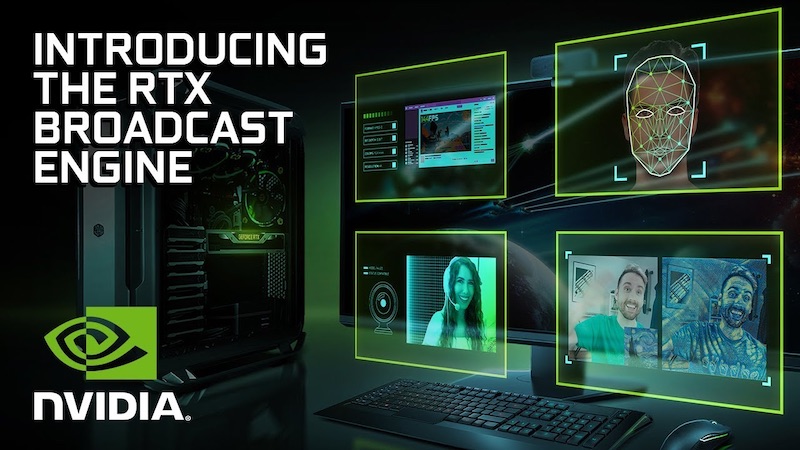
The NVIDIA RTX Broadcast Engine represents a huge leap forward for content creators using GeForce RTX GPUs, providing them with new avenues to enhance their productions. By utilizing the Tensor Cores on these RTX cards, AI-powered operations are able to run in real-time, streamlining the production output of creatives and enabling them to increase the quality of their content to a level that’s unheard of on consumer-grade hardware.

On our end, we are looking to augment XSplit VCam’s background removal for users with RTX GPUs. We believe that we can improve our app’s performance and efficiency, either by using NVIDIA’s RTX Greenscreen AI model or optimizing our existing model to fully take advantage of Tensor Cores. We are also considering RTX AR and RTX Style Transfer as potential feature updates for XSplit VCam.

In addition, while the RTX Broadcast Engine highlights its strengths through its real-time capabilities, we think that there’s also a big opportunity to use these same features on the XSplit Express Video Editor. Being able to use these on existing videos can serve multiple purposes, from breathing new life into old content to diversifying the creative flow of users by letting them try out different effects during post-production without needing to commit to applying them during the initial recording.

We are excited to start tinkering around with the RTX Broadcast Engine and look forward to more innovation from the NVIDIA team. You can check out NVIDIA’s full press release here.

Exploring NVIDIA RTX Broadcast Engine with XSplit

The NVIDIA RTX Broadcast Engine represents a huge leap forward for content creators using GeForce RTX GPUs, providing them with new avenues to enhance their productions. By utilizing the Tensor Cores on these RTX cards, AI-powered operations are able to run in real-time, streamlining the production output of creatives and enabling them to increase the quality of their content to a level that’s unheard of on consumer-grade hardware.

On our end, we are looking to augment XSplit VCam’s background removal for users with RTX GPUs. We believe that we can improve our app’s performance and efficiency, either by using NVIDIA’s RTX Greenscreen AI model or optimizing our existing model to fully take advantage of Tensor Cores. We are also considering RTX AR and RTX Style Transfer as potential feature updates for XSplit VCam.

In addition, while the RTX Broadcast Engine highlights its strengths through its real-time capabilities, we think that there’s also a big opportunity to use these same features on the XSplit Express Video Editor. Being able to use these on existing videos can serve multiple purposes, from breathing new life into old content to diversifying the creative flow of users by letting them try out different effects during post-production without needing to commit to applying them during the initial recording.

We are excited to start tinkering around with the RTX Broadcast Engine and look forward to more innovation from the NVIDIA team. You can check out NVIDIA’s full press release here.

XSplit Powers this Year’s Rev Major

Did you know that XSplit’s development takes place in Manila, Philippines? Since establishing SplitmediaLabs back in 2009 (ten years ago!), we have proudly been a part of the growing gaming and esports scene of the Philippines. It’s been an absolute pleasure to watch the scene evolve and grow over the years, with prize pools and international viewership going from strength to strength.

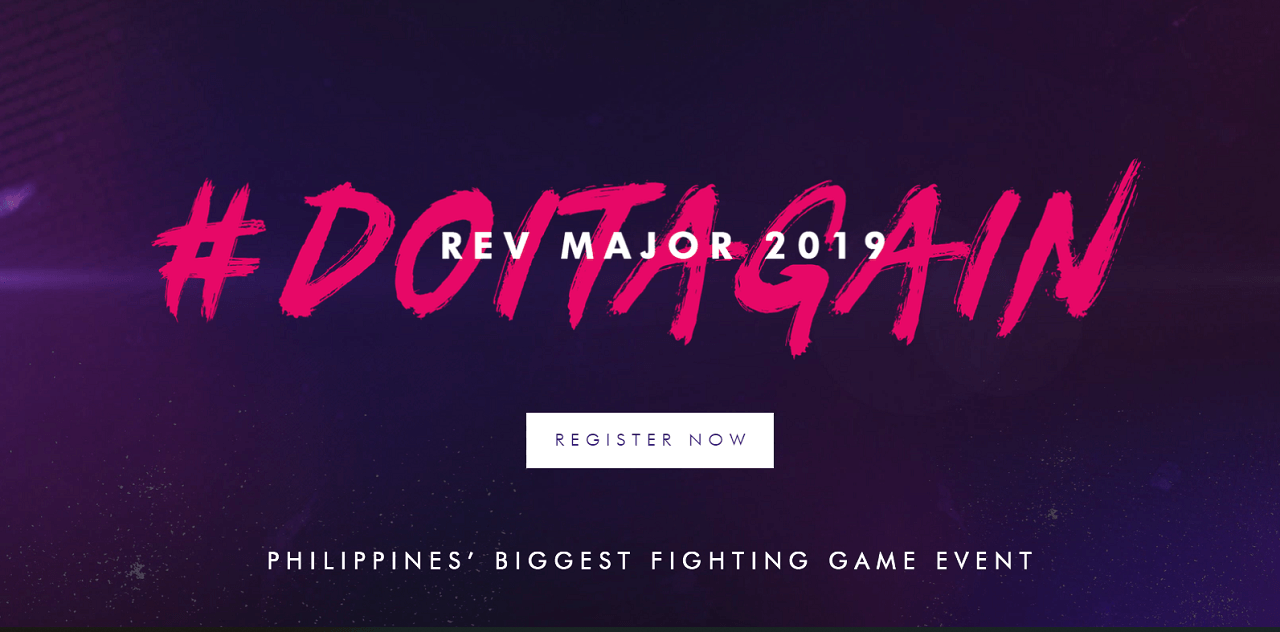
REV Major, taking place this weekend, is no exception. With over 800 participants already registered to compete this weekend, REV Major is set to be a landmark event for the Philippines belonging in the same conversation as ESL One Manila and Manila Majors / Masters.

We’re excited to see REV Major this year, with some of the world’s biggest Tekken 7 players flying into Metro Manila to duke it out with our country’s best. Naturally, the XSplit team had to be involved, so we are helping the folks over at Playbook (who organize the event) with production duties, so the live stream is powered by XSplit.

Our production stream monsters will be making sure everything runs smoothly from Solaire casino, with a few other team members there watching the proceedings! Even our Korean Community Manager, Kevin “Burnout Fighter” Kim will be competing. Adding to the festivities is SplitmediaLabs’ staff member Steef Reverente who will be holding a Retro Game Arena station at the event, featuring a bunch of classic fighting games from the 90’s and early 2000’s.

So make sure to tune into the stream this weekend for some FGC hype and to see who takes the pot. You can also follow XSplit on Twitter, and Instagram for a behind-the-scenes look at what it takes to pull off this kind of production.

Speaking of which, interested in broadcasting your own fighting game event? Our Brand Ambassador Chris Slight, took some time back at EVO earlier this year to chat with some of the FGC’s best broadcasters for the best tips, and how to strategize when the inevitable blow-up happens. Check it here:

Keep up-to-date with REV Major this weekend

  • Rev Major September 28-29, 2019
  • Location: Solaire Resort & Casino
  • Live Streams: Twitch (12), Facebook

엑스플릿 브로드캐스터 3.9 지금 다운로드 하세요

엑스플릿 브로드캐스터의 메이저 업데이트 소식을 오랜만에 전달해드립니다. 지금 엑스플릿 브로드캐스터 3.9 버전을 바로 다운로드 받으셔서 사용하실 수 있습니다. 여러가지 새로운 기능들이 추가되었고 다양한 최적화 작업을 거치면서 성능이 상향되었습니다. 이번 업데이트의 중점은 소스 묶음 (그룹핑), 오디오 믹서, 장면 프리셋 등이 있습니다. 이 외에도 다양한 버그픽스를 통해 조금더 안정화된 방송 프로그램이 되도록 노력하고 있습니다.

오디오 믹서 확장 프로그램은 오래전부터 고려해왔던 기능이지만 개발진의 작업 우선순위에서는 약간 멀리 지정되어 있었습니다. 이전에도 언급한 바 있지만 오디오 관련 부분들을 조금더 섬세하고 사용하기 쉽게 발전되는 엑스플릿 브로드캐스터가 되고자 합니다. 3.9 버전에서는 오디오 믹서 확장 프로그램을 설치하시면 조금더 간편한 오디오 조절을 하실 수 있을것입니다. 활성화 되어있는 모든 오디오 장치들의 데시벨 비교를 통해서 조금더 섬세한 오디오 조절로 시청자들에게 가장 알맞은 음질의 방송이 가능하게 되었습니다. 추후에는 조금 더 세분화되고 누구나 사용하기 편한 인터페이스를 구축하도록 준비중입니다.

소스 묶음 (그룹핑) 역시 많은 엑스플릿 사용자분들이 제안하신 의견중 하나입니다. 따로 소스를 추가하지만 거의 항상 사용하는 소스들과 같은 분류의 소스들을 묶어서 소스의 위치 이동 및 크기 조절을 한번에 하실 수 있거나 다른 장면에 복사 후 붙여넣기 하기 편리하게 업데이트 되었습니다. 한가지 예를 들면 웹캠 소스와 웹캠 주변의 이미지 파일들의 화면 구성이 다른 장면에서도 동일하게 적용하시려면 새로 소스들을 추가하지않고 한번에 묶어둔 소스를 복사하여 붙여넣기 하시면 편리합니다.

이전 3.8 버전에서는 인게임 오버레이 (HUD) 기능을 추가하였습니다. 이번 버전에서는 필요시에 활성화 할 수 있고 사용하지 않으시면 아예 비활성화 하실수 도 있습니다. 그리고 새로운 오버레이 위젯을 추가하여서 팔로워 및 후원자 기록을 게임내 화면에서도 실시간으로 확인하실 수 있어서 알트탭 또는 다른 화면으로 전환하지 않아도 편리하게 시청자들과 소통할 수 있게 되었습니다. 현재 트위치, 페이스북, 유튜브 송출을 지원하고 있습니다. 원컴, 원모니터 방송 환경의 사용자분들에게 편리한 기능이 되리라 믿습니다. 오버레이에 대한 의견은 항시 피드백을 받고 있으니 언제든지 엑스플릿 디스코드로 오셔서 알려주시기 바랍니다.

장면 프리셋이란 한 장면에서 동일한 소스들을 가지고 또다른 구성의 장면을 표현하시려면, 새로운 장면을 추가하기 부담스러우실때 한 장면에서 최대 3가지의 다른 구성을 설정하실 수 있는 기능입니다. 예를 들어 현재 장면의 기본 구성은 전체화면의 게임, 구석에 작은 웹캠 화면, 그리고 반대편 구석에 채팅창 을 설정 해 주셨다면. 같은 장면의 2번 프리셋에는 조금 더 크기가 커진 캠 화면과 채팅창, 그리고 작은 화면의 게임 캡쳐 화면을 설정하므로써 휴식 시간이나 시청자들과의 소통시 조금더 방송인에게 몰입감을 줄 수 있도록 하는 구성입니다. 이전에 경우엔 다른 장면을 새로 만들어 새롭게 화면 구성을 하였지만 장면 프리셋을 사용하여 같은 장면에서 여러 연출이 가능하며 프리셋이 바뀔때마다 트랜지션 효과 역시 부여할 수 있어서 다이나믹하고 끊김없는 연출이 가능합니다. 개인 방송이 아닌 행사 및 이스포츠 방송에서도 이와 같은 연출로 더욱 멋있는 콘텐츠 제작이 가능합니다.

매번 업데이트가 되면서 엑스플릿 자체의 매크로 확장 프로그램도 이에 따른 영향을 받게 됩니다. 이전 기능들과 새로운 기능들의 궁합을 끈김 없이 활용할 수 있도록 더욱 섬세한 매크로 콘트롤이 가능합니다. 예를들어 장면 전환 후 특정 소스 보이기 및 숨기기, 그 후 몇초의 대기시간을 걸쳐 미리 설정해둔 동영상을 재생한다거나 리플레이를 잠깐 보고 원래 화면으로 돌아오는 연출과 비슷하도록, 기존의 장면으로 다시 돌아오는 순서를 하나의 단축키 버튼으로 설정할 수 있습니다. 매크로는 약간 고급 사용자정도의 습득력이 있으신 분들이 사용하시면 더욱 편리한 방송 환경에서 재미난 연출을 무수히 연구하고 구성하실 수 있습니다. 매크로에 관련된 자료를 참고하시려면 여기에서 확인하시기 바랍니다.

엑스플릿 브로드캐스터 3.9 버전에서 모든 분들을 만족해드리기는 어려웠지만 최근들어 사용자 피드백에 조금 더 신경쓰게 된 덕분에 여러분들의 많은 의견을 반영하도록 최대한 노력하고 있습니다. 추후에는 타 방송 프로그램의 설정과 구성을 모두 엑스플릿으로 Import 할 수 있는 기능도 만들 예정입니다. 여러 방송 프로그램을 상황에 맞추어 사용하시는 콘텐츠 제작자들과 PD 분들이 늘어나는 추세여서 이러한 분들에게 도움이 되리라 예상합니다. 궁극적으로는 다양한 통계와 방송 기록 관리를 위한 대시보드를 제작하여 처음 방송을 하시는분들과 베테랑 방송인들이 모두 편리한 환경에서 방송하고 통계를 비롯하여 많은 자가 홍보 활동에 도움이 되도록 할 예정입니다.

엑스플릿 개발진과 커뮤니티 운영자분들과 실시간으로 소통하시려면, 저희 공식 디스코드는 언제나 열려있습니다. 그리고 SNS 로 소통하실분들은 페이스북이나 트위터로 연락해주시면 빠른시일내에 답변드릴수 있도록 하겠습니다. 감사합니다!

The Awesome XSplit Broadcaster 3.9 is Here

It’s been a while since our last major update but I’m excited to announce that XSplit Broadcaster 3.9 is now available. It includes a bunch of new features and some quality of life improvements that will hopefully make your life as a content creator easier. The more notable features include source grouping, audio mixer, gamepad visualizer, and the dark horse, scene presets. Excitingly, these aren’t the only tasty updates 3.9 has.

Audio Mixer improvements are something that is long overdue and as I’ve mentioned in the previous blog post, audio is something we want to continually focus on to make sure it has all the features you need. With 3.9 there will be a new audio mixer extension that you can download from the plugin store. This will show your audio levels in a more convenient way using the decibel(dB) scale and will help identify when audio is too loud or quiet. Whilst the audio mixer is still fairly basic in its current form, we already have a handful of improvements in the pipeline that we hope to roll out over the next while.

Source grouping is a quality of life improvement that is long overdue. A simple feature on the surface but this will help you organize and categorize your sources better. You then get the added benefit of being able to move and resize those sources together. A great example would be selecting a webcam frame image and a webcam source and then grouping them. This allows you to move them together in the mixer area but also you can collapse them in the sources area and rename it so it becomes a single item at a glance.

The phrase or term “scene preset” might not mean a lot on its own but it’s a way of configuring the same scene with the same sources in multiple ways. An example might be having the webcam in the top left in one preset and the top right in another. It seems crazy that you would have to duplicate or rebuild the same scene just to have a webcam in a different position when all the other sources are the same. The coolest part is that you can add a transition time to presets that causes the presets to animate between each other. You can almost think of it like keyframes. The position, the rotation, the color correction and more will all animate if you change them from one preset to another. This allows for some pretty powerful combinations and can really up the production quality.

In our previous 3.8 release, we added the brand new in-game HUD that allows you to control your stream from inside your game whilst playing, but also keep on top of your stream chat and stats. In 3.9 we’ve added a brand new in-game HUD widget; Stream Events. This widget will show you events as and when they happen such as a follower on Twitch, a subscriber on YouTube or a share on Facebook. This makes it easier if you’re using a single monitor or even if you just don’t want to turn your neck every two seconds to see if any new action is going on.

And finally, we have the Gamepad Visualizer plugin. A lot of you are already familiar with Input Visualizer but one of the requests that we keep on getting every time the feature is mentioned is the ability to also do the same for gamepads! Now it’s here!

As with big updates, Macros extension has been updated to include new events and actions for scene presets meaning you can add them into your automation. On top of that, we’ve also added better support for media and video playlists as well as playing out via projector. Macros is an extension we continue to update and is something we’ll be looking to overhaul when it comes to UI/UX to make it easier to manage. If you’ve never used Macros and would like to find out more, you can check out our support page on the feature here.

So those are the more big-hitting items that have arrived in 3.9, however, there’s more to come in the near future. We’ll be adding a way to easily import your Open Broadcaster Software (OBS) scenes to make it even quicker to get started and we’ll be releasing the stream dashboard extension in the coming weeks too which will allow you to see stream chat, events, and stats while streaming using XSplit Broadcaster.

As per usual, we truly appreciate your feedback and continued usage. If you have an idea for a feature or feedback on existing features, be sure to head on over to our feature upvote page where your voice can be heard. Additionally, you can join the discussion on our Discord community or if you want to personally get ahold of me, hit me up on social media @Gazreyn.

Happy streaming!

Team XSplit will be at Logitech’s Booth at TwitchCon 2019

It’s the 5th season of the best Twitch convention ever and just like in previous years, some of the XSplit staff members are going to be in attendance thanks to Logitech/Blue who will be having an exhibitor presence at the event. Our team will be staying on their booth for the entire duration of the event to demo some cool integrations we have with their products as well as share some of the cool things we’re working on recently.

We’ve been working closely with Logitech for quite some time now and it’s no secret that our products complement each other well (not to mention that we also like each other). They will have demo stations with the C922 and the Capture software on Logitech’s side and have their awesome and much-hyped Yeti X microphone on Blue’s end. They will also be bringing in some influencers on their area for all the days of the event which is definitely something to look forward to.

Friday: Dr. Lupo, DJTechLive, The Expedition Team

Saturday: VioTCZ and Jaybrotatoe

Sunday: Broken blade, Smoothie, Spica, Grig, Tactical, Lothar and Orb

From our end, we have our Director of Developer Relations Miguel Molina, US Community Manager AJ Arends & Chief Commerical Officer Sean Fee present at the event doing demonstrations and conducting business meetings. If you happen to bump into them, don’t hesitate to say hi and ask for an XSplit license!

We will be giving people an exclusive look at the next-gen XSplit Gamecaster version that we’re working on. The product is currently in closed beta with few people getting their hands on it, and helping us finetune it further. All I can say for now is it’s gonna be leaps and bounds better than the current version of Gamecaster when it gets out.  If you want early access and don’t mind getting down and dirty, you can join our Discord server and join the #gamecaster-v4-feedback channel.

If you’re going to be at the convention anyway, there’s no reason not to see the app in action. 🙂

Giveaway and Fun stuff

Logitech will be running a giveaway but the mechanics and other details are still being determined so make sure you follow their social channels for any further updates!

Not attending the event? Not a problem!

As awesome as it sounds that you guys are there and enjoying all the TwitchCon awesomeness, we perfectly understand not everyone can attend due to various reasons. Worry not! Our team will be doing social media coverage for the event just like the old times so make sure to follow and tune in (TwitterFacebook, and Instagram) so you don’t miss any of them.

But if you’re going…

We look forward to seeing you!  Drop by Blue and Logitech’s area, witness all the awesome new tech in action and ask for a swag. 😀 But seriously, you would want to see the new XSplit Gamecaster next-gen in action. Only then you’ll understand how exciting this new product of ours is.

All in all, I’m sure there’s enough hype for TwitchCon and you already know how you’re spending your three days so there’s no need for me to yap at the nitty-gritty stuff of the event.