Streamers we like and why you should watch them

I’d imagine it wouldn’t surprise many people but the team here at XSplit watch a lot of streams! We wanted to take some time to highlight a few of the streamers we’re watching the most at the moment and why you should check them out! First up, it’s me, Chris Slight, in what will hopefully be the first of many lists like this from members of staff here at XSplit!

*Note from the author: Some of the clips below will have swearing or spooky games in them. So ya know, take that into account if you were going to play them on a giant screen in front of children!

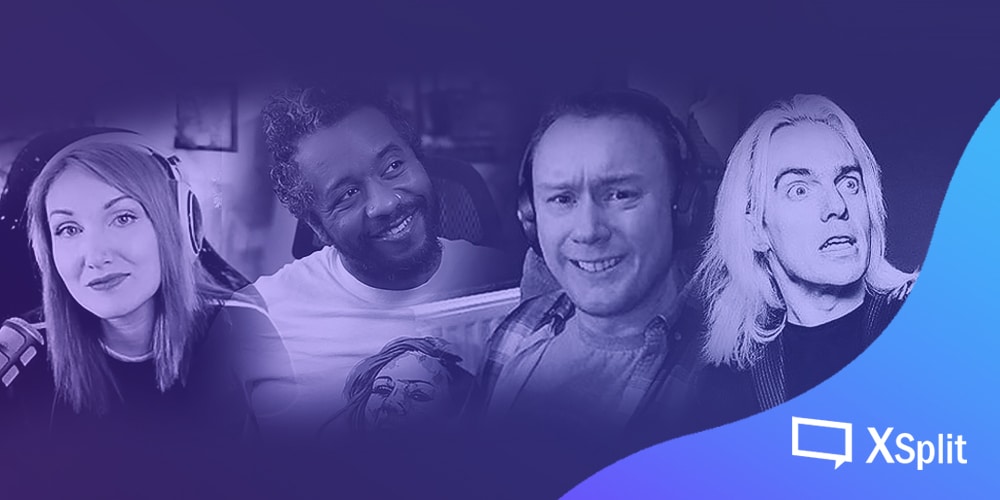
Pumpkinberry

I have been watching Pumpkinberry for about three years now (subbed for two of those years!) and from the first time I watched to this day it feels like listening to an old friend have a chat. PB (as her viewers know her) is very funny, honest, and open with her emotions, something that makes watching her play through a story-driven game a treat! Also through series like Gone and Nocturne, she is making amazing tabletop RPG stories that are live-streamed through various channels! There’s always time for a cup of tea, a chat, and some good games when Pumpkinberry is on!

Tune in at twitch.tv/pumpkinberry

Clips

(She went to NASA one time to stream a launch and here she is high-fiving an astronaut!)

Okaydrian 

Okaydrian is the best stage and TV presenter in the game’s world I’ve ever met. You might know him from GameStop TV, hosting stages for Twitch at E3, or interviewing pop culture titans like Stan Lee or CM Punk at C2E2! He’s hilarious, for starters, like honest laughter hilarious. You know how some people are funny but in that “yeah, I see there is a joke there” little “hah” kind of laugh? That’s not Okaydrian, he’s gut-busting kind of funny. He can also talk about serious subjects in an educated manner with principle and conviction while never closing the door to learning something new about himself or others. He also loves Shenmue so you know I’m gonna love every other game he’s playing!

Tune in at twitch.tv/okaydrian

Clips

SteveFromGo8Bit

If you don’t know Steve McNeil you might know Dara Ó Briain’s Go 8 Bit, a UK panel show based around comedians playing video games against each other! Steve was one of the team captains! (He was actually one of the people who came up with the entire idea but that’s a story for another blog, or the Comedians Comedian podcast he was on).

He’s great!

Steve not only plays games and is a lovely funny person his channel also hosts Wi-Fi Wars, the world’s only interactive game show (the tech of which was created by King Rob, someone being referenced when Steves chat type “AHKR” which stands for “All Hail King Rob!”) where you can play games on your smartphone against everyone else in chat. This tech is also used for the Video Game Game Show Show (imagine Go 8-Bit but on the internet), a Pub Quiz using the WiFi Wars tech, TableTop gaming online, and more!

Go watch Steve and grab the whole family for fun games and good times! Steve is also lovely, kind, and will insult you on a personal level for a redemption of stevebucks! Also, Steve has one of the best communities around. So, you’ll always find the chat welcoming, funny, and ready to have a good time!

Tune in at twitch.tv/SteveFromGo8Bit

Clips

Bonus clipped by me when he first started streaming
https://www.twitch.tv/stevefromgo8bit/clip/DeliciousHelplessBeanBrokeBack

Robbotron

John Robertson is a comedian you might know from The Dark Room, a live interactive text adventure that he’s now successfully translated to Twitch (and streamed for 48 hours for charity!), he also runs his Arrgh Pee Gee! show on Twitch where the chat decides what happens. Beyond that though, John is, without doubt, unlike anyone you’ve seen streaming before. Energy radiates through your display of choice just watching him. You will be able to power a small home with the vibrations from your laughter. Chatter, game playing, songs on the ukulele by request, and hanging out with your Step Dad (really, check out his streams)! John is strongly in the NSFW category and all the better for it! Seriously, I wrote that little warning at the top mostly thinking “yep, I’m putting John in this list”.

Tune in at twitch.tv/robbotron

Clips

This list should hopefully introduce you to some brilliant new streamers and communities to get involved with! Be sure to let us know who you have been watching in the comments or on our socials. It would be great to get a reader list going as well! Until next time, friends. 
개인방송을 시작하기엔 너무 늦지 않았을까?

인터넷 방송을 시작하고 싶은데 지금 와선 너무 늦은 시기가 아닌가 하는 질문을 종종 받곤 한다. 답변을 미리 이야기해 보자면, 이것은 나이와 시기에 대한 문제가 아니며, 준비를 얼마나 철저히 했는지에 관한 문제이다.

애초에 ‘스트리머’ 라는 한 단어 속에 뭉뚱그려 정의하기엔 너무도 수많은 사람이 다양한 소재와 강도로 방송을 진행하고 있다. 하루에 10시간 씩 매일 개인방송을 진행하는 사람도 있고, 30분도 채 하지 않는 사람도 있으며, 하룻밤에 방송 재료로 천만원 이상을 소모하는 사람도 있고, 잔잔한 음악만 틀어놓고 자신의 경험담을 조용히 얘기하는 스트리머도 있다. 자신의 여유가 있으면 있는 대로, 없으면 얻는 대로, 일상에 방송을 한 숟가락 정도 더 얹어 놓는 것쯤은 그렇게 어려운 일이 아니다.

시청자들이 구분할 수 있도록 다양한 방송 주제와 카테고리를 선택할 수 있다.

회사에 취업해서 직원으로 근무하고 있는 상태든, 다른 자영업을 가지고 있든 많은 사람들이 본업을 가지고 있는 상태에서 개인방송을 부업으로 병행하고 있다. 개인방송을 하다 보면 재미를 느껴 아예 전업으로 삼으려고 하는 경우도 많은데, 본업을 가지고 있을 경우 충분한 사전 준비와 조사 없이 개인방송으로 전업을 진행하는 것은 매우 위험한 행위이다. 오히려 본업은 개인방송의 다양한 소재가 되기도 하므로, 한 방향으로만 생각이 흐르는 것은 매우 좋지 않다.

정 전업으로 스트리밍을 진행하고 싶을 경우 자신의 환경이 적합하고, 내 의지는 정말로 확고한지 심사숙고하라. 만약 개인방송을 그만두게 될 경우, 본업이 있는 것과 없던 것은 정신적 안정감에 있어서 매우 차이가 난다. 아무 사전준비나 능력도 없이 갑자기 방송을 그만둔다면 정말로 밀림 한 가운데 던져진 느낌이 들 정도이다.

‘내가 원하는 스트리밍 방향에 대한 내 준비는 과연 적절한가’

혼자서 고민하지 않아도 된다! 인터넷과 주변 지인들에게 물어보는것도 현명한 방법!

고민해야 하는 것은 지금이 정말로 늦은 시기인지에 대해 생각해 보는 것이 아니라, ‘내가 원하는 스트리밍 방향에 대한 내 준비는 과연 적절한가’이다. 일정한 공간과 시간을 요구하는 작업인 개인방송은, 현재 내 환경에 대한 영향을 깊게 받을 수 밖에 없다. 수많은 원로 연예인들도 인터넷 방송을 준비하는 시대이지만 누구도 그들에게 지금 시작하기엔 너무 늦었다고 얘기하지 않는다. 그들은 이미 그들의 경험에서 비롯된 A급 방송 재료 카드를 가지고 있기 때문이다.

어떤 고민을 진행해야 할까? 고민은 개인방송의 모든 분야에 대해 깊이 진행해야 한다. 내가 미리 계획한 방송 소재가 미래에는 더 이상 컨텐츠 창출이 불가능한 시한부 소재일 수도 있고, 컨텐츠 자체가 검증된 것일지라도 내가 그것을 소화할 수 있는지, 또는 동일 컨텐츠를 다루는 방송인이 너무도 많아 내 방송을 차별화시킬 수 있는지, 내가 방송을 하기로 결정한 플랫폼에서 해당 컨텐츠를 소비하는지, 짜내고 짜내서 더 이상 고민이 없을 때 전업 전환을 진행해야만 한다.

스트리머를 내 직업으로 생각하며 개인방송을 진행할 경우에는 최대한 많은 길을 열어 두고 업무, 즉 스트리밍을 진행하는 것이 좋다. 다른 스트리머와 합동방송이나 기술 지원 같은 협력을 할 수도 있고, 다른 회사와 프로모션을 맺어 이벤트 행사 등을 진행할 수도 있다. 특정 브랜드의 홍보나 광고를 진행하는 스트리머도 많다. 방송 규모가 충분히 커질 경우 이러한 사업 요청 제의를 받을 수 있는데, 많은 스트리머들이 당황하여 급하게 졸속 계약을 진행하여 후회하곤 한다. 미리 공식적 연락을 받을 수 있는 채널 개설에 대해 염두하거나, 이런 경우가 발생할 시 어떤 조건을 제시할 것인지 염두해 두는 것이 좋다.

인기 인플루언서 ‘대도서관’ 이 개인방송을 위해 직장을 그만두는 사람들에게 해주는 조언. 영상 출처: https://www.youtube.com/watch?v=AS-QCJ2lZqc

아무런 준비 없이 시작해서 의도치 않게 규모가 커진 개인방송도 물론 존재하나, 이 경우 성공이 오래 지속되는 것은 매우 드물다. 벼락치기 방송 대기업이 꾸준하게 규모를 유지시키는 것 보다, 차라리 로또 1등 당첨을 맞을 확률이 더 높을 것이다. 로또 1등 당첨자는 매주 대여섯명 정도는 꾸준하게 등장하고 있지만 벼락치기 대기업 스트리머는 그렇지 않다. 스트리머로 성공을 유지하는 난이도는 복싱으로 성공하는 것이나 리그 오브 레전드 프로게이머로 성공하는 것 보단 난이도가 쉬울 수 있으나, 그에 버금간다고는 평할 수 있다.

이 모든 준비를 완수하고 수없이 고민한 끝에 꼭 스트리머가 되어야겠다고 생각하면, 당신이 원하는 방향의 스트리머가 되어라. 자신이 살아갈 수 밖에 없는 길을 걸어라. 대신 그 길이 행복하지 않다고 느낀다면, 두 번 고민할 것 없이 언제든 바로 방향을 꺾어야 한다고 약속해 주면 좋겠다.

행운을 빈다.

Taking Conference Calls from Home with Confidence

Taking conference calls from home surely isn’t new but it’s been on steroids as of late due to the ongoing pandemic. With most people forced to stay indoors, many have to adjust and get comfortable real fast performing tasks usually done from an office space and instead get it done from the comfort of their homes. In this blog post, we’ll be focusing on video conferencing calls and how you can make the experience seamless so you’re fully confident in doing it no matter where you are. 

Top video conferencing solutions

I figured this is the best spot to mention the background removal and replacement app that we’ve made called XSplit VCam. VCam functions as a virtual camera which essentially means it behaves like a physical webcam that you can select in other apps. 

To get started, open XSplit VCam and set up your desired background (or blur whatever your background is). Then go to whatever app or tool you’d like to use it on and select it as your web camera in place of your normal webcam, and voila! everything is now in place! Here’s a short video on how to use VCam with any of the apps and solutions we’re about to mention below.

You can download VCam at xsplit.com/vcam.

There’s a lot of apps that exist but we’ll just highlight the trusted ones which most of you are probably familiar with already. Please note this is not a comprehensive list nor a review as our goal is to simply list down the most commonly-used solutions today. There’s a lot of available resources out there that do comparisons but we find this one from PCMag to be the easiest to digest.

Google Hangouts/Meet

Arguably the most popular conference call solution for both small and medium businesses today, getting started with Hangouts is as simple as having a Google account which most of us have. If you’re into Google’s ecosystem already, it just makes so much sense to use this tool right away.

Skype

Back in the day, Skype was easily the most well-known conference calling solution thanks to its relatively intuitive and straightforward interface. Since then, there have been some roadblocks here and there but Microsoft has been constantly making improvements to the app by overhauling the user interface, adding features and making logical integrations. 

Zoom

Like Hangouts, Zoom is one of the most popular video conferencing solutions for businesses today. It has arguably also benefitted the most from the current pandemic as it’s seen a large bump-up in its total number of active users.

What sets Zoom apart from the rest of the competition is its extensive number of features that are simply just not available to other solutions in the market. 

GoToMeeting

GoToMeeting, while not as popular as other solutions mentioned above, is likewise a good option as it’s pretty capable in providing basic video conferencing needs. It’s not as feature-rich nor is the user interface as intuitive, but it’s reliable enough to get the job done.

Getting set up with any of the mentioned video conferencing solutions is about halfway through, perhaps even more. The other half is carrying out yourself well during the meeting, and we believe it can be achieved if you follow some simple but important tips that you’re about to read below.  

Video conferencing tips 

You can only become fully comfortable taking conference calls from home if you’re confident everything is correctly in place. So preparation is a big key here. A lot of the tips elaborated below are things that need to be done before the actual call. Remember, doing a call with your colleagues remotely is not really too different from a physical meeting so the basic principles apply. 

Familiarize yourself with the tools you’re using

We mentioned all the tools/solutions above, now it’s time to get used to them. They are very similar to each other in that you can mute/unmute your microphone, present your desktop, and so on and so forth, so it really boils down to how things are arranged and how their interface looks. 

Understand that you’ll likely use various functions of the tool that you’re using as the meeting progresses so familiarizing yourself with them goes a long way here. 

Make yourself presentable

I know working from home gives us a lot of flexibility that is simply not attained while working from our typical corporate environment. But it still works and there’s a line that needs to be tread so you can differentiate work from home. In this case, it’s you and how you look. 

Yes, XSplit VCam does the dirty work of prettying up your background so you don’t have to but the app doesn’t make yourself presentable. So go ahead, dress appropriately, make sure you look dap enough like you always strive to when working in an office space.

Have proper framing and lighting

This goes hand in hand with making yourself look presentable. While VCam’s detection is cutting edge, there’s still a big benefit in having good lighting and framing yourself properly. 

xsplit vcam lighting
xsplit vcam framing

You should also make sure to re-calibrate when you make changes or if you’re not satisfied with the overall look. We’ve written more tips for making the most out of VCam here.

Arrive on time early

Well, the same applies to any standard meeting but it’s especially crucial for remote ones. Being at least 10 minutes early allows you to conduct the necessary checks and ensure everything is in place and set up correctly. How many times have we endured calls where the first 5 minutes is about asking participants if they can be heard clearly and vice versa?

Coming in early also saves you from panicking in case something happens. I have been in meetings where someone arrives late, seemingly have to run 500 meters, and is huffing and puffing trying to catch a breath. Not a good look and the same is true for online meetings.  

Mute yourself when not talking

Working from home means you likely have other people with you at home which makes it imperative to only let your microphone hear you when it’s your turn to talk. And even if you’re alone, your microphone is likely to easily pick up any background noise from a whirring fan beside you, to your neighbor’s dog barking, even a loud vehicle outside your apartment. These types of noise can distract your colleagues and disrupt the overall flow of your meeting. 

One quick tip is to make use of keyboard shortcuts that mutes/unmutes your microphone. Almost all video conferencing services mentioned above support that in one way or another. 

Stay engaged

Make sure your colleagues have your full attention and it’s reflected during the call. A very common thing people do is ‘multitask’ during calls but not only does this come across as rude, but it’s also distracting. Remember your webcam feed is being constantly shown for the entirety of the call so anything that’s not about you reading or listening will surely be more noticeable.

Again, it’s easy to relax and think you’re doing this in the comfort of your home but that doesn’t make the call or your meeting any different from how you’d otherwise do it from your office. So pay attention and stay focused all the time, the same way you’d like people to do for you when you’re talking. 

Parting Words

Even as someone who’s done conference calls remotely many times in the past, I can understand why it’s hard for people to just naturally get used to it. But with some practice, and applying the tips we mentioned above, getting comfortable and confident with the whole process is doable.

I’d love to hear your thoughts on this matter. Do you have any other tips that you’d like to add to what was mentioned above? Or do you maybe disagree with some of what was mentioned? I’d like to hear it out so don’t hesitate to write in the comments section below. 

XSplit Premium is now free for Non-Profit Organizations

Update: We will be closing the submission of applications on July 1, 2020. Please make sure to submit your application before then.

During this extraordinary time, we have seen a huge increase in new users across a number of different industries reach out to us for assistance in getting started with streaming.

One particular trend we have noticed is non-profit organizations being displaced or having to temporarily shutter their doors during this time, many of whom are now looking to transition to streaming as a means of continuing their efforts.

With this in mind, we’re offering free 12-month Premium licenses to all qualifying Non-Profit Organizations. Those who are interested in getting started with streaming should fill out this form, and a member of our team will get back to you.

From the entire XSplit team, we wish everyone the best during this challenging time. 

Talking while playing games like it’s second nature

It’s a basic human instinct to have an urge to share information and spread them among your contacts.

Human beings were utterly weak and fragile when placed upon the infinite horizons of mother nature. In order for them to survive was to gather in groups to empower the strength in numbers. For numerous amount of human beings to be considered a ‘group’ had certain conditions before hand. They required a common ground method of communication. So eventually the people of Earth had attained a survival skill set known among humans as ‘language’. What’s so great about communicating through a common language is that it does not require any assistance of using tools or equipment.

To this day, people of Earth speak in different languages but a large ‘group’ of people would speak the same language, whether it divides the groups as nations or culture, surely more than one other human being other than yourself would be speaking your language today. In the current age of technology, humans taught themselves how to use electricity, computers and the internet. Many humans to this day are now learning the new method of communication using the internet by utilizing the evergreen lingual skills that they were educated with while growing up.

While the telephony technology solely relied of the vocals of people, video broadcasting and streaming will rely on both the verbal and visual method of communication, all while the person in front of the camera being able to communicate in real time by reading written chat logs of their viewers.

Now there is a challenge for those who are streaming video games. Have you ever tried to speak without being distracted while concentrating on the game you’re currently playing? In theory, this doesn’t sound too difficult, but it will become a paradox similar to when a musician tries to sing and play a musical instrument at the same time, for the first time.

With many online games requiring you to team up with other people in the internet, you would be familiar with services such as Discord, which is an evolved format of the internet’s vocal communication between players since the days of Ventrilo or Team Speak, you were naturally able to talk to other people in your team.

You would have assigned roles for the second phase of the boss requiring an off-tank to take care of adds and telling the DPS to manage their aggro, signaling your teammates for ganking an enemy player through the bush above the mid-lane and even alerting your friends that you’ve heard an enemy footstep and based on your 3D sound environment, you would call out that the enemy is in South West direction and is within 100 meters in range.

Whelps! Left side! Even side! Many whelps!

In the early days of World of Warcraft, you had to group up with 39 other people to take down bosses

So think about it, talking while playing your favorite game wouldn’t be that hard while streaming right? But once you’re put on the spotlight, things can get very awkward.

Majority of this would be because you didn’t have the time to prepare to research about a game that was recommended by others or when you’re playing the game solo, you may not need anyone’s help, nor would anyone request for your help. There are range of games that requires to you think quickly in turn of events or would require you to read the entire dialog to be able to learn about the game’s lore and controls. Sometimes it would take you longer to explain the background of the game’s story to your viewers, before you would open the door to get to the next level. You would be concerned that if you didn’t read the entire book’s worth of story, your viewers would be spoiled of what would happen in the end.

So which games would be efficient at both talking and playing? Fortunately, there are various games out there that does not require the viewers to understand its lore before viewing what you’re playing. Trading card games would be a good example. Games such as Hearthstone and Magic: The Gathering would be somewhat straightforward and platforms like Twitch even allows certain extensions that would allow the viewers to see more information that may not all be displayed on the screen.

To be able to give yourself tim to speak while simultaneously focusing on the game, you would also have to consider the pace of the game itself. Allowing yourself to give some resting periods in order to talk to your viewers within a single session of the game would be the golden opportunity for you to also regroup and focus on the next strategy. Games such as Dota 2, League of Legends, PUBG and Fortnite is a great example in this. There’s going to be multiple times when you’re leveling up your character before going into a big fight which the streamers use those opportunities to explain what their strategy is going to be to the viewers.

There are game that show the utmost and honest emotions of the streamers. Viewers can also understand and agree to a certain degree even before the streamer would start talking. This is when the streamer is situated in a dangerous scenario which has a high chance of going to the ‘game over’ screen, or would have to restart the progress all the way from the beginning. The genre that fits this description best is ‘beat’em ups’ or ‘fighting games’. Games such as Street Fighter V, Tekken 7, Granblue Fantasy Versus, Dragonball Fighterz are some of the most popular fighting games today. With a direct visual of the game characters’ health bar, viewers can tell whether the streamer is going to be happy, upset, focused or full on tournament mode.

Some sticks had to take a hard hit full of emotions.

Only a fraction of the entirety of the arcade stick population were harmed during some fighting game streams

Ultimately, there is a standout game which became a genre on its own, which is the Darksouls series and other similar style of games. Most of the scenarios that were demonstrated above can apply to this type of game where you (and your viewers) go on lengthy hours of expedition.

In conclusion, the human voice is essential for most method of communication and it revolutionized the way other humans would behave with the minimal amount of effort and energy required. This will apply the same for gaming streams and their streamers. It will certainly be a difficult task to form a community with just you playing games and talking in the beginning. I urge all gaming streamers to show your true feelings toward the viewers and the viewers will reward you with much needed appreciation and acknowledgement. The viewers don’t just follow because of who you are or what you sound like, they will reward you for opening up your true character and welcoming them to your digital doorstep.

Be confident and let your voice be heard!

게임과 삶의 보정

수많은 사람들이 게임을 취미로 삼고 있다. 그 유구한 역사 속에서, 플레이어들은 더 이상 웬만한 도전에는 흥미를 느끼지 못하게 되었다. 이미 상당한 세월 전에 제작자들은 자신들이 개발한 인공지능으로 플레이어들을 감탄시키는 데 힘에 부쳐, 새로운 돌파구를 제시하였다. 그것이 PVP(Player versus Player)이며, 플레이어들끼리 서로 승부를 겨루게 만든 것이다.

PVP 게임은 일정한 규칙 아래 플레이어들끼리 서로 겨루며, 승과 패가 존재한다. 승패가 존재하기 때문에 PVP게임은 필연적으로 실력의 차이를 드러내게 되었다. 요약해서 ‘누가 더 게임을 잘하는지’가 매우 직관적으로 드러나는 것이다. PVP의 등장은 단순히 게임을 하는 것을 좋아하기만 하는 게이밍에서 벗어나, 타인보다 뛰어나야 하는 ‘잘 하는 게이밍’이 의미를 가지는 시대를 열었다. 그리고 곧이어 이스포츠, 프로게이머라는 개념이 등장했다. 그들은 명백히 타인보다 뛰어난, 게임을 ‘잘 하는’ 게이머들이다.

잠깐 다른 얘기를 해 보자. 어도비 사에서 제작한 포토샵이라는 그래픽 툴 프로그램에 대해서는 모두 알고 있을 것이다. 그래픽 툴 중 가장 대중적인 인지도와 강력한 성능을 자랑하는 프로그램이다.

1.0 버전이 1990년에 발매되었고, 지금까지 30년여에 걸친 업데이트로 인해 강력해진 프로그램 성능에 의해, 현재는 어설프게 인간이 작업하는 것 보다 프로그램 알고리즘에 맡겨 자체 보정을 진행하는 것이 더 나은 결과물을 생산하는 재미있는 일이 일어나고 있다. 지금 이 페이지에서 그래픽 카드 보정을 언급하는 이유는, 그것은 이 ‘보정’이란 단어가 더 이상 우리 게이머들과 관련없는 일이 아니기 때문이다.

클라우드 게이밍이란 단어를 들어본 적이 있는가? 클라우드 컴퓨팅 기술, 즉 내가 원격으로 입/출력/통신장치만 이용해, 저 먼 곳에 있는 실제 연산장치를 조작하여 진행하는, 비디오 게임 스트리밍 원격 플레이를 얘기하는 것이다. 평소에 게임에 관심이 없는 사람들은 신기하다고 할 수 있겠지만, 이른바 “성골” 게이머들은 이름만 들어도 고개를 절레절레 내젓는 키워드이다.

그 “성골” 게이머들이 클라우드 게이밍을 원치 않는 이유는, 게임을 조작할 때 기존의 화면지연, 입력지연에다가 통신지연까지 추가로 조작 지연이 더해져 내 캐릭터를 내 마음대로 움직일 수 없는 이유 때문이다. 예로 2019년 G스타 게임쇼에서 진행한 철권7 클라우드 플레이가 있다. 본인도 해당 기술에 꽤 관심이 있어 해당 시연에 참가했던 사람들 여럿에게 감상을 물어보았으나, 반응이 썩 좋지 않았다.

이에 대해 여러 가지 해결책이 제시되고 있는데, 그 중 하나는 통신 속도보다 현재 넘치는 컴퓨팅 파워에 집중하여, 멀티플레이 게임 진행 시 해당 플레이어 플레이에 대한 데이터를 수집하여 다음 차례에 가장 입력 가능성이 높은 입력을 미리 게임 내에서 처리해버린다는 것이다. 좀 더 쉽게 설명하자면, 게임이 스스로 ‘어차피 넌 다음에 a버튼을 누를 거잖아?’라면서 내 대신 입력을 처리하여 버린다는 것이다. 조금 섬뜩한 이야기일 수도 있다.

혹시, 게임이 마치 포토샵처럼 자동으로 보정을 해 주는 이런 미래가 싫거나 두려운가? 그렇다면 유감이다. 당신은 이미 그런 세상에 살고 있기 때문이다. 이미 지금도 수많은 콘솔 FPS게임에서 조준 보정을 실시하고 있다. 현재 패드로 하는 FPS게임에서 조준 보정이 없는 게임을 더 찾아보기 어려울 정도이다.

몇몇 격투게임에서도 소극적으로 입력보정 시스템을 도입하고 있다. 이른바 ‘자동 콤보’가 그것이다. 버튼 1개를 연타만 해도 적당히 실용성이 있는 연속기를 사용할 수 있는 시스템을 드래곤볼 파이터즈 등에서 도입하고 있다. 이미 도입된 지 오래되어서 어색하지 않게 느껴질 지 모르나, 분명히 내가 한 입력과, 게임에서 받아들이는 입력이 다른 시스템인 것이다.

만약 자기 혼자서 컴퓨터 AI를 상대로 하는 게임에서 어떤 식으로 보정이 이루어지건, 치트를 사용하여 플레이하건 그건 누구와도 상관 없는 일이다. 누구도 피해주지 않고, 자신이 즐거우니 그것은 괜찮은 것이다.

하지만 PVP 게임에서, 그 보정이 실제로 플레이 밸런스에 영향을 줄 정도로 강력하다면 어떨까? 불쾌해 할 상대방이 분명히 존재하고, 심지어 지금같이 프로게이밍 씬이 존재하게 되어 게이밍에 무게가 더해진 사회상이라면 실제적인 손해를 입을 수도 있다. 컴퓨터의 도움에 힘입어 나는 분명히 이전보다 강한 상태로 게임을 할 수 있겠으나, 내가 한 입력이 아닌데 그것을 과연 내 게이밍 스타일이라고 부를 수 있을까?

지금 언급한 기술은 아직 먼 미래처럼 느껴지고, 바로 도입이 되지 않을 것이라는 의견이 지배적이다. 허나 기술은 우리를 기다려 준 적이 없다. 언제나 그래왔다. 기술은 갑자기 우리를 덮친다. 내가 어렸을 때는 야외에서 무선으로 웹 브라우저를 사용할 수 있는 기기(예를 들면 노트북)을 하나 갖는 게 꿈이었으나, 지금은 스마트폰을 가지고 있지 않은 사람을 찾아보기 어렵다. 미래는 어떻게 바뀔 지 모른다.

어떻게 바뀔 지 모르는 미래에 대비하여 내가 제안하고 싶은 것 하나는, 우리 모두 게임에 대하여 스스로 만족할 수 있는 “선”을 미리 준비해 놔야 한다는 것이다. 영원한 것은 아무것도 없다. 한 게임을 평생 할 순 없고, 계속 새 기술과 새 게임이 나올 것이다. 유연하게 생각해야 하고, 내가 어떤 역할을 할 수 있을 지 미리 염두해야 한다.

오히려 과거의 게이밍에서 답을 찾을 수 있을 지 모른다. PVP란 개념이 등장하기 이전, 컴퓨터를 상대로 기록을 세우는 게이밍, 상대보다 강해지는 것에 집착하지 않고, 내가 재밌어 하는 게이밍을 찾는 것이야말로 앞으로 게임을 즐겁게 할 수 있는 비결일 수 있을지 모른다.

이런 사례가 있다. 나도 이전엔 PVP가 아닌 게이밍이 아니면 경쟁에서 벗어난 게이머라 하여 약간 깔보는 경향이 있었으나, 크게 반성하게 된 계기가 있다. 리그 오브 레전드의 AI 대전모드만 플레이하는 어떤 형님이 계셨는데, 하루는 남는 자투리 시간에 같이 AI게임을 진행하게 되었다.

당시 나는 어떤 종목이건간에 CPU 대전에 대해 깊게 연구할 거리가 없다고 생각하였으나, 그 형님의 오더는 놀라웠다. “몇분 몇초 대에 상대 애니가 이 수풀 앞을 지나간다”, “몇분 몇초대에 상대 라이즈가 이 자리에서 포탑을 공격한다” 등의 지식이 거의 예언 수준으로 기가 막히게 딱딱 들어맞는데다가, 내 캐릭터, 상대 캐릭터의 이동속도, 공격 쿨타임, 모든 동선까지 계산하여(절대 그것은 예측이 아니었다. 지식에서 비롯된 계산이었다) 최고 효율로 킬을 올리는 것이다. 경악했다.

나는 그 때 ‘아! AI대전 연구에도 도가 존재할 수가 있구나!’하고 크게 감탄했었고, 많이 반성하고 시야를 바꾸게 되었다. 그 형님이 분명히 페이커보다 게임을 ‘잘 하는’ 게이머는 아닐지 모른다. 하지만 단순한 AI 대전을 그 정도까지 연구를 할 수 있다는 것은 그 형님이 게임을 ‘좋아하는’ 게이머라는 것을 반증한다.

어떤 종목이든간에 이런 게이머들은 존재한다. 캡콤 프로투어의 스트리트 파이터 5 프리미어 급 대회 8강에 진출할 실력이 되지 않는 사람이라도, 자신 캐릭터의 다양한 패턴과 콤보 연구 결과를 타인과 공유하는 것은 충분히 가능하다. 이것 또한 보물 같은 가치를 지닌 게이밍이다.

만일 당신이 철권의 모든 PS4 도전과제 트로피를 획득하는 것으로 만족하는 사람이라면 그것은 좋다. 철권 월드 투어 파이널을 우승해야 만족하는 사람이라면 그것 또한 좋다. 두 가지 모두 도전할 가치가 있는 일이며, 즐거운 일이고, 열심히 한다면 이룰 수 있을 것이다. 두 게이밍 사이에 격차는 없다. 그것이 게임이 존재하는 이유이다.

자신의 게이밍을 사랑하자

#엑스플릿 #엑스스플릿

Pro gamer or Pro streamer?

In the current age of online gaming and esports, you cannot ignore the influence of ‘the most popular games’ of today.

To be acknowledged as part of a popular game, it has to be well known among most groups within our society, regardless of age and region. Of course, the game itself has to be easy to approach, mild in complexity and most importantly, fun.

In the history of all game development, you cannot justify all of the games which failed to keep up with its userbase as ‘bad games’. But it’s clear that all the bad games would eventually fail to keep up with anything.

As of writing this article, the most popular games with all aspects noted above can be narrowed down to a number you can count on your hand. One of them which succeeded to remain on the top is League of Legends aka LOL. Nowadays, it is very easy to expect when someone mentions that they’ll become a game streamer, most likely they’ll be playing LOL.

Popular online game by Riot Games, League of Legends.

One critical matter about streaming LOL is that people often fall under the illusion which, by streaming, the popular game at the time would also help increase their followers.

No matter which streaming platform you may choose to be on, playing the most popular game naturally means that it is already a red ocean and the competition within the market is overflowing. Twitch is a well-known streaming platform to host many LOL streamers around the world. The variety of LOL streamers are usually either really good at the game, or just casually playing to kill time.

Just to rephrase, if you’re going to stream LOL today, you’ll have almost zero chance of getting any viewers at all.

So what will you do to draw attention and viewers to your stream? There are infinite ways to stream gaming content on the internet. For this one time, we’re going to ignore the technicalities and knowhows but focusing on the quality of the contents and personalities. While it’s not easy, but some LOL streamers have found ways to get more viewers by just playing the game, without having to advertise or promote their channel.

The viewers somehow get drawn into their un-human like controls and movements. Some viewers also want to mimic their gameplay as much as they can. Some actually want to become like them as their goal in life. These streamers can use magical abilities where each stroke and click of their mouse seems majestic and inspirational to their viewers.

They have proven that by playing their favorite game, they create value and meanings to many people out there. Of course, they didn’t just magically become like that in the first place. They have studied the game than most other people and have found ways to play these games in the most efficient manner.

We call them Pro-Gamers.

If you’ve been following the LOL scene for a while, you will be familiar with some of the players’ names such as MadLife from CJ Entus, Ambition from Blaze and of course, Ruler of Gen.g and Faker of SKT T1.

As of March 2020, Faker’s Twitch follower numbers go well over 2.2 Million. This number is way higher than some of the most influential streamers’ follower numbers combined. Becoming a pro-gamer may help and boost them to be equipped to become a top streamer, but just to become a pro-gamer to eventually aim for becoming a top streamer isn’t the most effective path to take.

The time and effort that goes into becoming the world’s best pro-gamer itself is never an easy task that anyone could dare to risk and sacrifice their current lifestyle for.

Can you have the best aim and control of Blitzcrank like MadLife? Try to even mimic the controls of Ambition’s Jarvan IV? Dare to compare yourself to Faker’s Leblanc?

Would you even come close to shadow any of their experiences and practice to your amount of time you’ve allocated for LOL? Think about it realistically and almost all of you would realize that you’ve had a late start, to begin with.

So does that mean that all top LOL streamers are pro-gamers? Think about the question for a minute and you’ll know that it’s an easy question to answer. So how do those non-pro-gamers make it to the top of the streamer grid?

Like I mentioned at the start, there are infinite methods of streaming games. Just like the stars of the night sky, there are so many ‘good’ streamers on the internet. There are those who honed the skills to draw viewers to their stream without having to be good at the game. These chosen few have rightfully categorized them in the line of ‘Entertainers’.

It may sound a bit unrealistic, but there is a popular phrase called ‘Just do it’.

The complexity of the competition to become one of the top streamers isn’t really organized in a textbook fashion, which is why everyone starts with uneven balance, different backgrounds, culture, region, and language but somehow, some way, they get there. It could be a creative way of playing games, or even really really bad at the game, or it could be something not even related to League of Legends at all.

Popular inspirational video by the actor; Shia LeBeouf

They all share a common aspect at least, which is that they’re comfortable with entertaining their viewers by being funny and never-ending audio through their microphones. They’ve shared the most extrovert aspect of communication is the most introvert culture of content creation on the internet, which is streaming.

Achieving this feat is not to be compared from those who are pro-gamers becoming top streamers as they’re equally difficult and require much-needed training to make it their second nature.

Be mindful that the viewers will surely see some comedy content from these not-so-good-at-games streamers, but the emotions that these streamers get from losing in lanes or getting ganked in League of Legends is very real. By delivering these genuine reactions to the viewers could be the reason why they appreciate the streamer by their personality, not by their skills in games.

In conclusion, there are so many genres in games, so as the variety in streaming content. Find your own method to stream and check if what you’re planning is something that you like doing, to begin with. Make sure you’re enjoying your own streaming session and the viewers will appreciate your true nature.

About the author:
BurnoutFighter is an esports all-rounder with over 10 years of experience in production, event planning, and tournament organization. He is an active tournament competitor in major events such as Evo, Sea Major, Combo Breaker, CEO and many more around the world.

인터넷 방송 자택근무와 위생관리

2020년 3월 현재, 코로나 바이러스의 공포가 전 세계 사회 모든 분야를 뒤덮고 있다. 이스포츠 또한 예외가 아니다.

한국의 리그 오브 레전드 리그인 LCK는 스프링 시즌을 무관중 중계로 진행하다, 확산 여파로 인해 리그 중단 후 잔여 경기를 온라인으로 진행한다는 초강수를 두었고, CPT, TWT 등 세계의 여러 격투게임대회 스케쥴 또한 차질이 빚어지고 있다. 이미 연기, 취소된 대회 갯수도 상당하고, 하반기에 일정이 있어서 아직 취소되지 않은 대회들도 앞날이 어둡다. 전 세계 격투게임 대회 중 가장 커다란 규모를 가지고 있는 EVO가 취소 또는 연기를 선언했다는 것은 시사하는 바가 크다.

또한 하필 대학의 개강 시즌에 이런 사태가 발생하는 바람에, 한국 대부분의 대학교는 원격 스트리밍 강의를 통해 학기 강의를 진행하고 있다. 바뀐 대학가 사회상과 관련하여 인터넷 커뮤니티 사이트에서는 여러 재미있는 반응이 나오고 있다. 여러 대기업에선 자택근무를 실시하고 있으며, 화상 컨퍼런스, 모바일 오피스 등의 시스템을 적극 활용하고 있다. 다행히 통신 화상기술의 발전으로, 2020년 현재는 여러 사회 구성원들이 가정에서 업무를 볼 수 있는 환경이 조성된 편이다.

인터넷 방송 스트리머는 가정에서 업무를 진행하는 대표적 직종 중 하나이다. 스트리머는 대부분 여러 편의적 사유로 인해 방송 스튜디오를 자택 내부에 설치하는 경우가 많다. 전문적인 스튜디오 공간을 따로 운영하는 스트리머도 있으나, 그런 경우는 보통 해당 공간에서 스트리밍 이외의 다른 업무를 진행하는 경우이다.

엑스플릿 브로드캐스터를 사용하여 인기 방송 플랫폼에 송출하여 교육 및 업무를 진행할 수 있고, 스카이프 (Skype), 줌 (Zoom), 행아웃 (Hangout) 등의 컨퍼런스 서비스로 프레젠테이션, 동영상, 이미지 등을 공유하고 회의를 할 수 있다.

또한 엑스플릿 브이캠을 사용하면 크로마키 장비 없이 배경화면을 투명하게 하거나 배경화면을 완전히 대체하여 어질러진 방 등을 흐리기 효과를 적용하여 타인의 시선에서는 깔끔한 환경처럼 보이게 할 수 있다.

엑스플릿 브이캠으로 방송 및 컨퍼런스 환경에 맞게 배경화면을 설정할 수 있다.

직업 특성상 외출이 잦지 않은 인터넷 방송 스트리머라고 해도, 특히 이런 시기에는 평소에 개인위생관리에 신경쓰는 편이 좋다. 질병에 걸려 방송을 할 컨디션을 유지하지 못하는 경우, 방송을 하지 못하는 기간 모두는 고스란히 손해로 돌아오기 때문이다. 사회 전반적으로 사회적 거리두기 운동이 한창인 만큼, 자신의 주된 방송 컨텐츠가 야외 활동이었을 경우엔 여러 여론과 자신의 환경을 고려하여 대체할 컨텐츠를 마련해 보아야 한다.

외출 후 손 씻기 같은 기본적인 위생 수칙 이외에도, 스트리머는 합동방송 같은 컨텐츠를 위해 타인과 밀접한 거리에서 접촉이 이루어지는 경우가 많다. 팬 미팅 같은 집회는 정부의 권고대로 최대한 자제하도록 하고, 중지나 연기 계획시엔 필히 공지를 띄운다. 자신의 스튜디오 내부에서 타인과의 수 시간의 밀접한 접촉이 예상될 경우, 자신이 방송에 사용하는 용구를 방송 전후로 소독을 진행하는 것이 좋다.

가정에서 가장 사용하기 좋은 소독약은 두 가지로써, 락스, 알코올이다. 염기성 용액인 락스는 단백질을 분해하고, 유기용매인 알코올은 지방질을 녹인다. 괜히 특정 용도에 맞춰서 나온 비싸고 구하기 힘든 소독약을 사용할 필요가 없다. 적정 용량을 용법에 맞춰 사용하기만 한다면 이만큼 좋은 소독법이 없다. 손이 많이 닿는 키보드, 마우스 등을 약식으로 청소할 때에는 알코올을 묻혀서 닦고, 키보드 등의 키캡을 분리하여 락스 희석액에 담가 두면 확실한 소독 세정효과를 보장한다. 알코올은 재질을 가리지 않고 사용할 수 있고, 락스는 금속에 대해 반응하므로 스테인레스 이외의 금속에 사용하지 말자.

현재 유행인 코로나바이러스-19 (COVID-19) 는 지방질 피막을 가지고 있기 때문에, 70% 이상의 에탄올 소독이 효과를 보인다고 한다. 알코올은 세척 시 다량을 사용해도 극단적으로 밀폐된 공간이 아니라면 빨리 증발하기 때문에 치명적으로 위험하진 않으나, 락스는 사용에 주의할 필요가 있다. 표기되어 있는 용법을 반드시 지키고, 사용 시 마스크를 꼭 착용하자.

21세기가 된 지도 벌써 20년이 지났으나, 우리 세대는 이번 세기에 한 번도 보지 못한 사태를 경험하고 있다. 본인 또한 한 사람의 이스포츠 시청자로써, 취소된 수많은 경기와 리그들에 대해 울분을 머금고서 최대한 빨리 이번 감염병 사태가 종식되길 바라 본다.

#엑스플릿 #엑스스플릿

Working from home with XSplit Broadcaster – Giving a Presentation

With more and more people working remotely or working from home, making a presentation that’s both informative and effective can be tough.

If you’re clicking around tabs on a browser, fiddling with desktop programs while trying to show your camera and the presentation during a Zoom call isn’t easy, or is it? If you couldn’t tell, right here is where I let you know “Hey, there’s an XSplit for that!”

Broadcaster to be exact. I’m going to tell you how you can spice up those online presentations with a little bit of XMagic (that’s XSplit’s patented magic, which makes a lot of assumptions about you considering broadcasting software magic. In our opinion, you should, but enough about magic, for now…)

Once you’ve downloaded and installed XSplit Broadcaster; click the application to open and you’ll be greeted with the starting screen. Click Presentation and you’ll see a bunch of ready-made scenes. Each scene is like an advanced slide for your presentation so go ahead and click around! It’s like we wanted to make this easy for you, huh? Nice big text with instructions, looking all easy and stuff! Well, it is! First things first, if you have made an already snazzy looking presentation on your computer using something like PowerPoint or online using one of Google’s many options or, ya know, other ones, (hey, I don’t know all the presentation software, I’m the XSplit guy, remember?) open it up! Now, back to XSplit.

Things will open on a scene that says Desktop Capture with Webcam. From here you should now see the window you had open, and XSplit giving you a pretty rad infinite loop effect. Don’t worry! If you minimize it, it’s gone! If you’re using two monitors you can also drag XSplit to the second monitor. To capture exclusively from the monitor your browser is on, right-click Desktop Capture and select which desktop you wish to pull from, but let’s just stick with what we have for now! You can also change the name in the frame around your webcam, just right click on Text in the Sources window and change it! We can also hide the introductory text by clicking the eye symbol next to it! See, I told you, magic! Real Magic!

Setting up your webcam is easy. Right-click, where it tells you to right-click to select your webcam and choose XSplit from the list of all the webcams connected and installed on your computer!

If you want to change the text under your webcam, right-click where it tells you to in the Sources Menu and type your text. This scene is great for when you still want to make eye contact with everyone in the presentation and add the element of intimacy you’d have giving the presentation in the room. Don’t want that? Well, head on over to our next scene which is just Desktop Capture.

This will work exactly the same but without the camera. People will still hear you and they will see whatever you see on your monitor. Speaking of hearing you, XSplit Broadcaster should have selected your default microphone but let’s double-check at the jump! Head to Tools, Settings, Audio and select the device you want XSplit to use for your Microphone.

There is also a scene labeled presenter camera. This is great when you’re addressing everyone without visuals and just want to talk. This is the same as you set up your webcam. Go ahead and right-click on things and make them work! There’s also a handy pre-presentation scene that you can have going when you first connect to your call. This is great if you want to have your microphone muted (click the little microphone symbol above the sources menu) and make sure you’re ready to go! Just be sure to click unmute when you begin the talk!

So, from here, you have one simple and slick-looking way to do your presentation set up and ready to go! You can use the presentation like normal: within the browser, as a full-screen camera, or picture in picture with XSplit Broadcaster handling everything!

To use this in a meeting using Google Hangouts, go to the settings and select XSplit Broadcaster as your camera.

For Skype, it’s exactly the same, head to settings and simply select XSplit Broadcaster as your camera! Make sure that you are using Skype for Desktop, not the pre-installed version that comes with Windows 10.

We hope this takes a lot of the stress out of giving your presentation when working remotely or from home. And this is merely the beginning, XSplit Broadcaster has a ton of features and functions that you can add – upping your production value and fun to your future presentations. We have a bunch of tutorials for just that! Want something like this in your next presentation?

XSplit Broadcaster can do that! Good luck and be sure to check around the website for more things you can do with XSplit Broadcaster

RTMP (외부장치 연결) 송출 사용법

RTMP 를 사용한 인터넷 방송 연결법 입니다. Real Time Messaging Protocol 의 약자이며 우리가 주로 사용하고 있는 ‘방송 플랫폼에 로그인으로 인증’ 의 개념과는 비슷하지만 조금 다른 인터넷 방송 송출 연결방식 입니다.

일단 각 인터넷 방송 플랫폼 마다 가지고 있는 고유의 RTMP 정보를 먼저 찾아야 합니다. 모든 인터넷 방송은 다수의 사용자들이 편리하도록 일반적인 로그인 및 비밀번호 입력으로 본인을 인증할 수 있지만, 이러한 시스템의 기반이 되는 고유 URL 주소가 각 유저마다 주어집니다. 인기 방송 플랫폼들은 대부분 지원하는 정보입니다. 유튜브, 트위치, 카카오, 아프리카, 페이스북 등의 플랫폼에서는 각자 자신의 계정 정보란 또는 방송 송출 관련 대쉬보드에서 RTMP 정보를 찾으신 뒤, 사용하는 방송 프로그램의 송출 설정란에 알맞게 입력만 하시면 됩니다.

​아프리카 TV 에서는, 자신의 방송국 페이지 메뉴에서 외부장치 방송 설정 메뉴를 찾아 클릭하시면 RTMP 정보를 찾을 수 있습니다.

아프리카tv 에서 본인의 계정으로 로그인 한 뒤 나오는 관리 페이지 메뉴에서 ‘외부 장치 방송 설정’ 메뉴를 찾으실 수 있습니다.
유튜브 에서는 본인의 계정 대쉬보드에서 ‘실시간 라이브’ 관련 메뉴에서 찾으실 수 있습니다.
트위치 에서는 계정 설정란의 ‘채널’ 메뉴에서 찾으실 수 있습니다. ‘방송 암호’ 로 구분되어 있습니다.

가장 중요한 RTMP 정보는 두가지로 저장되어 있습니다. 스트림 키 (Stream Key 또는 Stream Name) 와 스트림 주소 (Stream URL, Server URL 등) 을 엑스플릿 브로드캐스터에서 RTMP 플랫폼 추가 후 해당 입력란에 복사 + 붙혀넣기로 연결하시면 됩니다.

참고로 트위치는 송출 서버를 사용자가 직접 선택할 수 있으나, RTMP 의 경우 수동으로 링크를 입력해야 합니다.

트위치 서버 링크는 여기를 클릭하여 확인하세요

필수로 채워야 하는 부분과 화질 설정을 위한 코덱 및 비트레이트 설정도 잊지 마세요.

RTMP 정보는 타인에게 유출되면 타인이 본인 방송 주소에 송출을 하는 경우가 초래되니 반드시 철저한 보안을 하셔야 하고 절대 공유하시면 안되는 점을 참고해주세요.

추가 이해를 돕기위해 관련 영상 가이드도 첨부하겠습니다.

#엑스플릿 #엑스스플릿