XSplit VCam is the revolutionary software developed by us here at SplitmediaLabs to blur, remove or replace your webcam’s background without the need for a green screen and we’ve made it as simple to set up and use as possible! There are things you can do, however, to get the best experience and picture possible with it! Here are some dos and don’ts that will help you look your best when using XSplit VCam to do video calls!
Lighting
DO have a light source from a window or a lamp in front to light up your face.
DON’T allow backlight as it will cast a shadow or have uneven lighting on your face. If you are sitting against a window, make sure that the window is covered with shades, blinds or curtains.
Background
DO have a plain background with minimal objects around you for a cleaner overlay of the virtual background. Pick a virtual background that has a good contrast to your appearance.
DON’T have objects that have the same or similar colors as your skin, hair, and clothes around you. The objects will be picked up by the camera then appear on the video instead of being replaced by the chosen virtual background.
Framing
DO center yourself in the frame with ample distance from the camera to ensure that your face and body are within the frame. Position your camera at eye level so that you have good eye contact with the video call participants.
DON’T position the camera too close to avoid cutting off your face and/or body from the frame. Don’t sit too far from the camera because this will make you appear distant to the video call participants.
Appearance
DO wear clothes with solid colors such as black, white, red, and blue and make sure that it has good contrast with the background. Look presentable by fixing your hair and maintaining a good posture during the video call.
DON’T wear printed tops because this will be visually distracting to other video call participants. Don’t wear light or pastel colors because this will make your appearance look dull or washed out.
Testing
DO a test video prior to the scheduled video call to avoid technical glitches or disruptions.
DON’T proceed with the video call unprepared because this will cause delays, distractions and make you look unprofessional.
We hope these tips will help you get the most out of your calls and meetings with XSplit VCam! If you’re looking for some professional looking or just plain fun backgrounds we’ve compiled a list here.Found cool ways to get the most out of XSplit VCam? Sound off in the comments below and be sure to follow our socials for news on updates and other cool things from SplitmediaLabs that will make your digital workflow easier!
Before anything else, we’d like to ask, how’s everyone doing?
The current circumstance we’re living in is quite a total shift from what we have been used to. The past few weeks have been quite a struggle to most. To the more privileged ones, a time that allows for slowing down and relaxation. I’m not here to talk about social disparity but to share what I have learned through these past days. These days of coping with the changes in our routines, how we adapted to the current. Thus creating a new normal – if not for all, at least for what I have experienced.
We’re all experiencing a new way of living during this pandemic, nobody really knows when this will end. What we know is that we have to move forward and not settle on the negatives. The what we cannot have at the moment – but take into full grasp what we can do to make things better.
The new normal, in the financial world, is something we can refer to the time of a financial crisis during and after a recession. Something that was usually abnormal but has now become commonplace in society. For example, practices that most people don’t do pre-pandemic has now become something so normal that we do today.
What’s good about humans is we learn to adapt for survival. Adjusting can be very challenging, but we can overcome and transform it into new conformity that makes coping easier.
We’re seeking normality, adapting our old routines to something better and more suitable at this time of social-physical distancing. Some of such are turning physical activities into digital ones. Herein listed are some of the things that, we think, have had a major shift – there could be more but we’ll stick to these for now.
Working from home
Working from home or remote work was once something only freelancers or specific remote workers do. It wasn’t something that’s normal for us in the workforce. We usually get up early to prepare for our workday, commute and perform our tasks within the confined space of office space.
Some companies are now realizing the fact that some components of their current systems can be transformed. The employees who were once confined into a cramped space of an office can now work from anywhere and not disrupt their productivity and company operations.
Working from home also means that you need to simplify your work routine, with the kind of stress that we are experiencing, the more complicated tasks can be – the more unlikely we are to complete those tasks. A simplified workflow can be achieved by setting a goal for yourself for the day; setting a manageable schedule with the main task, and subsidiary tasks that can easily be accomplished through a smooth transition or flow. Easing in from one task to the next. We might be working from home, but it doesn’t mean that you shouldn’t take your breaks. Pacing yourself through your workload can be essential to complete your task. We listed a few things that might be helpful for you on this blog post right here – where we also talk about working from home and remote work.
Digital catchups
We are now at a time where we are shifting from physical meetings to digital events. We are realizing that meetings can be done remotely! We’ve had that meeting that could’ve been an email; but in this time of the pandemic, you still kinda miss your colleagues when you still had the chance to have those face-to-face meetings.
Now, you have to admit that nobody has the perfect backdrop when it comes to online meetings right? You might be settled in your bedroom with less than desirable surroundings. Sufficient lighting might be lacking, or have your room cluttered with laundry that you’ve yet to fold. Unless you’re a hardcore content streamer and have the space and equipment; you’re like the rest of us who are struggling to find that perfect space for your (video) meeting.
But fret no more, XSplit VCam has been a lifesaver for our team’s weekly video conference calls? You can use this app to blur, remove, or replace your background at ease, it’s also quite compatible with most video conferencing applications most used by businesses and individuals across the globe. Check out the link to know more.
E-learning and streaming services
Individuals and businesses today are turning into streaming to get their information across. There are more businesses who are launching online learning programs during these past few weeks compared to the previous months. It’s main goal is to encourage more people to enroll and learn things during the quarantine. Gone are the days that you need to travel long distances to attend a seminar or a talk, some of these are free.
Streaming is not solely used for broadcasting video gameplays anymore. More and more are getting into streaming services to expand their brand reach and awareness. We can say that the way we’re doing our business now is shifting into a more digital sphere.
More than streaming videos and movies, e-learning services and online seminars are becoming more proliferating now more than ever. Businesses also have been offering their services through webinars and sharing their knowledge on how streaming content can enhance your reach and expand your brand. We’ve tried a hand of this ourselves when our team handled a webinar dedicated to teaching people how streaming can grow your business.
Online shopping and secure online banking services
Not being able to go out of our homes to purchase what we need, online shopping has become a necessary service that we never thought of. Shifting our consumer habits from the touch before you buy to getting almost anything you need through the internet.
You have to agree with me when I say that online shopping is a lifesaver. Although some courier services might be limited depending on your location and there might be a little delay in deliveries due to high demand – you could say that online shopping is one thing that we did not realize that can be something efficient and essential.
Playing more games and getting creative
There was a time that people say that playing video games can be a waste of time, well certainly not this time. We’re seeing a lot of people growing an appreciation for Animal Crossing on the Nintendo Switch, a far cry from previous years that even normal people get into the hype for a new game but it didn’t hang on long enough. People are playing more video games that is not limited to those on the PC; but also on consoles like the PS4 among many others.
Not only are video games a part of our daily quarantine life but it is starting an appreciation for content creators who share game walkthroughs in VOD or live broadcasts. Facebook Gaming (fb.gg), for instance, has been growing quite rapidly in 2019. In the Verge article, it mentioned that fb.gg has made it easier for anyone to start streaming.
More than Facebook Gaming, software like XSplit Gamecaster has made setting up a stream easier and more efficient for newbies and seasoned content creators alike. Whereas, editing a highlight stream can be made faster with XSplit Express Video Editor. We wouldn’t want to toot our own horn, but give these apps a chance and let us know what you think.
A shift in priorities and self-care
We might be one of the lucky ones, who are lucky enough to be able to work from home and have an income during the pandemic. We have to realize that not everyone has the same privilege. While we are at home taking care of ourselves and our family, there are those who are not able to take care of themselves and support a living during a challenging time.
We implore our readers to be compassionate to those who are not as blessed as the privileged few. We need to understand that people can have different opinions and priorities at this time, and we also have different ways of how we take care of ourselves – physically and most especially, mentally.
Remote work has given managers and employees the flexibility to structure their work around their own schedule, but the disadvantage is that it’s very easy to leave everyone to their own devices (literally) and forget about checking in and getting together as a team. In this blog post, we’ll enumerate various ways you can bond with your remote team using live streaming.
It doesn’t have to be this way: XSplit Broadcaster showcases the potential for live streaming tech to create more engaging presentations, but such tech can also be used to bond with your team. So, below is a list of suggestions for virtual team bonding activities that can be accomplished with the help of live streaming.
Competing over quiz nights
Quiz nights are great team bonding activities, which is why you’ll be pleased to know that there is now an online equivalent! Media brands and fellow virtual workers are taking matters into their own hands and hosting their own game nights; The Alexandra pub in London is famous for hosting its own pub quizzes via Facebook, while Inquizition has developed a live streaming format that features independent musicians as background music. You can either try your luck as one big team or split up into smaller groups and duke it out against one another.
This friendly competition also keeps your brain stimulated, and you can even ask your team to be on the lookout for special themed pub quizzes to mix up your routine a little.
Attending seminars and talks
Continuous learning is a great way to engage employees. The best part about seminars and talks is that there’s one for almost everything under the sun, so the ones you choose don’t have to be related to your industry.
This overview by HP on screencasting software speaks to the surge in online classes now that everyone’s at home. This software helps facilitate classes, conversations, and pretty much any group activity with chat boxes and screen-sharing abilities. It’s no wonder that teachers of all kinds are using these tools to impart their knowledge.
Whether your employees want to learn more about climate change or simply how to make pasta at home, enrolling as a team is a great way to support their individual learning while still fostering a sense of community. As a plus, business leaders and influential figures alike are hosting their own webinars to help people while working from home. For instance, Alibaba’s Jack Ma continues to hold webinars with doctors from around the world to discuss best practices for modern healthcare services.
Music listening parties
You can tell a lot about a person by the music they listen to, so why not hold a listening party with your team? Every week you can pick a team member to nominate an album that everyone will listen to. If an album seems like too much, you can even start with one or two tracks per week.
Music has been known to transcend borders, and the act of collectively listening to music is surprisingly fun! Tim Burgess, lead singer of The Charlatans, recently started hosting live stream listening parties over on Twitter. So far he has shone a light on bands like Franz Ferdinand, Oasis, and Blur — the act of listening to an album while reading the musician’s own commentary makes the experience even more meaningful.
You can get into these sorts of deep discussions with your team, or simply kick your feet back and enjoy the music.
Laugh over a stand up special
When you’re right in the thick of a stressful situation, sometimes the best thing you can do is laugh. The Daily Beast’s round-up of comedy specials to watch cites the likes of Marc Maron’s apocalyptic End Times Fun special to Fortune Feimster’s fun Sweet & Salty, there’s bound to be a comedy special for whatever mood and comedy style you’re into. Although you and your team can’t go to a comedy club right now, laughing together via live streaming is a good way to make everyone feel a little less lonely.
As with the music listening party, you can nominate a team member to choose which special to watch. There are also lots of clips on YouTube of comics doing sketches, so you can easily enter a (very fun) rabbit hole and emerge with a new favourite stand up comedian.
Sweating it out together
Most company wellness programs offer some way to boost your physical health, whether it’s through fitness memberships or having scheduled group fitness classes. Working out with your team is a great way to bond and it doesn’t require you to think too much (unless you’re doing a dance class), which means it’s the perfect way to usher in the weekend after a stressful week.
The Today Show’s list of live stream classes highlights just how many fitness studios are now providing live sessions. If someone in your team has been itching to try HIIT or if you have a couple of seasoned yogis on your team, these varied workouts ensure you get a good sweat session while allowing you to work different muscles each time.
Working out together also lets everyone cheer each other on and power through it together!
Online gaming is typically what comes to mind when it comes to live streaming, but there are tons of other activities you can do to bond with your remote team. This list is small but mighty, allowing for lots of variation between each one to make sure you’re always trying something new.
Now that everything has been said, it’s time to bond with your remote team!
특정 PC 게임은 키보드와 마우스뿐만 아니라 게임 컨트롤러를 연결하여 플레이도 가능합니다. 키보드 자판 표기법과 비슷한 방식으로 설정이 가능하며 주로 에뮬레이터를 사용하는 고전 아케이드 게임과 철권, 스트리트 파이터, 드래곤볼 파이터즈, 그랑블루 판타지 버서스 같은 격투게임에 주로 사용하는 조이스틱 표기 역시 가능합니다.
게임 패드나 조이스틱을 사용하는 방법도 사용자마다 재각각이며 케릭터의 제어법이나 컨트롤에 실력이 늘어나면 늘어날수록 신기한 제어 방법들이 연구되고 발견되기도 합니다. 고수 게이머들은 이러한 정보를 일일이 설명하지 않고도 시청자들에게 시각적인 소통을 할 수 있기에 더욱 수월한 콘텐츠 진행과 간략한 설명으로 방대한 정보를 공유할 수 있게 됩니다.
먼저 엑스플릿 브로드캐스터의 상단 메뉴중 ‘도구’ 를 선택하여 ‘플러그인 스토어’ 를 실행하세요.
엑스플릿 브로드캐스터 상단 메뉴의 ‘도구’ 메뉴에서 ‘플러그인 스토어’ 선택.
플러그인 검색창에 Gamepad Visualizer 나 관련 키워드를 입력 후 검색을 진행하세요.
Gamepad Visualizer 를 찾은 뒤 설치.
엑스플릿 브로드캐스터 좌측 하단의 ‘소스 추가’ 메뉴에서 ‘일반 위젯’ 목록을 확인 후 ‘게임패드 비주얼라이저’ 를 선택합니다. 소스가 추가되면 ‘Waiting for Input’이라고 표시되며 USB로 연결된 게임 컨트롤러의 아무 버튼을 누르면 즉시 활성화 됩니다. 이제 화면상 원하는 크기 조절과 적절한 위치에 배치만 하면 됩니다.
소스 추가 후 원하는 크기와 위치 조절 가능.
게임 패드 비주얼라이저에 추가 설정을 하시려면 해당 소스에 마우스 우클릭을 하면 됩니다.
다양한 컨트롤러의 스킨과 투명화를 선택할 수 있습니다.
보편적인 엑스박스 게임패드, 플레이스테이션 듀얼쇼크 스킨과 함께 일반적인 조이스틱 (아케이드 스틱)과 신종 컨트롤러인 히트박스 (Hitbox) 또는 믹스박스 (Mixbox)스킨도 선택할 수 있습니다.
게임 인터페이스에 영향받지 않는 위치나 시청자들의 눈에 잘 띄는 위치에 놓는것을 추천.
수많은 연습후 다듬어진 섬세하거나 오랜 경험을 극복한 뒤에만 펼칠수 있는 실력을 시청자들에게 보다 더 실감나게 표현할 수 있는 게임 패드 컨트롤러 플러그인을 사용하여 멋진 게임 장면을 연출해보시기 바랍니다!
Felicia Day’s body of work is well known throughout the geek-o-sphere! Creating seminal web series – The Guild – watched by millions worldwide; to pioneering tabletop live streams on Twitch, or starring in cult hits such as Supernatural, The Magicians, and Buffy The Vampire Slayer.
We had a chance to catch up with her, before she kicks off a new series of D&D live streams with an all-star cast of familiar faces. Join us as we dive into the challenges of live streaming tabletop games. She shares her history of using XSplit, as well as some sage advice that may help guide your own eventual D&D stream in the future!
What is it about tabletop that you think translates so well to a live-streamed format?
I think that the live format works best for gaming like D&D just like it works best for comedy improv. The spontaneity of the moments is more believable when you can SEE people making things up! When you edit things into smaller, more polished videos, the audience starts to feel like it was all staged, even if it was made up on the spot. Also, some live moments are hilarious in person (or on live stream) but don’t seem as funny later, when you’re not actually in the crowd.
What challenges have you faced translating a game to a live stream when you can’t have everyone in the same room?
Other than tech issues, which are ALWAYS an issue with live streaming, not having everyone in the same room playing is challenging because there’s a natural chemistry between people. If you can read other peoples’ facial expressions and anticipate someone speaking, you can build on what they’re doing easier for story and jokes. Remotely, you kind of have to find a different kind of rhythm for not talking over each other as well. The good thing is that The Guild has been together since 2007, so we have shortcuts between each other that help overcomes hurdles faster than a new group would.
You’ve been using XSplit for a while now for your streams, why is that?
I first started streaming in the fall of 2014, so a LONG time ago! I did it while I was running a big company called Geek and Sundry. It was a personal outlet where I wanted to get in touch with my internet roots. Because I was so busy, I didn’t have a lot of bandwidth to figure out the tech of it all. In searching for ways to stream simply and easily, XSplit stood out among the options as most turnkey. I’m so glad I did! Five+ years later I’m still going strong!
You’re going to be producing some live D&D streams soon, can you tell us about what and who we can expect?
I am going to be producing 4 D&D streams with The Guild cast on Sundays at 7pm PST on my twitch.tv/feliciaday channel! I’m thrilled to be able to bring the cast together after many years of not making videos! We did a charity stream last month that raised 40k and couldn’t wait to get the gang back together for more! DM Amy Vorhpal is so funny, the streams will be a riot I’m sure! Thank you to XSplit for sponsoring and giving us the ability to do this 4 episode story arc!!!
Finally, what advice would you give to someone looking to start their own D&D stream?
I would urge people to innovate from what other people do if they can. Standing out in a crowded field requires imagination and incredible chemistry between players. But don’t hold back on just streaming for fun if you don’t have a genre-cracking idea right away!
You need to make your content as unique as you are. But sometimes we have to try simpler things before reinventing the wheel. Watch what other people are doing who are successful in the field.
Think about what your own version would be and what different twists you could put on it. And have fun first and foremost! You won’t go the distance without having an organic connection with what you’re creating. If you start streaming D&D because you want fame or money or followers, you’ll burn out and quit fast. Do what you love first, that way you’ll stick with it and learn from everything you do!
The Guild D&D 4 Part Adventure Arc kicks off May 17 at 7:00 P.M PST, and will be running every Sunday until June 7 on twitch.tv/feliciaday. Join Felicia Day and an all-star cast featuring Sandeep Parikh, Amy Okuda, Jeffrey Lewis, Robin Thorson, Vince Caso with Amy Vorpahl as DM.
Everyone who’s been working from home for quite some time surely has participated in a form of video conferencing whether it’s a periodic check-in meeting with your team, a sales presentation with a client, or even just a casual video chat with your friends. The need for virtual webcam backgrounds, using programs like our own XSplit VCam, has more than tripled as most people do not enjoy the luxury of having a great space let alone their own room to conduct online calls.
Should You Use Virtual Webcam Backgrounds? When ‘TO’ & When ‘NOT TO’?
A fun virtual webcam background is a great idea for many occasions but there are still a few cases when it should probably be avoided! For example, a sales call, an interview, or any meeting where you want to impress someone. Using them while you’re chatting with family, in an informal meeting, or taking part in the next online pub quiz can honestly make add a layer of fun that wasn’t possible before!
As an educator teaching young children you might find it’s fun to have an interesting background as a talking point for your class or to compliment what you’re discussing! With XSplit VCam you can also use video so if you’re discussing the ocean, you could be under the sea using a YouTube video for your online class. If you’re in an interview situation, however, you might not want your Simpsons couch background! In this instance, you should use XSplit VCams background blur feature. This will add a layer of choice and security by controlling what people can see while also remaining professional.
Free Webcam Backgrounds
With all the free time that we have, we thought why not scour the internet for the best webcam backgrounds, categorize and list them all in an article, so that maybe you can use some of them for your next work meeting or even for recreational fun with your friends!
For those who want to maintain that clear boundary between home and work, these backgrounds will surely make you feel like you’re still in a work environment!
Maybe not as suitable for work as it is for general recreation activities with your friends but these fun and wacky ones will surely bring some smiles!
You’ll find more of these fun and wacky backgrounds here.
I hope you like the backgrounds that we’ve listed here and would find them useful for your next call. Now if you’re already using some backgrounds that you feel should be included here, feel free to sound off in the comments section below!
When to Choose Which?
When it comes to webcam backgrounds different situations suit different backgrounds, so for example, an employee might use a background containing the branding or logo of your company. This would make the most sense if you are representing your company at, for example, a virtual conference.
Now, take some of the more fun ones above, they would work great if you’re going to be chatting with friends or you’re going to be hosting a quiz based on the specific theme the background comes from. Most of the time, the more formal the situation the more formal you want your webcam background to be, and the same can be said with it being more fun or informal. If you’re making a first impression, go for a more natural background, if it’s an old friend, something fun!
Do You “NEED” a Green Screen to Use a Virtual Webcam Background?
It used to be that you needed to have a green screen and a program with the ability to chroma key yourself out of the green background in order to have a virtual background for your webcam. This was not only a complicated process but could be an expensive one! Not only that, a green screen is a pretty big commitment of space in your home!
Now, with XSplit VCam you don’t need any of those things. The app does all the dirty work by replacing your current background regardless of your setup using AI to digitally remove your background! All you have to do is select your new webcam background in the app, choose XSplit VCam as your camera in your video conferencing app of choice and you’re all set!
To end this, I know some video conferencing apps such as Zoom, Skype, and Microsoft Teams have this built-in (though some only added it recently) but trust me when I say theirs are not as good as what VCam has to offer. Try it for yourself for free!
PC 게임을 방송으로 송출할 때 특정 게임들을 플레이하는 손놀림을 궁금해하는 시청자들이 있습니다. 인기 게임일수록 모두가 게임을 비슷하게 즐겼던 경험은 소통을 통해 공감할 수 있으나, 특유의 손놀림이나 제어 방식에서 실력이나 개성의 차이가 나는 것을 인정할 수밖에 없기 때문입니다. 이를 시각적으로, 게다가 실시간으로 표현하여 화면에 띄울 수 있는 위젯을 소개해드리겠습니다.
※ 모든 표기 위젯은 동일한 컴퓨터에서 방송과 게임을 진행하는 구성에서만 가능합니다. 콘솔 게임 또는 2컴퓨터로 이루어진 방송장비 설정에서는 일반적인 방법으로 키보드 자판을 표기하는 위젯을 구성할 수 없습니다.
대부분의 PC 게임은 키보드와 마우스로 제어하는 디자인이기에 플레이어가 어떤 키를 누르고 어떤 단축키의 구성이 되어있는지 알게 된다면 시청자들은 이에 대한 존경을 표현하거나 신기해할 수 있습니다. 나만의 게임 제어 법과 컨트롤 방식을 굳이 길게 설명하지 않고도 오직 내 방송을 눈으로 시청만 하는 분들은 바로 납득하거나 키보드 구성에 대한 주제로 소통을 할 수 있게 될 겁니다.
엑스플릿 브로드캐스터 방송 프로그램에서는 다양한 플러그인과 확장 프로그램이 존재합니다. 자체적 플러그인 스토어에서 이들을 확인할 수 있으며, 키보드 현황 표기 위젯을 소스로 사용하기 위해서 Input Visualizer (입력 비주얼라이저)를 검색하여 설치하세요.
엑스플릿 브로드캐스터 상단 메뉴의 플러그인 스토어를 확인하면 다양한 위젯 및 확장 프로그램을 확인할 수 있다.
플러그인 검색을 Input Visualizer 키워드로 검색하면 검색 결과에 해당 플러그인이 표기
이후, 소스 추가 메뉴에서 키 입력 표기 소스를 선택하여 엑스플릿 브로드캐스터 메인 화면에 새롭게 추가할 수 있습니다.
‘소스 추가’ > ‘일반 위젯’ > ‘키 입력 표기’ 선택
키보드 입력 표기 위젯은 컴퓨터의 키 입력을 읽을 수 있는 권한을 인증을 사용자께서 직접 지정해주셔야만 정상 작동이 됩니다.
특정 확장 프로그램은 ‘권한 인증’ 절차를 사용자가 설정해주어야 정상 작동한다.
보시다시피 키보드 뿐만 아니라 마우스의 클릭 여부까지 확인할 수 있습니다.
이제 키 입력 표기 소스를 방송 화면에 원하는 위치에 설정만 하면 됩니다.
원하는 방송화면 구성에 배치한 뒤 키 입력을 직접 확인할 수 있다.
이를 활용하여 진짜로 본인이 게임을 한다는 것을 증명할 수 있을 뿐 아니라 각종 오해를 예방할 수 있는 증거로 사용될 수 있습니다. (핵 사용, 부정적 프로그램, 불법 장치 등)
키 입력 표기 소스를 마우스 우 클릭하면 간단한 색상이나 표기 형식을 편집할 수도 있습니다.
Input Visualizer 의 구성요소에서 다양한 설정이 가능하다.
키보드 자판의 문구, 테두리, 눌림 색상을 변경하거나 투명도를 변경하거나 필요한 키보드만 표기되도록 원하지 않는 키보드의 부분을 제거할 수도 있습니다.
마치며, 이렇게 키보드, 마우스 표기 소스를 활용하면 나의 게임 방송을 시청하는 시청자분들이 더욱 몰입감 있게 시청할 수도 있으며 나의 멋진 게임 실력을 자랑할 수도 있게 됩니다.
자신의 게임 플레이를 리뷰해보는 콘텐츠도 할 수 있으며 특정 게임을 코칭 하거나 공략 및 강의를 할 때도 편리한 기능으로 사용하실 수 있습니다.
이미 엑스플릿 브로드캐스터 방송 프로그램을 사용하여 PC 게임을 방송하시는 분들께 추천합니다!
Much of the world’s economy has been disrupted by the sudden outbreak of COVID-19. Following the World Health Organization’s declaration that the virus is a global health emergency, world governments introduced lockdown and social distancing measures that have changed the way people work. In the United States, tens of millions of people are already out of work, while others are changing the way they work and study by staying at home.
Major organizations, universities, and even news organizations have completely transformed how they work and have proven that it’s possible to use mobile apps to collaborate with team members and keep projects moving. Even CNN, one of the largest news networks in the United States, is working from home! Network chief Jeff Zucker even recently announced that most staff won’t return to their New York officers until September.
Even in these difficult times, it’s possible to keep your business on track, communicate with your customers, collaborate with your team, and stay productive while working from home.
Videoconferencing Means You Don’t Need to Travel
Ever since lockdown measures were put in place in early spring, video conferencing apps have broken download records. In just one week in March, various video conferencing apps saw a record 62 million downloads, and that trend has continued.
Google Meet, Skype, Zoom, and Houseparty are some of the most popular apps being used, and while some are squarely focused around helping friends reconnect, most are designed to make professional collaboration easy. Zoom has proven one of the most popular, allowing people to join a web conference in a browser or an app by clicking a link. Others, like Teams and Skype, require a specific app download and a free, registered account.
Universities are delivering classes via Zoom, and professionals are connecting with clients and colleagues all over the world. With apps that are designed to reduce background noise, neat features that allow you to blur or even replace your background, meeting and discussing projects face-to-face from your home have never been this easy.
Secure Remote Desktop Solutions
While many companies already provide employees with work laptops that can be used at home, some business operations may rely on a secure intranet that protects company data. This is a major obstacle for companies that depend on members of their teams turning up to work and managing sensitive data on encrypted platforms.
Thankfully, there are apps that solve this problem too. Former smartphone giant BlackBerry announced in March that they were making their BlackBerry Desktop software free for 60 days. The software allows users to connect to secure intranets and office computers using personal computers at home. It maintains encryptions, keeps data safe, and helps you work from home.
Team Management Apps
There’s a reason why working in an office is so good for productivity. It does more than an email or a phone call could ever do. By physically interacting with members of your team, discussing problems in real-time, and quickly solving problems, you ensure your business delivers the products and services your customers expect. It all boils down to time management, and while video conferencing helps with the human communication element, further apps are needed to ensure everyone in your business knows what to do at any point in time.
That’s where team management apps come in. There are lots of solutions out there, like the much-promoted Monday system, or the slightly more experienced Trello. Both of these apps, and the wealth of alternatives out there available on Mac, PC, iOS, and Android, allow people to communicate through live chat and oversee projects without leaving the browser.
Users can share files and calendars, complete digital to-do lists, and show other members of the team precisely what is happening at any given time. These apps aren’t just useful when working from home, either – they’re a useful tool for any office environment and they’re quickly proving that technology makes work more efficient wherever you are.
Customer Communication
Team management is important, but even when customers are at home they expect to hear from you. Whether you provide a service that requires minimal physical interaction with customers already, or if you’re a traditional store that has shifted to home deliveries, you must stay connected with your customers.
Various online tools allow you to do this, including social media management apps that make scheduling posts simple. Video apps like YouTube allow you to connect with your audience via live streams and recorded videos, updating them on exciting news and offers, or giving them a chance to interact with your brand in a way they’ve never done before.
SMS tools offer an exciting opportunity to connect directly with customers, too. Text Magic is an SMS management tool that allows you to send messages directly to your customers’ pockets. Whether it’s an automated message about a great offer you think your customer is interested in or an update on an order, it’s one of the quickest and easiest ways of keeping in touch – and you can manage them easily online.
Will Working Ever Be the Same Again?
The biggest hurdles that have stopped companies from allowing employees to work from home are being solved right before our eyes. Within a matter of weeks, most of the world has adjusted to a completely new lifestyle that involves staying at home and limiting travel to the bare necessities.
This was unimaginable in a pre-COVID19 world, but businesses have shifted with great speed to keep operations running as smoothly as possible and much of that is down to the resourcefulness of app developers. The innovations are going to continue, too, as businesses embrace this brave new world of working from home. Telegram, a popular encrypted messaging app for Android and iOS, is already looking to add secure group video call features by the end of this year, catering for more than 400 million monthly active users.
This is a sign of things to come. It’s the new normal, but not something we should be scared of. Sure, we can’t go back to business as usual for some time, but in the meantime, we are changing the way we work for the better. Our teams are becoming more communicative despite being further apart, we’re learning to use technology to our advantage, and we’re streamlining our processes to ensure tasks are completed on time, every time.
We’re entering a brave new world of online cooperation and communication!
코로나바이러스-19 사태의 장기화로 인하여, 여러 직업군으로 된 기업체들이 자의 반 타의 반에 의하여 재택근무를 실시하고 있다. 제조업이나 건설업, 공연, 요식업과 같이 현장 업무가 존재하는 직종 같은 경우엔 어쩔 수 없이 경제 한파를 온몸으로 맞이해야 하지만, 교육이나 프로그램 개발과 같이 원격으로 성과를 공유 가능한 직종은 상대적으로 안전한 환경에서 근무를 진행할 수 있다.
온라인게임 리그 오브 레전드의 한국 지역리그인 LCK 같은 경우에도, 2라운드 일정을 각 선수단의 숙소에 리그 진행 측 참관인이 방문해, 온라인상으로 리그 경기를 시행하는 형태로 진행하였다. 미 항공우주국(나사·NASA)은 3월 20일부터 재택근무를 진행하여, 화성 지표면 탐사활동을 벌이고 있는 탐사로봇 큐리오시티를 원격조작하는 데에 성공하였다는 뉴스를 발표하였다. 여러 중소기업과 대기업의 기업체 운영에 있어 필수적인 부분인 회의, 여러 학회의 콘퍼런스도 원격 화상을 통하여 진행되는 경우가 많다.
위 예시 같은 경우는 코로나바이러스-19 사태로 인하여 재택근무로 변경된 직업들이며, 그래픽 디자인, 세무, 인터넷 스트리밍, 번역 같은 수많은 직종들이 이전부터 많은 직업들이 재택근무로 진행되어 오고 있었다. 여러 영역에 걸쳐 있는 직종들이지만, 한 가지 공통점을 꼽는다면, ‘데이터’를 다루는 일이라는 걸 꼽을 수 있겠다. 데이터를 창출하여 필요한 고객에게 전달하는 것이다. 데이터를 다루지 않는 재택근무자 유형을 꼽자면 직접 뭔가를 제작하여 판매하는 가내수공업 정도를 떠올릴 수 있을 것이다.
많은 사람들을 상사나 동료와의 마찰에서 해방시킨 재택근무는 여러 장점을 가지고 있는데, 대표적인 장점으로는 업무 진행에 들어가는 자원을 아낄 수 있다는 점을 꼽는다. 이동이나 시설 유지에 들어가는 비용 소모가 절약되고, 변화하는 환경에 맞춰 근무 시스템을 변경하지 않아도 된다. 직원들의 스케줄 관리도 보다 간편하다.
게다가 재택근무는 안전하다. 이것은 애초에 요사이 사회 곳곳에 재택근무가 활성화된 근본적인 원인이 된 장점으로써, 물리적으로 위험 요소와 직접적으로 접촉하지 않으므로, ‘이불 밖은 위험해’라는 인터넷 유행어처럼, 근무자가 겪을 수 있는 여러 산업재해를 예방시켜 주는 효과를 가진다. 언급한 것처럼 근무자 간 마찰을 줄일 수 있는 것도 눈여겨볼 사항이다.
세상 일이 다 그렇듯이 모든 면엔 장단점이 공존한다. 재택근무의 대표적인 단점으로는 근무자들의 업무 집중도가 떨어지는 문제를 꼽을 수 있다. 각 직원마다 자기관리 능력이 차이가 날 수밖에 없으므로, 직원 간 업무 역량에 크게 차이가 날 수 있다. 개인 공간에서 업무를 진행할 경우 업무 시간과 개인 시간을 분리하지 못하는 사람도 많으며, 동료 직원들의 도움을 실시간으로 받기도 어려우므로 업무의 진척도 또한 늦어질 수 있다. 이는 사업체의 전체 생산성에도 좋지 않은 영향을 끼친다.
업무 현장의 장비를 직접적으로 사용할 수 없다는 것도 재택근무의 큰 단점 중 하나이다. 업무와 장비라고 하면 일반적으로 건설 현장에서 사용되는 중장비를 연상하는데, 회사에서 사용하는 고성능의 워크스테이션 또한 현장 장비라고 볼 수 있다. 비교적 영향을 받지 않는 IT 업계라고 할지라도, 업무용으로 사용하는 컴퓨터와 개인용으로 사용하던 컴퓨터는 성능의 차이가 존재할 수밖에 없고, 개인용 컴퓨터로 진행하는 작업은 많은 경우 업무 효율을 떨어트린다. 자료 보안 등의 요소에도 악영향을 준다.
엑스플릿 브로드캐스터를 사용하여 집에서 소유하고 있는 컴퓨터로 직장 동료들과 상사들에게 보고 및 정보 전달을 할 수 있는 큰 장점이 있다.
코로나바이러스-19가 변화시킨 세상의 모습은 지금 우리들이 보기에 매우 절망적이며, 어쩌면 우리들은 우리 생애 두 번 다시 오지 않을 대사건을 겪고 있는지도 모른다. 지금 세상의 모습은 우리가 이전에 생각하던 2020년의 미래와 많이 다르다. 지금까지 언급한 재택근무 같은 경우도 그중 하나이며, 온 세상에서 마스크를 쓰고 다니는 모습은 더 이상 낯설지 않다.
이미 코로나바이러스-19 사태로 인하여 많은 문화들이 현재 변화했으며, 이후 어떤 식으로 어떤 문화가 또 변화해 나갈 것인지 눈여겨볼 일이다.
인터넷 방송의 설정은 너무나도 많은 부분에 의해 천차만별의 설정법이 존재한다. 정말 간단하게 생각한다면,
내 방송 품질은 내 PC 사양에 비례한다.
– 울며 겨자먹기 수준
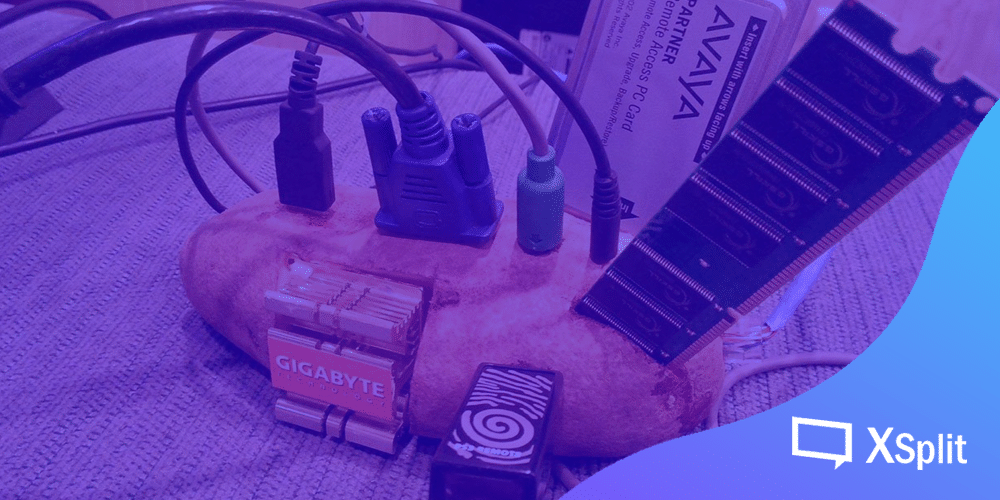
물론 이러한 실질적인 문제가 현실이기도 한 PC 사용자분들이 대다수이기에, 이를 고려하며 저사양 PC (서양식 언어유희로 Potato, 즉 감자로 만들어진 볼품없는 컴퓨터)에서도 인터넷 방송을 할 수 있도록 방송 프로그램에 자동 설정 같은 기능들이 존재한다.
세계 최강의 인공지능 컴퓨터도 1.1 볼트의 전기가 흐르는 감자에서 기생하는 장면. – 포탈 2
방송 프로그램의 ‘자동 설정’ 기능은, 당시 사용자가 직접 해상도, 화질, 프레임률, 비트 레이트, 코덱 등의 정보를 입력할 수 없다는 가정하에 저사양 설정을 선택하면 다양한 설정 변수들 중에서 저사양 컴퓨터에서의 가장 최적화된 방송 설정을 골라주곤 한다.
게다가 PC 사양 외에 인터넷 속도 및 환경, 그리고 가장 중요한 당시 플레이할 게임의 최소 사양에 따라, 방송 설정이 아무리 최적화되었다 하더라도 이 두 가지 요소 때문에 자체적 ‘저사양 설정’ 내에서도 다시 한번 천차만별의 변수가 존재하게 된다. 여기서 게임의 최소 사양이라고 하면 게임을 하기에 필요한 최소한의 PC 스펙이 아니라 게이머가 해당 게임을 플레이할 때 불편함 없이 수월하게 게임의 순수 의도를 경험할 수 있는 최소한의 사양이다. (즉 기술적인 최소 사양에서는 게임이 아무리 버벅대고 끊겨도 실행만 된다면 최소 사양에 해당한다. 하지만 누가 끊기고 버벅대는 게임을 하면서 ‘즐겁다’라고 자신 있게 말하겠는가.)
이어서 아쉽게도 버벅대고 끊기더라도 하고 싶은 게임을 그렇게라도 플레이하는 게이머 분들도 분명 존재한다. 여기서 더욱 안타까운 것은, 이러한 게임을 실행함과 동시에 방송까지 진행하게 된다면 가까스로 실행했던 게임도 하기 힘들어질 것이며 결국엔 컴퓨터가 먹통이 되거나 하여 기분까지 언짢은 결과를 초래할 수 있다. 이리하여 저사양 컴퓨터는 게임 방송을 할 때 할 수 있는 게임의 다양성이 어느 정도 제한되기까지 한다는 점이다.
시청자의 입장에서 보면 방송 시청은 타인의 컴퓨터뿐만 아니라 모바일 기기에서도 시청이 가능하다. 모바일 기기로 봤을 때 아무리 최고급 품질로 시청한다 하더라도 PC에서 보는 것과는 다른 환경이기 때문에 모바일 시청자들은 품질의 우선시보다는 일단 ‘볼 수 있구나’ 정도로 만족한다. 휴대성이 더 강조되기 때문에 모든 모바일 시청자들이 품질에 대한 피드백은, 방송인의 이목구비, 게임의 캐릭터 및 문구들이 ‘잘 보이기만 한다면’ 큰 문제 될 것이 없다.
저사양 컴퓨터로 방송을 하며 항상 시청자들에게 양해를 구하기보다 내가 할 수 있는 선에서 최대한 최적화된 방송 환경을 만들어보는 노력을 조금만 실행한다면 나의 방송 분위기와 게임 플레이의 스트레스도 덜 할 수 있으며 시청자들도 화면 품질과는 상관없이 방송을 지속해 주는 나를 응원해 줄 것이라 믿는다.
방송 프로그램의 설정을 건들거나 실행하기도 전에 원활한 성능에 도움 줄 수 있는 방법이 몇 가지 있다.
첫째, 방송 준비 완료 후 반드시 컴퓨터 재부팅을 한다.
한창 컴퓨터를 사용하여 인터넷 등 다른 작업을 하고 있다가 방송 준비를 하고 바로 방송을 송출하게 되면 지금까지 사용해왔던 메모리 누적으로 인해 방송 프로그램처럼 큰 용량을 필요로 한 프로그램이 실행되기에는 그다지 깨끗한 환경이 아닐 수 있다. 이 경우는 고사양 PC에서는 그다지 큰 문제가 아니지만 저사양 PC를 가지고 계신 분들을 고려하여 언급하는 부분이다. 방송 프로그램뿐만 아니라 그래픽 디자인 또는 영상 편집 프로그램도 비슷한 콘셉트이라 보면 된다.
컴퓨터를 재부팅 하게 되면 메모리가 초기화되어 비교적 안정적인 환경에서 무엇이든 실행할 수 있게 된다. 내가 몰랐던 잠재적 오류 현상을 예방할 수 있는 것도 컴퓨터 재부팅으로 해결될 수 있다. 방송 프로그램은 오디오 드라이버, 그래픽 코덱, 인터넷 환경 등 컴퓨터의 모든 구석구석을 탐지하여 실행하는 프로그램이라서 한 가지 톱니바퀴가 고장 나면 모든 게 무너질 수 있지만 큰 고장이나 윈도우 운영체제에 의한 오류가 없는 이상 컴퓨터 재부팅을 하여 이를 모두 알맞게 교정해 줄 수 있다.
둘째, 안 쓰는 프로그램은 모두 삭제하거나 종료한다.
일반적인 컴퓨터 사용 지침서 중에 가장 기본적이 요소이지만 이는 방송 프로그램 실행에도 크게 작용한다. 당연히 하드디스크에 여부의 용량이 어느 정도 있어야 ‘가상 메모리’라는 윈도우의 기능이 적용된다 하면 방송 프로그램 및 PC의 전체적인 성능이 더욱 원활하게 실행된다. 꼭 필요한 바이러스 백신 프로그램, 및 음성 채팅 프로그램 그리고 당연히 플레이하는 게임 외에 데스크톱에서 투명하게 실행되고 있는 프로그램들은 모두 종료하고 방송을 시작하는 습관을 가지면 장기적으로 원활한 환경에서 방송할 수 있다.
작업 관리자에서 시작프로그램 실행 유무를 설정하면 보다 쾌적한 컴퓨터 관리가 가능하다.
셋째, 인터넷 브라우저는 필요한 웹페이지 외에는 모두 종료한다.
인터넷 방송에 필수적인 요소는 인터넷 브라우저 그 자체이기도 하다. 내 방송 플랫폼에 로그인하여 대시보드와 채팅창을 띄워놓고 그리고 방송 알림 서비스의 기록을 확인해야지만 팔로워, 후원 등의 기록을 확인하며 소통해야 한다. 여러 가지 편의 기능들이 있지만 이중 가장 필요하면 몇 가지를 제외하고는 모두 종료해야지만 그마저도 부족한 PC 메모리를 절약할 수 있다.
고작 인터넷 창 몇 개에 얼마나 메모리 사용 여부가 다른 프로그램에 영향을 가는지 궁금하다면 지금 당장 작업 관리자를 열어서 비교해보면 한다. 보통 실행된 게임과 방송 프로그램이 가장 큰 비율의 CPU, 메모리 사용량을 가져야 하지만, 인터넷 브라우저도 만만치 않을 수 있다.
구글 크롬 브라우저로 유튜브, 트위치, 이메일, 커뮤니티 등을 켜놓았는데 방송 프로그램과 비슷한 CPU 사용량, 방송 프로그램보다 3배가량의 메모리를 차지하고 있다.
인터넷 브라우저 ‘구글 크롬’ 이 방송 프로그램보다 더 많은 메모리를 사용하고 있다.
2. 방송 프로그램에서의 최적화
방송 프로그램에서의 다양한 설정을 알아보고 그에 비례한 품질도 예측할 수 있다.
첫째, 해상도와 프레임률이 설정의 절반 이상이다.
저사양의 컴퓨터에서는 1080p (1920 x 1080 해상도) 60fps (초당 60프레임) 송출 자체가 무리일 수 있다. 게다가 내가 플레이하고자 하는 게임의 그래픽 설정이 1080p 해상도에 60fps 가 아닐 수도 있으니, 이를 무리하여 고해상도로 송출한다 해도 게임의 시각적인 품질이 좋아지는 것은 절대 아니다.
대부분의 캐주얼한 게임들은 720p 30fps로 송출하여도 큰 문제는 없다. 특히 고전게임 또는 캐주얼한 게임을 주 콘텐츠로 한다면 저사양 설정으로도 쾌적한 게임 경험과 방송 품질이 될 수 있다.
둘째, 비디오 코덱.
실시간으로 동영상을 송출하는 것은 마치 영상 편집 프로그램에서 항상 렌더링을 돌리는 것과 같은 개념이다. 송출 화면을 실시간으로 인코딩 할 때 지정해 주는 코덱은 크게 두 가지로 나뉜다. 기본적으로는 CPU 메모리를 사용하는 x264 코덱과 그래픽 카드의 메모리를 사용하는 코덱이 있다. (NVIDIA 계열은 NVENC, AMD 계열은 VCE를 사용한다.) 인텔 CPU를 사용할 경우 QuickSync 코덱을 사용할 수 있지만, 인텔 계열 통합 그래픽 코덱은 아직 송출에 추천하지 않는다.
방송 프로그램에서의 코덱 설정을 하기 전에 반드시 내가 사용하고 있는 그래픽 카드의 제어판에서 알맞은 3D 품질의 구성요소도 조절한다면 금상첨화이다. (예: NVIDIA 제어판의 3D 구성요소. 코덱의 선택 여부는 본인의 PC 사양을 따져본 뒤 CPU 와 그래픽카드를 두고 비교적 더 성능이 좋거나 최신형일수록 해당 코덱을 선택하는 편이 보편적이다. 그만큼 해당 부품이 상대적으로 다른 부품보다 더 원활한 작업량을 소화해낼 수 있기 때문이다. 다만 정확한 비교를 위해서는 두 코덱 모두 장시간 송출에 사용해본 뒤 품질과 게임 성능이 더 수월한 코덱을 사용하면 된다.
엑스플릿 브로드캐스터의 방송 플랫폼 설정창. 코덱을 잘 선택하면 방송과 게임 환경이 최적화된다.
엑스플릿 브로드캐스터의 방송 플랫폼 설정창. 코덱 및 다양한 품질 개선점을 변경할 수 있다.
셋째, 비트 레이트. (Bitrate)
송출과 품질에 직접적인 관계가 있는 비트 레이트 설정은 PC 사양보다는 인터넷 속도에 비례한다. 인터넷 업로드 속도가 평균 이상이면 저사양 PC에서도 그나마 안정적인 품질의 실시간 영상을 송출할 수 있다. 인터넷 속도 테스트를 하는 웹 서비스를 사용하여 업로드 속도가 5mbps (5000kbps) 이상이면 최적화된 720p 해상도의 방송도 문제없이 송출할 수 있다.
인터넷 속도보다 높은 값의 비트 레이트를 설정해버리면 당연히 송출하고자 하는 데이터 값이 그만큼 손실되기 때문에 프레임 드롭 (Frame drop) 현상이 일어나면서 시청자들은 뚝뚝 끊기는 방송화면을 보게 된다. 방송 프로그램의 통계창 에서 프레임 드롭 현황 및 송출된 총 데이터량 등을 보여주기 때문에 언제든지 모니터 할 수 있다.
비트 레이트 입력 방식도 두 가지로 나뉜다. 먼저 CPU 코덱을 사용하는 x264 코덱은 두 가지 모드를 설정할 수 있는데, 기본적으로는 CBR (Constant Bit Rate – 일정 비트 레이트율)로 설정되어 있고, 원한다면 VBR (Variable Bit Rate – 변수 비트 레이트율) 모드를 선택할 수도 있다.
CBR로 설정할 경우엔 방송화면에 무슨 화면이 있든 무조건 정한 비트 레이트 값으로 송출된다. 보통 화면이 단색으로 채워져 있다면 적은 양의 데이터만 있으면 되지만 화려한 그래픽과 색상의 조화가 무수히 펼쳐져 있다면 그만큼 높은 데이터량이 필요로 하다. 고품질 게임을 송출하게 되면 때때로 시청자의 시점에서 방송 화면이 각이 진다거나 계단처럼 픽셀 현상이 보인다면, 방송인이 설정한 비트 레이트가 방송 송출에 필요한 비트 레이트 값 보다 적게 설정해서 나오는 현상이다. 아무것도 없고 까만 화면만 있어도 무조건 설정한 비트 레이트 값으로 데이터가 송출된다. ‘낭비가 아니냐’라는 걱정이 있다면, 인터넷 데이터 사용에 따라서 추가적인 비용을 내지 않는 이상 낭비는 아니라고 본다.
VBR로 설정한다면 말 그대로 화면에 나오는 색상의 조합과 화려함에 따라서 필요한 만큼의 데이터만 사용하게 된다. 여기서 내가 설정한 비트 레이트 값은 ‘최대치’ 가 되며 정해진 값 이하 데이터는 방송 프로그램이 알아서 필요한 만큼만 사용한다. 즉 아무것도 없는 검은 화면에서는 100~200kbps만 쓰다가 갑자기 화면이 복잡해지면 필요한 만큼의 데이터만 계산하여 송출하게 된다. 이 설정 역시 최댓값으로 설정한 비트 레이트가 특정 상황에서 부족하다고 느껴지면, 하는 수 없이 화면에 계단 현상이 생기게 된다.
NVIDIA 계열의 NVENC 코덱을 쓸 때도 비슷한 설정이 가능하다. CBR, VBR 과 비슷한 개념이지만 용어가 조금 다르다. 아무런 설정을 부여하지 않으면 무조건 CBR 설정으로 고정되지만 Adaptive Quantization (적응 양자화)을 선택하게 되면 비슷한 효과를 볼 수 있다.
코덱의 추가설정은 우측 톱니바퀴 아이콘을 클릭하여 확인할 수 있다.
이와같이 조금만 알아보면 저사양 컴퓨터에서도 충분히 개인방송을 진행할 수 있다. 게임을 주로 하지 않고 오히려 캠 화면이 있고 강의, 토크쇼, 라디오 콘텐츠를 주로 한다면 더욱 쾌적한 환경에서 누구나 인터넷 방송에 쉽게 접근할 수 있다는 점을 깨닿게 된다.