PTR 3.6.1811.1601
Download here
Updated: November 18, 2018
This third PTR update for version 3.6 is mainly focused on minor improvements and fixes to better optimize it for XSplit VCam. We’re hoping to get it out of PTR as soon as possible so it can be rolled out to all users.
Not much else to mention but you can take a look at the full list of bug fixes in our release notes. Give it a try and share your feedback through the comments section below.
PTR 3.6.1811.0601
Updated: November 06, 2018
The second PTR update for version 3.6 is here. We listened to your feedback and fixed even more bugs in this one. Here’s a quick summary of what’s inside:
- Ability to use NVENC on secondary GPU (highly requested)
- Fix for Skype source issue on newer Skype versions
- Fix for mouse clicks not appearing in screen capture even if the option is enabled
- Fix for repetitive camera restarts on Optimus Laptops using NVIDIA Driver 397.93 or newer
- General UI tweaks and improvements
- And more!
The complete list of all the improvements and bug fixes in this update can be found here. We are getting close in getting version 3.6 out so your feedback here would be really useful. 🙂
PTR 3.6.1810.1501
Updated: October 22, 2018
On the heels of a successful version 3.5 release, we wanted to move quickly and get the next version into your hands. The first PTR version of XSplit 3.6 is now available for download and we’re hoping you can give this a try and share us your feedback.
Here’s a quick summary of what’s inside this release:
- Improvements to NDI, Macros, and plugin store
- Compatibility fix for new Skype versions
- Stability fixes on startup/loading
- Fix for x264 stream bitrate stability
- Fix for GameSource cursor rendering on the mixer
- Various fixes for RTSP Camera source issues
- Various fixes for Express Video Editor issues
The full list can be found here. Again, PTR builds are installed separately so it won’t affect your main XSplit installation. Your feedback on this PTR version would be greatly appreciated as it would allow us to get this version out faster. 🙂
PTR 3.5.1808.2937
Updated: September 25, 2018
We have a new PTR update in preparation for version 3.5 release. It has exciting new integrations and improvements, not to mention a ton of bug fixes. Here’s a quick summary:
Improvements in Facebook Streaming
We have simplified getting started with Facebook streaming even more through a wizard! Setting up your Facebook stream from scratch has never been this easy.
Blackmagic SDK integration
We’ve added support Blackmagic’s SDK to setup your capture cards. This will help with auto detecting resolution, frame rate and inputs from your Blackmagic devices.
Bug fixes!
There’s a lot namely:
UPDATE 09/20:
- Additional fixes for camera/capture card
- Refresh of AVerMedia Live Gamer HD2 source causes the video display to show black
- Some window contents are smaller on 125% DPI scaling
- Facebook Live Wizard: UI does not scale correctly in 125% DPI
- Facebook Live stream may fail to start
- Splash screen and login window are displayed simultaneously when any dialog appears during login
- Missing Broadcast and Recording entries on Hotkeys tab on initial login for new users
- Error when starting stream/recording in some system
- Incorrect transition duration and playback is in slow mo when PNG sequence is converted to stinger
- Output channel and Ad hotkey can be listed apart on the Hotkeys Tab
- And more!
Click here for the full release notes! Download this PTR update and keep us posted with your feedback!
PTR 3.4.1806.2215
Updated: July 9, 2018
If you haven’t heard of XSplit PTR before, make sure to read more details here.
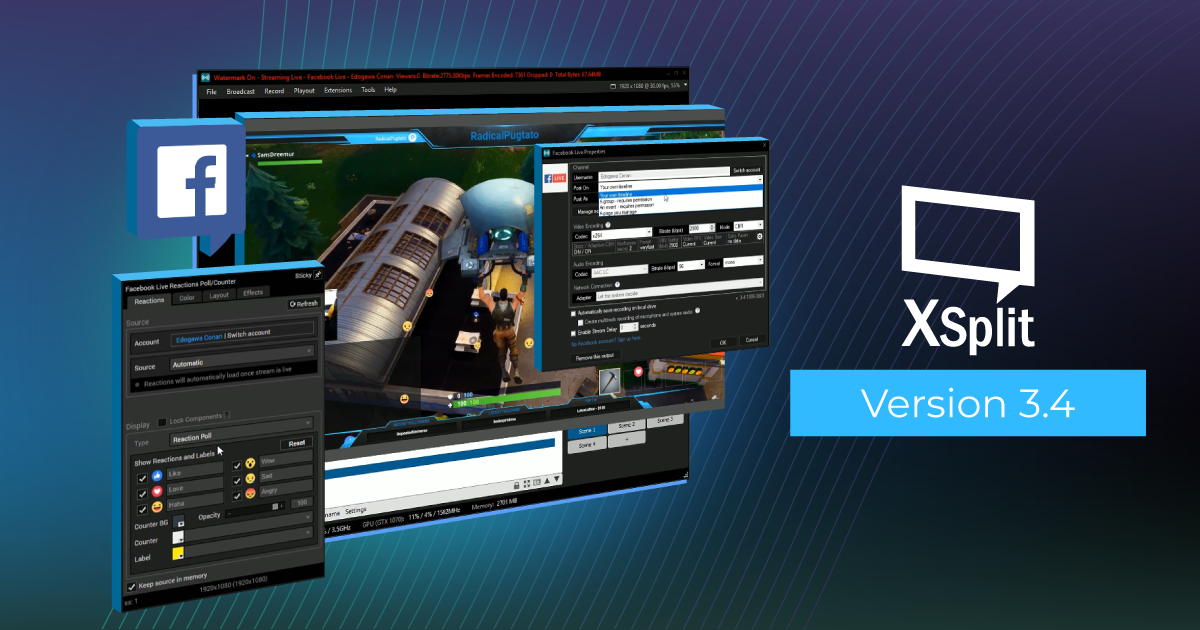
We are in the process of releasing XSplit Broadcaster 3.4, and as per tradition we are pushing this into the PTR channel first.
To track the bug fixes please see release notes. For new features and UI changes please visit this post (We hope you will like it!)
XSplit Broadcaster 3.4 has been very curated, so we expect limited regression issues, and therefore we can hopefully push to official release channel very quickly,but we still need your active help.
PTR 3.3.1805.0302
This third update for version 3.3 contains game identification, which was introduced in XSplit PTR. It is a handy tool that allows you to tag and identify games so it can allow us to optimize game capturing even better in future updates!
Here are other improvements and bug fixes in this update:
- Improvement to screen capture on supported configurations
- Proper naming for multitrack audio streams + Mixed Audio fix for Windows Media Player
- Game identification
- Bug fix: Unable to upload log files; returns an error 404
- Bug fix: Application crashes on exit if projector is open
- Bug fix: Crash in FLV recording if multitrack is enabled
For the complete release notes, go here. Update now and share us your feedback!
PTR 3.3.1804.1301
Updated: April 16, 2018
This is the first PTR update for version 3.3 that includes game identification as well as plenty of bug fixes.
Join discussion here
XSplit Broadcaster PTR 3.3 with Game Identification from r/xsplitofficial
Here’s a quick summary of what’s new in this update:
- Game identification
- Improvement to screen capture on supported configurations
- Proper naming for multitrack audio streams + Mixed Audio fix for Windows Media Player
- Remember main window position
- Bug fix: Crash in FLV recording if multitrack is enabled
- Bug fix: Application crashes on exit if projector is open
- and more!
For a complete list of what’s new in this PTR update, go here. We’re excited to have you try this out and help us improve it further 🙂
PTR 3.3.1802.1511
Updated: February 14, 2018
If XSplit 3.2 was the fastest XSplit ever, version 3.3 is more about flexibility, adding important new features and options to a streamers toolbox. This update for both XSplit Broadcaster and XSplit Gamecaster will pave the way for more exciting features and improvements down the line. Here’s a quick video summary about XSplit 3.3
A quick shout out to those who have been providing us feedback with our PTR releases. Your efforts help us ensure that our final releases are of the highest quality, and we couldn’t have done it without you.
The biggest feature of this release by far is Macros, which allows you to setup a variety of automated actions that can be triggered in variety of ways.There’s a lot that can be done with this feature and we have actually already demonstrated some in our Macros blog post. We highly suggest you to check this out in case you haven’t yet
Another highly requested feature is the ability to separate microphone and system audio in recordings which is also now possible in this version. This provides more flexibility for post processing your recordings using third-party applications. This feature is also available in XSplit Gamecaster along with some other nice additions such as Mixer chat, follower and subscriber alert, and Twitch Cheers support.
For the full list of new features and bug fixes in this update, refer to the release notes for XSplit Broadcaster and XSplit Gamecaster. We’re excited to hear your feedback and as always, happy streaming!
PTR 3.3.1801.3110
⚠ All PTR releases now require 64-bit Windows 7, 8.1 or 10. Go to system properties to check your OS.
Updated: February 14, 2018
If you haven’t heard of XSplit PTR before, make sure to read more details here.
Join discussion here
XSplit Broadcaster PTR 3.3 (64-Bit) from r/xsplitofficial
This is the first PTR release of version 3.3. It contains some highly-requested new features and a great number of bug fixes as well. Here’s a summarized list:
- Macros extension
- New window capture mode on Windows 10
- Option to save separate audio tracks for mic and system audio
- Integration of native RTMP stream source
- “Ultra low-latency” option in YouTube Live
- Fix: Elgato Game Capture WASAPI Audio Issues
- Fix: Stream gets stuck restarting when attempting to reconnect
- Fix: Crash in stream recording allocation
- Fix: 4K video may stutter and display artifacts when using CPU mode
For a complete list of new features and bug fixes, go here. We’re excited to have you try this out and help us improve it further 🙂
PTR 3.2.1711.1016
⚠ All PTR releases now require 64-bit Windows 7, 8.1 or 10. Go to system properties to check your OS.
Updated: November 21, 2017
If you haven’t heard of XSplit PTR before, make sure to read more details here.
This is the third PTR of version 3.2 and is now 64-bit and only compatible with 64-bit Windows. It contains more optimizations and loading speeding improvements as well as a handful of bug fixes.
Join discussion here
XSplit Broadcaster PTR 3.2 (64-Bit) Update 2 from xsplitofficial
Full release notes can be found here. We’re excited to have you try this out and help us improve it further 🙂
PTR 3.2.1711.0603
Updated: November 8, 2017
This is the second PTR of version 3.2 and is now 64-bit and only compatible with 64-bit Windows.
Join discussion here
XSplit Broadcaster PTR 3.2 (64-Bit) Update 1 from xsplitofficial
Aside from that, here are other improvements in this build:
- More improvements to loading speed
- Delay notification of plugin updates (also helps improve loading speed)
- Add restart option on My Plugins if an output was updated using Update All button
Full release notes can be found here. We’re excited to have you try this out and help us improve it further 🙂
PTR 3.2.1710.2301
Updated: October 23, 2017
If you haven’t heard of XSplit PTR before, make sure to read more details here.
This is the first PTR of version 3.2 and is now 64-bit and only compatible with 64-bit Windows.
Join discussion here
XSplit Broadcaster PTR 3.2 (64-Bit) from xsplitofficial
Aside from that, here are other improvements in this build:
- Facebook Live: Addition of status option for page and list all future scheduled live for all timelines
- Loading speed improvements
- Tracktl: Addition of Trackparty in source name
Full release notes can be found here. We’re excited to have you try this out and help us improve it further 🙂
PTR 3.1.1709.1531
Updated: October 5, 2017
If you haven’t heard of XSplit PTR before, make sure to read more details here.
We have released an update for XSplit Broadcaster 3.1 that contains some feature improvements and bug fixes namely:
- Addition of Steam social login
- Enabling browser optimization by default
- Set 1080p60 as default and correct audio input for AVermedia LGHD2, LGP2 and LGP2 Plus
- Bug fix for virtual camera not being detected at times
- Bug fix for high CPU usage when doing Local Streaming
- Bug fix for possible incorrect virtual camera resolution
- Bug fix for ArgumentException in loading hotkeys
- Bug fix for possible freeze/exception on startup
- Bug fix for possible application freeze/crash and unable to switch scene
- Bug fix for NDI output failing to start at times.
For the full list, please check out the release notes here. Update now and let us know what you think!
PTR 3.1.1709.0403
Updated: September 5, 2017
If you haven’t heard of XSplit PTR before, make sure to read more details here.
New PTR version is available for download and existing users also gets update notification.
Download PTR 3.1.1709.0403
Join discussion here
XSplit Broadcaster PTR 3.1 Update 3 from xsplitofficial
Release highlights are below, while full release notes are available here.
- Move all stinger transitions into submenu
- Improve Plugin Store loading time
- Update source properties for NDI stream
- Fix for crash/freeze when Decklink source filter is used in GPU/CPU mode
- Fixes for NDI stream
- Fix for possible crash when recording with QuickSync encoder
- Fix for forced window activation during loading
- Fix for NDI Output showing resolution warning when changing mixer resolution
- Fixes for hotkey manager
- Fixes for Paste Source dialog
- Fix for permission prompt in Stinger Creator extension
- Fix for RequestError 500 when authenticating in YouTube Live output
PTR 3.1.1708.1801
Updated: August 22, 2017
New PTR version is available for download and existing users also gets update notification.
Download PTR 3.1.1708.1801
Join discussion here
XSplit Broadcaster PTR 3.1 Update 2 from xsplitofficial
Release highlights are below, while full release notes are available here.
- Improved loading time of Plugin Store
- Fix for graph info text dump intermittently not working
- NDI SDK fixes
- Fix for crash on CPU mode when rendering some gif/webm files
- Fix for notice dialog consuming significant amount of CPU while hidden
- Fix for configure button not showing up on manually changing Logitech sub-settings
- Fix for source property window not returning the focus to the parent window when closed
PTR 3.1.1708.1401
Updated: August 15, 2017
New PTR version is available for download and existing users also gets update notification.
Download PTR 3.1.1708.1401
Join discussion here
XSplit Broadcaster PTR 3.1 Update 1 from xsplitofficial
Release highlights are below, while full release notes are available here.
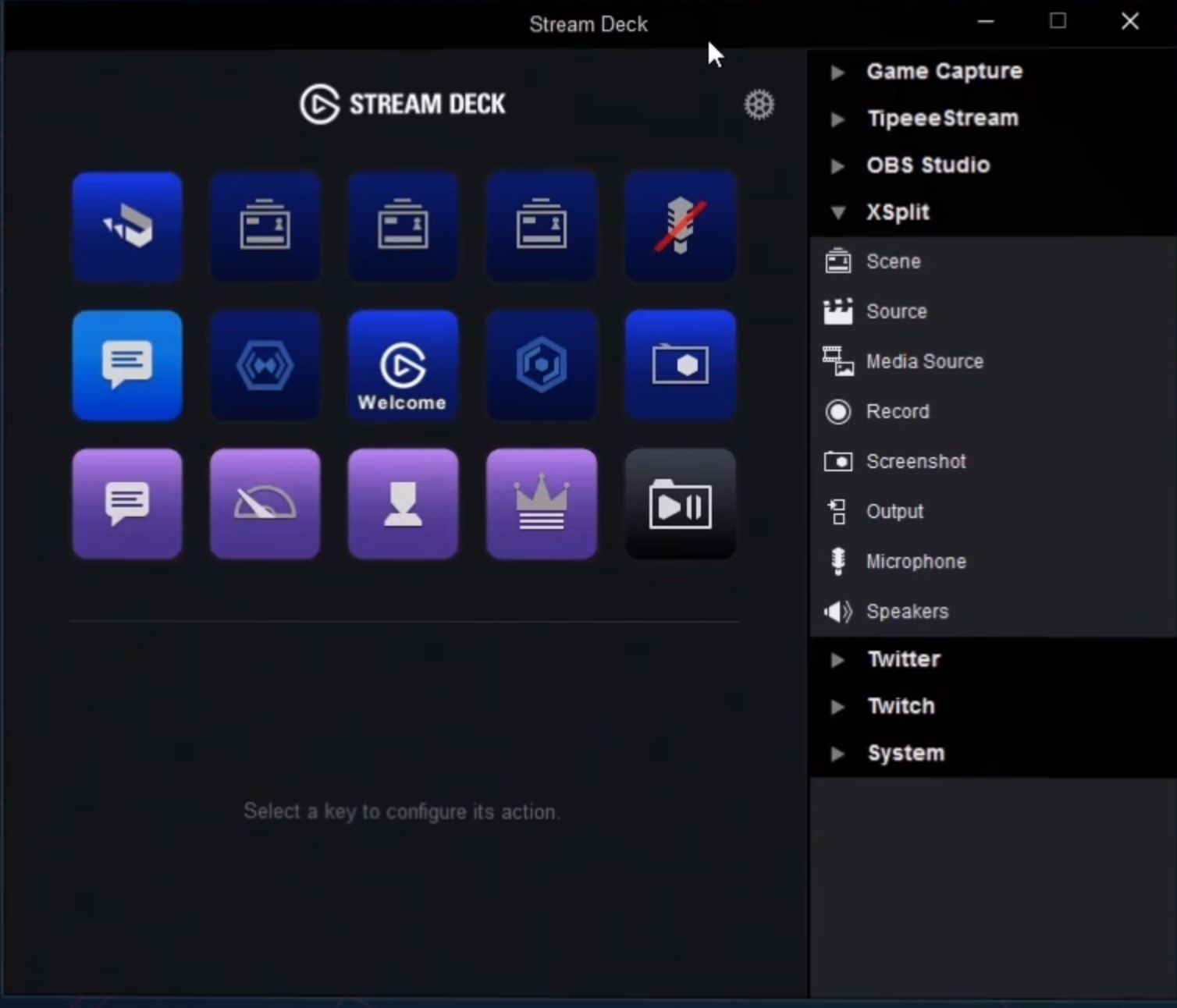
- New Elgato Stream Deck extension
- New easing transitions that can work for both for source and scene transitions
- Logitech 4k – further customization requests
- Game source enumerator optimizations & fixes
- Fixed NDI receiver sound issues
- Change shortcuts of pasting sources
- Option to turn on enhanced logging option for the current session
- Hotkey manager fixes
- Express Video Editor fixes
- Other media component improvements & fixes
- YouTube Live 4k support, option to manually transition YouTube Live event, and other fixes
- Fixes for various output plugins – Akamai, CDNvideo, Dailymotion, GoodGame, Facebook Live, FC2 Live, Limelight Networks, Periscope, Smashcast, & Twitch
PTR 3.1.1707.1406
Updated: July 21, 2017
We have a new PTR version available for download (existing users also get update notification). This one contains a lot of new features, improvements and bug fixes so we’d really love you to try this out. 🙂
Download PTR 3.1.1707.1406
Join discussion here
XSplit Broadcaster PTR 3.1 from xsplitofficial
Release highlights below while full release notes available here.
Features and improvements
- Added Logitech “Standard” settings option for 4k camera
- Updated TriDef SmartCam integration to handle version Tridef 2.x
- Added checkbox in General Settings to hide viewer count
- Added 60 FPS option for browser sources
- Added option for 360 projection
- New source plugins
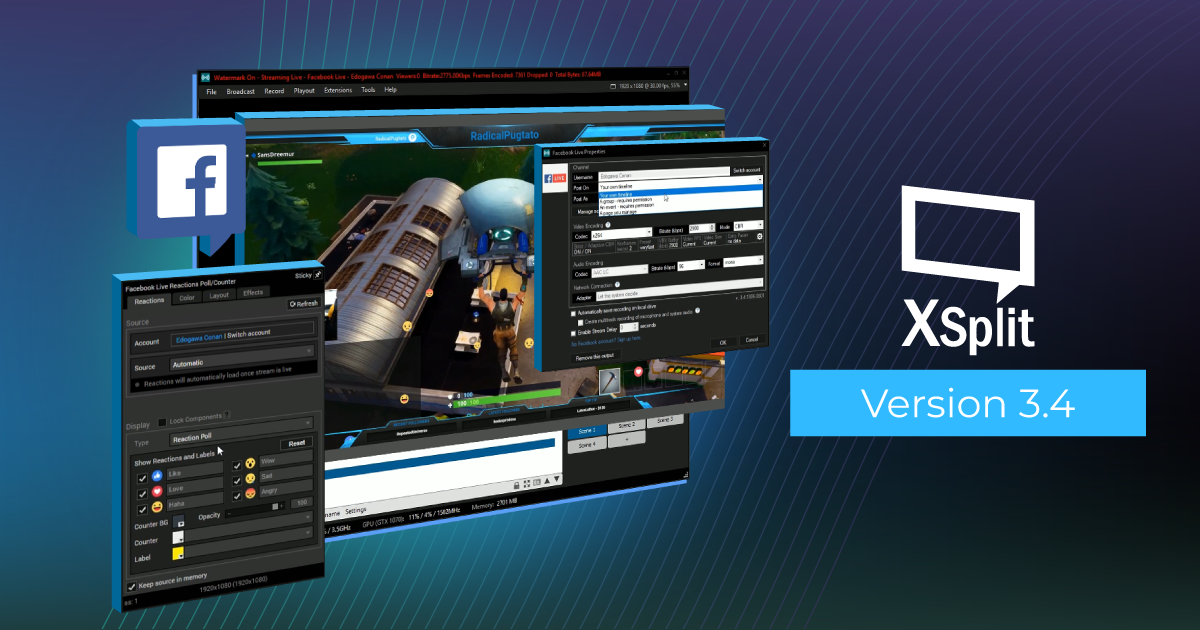
- Facebook Reactions
- Twitch Cheers Alert
- Updated output plugins
- Facebook Live: Allow to start streaming to scheduled live earlier than 10 minutes
- YouTube Live: 2160p 30fps/60fps support
- YouTube Live: Option to manually transition event
Fixes
- Updates to Mixer FTL
- Updated NDI to V3 SDK (bugfix in sender, CPU optimization in receiver)
- Fixes to media playback in different video processing modes
- Source property may hide at the back of the main window
- Linked source are “kept loaded” after loading into Preview Editor
- Change virtual camera offline resolution to 720p – solves top/bottom black bars in Chrome/Google Hangouts
- System Time Setting warning may appear on login
- Crash when some videos are pushed to live during split mode
- Main window fails to resize properly after changing viewport setting
- Source property fixes
- Some Media tab settings are not retained after switching “Play” value
- Previous source is still played when Media Source is changed
- Make all color picker behavior in source properties consistent
- External link loads directly on the same window/dialog/source when clicked using the mouse wheel button
- Hotkey manager fixes
- Stinger Creator: Overwriting a transition file that is currently in use or locked shows an endless converting status
- YouTube Live: Main profile is not retained when switching to hardware encoders
PTR Update 7 (3.0.1705.3117)
Updated: June 27, 2017
We have released an update for XSplit Broadcaster 3.0 that contains a couple of bug fixes namely:
- Some valid URLs tagged as invalid in Add Webpage URL dialog & URL source of the source properties
- Re-implementation of Swap Functionality on the Preview Editor
PTR Update 6 (3.0.1705.3114)
Updated: June 8, 2017
New PTR version is available for download and existing users also gets update notification. This is also the first 3.0 version that will be released into the stable track early next week.
Download PTR 3.0.1705.3114
Release highlights below while full release notes available here
Join discussion here
XSplit Broadcaster PTR 3.0 Update 6 from xsplitofficial
- Fix: MOV file may fail to load
- Fix: Live label in Split view is not changing
- Fix: Exception appears if loading the affected presentation while developer mode is enabled
- Fix: Hotkey manager – Additional mouse buttons may not be considered when paired with a modifier key
- Fix: Beam/Mixer channel may disappear from menu
- Fix: Unable to show mapped drive in Chinese OS
- Fix: Application crashes when DELETE key is triggered twice
- Fix: ArgumentNullException may occur when opening Recordings window
- Adjustments for logging
- Fix: Stinger transition is triggered when switching to Classic Mode
- Fix: Application may freeze when quickly disposing a dialog on preview editor
- Removed optional installer prerequisites
- Fix: Application freezes on some dialogs when OK is double clicked to save the output channel
- Fix: Smashcast – lblClickAuthorize present in username field
- Fix: Twitch warning is displayed when opening the channel settings and hardware encoder is set as codec
Read more about XSplit Broadcaster PTR.
PTR Update 5 (3.0.1705.3101)
New PTR version is available for download and existing users also gets update notification.
Download PTR 3.0.1705.3101
Join discussion here
XSplit Broadcaster PTR 3.0 Update 5 from xsplitofficial
Release highlights below while full release notes available here.
- Created a workaround for some Elgato and Hauppauge issues
- Local Streaming – Fixed a bug where VBR can be selected in the UI for hardware encoders when switching encoder
- Fixed/Added menu translations for various sources/extensions
- Upgrade link may be shown for user with Lifetime license
- Re-opening Preview Editor to a new scene does not work immediately while Recordings window is open
- Black UI when running on Optimus dGPU in GTX 10 series GPU (Updated CEF to Chromium 57)
- You can now hide the viewer count text from title bar when streaming via the hideviewercount exe parameter – https://i.imgur.com/qtCuSCP.png
- Fixed a bug where a source may reappear in some cases on scene exit transition
- Fixed an issue where enabling permissions for input visualizer would crash
PTR Update 4 (3.0.1705.2601)
Updated: May 26, 2017
New PTR version is available for download and existing users also gets update notification.
Download PTR 3.0.1705.2601
Join discussion here
XSplit Broadcaster PTR 3.0 Update 4 from xsplitofficial
Release highlights below while full release notes available here
- Removed Nvidia ShadowPlay warning (also pushed to older versions)
- Virtual camera compatibility update (fixes issue with Chrome/Hangouts)
- Fixes for hotkey manager
- Fix to menu bar activation
- Fixes for Elgato
- Profile not being set
- Filter gets stuck in “Camera is not available” screen when updating Elgato video settings
- Updates to output plugins
- Updates to bandwidth tester
- VBR can be selected on the UI for hardware encoders when switching encoder
- Beam – Fix for peak bitrate warning
- Facebook Live – Remove peak bitrate warning
- Smashcast output plugin
- Updates and fixes for for GPU and CPU modes
- Fixes for capture cards in GPU mode
- Possible AccessViolationException when loading scene file (.BScn)
- Exception popup encountered when doing Playout to a disconnected device
- Possible freeze when opening Preview Editor while Recordings window is open
- Split view preview area gets smaller after each restart
- Scene name for linked sources is shown as invalid
PTR Update 3 (3.0.1705.1801)
Updated: May 18, 2017
New PTR version is available for download and existing users also gets update notification.
Download PTR 3.0.1705.1801
Join discussion here
XSplit Broadcaster PTR 3.0 Update 3 from xsplitofficial
Release highlights below while full release notes available here.
- Fixes for capture cards on GPU mode
- AVerMedia C875 color issues (AMD cards only)
- Elgato jitter issue
- Fixes for menu
- Sources & Extensions
- Source rename menu button
- Unable to hover over other menu items after “Change Preview Scene to” sub-menu is shown
- Replace Push Live option “Swap Live to Preview scene” with “Change Preview Scene to Live Scene”
- Fix for dropdown options in extensions & source property
- Fixes for hotkey manager
- Fix for Webpage URL dialog
- Fixes for Recordings/Screenshots window
- Missing thumbnails
- Drag handle disappears after dragging files outside the window
- Exception occurs when folder access is denied
- Cannot browse for HTML files in Add Extension window
- Sync error may occur upon logout
- Save changes dialog may trigger even if no changes have been made in general settings
- Freeze on confirming to restart after updating output plugin from My Plugins
- Fixes for QNAP DJ2 output
Read more about XSplit Broadcaster PTR.
PTR Update 2 (3.0.1705.1001)
Updated: May 10, 2017
New PTR version is available for download and existing users also gets update notification.
Download PTR 3.0.1705.1001
Join discussion here
XSplit Broadcaster PTR 3.0 Update 2 from xsplitofficial
Release highlights below while full release notes available here.
- Updated Sources menu
- Windows 10 Creators Update compatibility fix for DX9 games
- Media library improvements & fixes
- Memory usage optimization
- Video shows shaking during playback on CPU mode
- AppHang may occur when switching to Classic Mode
- Fixes for AVerMedia Live Gamer HD capture and AVerMedia encoder (introduced in previous PTR versions only)
- Hotkey Manager fixes
- High DPI scaling issue with auth windows for outputs
- Fixes for user reported issues:
- Decklink Playout device selection is not saved
- Audio level/meter does not work in split view
- Fixes for Facebook Live output
- Scheduled start does not update on edit schedule
- Creating a live video as a Page to an Event is created as a User
- Fixes for Presentation Packager extension
- Cancelling status is present while re-exporting presentation as zip
- Cancelling export during zipping process does not end unless cancel is clicked on a second time
- Exporting a presentation to a zip file only gets stuck
Read more about XSplit Broadcaster PTR.
PTR Update 1 (3.0.1704.2704)
New PTR version is available for download and existing users also gets update notification. Bug fixing is priority and several were resolved on this release but we also added some changes for scene loading optimization.
Join discussion here
XSplit Broadcaster PTR 3.0 Update 1 from xsplitofficial
Release highlights below while full release notes available here
- Fixes for CPU and GPU mode
- Some media files show blank video feed
- Crashes on add of an OGG file
- GIF transparency does not work
- Some capture cards fail to work (GPU mode only)
- Fixes for user reported issues:
- Don’t stop live stream when save to disk option is enabled and disk error is encountered or local drive has below 20MB of free space
- Per Scene Audio extension plugin does not work on Split Mode
- Fix for Beam FTL with recording: Stream stops when recording drive has below 20MB of free space
- Fixes for Facebook Live broadcast plugin
- Some Live Video details aren’t loaded when Live Video item selected in Manage Scheduled Live Video window
- Timezone is incorrect if scheduler is opened from pre-broadcast dialog
- Exception may appear upon creating/editing scheduled live
- Scene load optimization:
- Skip loading of hidden sources
- Stop video file on hide
PTR 3.0.1704.1707
Updated: April 19, 2017
This is our first XSplit Broadcaster release under the new PTR fast track program. You can read more about the new program here. XSplit Broadcaster 3.0 is a new major release and by first releasing it under the PTR track, you get the chance to try out the new features and fixes early, and we get a little time to polish and finish up the last pending features.
Updated April 20, 2017: Fixed crash issue after adding video file when running on “CPU mode”
Join discussion here
XSplit Broadcaster PTR 3.0 from xsplitofficial
You can read the full release notes or just have a look at some highlights below.
PS: Presentation, broadcast channel settings, user settings continue to be shared between the stable installation and PTR, so before running the PTR then backup your existing presentation.
Highlight of new features and improvements
General
- Preview mode support : Support for preview and live at the same time in mixer (Still in progress)
- Dedicated CPU/GPU modes: Setting in Tools ->General-> Advanced that allows users to prefer loading CPU or GPU during mixing and broadcasting. In setups where a GPU intensive game runs on the same PC, CPU mode may result in better game performance (We are still testing these new modes, default is still the Legacy mode and you should probably stick to that until next update)
- Added loop options for each video source and Video Playlist item (Hot request)
- Media Slideshow: Added option for webm and custom timings (Hot request)
- Improved Hotkey Manager (Keys without modifiers, mouse XButton1 & XButton2, and MIDI support) (Hot request – testing still in progress)
- Added “New scene”, “Load scene”, “Save scene”, & “Duplicate scene” menu items
- Added support for Source transitions on scene enter and exit (Finally done, we had this is backlog for far too long-:)
- Optimized compatibility of Virtual Camera and added list of supported resolutions
- Faster and less CPU intensive MJPEG decoding
- Support for Alpha in NDI output
- Optimized CPU usage for hardware devices
Services
- Twitch Chat (HTML5): Added chat icons, timestamps and default colors options
- Beam FTL improvements
- Updated to FTL SDK 0.9.4
- Added support for stream recording
- Improved speed testing on pre-stream
- Auto ingest selection based on SDK auto ingest
- Facebook live chat and comment viewer
- Updated Facebook broadcast plugin
- Scheduled Live
- Change Post On options
- Enclose event name & group name in quotes in the Post As list
- YouTube (Nothing yet, but it’s coming)
- Support for broadcasting to QNAP NAS