Future Plans for the XSplit Express Video Editor

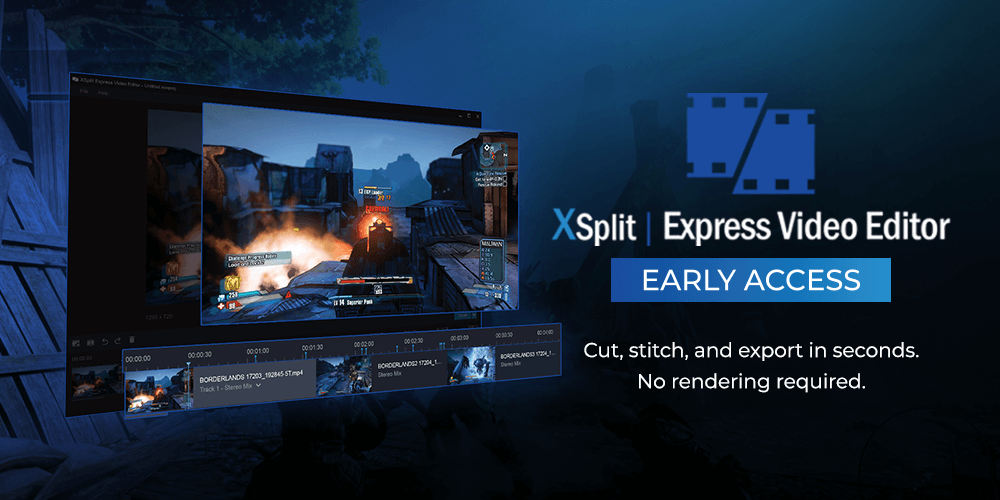
The new XSplit Express Video Editor is a sign of things to come and a glimpse of the direction we’re moving. It’s a completely free application that allows you to cut and snip video clips you’ve created and export edits within seconds. Its primary objective is speed. The methods in how we do it is quite simple, we’re not rendering. This means you can edit a 4K resolution file and save it out within seconds and without straining your PC’s resources. In case you missed the initial announcement, here’s a quick video about the newest member of the XSplit family.

The original video editor itself has lived as a tool inside of XSplit Broadcaster and Gamecaster since way back in 2014. For the people that managed to find it, the feedback was overwhelmingly positive but the issue was discoverability. The feature was hidden away in a menu with no real indication as to what it does. We saw an opportunity to make it available for free to everyone as its own product which would allow us to do two things; give access to a streamlined video editor to more than just Broadcaster or Gamecaster users such as the OBS Project and put more focus in to the product, providing regular updates and improving usability and features.

Things to come for XSplit Express Video Editor

As you probably already noticed, the application’s initial feature set is identical to the existing video editor inside Broadcaster but with a new lick of paint. However, we’ve been planning out the next steps for the editor that will make it even more awesome and provide functionality that will allow you to produce professional-looking video content quickly.

We will be adding additional audio tracks in the near future as we feel it’s a fundamental feature needed for pretty much anyone creating videos. This will allow you to add music or sound effects to your project with an additional audio track for things like voice-overs. Transitions are another item that’s fairly critical to video editing. Right now the only transition is cut, we plan to add the ability to mix things up by providing extra transition types.

Finally, in terms of our more immediate planned features, we have the larger item of a title editor. Using our experience of building out scene editors and overlay editors, the title editor will be fully featured with a focus on being easy to use but powerful.

That’s just what we can mention now, we’re continually planning out more for the video editor and are excited about where we can take it and how we can fill a void that other editors simply aren’t covering. With that being said, we like to think of the Express Video Editor as a community project and would love to get feedback from you that we can then take and then use to improve. We have a feature vote page where you can make suggestions but we plan on creating a dedicated page for our new video editor.
Do More with your Content with XSplit Video Editor

For nearly 10 years, XSplit has been an essential aid for content creators – whether for video game streaming, content broadcasting or just streaming in general. XSplit Broadcaster, Gamecaster, and the newly released VCam have all played an integral part in today’s streaming lifestyle.

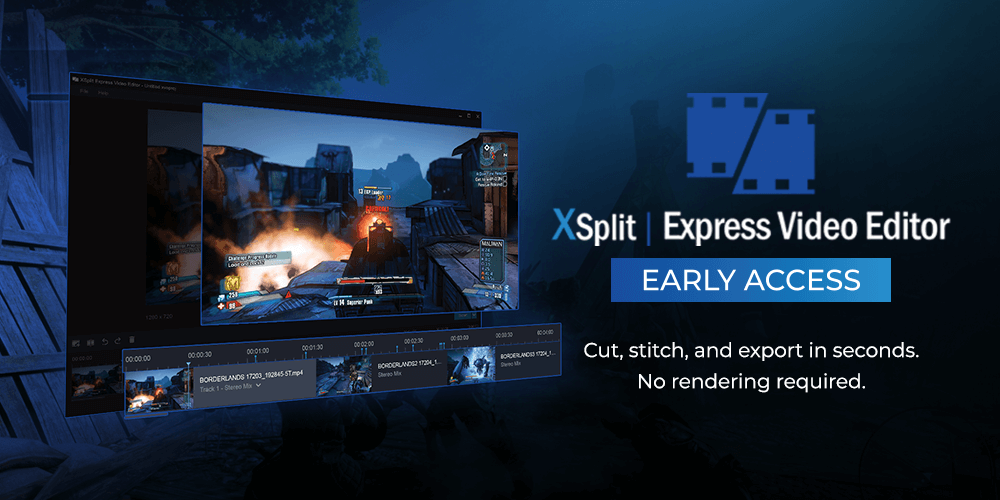
This summer, we’re releasing another app that makes life easier while also allowing you to make the most out of your content. The team is excited to introduce the early access for XSplit Express Video Editor.

XSplit Express Video Editor

A well-loved but rarely utilized feature of both XSplit Broadcaster and Gamecaster, Express Video Editor is a good choice for faster and more efficient editing with a simplified and straightforward interface. Now with this standalone application, you’ll be able to reap the same advantages and some more!

  • Effortlessly cut and stitch clips together, no rendering required
  • Have an upload-ready video in seconds
  • Import recordings from any streaming software at a click of a button
  • Incredibly CPU efficient
  • Completely FREE, no need for a premium license

Gone are the days where you’ll need to use more complicated software to edit your gaming videos. With Express Video Editor, you can stream or record with ANY application of your choice, have it imported seamlessly, edited and/or trimmed, and exported for upload in a span of few minutes without the hassle of learning a complex video editing software.

Availability

XSplit Express Video Editor is on early access and is available at xsplit.com/video-editor. We’d love to hear your feedback so please let us know what you think through the comment section below, our social media channels or by hitting us up on our official Discord channel.

Let’s go and do some more content!

XSplit Features You Need to Try

XSplit suite of software has a lot of features that, we believe, those content creators should try. XSplit is known to provide a diverse range of software suited for individuals who produce live-stream broadcasts and recorded content. Aside from providing the best recording and broadcasting software, it also provides a 24/7 multi-lingual customer interaction center to assist customers and inquiries at any time of the day.

Aside from the usual recording and streaming functionalities, we bet you haven’t really delved into the features embedded in XSplit’s Broadcaster. Here are some of the features that you might not have known, or might have known but haven’t had the time to try.

Do more with sources

Add more than just gameplay, webcam video, graphics overlay, and widgets to your presentation with sources – managing your scene is easy with the copy-paste feature for sources, no need to add the same item repeatedly on different scenes as you can easily copy and paste these directly. Add more sources through the Plugin Store, more tips and tricks are listed here.

  • Whiteboard source
    To use: Add sources > General widgets > Whiteboard > Right-click on the presentation to view the settings. Here’s a dedicated tutorial for more details.
  • Text scripts
    To use: Add source > Text > Check custom script > Click edit script to create your own script using the blank template or use the premade ones. You may also opt to use a script from a local text file or remote URL. Learn more about texts here. Did you know that you can also add a running duration timer for your streams? From the custom script – edit script setting, choose the General Purpose Clock template, and set the mode to duration – you’re all set!
  • 360 Projection
    To use: Right-click your added image or video source on the scene, select the layout tab, and tick the 360 projection to play around with making the image or video into a 3D visual. You can visualize better here at 1:15.
  • Copy and paste source
    Another option if you’re in a hurry to add an element to the scene but can’t remember which folder it’s in? Then this gem is for you. Click to select the source that you want to copy > click copy > go to the new scene > and click paste. It usually gives you two choices of whether you want to paste the source as is or as a linked source; that’s entirely up to you.

Extensions

Per scene audio extension
The per scene audio extension allows you to set the audio levels for system sound and microphone on each scene. If you’re having issues managing audios between scenes, then the per scene audio extension is what you need.

After playing around with these features, you might have an idea for your ideal scene presentations. You would want to save and share this in a file for easy loading and cloud share. Or if you’re a streamer with multiple streaming stations then this next feature can be proven useful.

The Presentation packager can be a real life-saver for days where you don’t know if you need a backup of your stream.

Viewer count feature

To use: Go to Tools > Settings > General > Check or uncheck the box where it says “Hide viewer count in-stream status.

Direct upload feature

After recording your stream, you might want to upload it directly to your social accounts. XSplit has made uploading your recordings to socials with a click of the button.

From the File menu, go to your recordings and select the recording that you want to upload. Thereafter, click on the social platform you’ll upload the video on. At the moment, this feature is available for YouTube, Facebook, and Twitter.

Let us know which ones you’ve tried before and how these features made your stream better. Don’t forget to send us your feedback through our socials and official Discord server.

Promote Brands Using Live Streaming Video

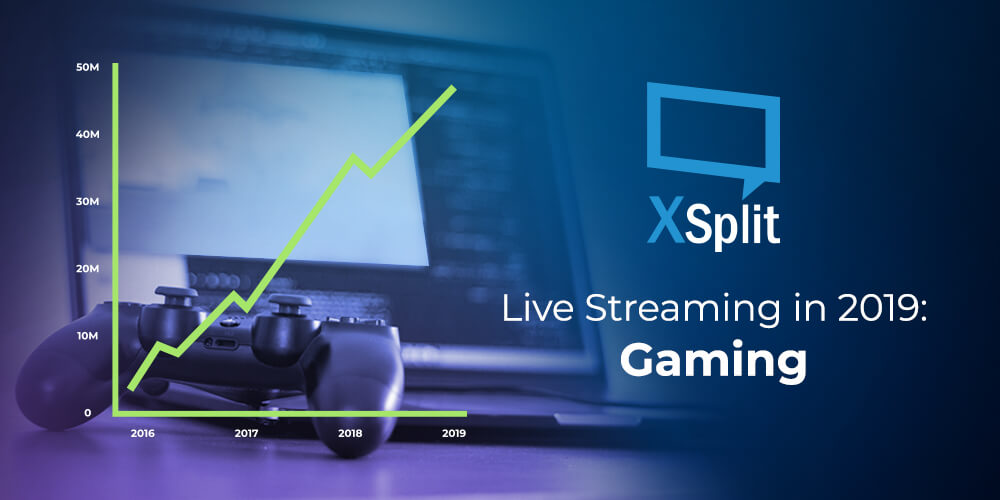
Why You Should Care About Live Streaming in 2019: Gaming

We surely aren’t the first ones to tell you that Live Streaming has become the newest trend in Audience Engagement and Marketing on social platforms. You’ve seen Marketing Gurus try to sell you on their book before to maximize your digital presence and leverage Influencer Marketing like a boss. Well.. we aren’t that different, to be honest.

As a business, you may wonder why we are better suited than anyone to help you grow through captivating narratives achieved with live streaming. Well, it’s true that our background roots are anchored in gaming, not in business. And this is precisely the reason we are the best suited to help your business start live streaming to gain brand exposure!

Streaming is big. But you knew that.

The number of growing communities we’ve seen stem from a single gamer has truly been a spectacle to witness. Here we are, in 2019, where the popularity of #1 global game Fortnite has mainly been driven by notable Twitch Influencers, like that popular Samurai guy (love your content btw!).

Brand Exposure

But it goes deeper than that, the streamed content itself has become a marketing platform of its own! Whether in the form of traditional logos and branding exposure on stream, as well as event venues being sponsored by the likes of Coca-Cola, Taco Bell, and the whole gamut, brands seem to have found a new avenue for reaching key demographics and target audiences with somewhat of a guarantee on time exposure compared to traditional media. Game launches now even plan close to no Marketing Strategy pre-launch and instead, spend a hefty amount on launch day for influencers to promote the game.

Brand Collaboration: Uniting Pop Culture

But there’s more! You may have heard of the collaboration between Marvel Studios and Epic Games to bring an Avengers time-limited game mode to Fortnite. It’s a win-win for both: the game studio gets viral content, while Marvel gains exposure (not that they need it) and more importantly, capture a fan base that is of a young age. The brand association to a game builds a rapport with your audience through emotions, end-users also believe in a sense of belonging to a community, not simply looking up to influencers, but feeling like one of their own. Brands and businesses have all realized this by now, and if they haven’t, they’re missing out.

Beyond the Entertainment Industry

Most recently, and in my eyes, potentially one of the most interesting from a marketing standpoint, is the Nike Jordan collaboration with Epic Games. Now, I don’t have the sales figures and they probably will never be released, but I am willing to bet that they will sell more virtual pairs of Jordan sneakers through Fortnite than their last retail drop. In addition to creating brand affinity, they are also capturing a potentially younger audience who may not have the means to afford their own physical pair of shoes, but that will undoubtedly rep the brand in a digital form, and will most likely start looking up physical pairs when they can. Mark my words, if three years from now, we see 16-18 year olds have no idea who adidas or puma is, it will be because of Nike Jordan’s foresight and bold tactic to reach new audiences through unconventional means.

What does this mean outside of Gaming?

Now, what is the main takeaway from all this? You might not be a game developer, so why should you care? Because Live Streaming isn’t exclusive to gamers and it should be part of your Marketing Channels, and incorporate your brand strategy. Sure, live streaming can be used as a one-off type campaign to create exposure and hype (eg. Apex Legends) and it can be quite successful at that. But looking at how Epic Games have built a vision for the long-haul, and how other brands can then leverage the platform for their own marketing, is truly a revolution in the industry of marketing and communicating with your audiences. Don’t look at live streaming as a banner advertorial, or a way to get your logo on there, but think of ways in which you can reinforce a sense of community, through advocates and influencers to boost social media brand exposure.

Have you been able to successfully leverage live-streaming in more than just an ROI capacity on advertorial? Do let us know what you have achieved, or even failed to achieve. and how you improved from there.

We’d love to discuss more topics about the industry, so please let us know if you’d like us to cover a story and we’ll do our best to shed some light and bust some myths.

If you’re looking for a solution fro simple screen recording or professional broadcast streams, check out XSplit Broadcaster.

If you’re a gamer that simply wants to test the water for game streaming, do give XSplit Gamecaster a try, it’s super easy to test out in a few minutes.

XSplit is Better for Single-PC Streamers: The HUD

In this news series of blog posts, we’ll attempt to shed some light on new or unknown features that can help improve your live streaming, whether it be audio/video quality, or simply the management of your stream and more efficient processes.

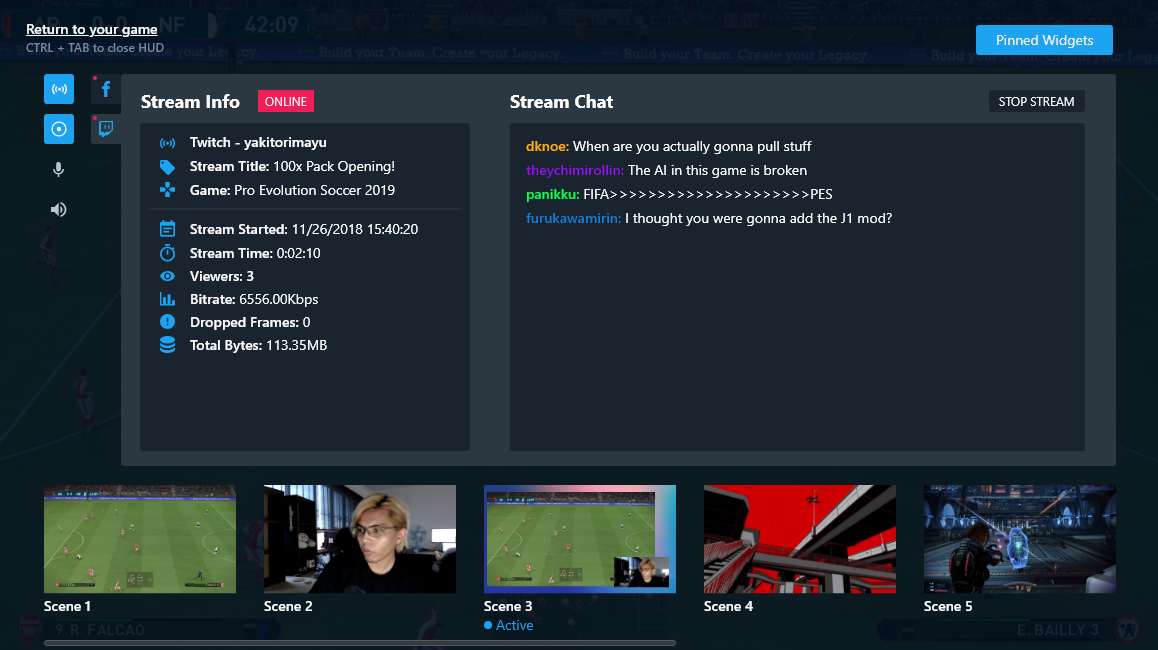
To kick things off, I want to tell you about our latest and most innovative feature yet: the In-Game HUD for streaming. As gamers, you are all probably familiar with what a HUD is, but what does it mean in the context of XSplit Broadcaster? In short, it’s the ultimate stream management solution. It makes things so much easier, especially for single-monitor streamers and might even prevent some neck pain (we are not doctors and cannot guarantee this statement, please consult a real doctor if you encounter physical or mental pain from streaming).

In Game HUD for streaming

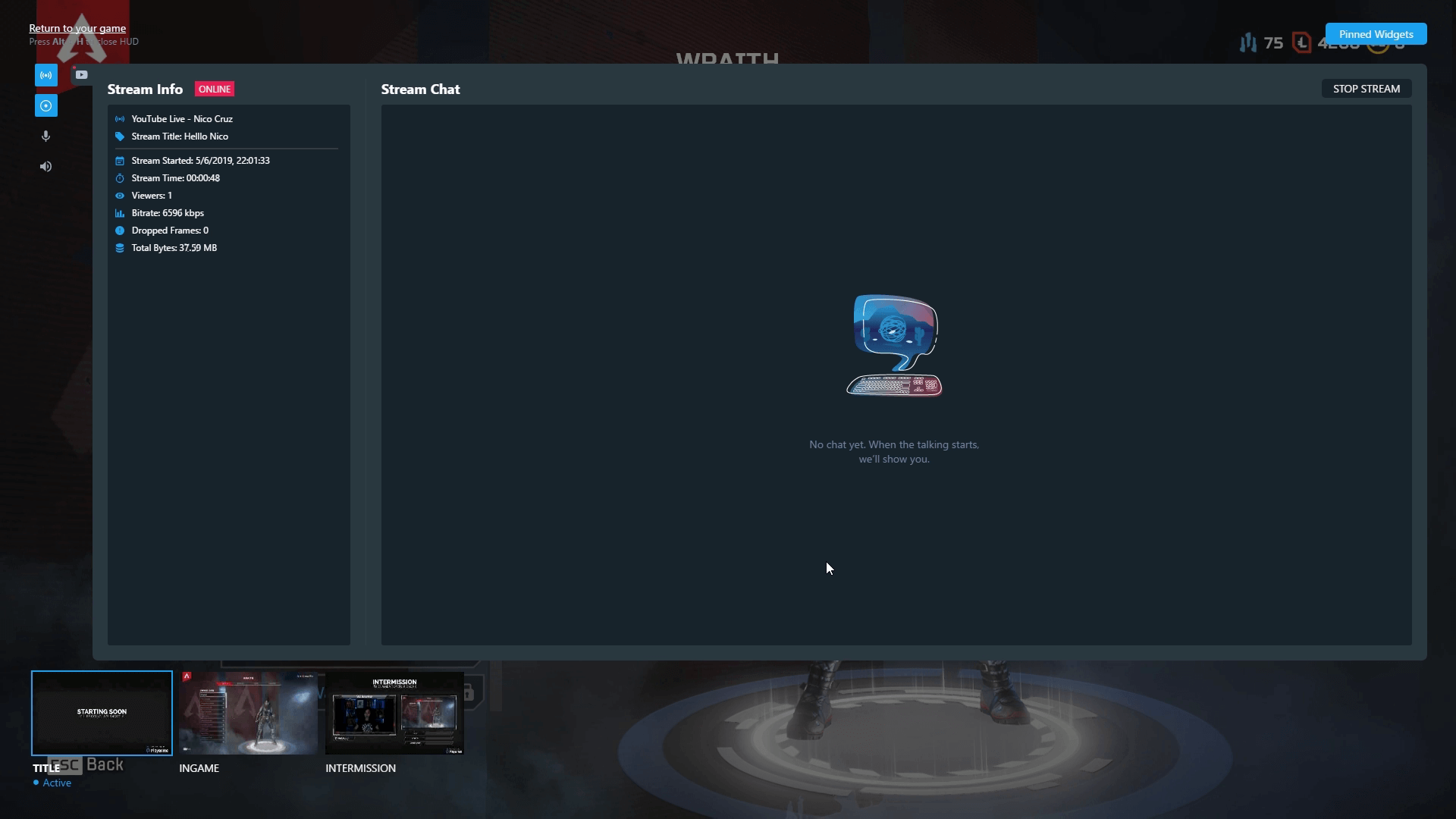
If you’ve used XSplit Gamecaster before, you might be familiar with the concept of our HUD streaming technology. How it works is by setting up a hotkey, you are able to trigger an overlay of widgets and stream info that will allow you to manage various settings of your live stream without leaving your game screen. Please note though that our HUD is to be used with Game Source.

Here is a list of all the neat features you can access from the HUD:

  • Start/Stop Streaming on the go (Currently under renovation, our designers are making it look fresh)
  • Recording options to get those sweet YouTube VODs
  • Adjusting audio levels when chat is blasting those TTS donations or that pesky Apex Lobby screen
  • Preview scenes and switch seamlessly (check your browser display beforehand…)
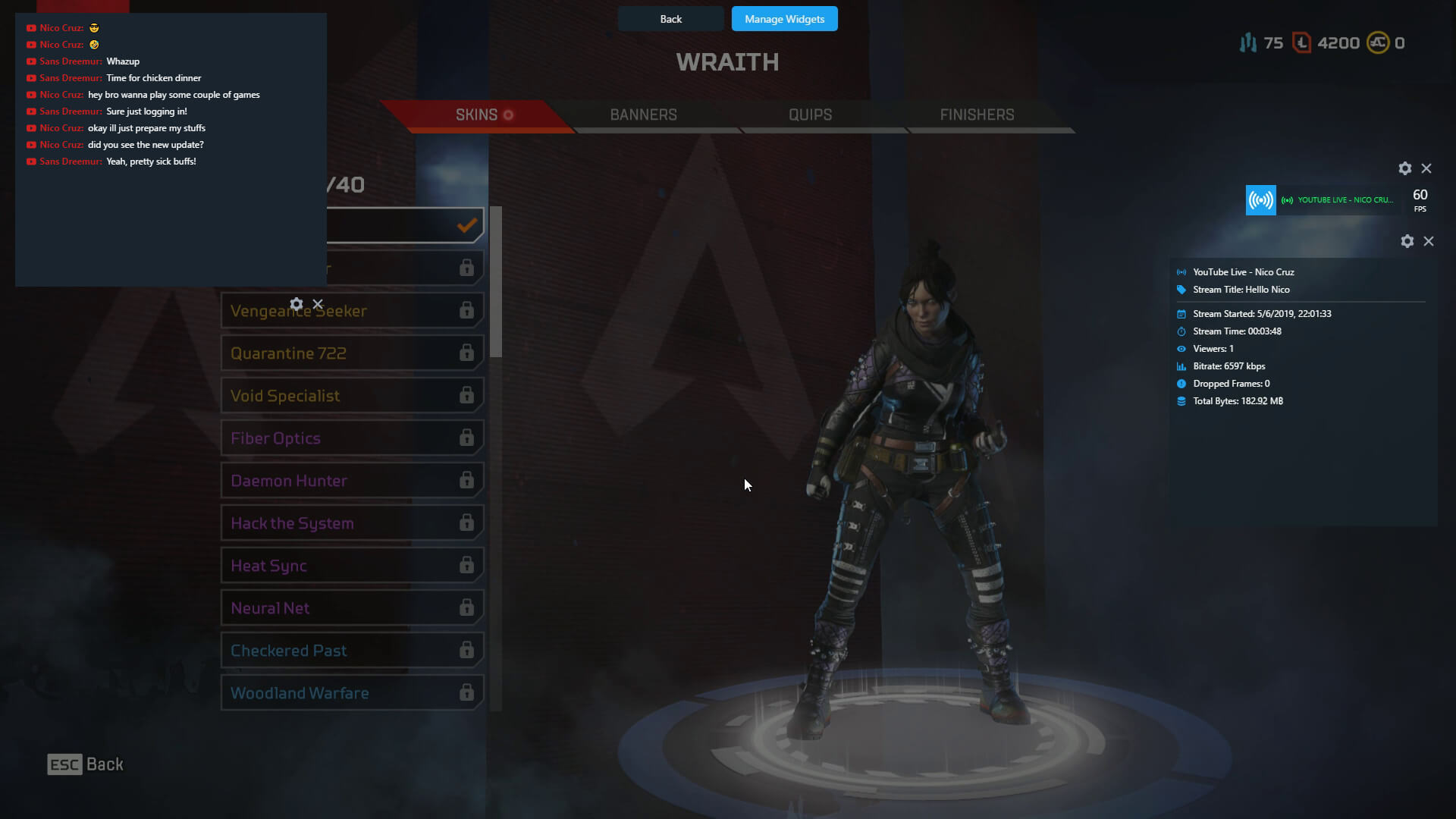
  • Pin and manage widgets such as Stream Status and FPS, Chat, stream info such as frames dropped, bitrate, viewers, etc.

XSplit HUD Pin and Manage Widgets

It goes without saying that all this information will be laid on top of your game screen and it will only be visible to yourself. You can drag your widgets wherever you like depending on what game you’re playing and set opacity and fade timers so you get an occasional pop-up to make sure you don’t miss any vital info.

XSplit Stream HUD

The inspiration behind our stream HUD was really to give single-monitor streamers a fast and easy solution to start streaming simple gameplay without a complex setup. And I can say that as a non-PC gamer myself and not your techiest guy out there, I got told off for streaming a bit too much when “testing” the product… I mean, I want to chase the dream too! But I digress.

For more seasoned streamers that may not see the benefit in the HUD, well, let me just say there are various reasons why you should use it, even if you have 4 ultra-wide monitors with 8K resolution. Other than your simple Start/Stop functions available at hand, pinned widgets are always helpful when you’re not in the midst of a heavy gunfight and just wanna take a quick look at chat without risking a stiff neck. Scene transitions are super easy to execute and can help you visualize your scene before switching, much like our Preview Editor that already exists. This will be even better when coupled with the other improvements we made with sources and scenes in general.

All in all, it’s true that none of these are new breaking features. But the way we’ve built the HUD to consolidate all of them is. This is the first step towards building a new gen of XSplit tools we envision, and we’ve only just begun.

XSplit is part of Streaming 2019 Bundle

Humble Bundle is once again hosting a content creator focused bundle and we’re thrilled to have all our XSplit products as part of the amazing pool of items available to everyone for an insanely affordable price!
XSplit in Streaming Bundle 2019
Streaming 2019 Bundle runs from June 4 to June 25, 2019, and also includes other amazing software for streamers such as Action! FaceRigPro, Restream and more! But don’t take our word for it. Below you’ll find various tiers offered in this bundle.

Tier 1 ($1 or more)

  • XSplit VCam Lifetime Subscription
  • Monstercat Gold 1 Month
  • Pretzel Rocks Premium 1 Month
  • Getting Over It with Bennett Foddy
  • Darwin Project

Tier 2 ($13 or more)

  • 3 Months XSplit Premium License
  • 3 Months Restream.io
  • Pretzel Rocks Premium 3 Months
  • Monstercat Gold 3 Months
  • Aaero
  • FaceRig

Tier 3 ($25 or more)

  • 12 Months XSplit Premium License
  • 12 Months Restream.io Subscription
  • 12 Months Pretzel Rocks Premium
  • Action!
  • 12 Months Monstercat Gold
  • FaceRig Pro

If you’ve been on the fence about getting a Premium or VCam license, you know what to do. 🙂 Not only are you getting XSplit at a heavily discounted price, but you’re also getting other cool products in the process as well.

Don’t wait! Go check out the bundle at Streaming Software Bundle 2019 today!

XSplit Broadcaster 3.8 Features

So far we’ve managed to keep up with our release schedule of a major release every two months with PTR releases in between. We’ve just released 3.8 into the wild where everyone now has access to the brand new in-game HUD amongst other features. The purpose of 3.8 was to bring something new to the table whilst also adding additional features that have been asked for. Oh and did I mention? Resize source hotkeys are back!

The in-game HUD allows you to both control XSplit Broadcaster from inside your game (similar to XSplit Gamecaster) but also allows you to manage your stream. You’re able to see chat and stream events whilst you play in the form of pinned widgets without the need for a second monitor. Widgets that you pin will only be visible to you and won’t be visible on your stream or recording when using Game Capture. That means you have complete freedom on how you position them without affecting viewer experience. We hope to expand on the HUD functionality overtime and provide even more functionality.

Whilst the HUD takes most of the limelight, we’ve added additional features such as the Scene source which allows you to add one scene to another. At first you might not necessarily see the point but if you think of a scene like a block that you can build and then add across as many scenes as you want, you create a really easy way to add repeatable elements to a scene and only have to edit it in one place. That’s not the only use case for this feature and I’ve seen many creative uses of it so give it a try and see how it can make your life easier or increase creativity.

Not sure what just happened? Replay Source allows you to play back what just happened on stream for a short period of time. We created the replay source to allow flexibility in how you use it. You can use it on an already existing scene as picture in picture and then use a hotkey to trigger it. Alternatively you can dedicate an entire scene to it and then have it automatically play when you switch to that scene. Once again, this is just the initial implementation and I think there’s a lot more we can do such as storing the replays to playback at a later point or even just saving them to disk in general.

Noise Suppression is another highly requested feature and is great for those who have microphones that have more background noise than they should. Right now it’s a very generic and aggressive implementation which means while it’s supposed to serve as a one size fits all, it might not get you the results you desire, more so for those with higher end microphones. With that being said, it’s a great way to clean up unwanted noise.

So, those are the bulk of the updates in 3.8 not including the vast amount of bug fixes and improvements. What about 3.9? Our focus for the next upcoming version is primarily on putting in the ground work to better improve our audio. This means actual decibel (dB) values that you can use to balance out your audio properly. We’ll be shipping a simple audio mixer extension that will allow you to monitor audio much more easily and make adjustments as you see fit. On top of that, we’ll also be adding some monitoring in to the audio settings themselves which means you can make sure the right device is selected before closing the settings.

For those that pride themselves on organisation, we’ll be implementing source grouping in to the mix. This means that on a given scene, you’ll be able to select multiple sources, group them and then move them together. On top of that, you can also rename groups and collapse them which means being able to have some separation of concerns. This is great for things like webcam with frames and some text. Now you’ll be able to place them in a group and move them together without needing to move each individual item one by one.

A brand new feature called Scene Presets will be making its way in to the next version too. By name it doesn’t mean too much but the general idea is that you can make variations of the same scene without needing to dedicate an entirely new scene to it. An example of this could be having the webcam in a different position, having chroma key on or off or using 3D transforms in one preset and not in another. However, the most powerful part of this is that you can set a transition time between these presets which means when you switch between them, we’ll automatically animate based on the properties changed. This means if you have the opacity of an item set to 0 on one preset and 100 on another, it will look like a fading effect when you switch presets with a transition time set.

We’ll also be making a bunch of under the hood changes that you might not necessarily notice immediately but will improve the experience as a whole when using our plugins for the various streaming services. We’re tying it all together so that if you’ve ever linked your Twitch account to XSplit, adding Twitch plugins will just work out of the box. We’re aiming to apply this philosophy across the board meaning minimal setup from your end and hopefully an easier experience.

So these are the main items on the board for the next major release but that isn’t to say they’re the only features we’re working on. There are tonnes of things in the pipeline that are being worked on by the team and we’ll be sure to let you know what they are when we’re ready. In the meantime, remember you can suggest and vote for ideas you like by using our feature vote page. On top of that you can get involved in the conversation by joining our discord server or follow us on Twitter.

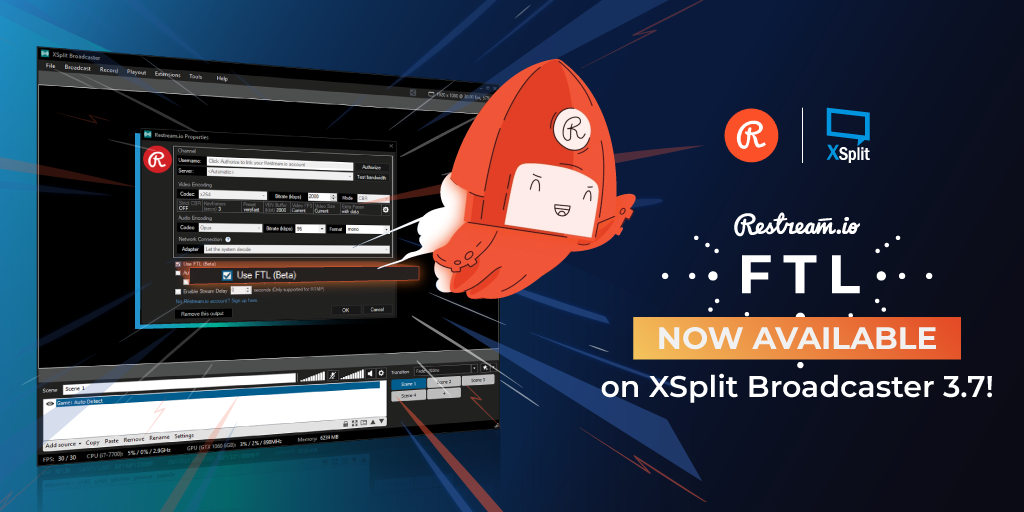
Restream FTL in XSplit Broadcaster 3.7

FTL is now fully supported in XSplit Broadcaster 3.7 with the Restream.io plugin! We’ve been working closely with Restream since PTR 3.7 was released, and it’s finally here.

FTL stands for ‘faster than light’ and this protocol developed by Mixer, enables a low video latency for streaming. This is especially helpful if you’re engaging a lot with you viewers and giving them interactive controls through the platform. FTL support was first implemented on Mixer plugin itself and it’s now available for the Restream plugin as well.

Restream created a step-by-step guide on how to get started and we highly recommend you to check it out if you’re new to this thing!

XSplit Bundle with Restream!

There’s no better way to celebrate this than introducing the Restream-XSplit Bundle!

Get the ultimate multi platform streaming combo for a discounted price of $37/month! Restream allows you to broadcast to over 30 platforms simultaneously with minimal impact on your bandwidth and hardware, and XSplit Broadcaster is the perfect streaming application for that! Take advantage of the offer here.

This bundle is available for a limited-time period only and will expire on April 30 2019. Avail it while it lasts!

XSplit Future Transparency

At XSplit we’ve kept our cards close to the chest to avoid disappointing our audience when inevitable setbacks happen. We’d get asked questions on a daily basis things like; When is the next release? What features will it contain? Can you add x feature? Our response would tend to be vague due to not wanting to get hopes up. However as our industry shifts (both gaming and streaming) we notice a trend of companies being very transparent in what is next for their products and even though they may not meet specified deadlines, users know what to expect.

Going forward, we at XSplit plan on being a lot more transparent by outlining major items that are being worked on and having a public facing roadmap for all of our products. On top of that, we also have a way for users to give suggestions and vote on their favorite ones through our XSplit Feature Upvote page.We’ll be consistently monitoring this to prioritise what feature will be worked on next.

So…what is next? Version 3.7 of XSplit Broadcaster has just been released with a smaller feature set. The main improvements being NVIDIA NVENC optimizations and a new type of scene transition, Luma Transitions. We’ve been busy working on a ton of cool new features that we wanted to release with 3.7 but felt it important we release what we have now so we can focus on a super awesome 3.8.

I’ve recently transitioned into the new role of Senior Product Manager for the XSplit team. Before joining SplitmediaLabs I worked as head of production for ESL UK and on top of that co-founded Strexm, an all-in-one stream overlay tool. My aim moving forwards is to develop closer ties with you, the community, so that you have more influence on our plans, and our roadmap. If you’d like to get hold of me and chat about XSplit, you can reach me on Twitter or feel free to join our Discord.

Over the coming weeks we plan to release 3.8 Public Test Release (PTR), but what does that look like? We’ll have two brand new sources in the form of Replay Source and Scene Source. Replay source allows you to trigger a replay (up to 30 seconds) of your current stream by either pressing a hotkey or by switching to a dedicated scene where you’ve placed the replay source. Scene source is a little more simple, it allows you to add another scene as a source which can be great for reusing layouts from other scenes. A much requested feature which is currently in the top spot on our XSplit Feature Upvote page is noise suppression for microphones. This feature will allow users to remove the majority of background noise on their mics.

And lastly, what I think is the most exciting new feature, the in-game HUD. This will allow users to control, monitor and interact with their stream from inside their game without alt-tabbing. You will be able to see live previews of your scenes, monitor audio, start streams or recordings and more. Using our pinned widgets feature, you’ll be able to keep an eye on your stream chat or events from inside your game without it being visible on the stream. Essentially what I’m saying is this is a single monitor setup dream and even if you’re not on a single monitor setup, it’s still super useful!

So that’s what’s in the immediate future. We’ll be continuing to look at and work hard on features we deem important but also prioritising from our XSplit Feature Upvote – Things like source grouping are right around the corner and we’re working very hard on making audio better across the board from better audio previewing to more advanced audio features.

NVIDIA NVENC Improvements in XSplit 3.7

We’ve been working with our good friends over at NVIDIA to optimize XSplit Broadcaster’s NVENC implementation by providing better default encoding settings as well as additional options that can improve the overall quality of your stream or recording. This update is part of the latest XSplit Broadcaster 3.7.

Our Director of Developer Relations Miguel Molina explains it more thoroughly in the video below while also showing some examples.

NVIDIA wrote a detailed NVENC-XSplit guide that walks you through each setting and what is recommended based on the type of content that you’re capturing. We highly recommend checking it out!
There’s more in this version than just NVIDIA optimizations. Please refer to the full release notes for a complete list of new features, improvements and bug fixes.

Finally, a big shout out to the awesome folks on our Discord channel, who spent some time and helped us in testing the PTR version of this release. If you want to get your hands dirty and get access to our PTR builds, join our Discord channel today!

Giveaway + Sale!

Woot woot! We want to celebrate this big time with NVIDIA, and we are by raffling off an RTX 2080 to go with a Premium Lifetime license and an #XSplitFamily T-shirt! It’s a simple giveaway and all you need to do is head on to this link to enter. One thing to keep in mind is the weight of each requirement so make sure to pay attention to the one that gives you the most points for higher chances of winning.

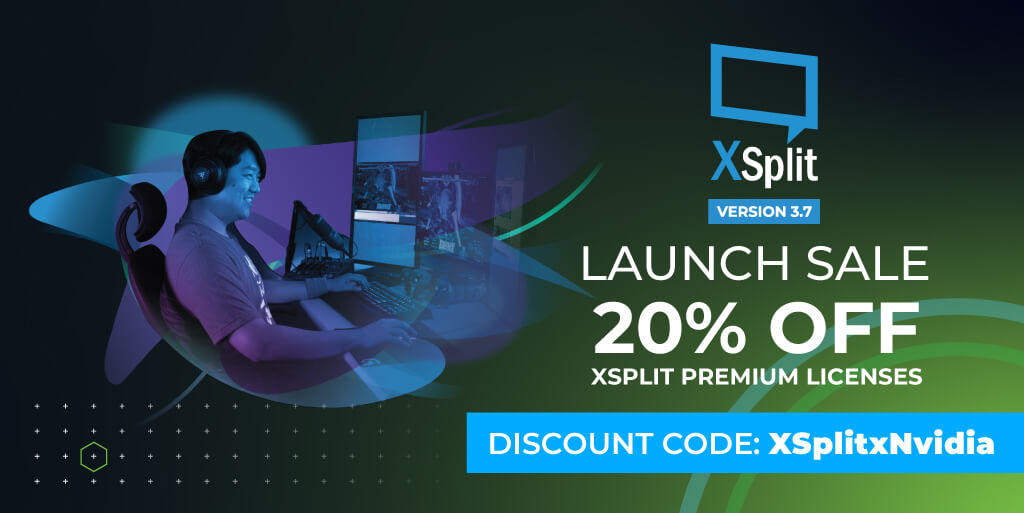
We’re not stopping there! We’re also running a 20% sale on our Premium licenses (including renewals) during this period through the code ‘XSPLITxNVIDIA’. If you’ve been using the free version for a while, or you have a short-term license from us and are interested in renewing, definitely take advantage of this deal as it won’t last for long. ???
XSplit Version 3.7 Discount Code XSplitxNvidia