Meet the XSplit Team at PAX East 2017!

Our team will be back again this year for PAX East and we’re looking to double the fun! If you’re flying to Boston and attending, meet the team at booth #11061. If you’re not, we have you covered as we’re providing you every form of live coverage imaginable straight from the event.

The Stage

We have some great stage content for you that will be hosted by our very own Chris Slight, along with our Community Managers AJ ‘Shakeweight’ Arends, and Kevin ‘Burnout’ Kim. Continuing with the good times from PAX South, we aim to provide you with fun and engaging content that celebrate the passionate gaming world!

Here are some highlights from PAX South in case you missed it:

When we say we’re providing you live coverage from the event, we really mean it. We’re going to be live streaming what’s happening on the showfloor on Twitch, Beam, and Twitter (through Periscope). Yes you heard that right! No reasons to miss the show!

Big Announcements

We will be unveiling something that we’ve been working our butts off for the past many months or so. Not only something from XSplit, but also from one of our key acquisitions last year, Player.me.

We want to get you all excited with these announcements and continue building them up even after PAX and with other gaming conventions that we’re going to be attending as well.

After Parties!

We all know that fun in conventions don’t end when the day ends. We partnered with Main Menu Live for a hardcore after party event at PAX East. We’ll share you more details through our socials as we get closer to the event.

Of course, our community managers are such party animals so you’ll probably find them hopping from one party to another. Approach them and they may have some swag to give you!

Don’t miss out the fun!

There’s a whole lot to check out from us whether you’re physically present or just tuning in from home! Make sure to follow us on Twitter and Facebook to get the latest and the best!
XSplit Broadcaster Integration with StreamShark

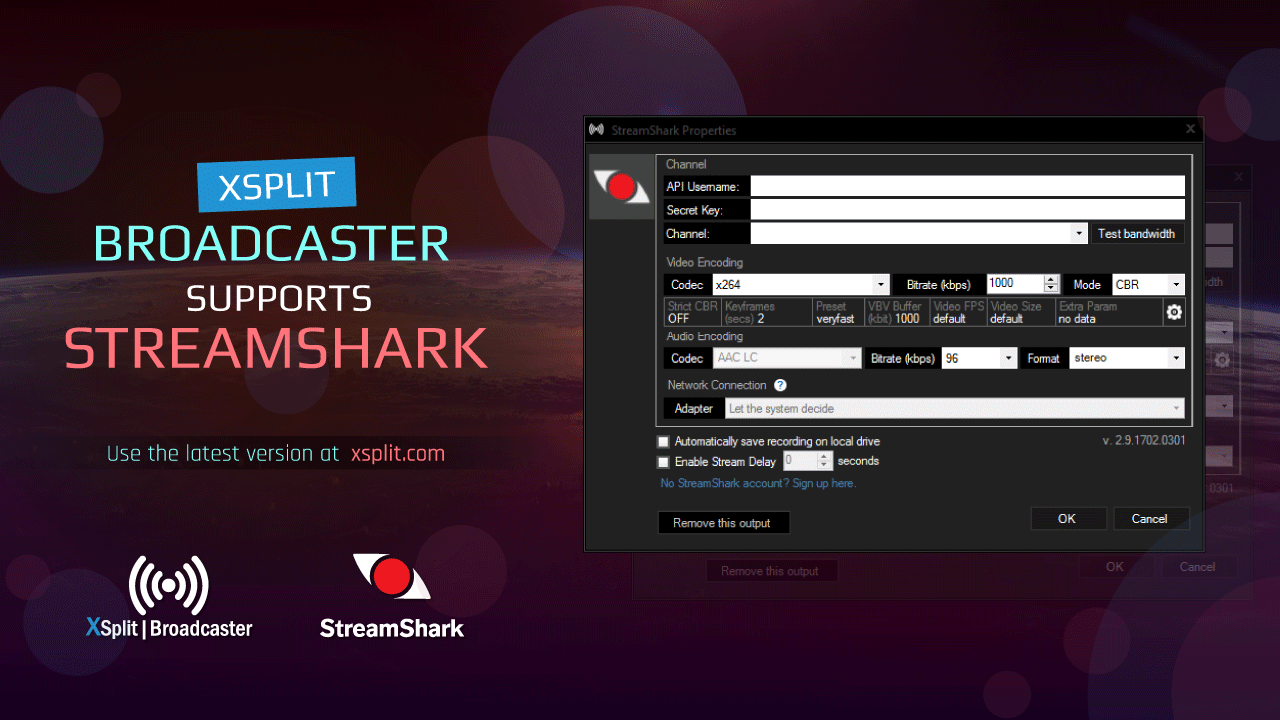
We’re happy to announce that StreamShark is now integrated in XSplit Broadcaster. If you’re doing your video content on StreamShark, this means you can now easily live stream from XSplit.

Make sure you’re using the latest version of XSplit Broadcaster first and once you are, you can go to the broadcast store, scroll to StreamShark and hit ‘Install’. Once the plugin is installed, you can now use it and live stream to StreamShark.

XSplit Broadcaster Streamshark Properties

Please also check out StreamShark’s blog post about this integration as well as their support documentation for a step-by-step guide on setting StreamShark on XSplit Broadcaster.

XSplit Sponsors First Blood VII Tournament

Hello XSplit community! I hope your February was super awesome! It is soon to be March and this also means I’m in full preparation for another year of awesome travels to catch up with all the competitive gaming tournaments around the world who produces their shows and tournament matches with XSplit!

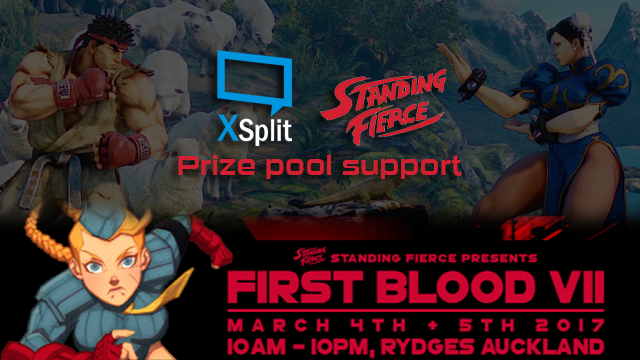
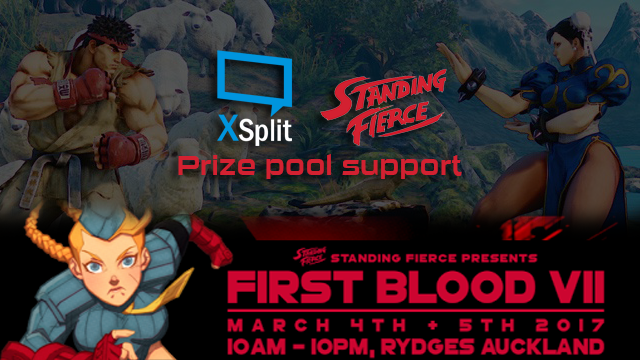
;      XSplit Support First Blood 7 Tournament

From the beginning of March, I will be at Auckland, New Zealand to participate and to give some shout-outs to our XSplit friends in the Fighting Game community! Because I know that they’ve been around for many years and have been consistently keeping the competition heated for the old and new players to be part of their great community, I’ve decided to show them a little support as a Community Manager and as an encouragement for them to keep thriving at what they’re passionate for and their future!

First Blood 7 will be held from March 4th to the 5th at the Rydges Hotel, Auckland, New Zealand. If you’re in New Zealand and would like to witness some fierce competition in the fighting games scene, make sure to check it out! If not, you can catch all the action at twitch.tv/standingfierce.

Hope to catch up with you all there and many other tournaments around the globe soon!

XSplit Product Manager Sp00ky Stream Lecture

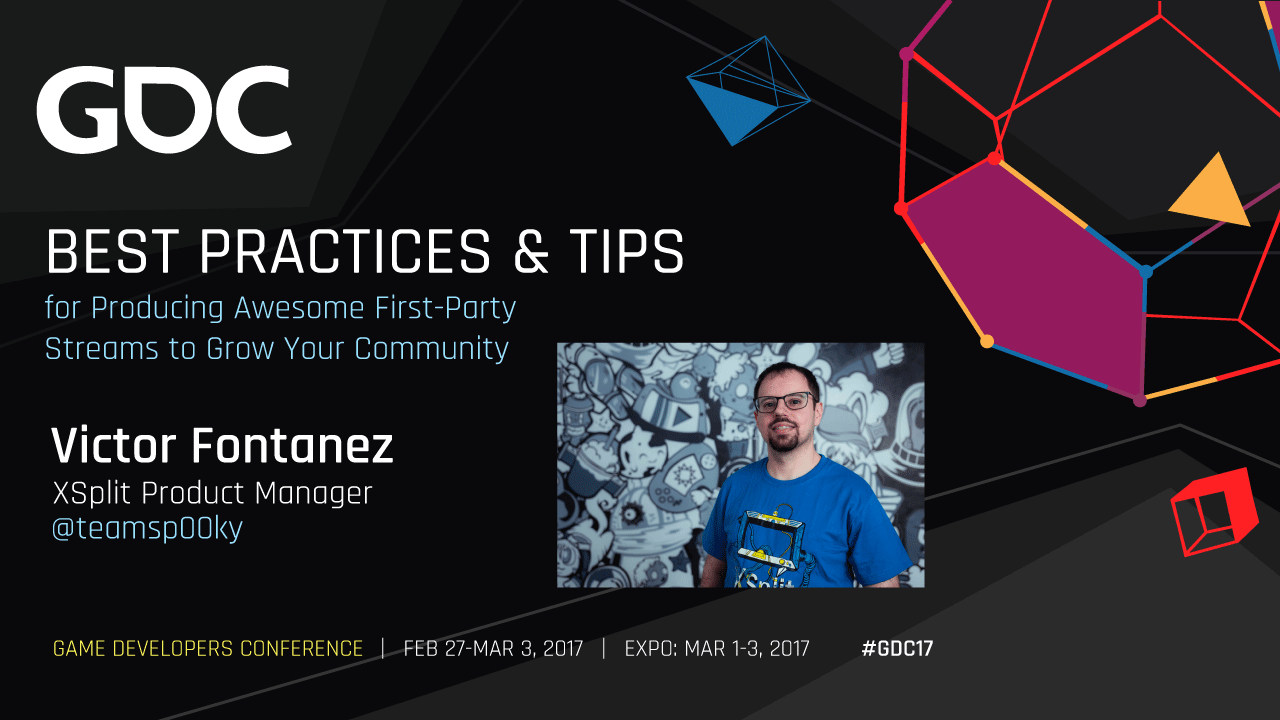
We’re pleased to announce that XSplit product manager Victor “Spooky” Fontanez will be giving a talk at this coming GDC2017. In his upcoming lecture entitled “Best Practices & Tips for Producing Awesome First-Party Streams to Grow Your Community”, Sp00ky discusses the best methods, common challenges, and tips to aid in the production of successful first-party developer streams.

Victor Fontanez Stream Lecture

As a key member of the fighting game community, Sp00ky has been a pioneer of live streaming tournaments and events, and since joining XSplit as product manager, Victor uses his breadth of experience in the market to work closely with the XSplit product team, as well as with external game developers and publishers to bring new features and improvements to the platform.

As first-party streaming becomes an increasingly common trend for developers to utilize to connect with audiences across platforms such as Twitch, Sp00ky’s talk will aim to empower attendees to conduct their own first-party broadcasts and to connect with their current and future audience more directly.

Level up your live stream with XSplit Bootcamp

As makers of the most popular live streaming and recording solution, we’re involved in different types of work outside of improving XSplit such as exhibiting at conventions, providing production assistance to some big brands, getting involved in the community through meetups and parties, etc. One that is not mentioned a lot is doing workshops and presentations for upcoming and intermediate content creators.

Enter XSplit Bootcamp, a program in partnership with YouTube Gaming centered around learning the basics of live streaming straight from our experienced staff members. Whether it’s getting the necessary equipment, setting things up, interacting with your audience, XSplit Bootcamp covers all of that. As a matter of fact we’ve been doing this since last year and we’re only looking forward to do more for this year.

For details of upcoming workshops or if you want to take part of one near your area, go visit bootcamp.xsplit.com.

XSplit Version 2.9 is here

  • XSplit Version 2.9 Update 6Updated:  May 5, 2017

    We released a maintenance update for both XSplit Broadcaster and XSplit Gamecaster which mainly contains bug fix for issues on game compatibility brought by Windows 10 Creator Update. 

    For complete list of improvements and bug fixes, check out the release notes for XSplit Broadcaster and XSplit Gamecaster.

  • XSplit Version 2.9 Update 5Updated:  April 26, 2017

    This maintenance update fixes an issue that might prevent XSplit Broadcaster and XSplit Gamecaster from starting up if missing Visual C++ Redistributable Packages for Visual Studio 2013.

  • XSplit Version 2.9 Update 4Updated:  April 3, 2017

    In the latest XSplit Broadcaster 2.9.1701.1635 update we have incorporated a number of fixes and minor updates:

    General Fixes

    – Fixed an issue with XBC using more CPU when minimized

    – Fixed WMI error on opening the application on some systems

    – Fixed FormatException after load on some systems

    – Fixed Flash ActiveX detection on some x64 systems
    – Fixed unnecessary source refresh/flashes when default audio input device state changes

    – Fixed exception on setup after install of plugin while a recording or stream is active

    – Fixed authentication issues with Player.me

    – Fixed issues sharing screenshots to Player.me

    – Fixed Player.me game check-in field in the share dialog

    Express Video Editor

    – Fixed video files only showing up as audio track on Sony Vegas 12

    – Fixed crashes with low bitrate videos and when combining certain types of videos

    Streaming services

    – Beam: Fixed to allow only CBR mode and limit bitrate to 9000 kbps

    – Dailymotion: Fixed Ingest server not appearing in the list unless channel is saved and setup wizard not proceeding if started from the channel props
    -Facebook Live:Fixed “Unsupported get request” from Graph API call – check if auth is present before trying to stream

    – Hitbox: Exception warning appears on setup after install of plugin while a recording or stream is active.

    – Periscope: Fixed Custom RTMP to be compatible with Periscope.

    – AbleGamers: Added alerts plugin

    For complete list of improvements and bug fixes, check out the release notes for XSplit Broadcaster and XSplit Gamecaster.

  • XSplit Version 2.9 Update 3Updated:  February 22, 2017

    This maintenance update fixes potential crash issue that might affect XSplit Broadcaster’s camera and video sources and XSplit Gamecaster’s console viewer.

  • XSplit Version 2.9 Update 2Updated:  February 17, 2017

    This update features XSplit Broadcaster’s Beam.pro FTL streaming support and important security fixes for both XSplit applications.

    Missing FTL features

    Stream recording

    The option to save your live stream locally is disabled. You will still be able to record locally while streaming, but you will need to manually start a local recording which requires an extra encode.  

    Adaptive bitrate

    The experimental adaptive bitrate settings still show, but the function is not yet implemented for FTL.

    For complete list of improvements and bug fixes, check out the release notes for XSplit Broadcaster and XSplit Gamecaster

  • XSplit Version 2.9 Update 1Updated:  January 30, 2017

    This maintenance update fixes possible crash issue with XSplit Broadcaster when using NDI source and possible freeze issue for both XSplit applications.

    For complete list of improvements and bug fixes, check out the release notes for XSplit Broadcaster and XSplit Gamecaster

  • XSplit Version 2.9 ReleasePosted: December 1 2016

    Our XSplit 2.8 release was well-received thanks to some kickass new features like unlimited scene support, global sources, new plugin store and a refreshed user interface among many other things. With XSplit 2.9, we worked on adding even more features as well as making improvements on the existing ones based on all the feedback you gave us.

    We want to announce this version release a little different and instead of going through each of the new features in text as we normally do in the past, we had our product manager, Victor Fontanez aka Spooky go through each of them in a video so you can see them all in action. 

See our version update policy for more details.

XSplit Version Updates and Fixes

We generally only support versions of XSplit which can be downloaded via our webpage.

We use the following version numbering: [Major] [Minor] [Patch]

We always support a minimum of two stable release versions in our website, but once a new patch is released to one of the two stable release versions, the older release version will be replaced. Once we release a new minor (or major) version of XSplit we always leave the previous latest minor version.

If your receive this update prompt, it is because the version of XSplit that you are using is no longer supported. Sometime service endpoint or API changes, or we may have found issues that have been patched, so we want to make sure that users are using a version of XSplit which is supported and maintained.

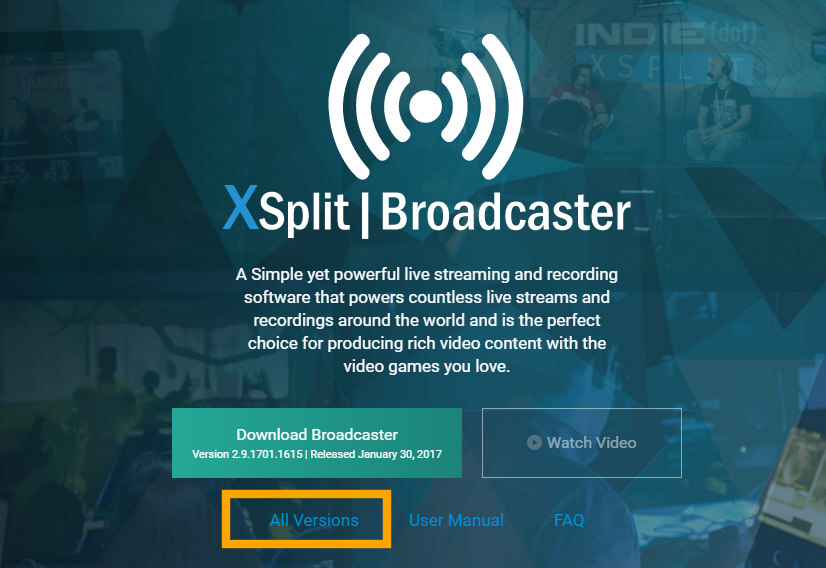
If you are having any issue with the latest release version of XSplit, you can always go back to XSplit.com and download the latest previous stable release version. Here’s a screenshot:

XSplit Broadcaster download version

Starting XSplit 3.0, we have also created release pages for both XSplit Broadcaster and XSplit Gamecaster which contain some highlights for the said release. Those pages will be updated continuously going forward when we release version updates.

Example:

At the time of this writing the supported release versions of XSplit Broadcaster are versions 2.9.1701.1615 and 2.8.1607.1952

If we ship a 2.9.[patch>1701.1615], then 2.9.1701.1615 will be replaced and no longer supported  OR

If we ship 3.0.x then 2.8.1607.1952 will be replaced and no longer supported OR

If we ship 2.8.[patch >1607.1952] then 2.8.1607.1952 will be replaced an no longer supported

XSplit and Player Sponsor Melbourne Streamer Meetup

On the 17th of February, the Twitch streamer community of Melbourne, Australia will be gathering for some good vibes and sharing their ‘techs’ among other Australian streamers. Hosted by the one and only Bradley ‘DYoshii’ Jolly, his efforts to grow and develop the community is very respected and we’ll all get to meet and greet him as well.

XSplit and Player sponsor Melbourne Community Meetup

As for us at XSplit and Player, our community manager Kevin “Burnout” Kim will also be in attendance and will be providing some swag that he collected while visiting our XSplit and Player.Me swag dungeon. How generous of him to be sharing all the loots! Be on the lookout for one Epic item as a surprise gift to the community.

The place of meetup will be at the Pinball Paradise on 213 Franklin Street, Melbourne. See you all there!

XSplit Sponsors Genesis 4

“My punishment is more than I can bear. Today you are driving me from the land, and I will be hidden from your presence; I will be a restless wanderer on the earth, and whoever finds me will kill me.”

This quote is from the Genesis chapter 4 of the Holy Bible. This is a statement that Cain has made to his Lord, that he has had enough and is to follow a path of a ‘world warrior.’ It is a type of a statement if you are a hardcore fan of fighting games and want to be at the top of its ladder.

This weekend, from 20th to the 22nd of January, the 4th iteration of Genesis, a Fighting game tournament, mainly praised for its Smash Bros. series competitors, will be held at San Jose Convention Center.

XSplit Sponsors G4

If you’re a Smash Bros. or other traditional fighting game enthusiast, this tournament could be yours to conquer and to test your abilities against other players who enjoy the games as much as you do. As per many fighting game tournament entry standards, it’s open for everyone to enter and regardless if you’re a competitive player or just want to be part of the community, you are guaranteed with endless entertainment throughout the weekend.

The game titles to be played are: Smash Bros. series, Rivals of Aether, Catherine, Towerfall and Street Fighter V.

Some of the event’s production and streams will be handled by VGBootCamp and our own Support Manager, Armando Gonzalez will be directing the stream over at twitch.tv/teamsp00ky. Be sure to check them out as they will cover majority of the games played during the event.

For more details of the event, be sure to check out their event page at smash.gg/tournament/genesis-4/details.

New XSplit 2.9 Update with Beam FTL Support

As of January 30, 2017 11:00 AM EST: We have updated the DOWNLOAD PAGE with an updated version of XSplit Broadcaster 2.9 which now supports Beam FTL.

The following has been addressed since the initial 2.9 beta with FTL support that was released last January 17:

  • Resolved issues with AV Sync
  • Resolved a leak in the Beam plugin (ping threads not terminated)
  • Added parameter to NVENC to avoid B-frames (B-frames are currently not supported)
  • Added parameter to Quick Sync to avoid B-frames
  • Added bitrate and frame drop status for FTL
  • Resolved issues wherein automatic ingest selection did not work well outside of US (still improving the automatic selection including showing the resolved ingest)

We have published a maintenance update of XSplit Broadcaster v2.9 with support for Beam’s new low latency protocol called FTL. An update to XSplit Gamecaster is also planned to follow in the near future.

This release contains new core components, and while we believe it to be stable, it is still deemed a beta release undergoing testing. If you install this release, note that it will automatically be updated when the final 2.9 update with FTL support is released.

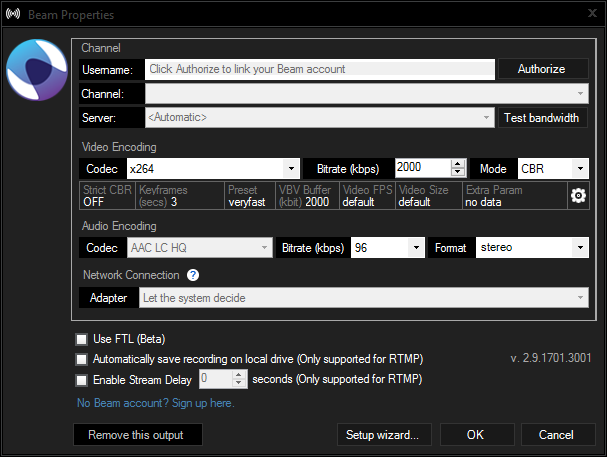
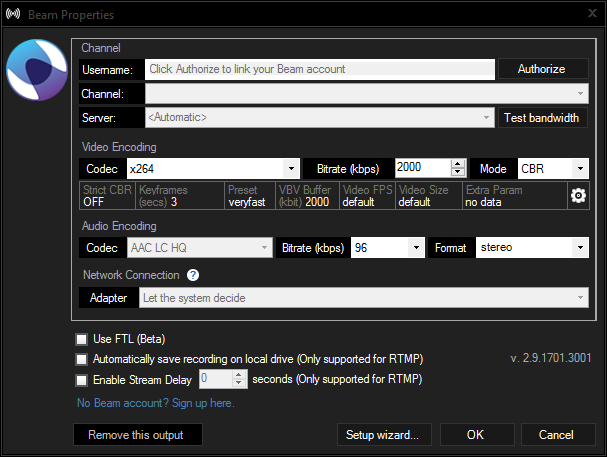
XSplit Beam Properties

The FTL support is baked into the original broadcast plugin for Beam as a checkbox. If selecting FTL please note the following caveats:

Missing features

  1. Stream recording
    The option to save your live stream locally is disabled. You will still be able to record locally while streaming, but you will need to manually start a local recording which requires an extra encode.
  2. Adaptive bitrate
    The experimental adaptive bitrate settings still show, but the function is not yet implemented for FTL.

Encoders

When selecting x264 encoder, we add additional encoder settings to optimize for low latency. For other encoders, we have not yet performed this optimization so selecting other encoders than x264 may result in added latency of about 0.5 to 1 second.

Low latency is great but it does come at the expense of video compression. So if you want to keep the low latency and get slightly better compression, but more CPU usage, then change your x264 preset from “veryfast” to “faster” , “fast” or “medium” if you have a monster rig.

We expect to make some updates to the Beam broadcast plugin over the coming days, so stay tuned to this blog post for more information.

NOTE:  Due to the changes to Beam’s infrastructure, RTMP streams (the original protocol used in XSplit) will now get upwards of 15 seconds delay when streaming to Beam.