With E3 opening it’s doors to the general public for the first time ever, what better time than to share all the knowledge I’ve accumulated about attending conventions through my ~4 years as a content creator.
1. Make a plan
There will always be so much to do at a convention. From making new friends, to attending parties/dinners you found out about last minute and of course trying to make time for everything.
Set aside a few hours before a convention to create a list or what I like to call a plan of attack. Figure out what you are wanting to get out of this convention and create two columns, one for fun and one for your work/stream/brand
Example of a work column :
– Find a point of contact at X company
– Inquire about partnership with X company
– Find new indie games to stream/cover
Review these plans before you head into the convention for the day. Base the bulk of your day around what you are wanting to get out of your convention. When you’re out for lunch or speaking with folks, ask about what you are looking for – you never know who knows who and can set you on the right path. This can also be the best way to directly approach a company and inquire. Ask for what you want, better yet – if you can convince people that there is a need in said company, for your skills. You’re in!
The fun column is not necessary, but as you get busier at conventions and your social circle grows, it’s easier to spend the whole weekend speaking with new folks and not being able to catch up with old buds. This can be fun, but in the long term can lead to a strain in relationships. Something you can do to manage organization, is creating a small list of people who you would like to see/spend extra time with can help.
Example of a fun column :
– Convention, Make time for X, Y, Z for a 20 minute chat NOT about business.
– Lunch, Have 1 day where I get lunch with A, B, C and spend time together
– Party, handful of folks, I make a mental note to catch up with about life.
2. Talk to EVERYONE
Too many people wait until a big party to speak with everyone. The loud music, alcohol and natural forming cliques makes meeting new folks harder. Next time you’re in line for a game demo or coffee, turn around and strike up a conversation. Most of convention goers are from out of state, maybe even country! Not everyone is a content creator, but some could be artists, animators, tech gods, anything and everything. You’ll miss out on a whole range of people if you only focus on those who are at the same social functions as you. Plus you never know who these people might know and what opportunities they could bring to your brand.
3. Have your pitch ready, but also remember it’s not all business.
It is all business and it’s not. As a content creator you have this thin, easy to cross line that you have to navigate. My best advice for any content creators is to BE YOURSELF. You are always making an impression, even when you don’t think you are. Our industry is small and someone at the bottom of the ringer, could very well be hiring you for a sweet deal in the future. You don’t have to be fake, if there are companies you don’t enjoy – simply walk away. Always have the basic understanding of what your brand/content is and who you are. Also make sure to have business cards with you at all times. Not everyone will feel comfortable looking you up on twitter right away and exchanging cards creates an easy way for you to link up with folks you met briefly.
If you’re looking for more information about business cards, why they’re important or what you should write on one – we, at XSplit HQ have created a video for you.
4. FOMO (Fear Of Missing Out) is fake
As your social circle grows you start to realize how small a few days is and how everything will overlap. Always prioritize long social outings if you’re looking to make genuine connections.This would include lunches, dinners, and exploring the convention floor together.
If it is your thing, try to go to parties! They’re great! It’s pretty much a huge school reunion and just like any reunion – but expect to be too busy and having too much fun for genuine heart to hearts.
5. Your health is not a joke.
You’ll be sleeping very little and meeting a lot of new people. Make sure to drink lots of water, eating healthy and trying to find time for sleep. Getting rest is such an important part of your convention going. You have to remember that you’re always making an impression and sometimes it would be best to have a quiet lunch by yourself or sleeping in the afternoon, instead of over exhausting yourself and being your worst self in public. It sounds trivial, but you’ll be thanking us when you’re not sick in bed for a week after the convention ends.
XSplit Broadcaster 3.6 is out of PTR! We’re excited to finally release this version to everyone. A big shout-out to those who helped test the PTR releases of this version.
The video below showcases the exciting new features in v3.6. As always, you can find the complete list in our release notes.
You can update to this version via downloading here or by going to Help >> Check for Updates on the application itself. We’re excited to hear your feedback about this version so please keep us posted in the comments section below or do a shout out to @xsplit on social media.
XSplit Broadcaster 3.5
Updated: October 9, 2018
XSplit Broadcaster 3.5 is here and we have some exciting new integrations and improvements, not to mention a ton of bug fixes.
Here’s a quick summary:
Improvements in Facebook Streaming
We have simplified getting started with Facebook streaming even more through a wizard! Setting up your Facebook stream from scratch has never been this easy.
Blackmagic SDK integration
We’ve added support Blackmagic’s SDK to setup your capture cards. This will help with auto detecting resolution, frame rate and inputs from your Blackmagic devices.
Bug fixes!
There’s a lot namely:
Additional fixes for camera/capture card
Refresh of AVerMedia Live Gamer HD2 source causes the video display to show black
Some window contents are smaller on 125% DPI scaling
Facebook Live Wizard: UI does not scale correctly in 125% DPI
Facebook Live stream may fail to start
Splash screen and login window are displayed simultaneously when any dialog appears during login
Missing Broadcast and Recording entries on Hotkeys tab on initial login for new users
Error when starting stream/recording in some system
Incorrect transition duration and playback is in slow mo when PNG sequence is converted to stinger
Output channel and Ad hotkey can be listed apart on the Hotkeys Tab
And more!
For a detailed list of all the fixes in this update, check out our Release Notes
XSplit Broadcaster 3.4 (Update 1)
Updated: July 26, 2018
We received a lot of feedback from you in our recent 3.4 update and we decided to move fast and work hard on pushing out bug fixes and some improvements! Here are some of them squashed in this update:
Unable to toggle selected source visibility using space bar
Flash prerequisite showing up during installation on certain systems
Error when starting stream/recording in some system (due to audio format)
Facebook Live output getting stuck on “Initiating stream” at times
Improve handling of redownloaded web installer
For the complete list of what’s in this update, please check out our release notes. You can update through the application or via downloading the installer in the link above. Let us know what you think!
XSplit Broadcaster 3.4
Updated: July 10, 2018
XSplit 3.4 is now live and available for download, featuring an improved overall experience that makes streaming easier than ever before. We have focused on UI and usability improvements, along with several improvements targeted at Facebook users.
For a full breakdown of new features and improvements see below:
Usability Improvements
We’ve cleaned up the Output menu on your top bar with the three basic Output functions occupying their own menu. You’ll see your streaming outputs under Broadcast, and Local Recording and Playout features like NDI occupying their own menus as well.
Additional visual cues were added to these menus so you can better tell at a glance what outputs are running under each category, as we know how precious each second is when you’re live.
Source List Box
Sources can now be only accessed from the source list box, and we’ve made it easier for users with multiple widgets for each service installed to find the right output as each service would have it’s own group in the source menu.
Facebook Optimizations
Source widgets have been beefed up, starting with Facebook. The Facebook Live plugins have been improved to automatically connect to your live videos, eliminating the step of manually retrieving video ID’s after you’ve gone live.
If you’re signed in to XSplit using Facebook, all your Facebook widgets and outputs should now always be signed-in automatically as well. Stream directly through your feed or any of the Pages you manage. Streams can also appear on fb.gg, Facebook’s new gaming video destination for discovering gaming video content.
A new source widget, Facebook Live Reactions Animation, has also been made, and it’ll make your Facebook Live streams more interactive than ever as you can embed the stream of Reaction emojis that viewers send into your video.
For the full list of new features and bug fixes in this update, refer to the release notes for XSplit Broadcaster. We’re excited to hear your feedback and as always, happy streaming!
XSplit Broadcaster 3.3 (Update 3)
Updated: May 7, 2018
This third update for version 3.3 contains game identification, which was introduced in XSplit PTR. It is a handy tool that allows you to tag and identify games so it can allow us to optimize game capturing even better in future updates!
Here are other improvements and bug fixes in this update:
Improvement to screen capture on supported configurations
Proper naming for multitrack audio streams + Mixed Audio fix for Windows Media Player
Game identification
Bug fix: Unable to upload log files; returns an error 404
Bug fix: Application crashes on exit if projector is open
Bug fix: Crash in FLV recording if multitrack is enabled
For the complete release notes, go here. Update now and share us your feedback!
XSplit Broadcaster 3.3 (Update 2)
Updated: April 12, 2018
This is the second maintenance update of XSplit Broadcaster 3.3 which contains fixes for the following bugs:
Crash on stopping output with NvEnc hardware encoder
Crash/Freeze streaming/recording while Recordings window is open
System.InvalidCastException occurs when loading a presentation with Logitech webcam on a non-active scene
For the full list, please check out the release notes here. Update now and let us know what you think.
XSplit Broadcaster 3.3
Updated: March 7, 2018
If XSplit 3.2 was the fastest XSplit ever, version 3.3 is more about flexibility, adding important new features and options to a streamers toolbox. This update for both XSplit Broadcaster and XSplit Gamecaster will pave the way for more exciting features and improvements down the line. Here’s a quick video summary about XSplit 3.3
A quick shout out to those who have been providing us feedback with ourPTR releases. Your efforts help us ensure that our final releases are of the highest quality, and we couldn’t have done it without you.
The biggest feature of this release by far is Macros, which allows you to setup a variety of automated actions that can be triggered in variety of ways.There’s a lot that can be done with this feature and we have actually already demonstrated some in our Macros blog post. We highly suggest you to check this out in case you haven’t yet
Another highly requested feature is the ability to separate microphone and system audio in recordings which is also now possible in this version. This provides more flexibility for post processing your recordings using third-party applications. This feature is also available in XSplit Gamecaster along with some other nice additions such as Mixer chat, follower and subscriber alert, and Twitch Cheers support.
For the full list of new features and bug fixes in this update, refer to the release notes for XSplit Broadcaster and XSplit Gamecaster. We’re excited to hear your feedback and as always, happy streaming!
XSplit Broadcaster 3.2 (Update 3)
Updated: January 16, 2018
This is the third maintenance update for XSplit Broadcaster 3.2 and here’s the list of bugs that we fixed in this update:
Stream reconfiguration failing intermittently
Some advanced settings options are not reverted to default values on restore
Possible exception when adaptive bitrate is enabled
Update error when using Hijri date
Akamai: Exception occurs when testing bandwidth
Browser source compatibility for NVIDIA GTX 10xx series
Possible exception (access violation so app crashes) when reading GPU clock speed for NVIDIA
Stream Delay is ignored when “Automatically save recording to local drive” is enabled
TypeInitializationException in enumerating SystemFontFamilies upon login
Twitch: Server dropdown can exceed the screen edge
For the full list, please check out the release notes here. Make sure to update now and tell us what you think with this update.
XSplit Broadcaster 3.2 (Update 2)
Updated: December 14, 2017
We have released another update for XSplit Broadcaster 3.2 that contains fixes for the following bugs:
Video playback issues for live stream recording
Paste info dialog does not display properly for some languages
Sharing an image to Player.me shows 502 error
Current language may not have check mark on menu
Selected language is not retained on logout
RTMPS no longer works in 64 bit build
MFP is not detected when already installed on Windows Fall Creators update
Exported videos are pixelated
For the full list, please check out the release notes here. Update now and let us know what you think!
XSplit Broadcaster 3.2 (Update 1)
Updated: December 7, 2017
We have released an update for XSplit Broadcaster 3.2 that contains fixes for the following bugs:
Restart prompt does not show settings table in some language
Midi device does not work on 64-bit build
Unable to capture UWP applications
For the full list, please check out the release notes here. Update now and let us know what you think!
XSplit Broadcaster 3.2
Updated: December 4, 2017
We’re super excited to introduce XSplit Broadcaster 3.2 which is the fastest XSplit ever. The move to 64-bit version greatly improves performance, makes it faster and more importantly allows for frequent updates and addition of more powerful features down the line. You can download it here.
For the complete list of improvements and bug fixes for this update, check out the release notes.
Shout out to everyone who actively provided feedback with the PTR releases for this 64-bit version! Make sure to update today and share us your feedback through the comments section below.
XSplit Broadcaster 3.1 (Update 4)
Updated: February 1, 2018
We have released another update for XSplit Broadcaster 3.1 that contains fixes for the following bugs:
TypeInitializationException in enumerating SystemFontFamilies upon login
ArgumentNullException occurs upon login
For the full list, please check out the release notes here. Update now and let us know what you think
XSplit Broadcaster 3.1 (Update 3)
Updated: January 24, 2018
We have released another update for XSplit Broadcaster 3.1 that contains fixes for the following bugs:
XSplit can freeze when removing SWF source
Allow to not to render audio for video capture sources with audio pin
DX9 optimization does not work in Fall Creators Update (RS3) of Windows 10 (1709 Build 16299)
RTMP Source adds new rundll32 process when refreshed
Loading a presentation always defaults the scene position to scene 1
Screenshot of active scene is not working on split mode
Akamai: Exception occurs when testing bandwidth
Available updates are forced when using Hijri date
Update error when using Hijri date
Text: Hidden fonts are still shown on the plugin
For the full list, please check out the release notes here. Update now and let us know what you think
XSplit Broadcaster 3.1 (Update 2)
Updated: October 25, 2017
We have released another update for XSplit Broadcaster 3.1 that contains fixes for the following bugs:
Hauppauge HD PVR 60 filter failing to initialize
Unable to turn off DX12 game capture from Advanced Settings
Some mouse buttons not working properly as Push-to-Talk hotkey
Login get stuck sometimes when using free account
For the full list, please check out the release notes here. Update now and let us know what you think
XSplit Broadcaster 3.1 (Update 1)
Updated: October 5, 2017
We have released an update for XSplit Broadcaster 3.1 that contains some feature improvements and bug fixes namely:
Addition of Steam social login
Enabling browser optimization by default
Set 1080p60 as default and correct audio input for AVermedia LGHD2, LGP2 and LGP2 Plus
Bug fix for virtual camera not being detected at times
Bug fix for high CPU usage when doing Local Streaming
Bug fix for possible incorrect virtual camera resolution
Bug fix for ArgumentException in loading hotkeys
Bug fix for possible freeze/exception on startup
Bug fix for possible application freeze/crash and unable to switch scene
Bug fix for NDI output failing to start at times.
For the full list, please check out the release notes here. Update now and let us know what you think!
XSplit Broadcaster 3.1
Updated: September 27, 2017
XSplit Broadcaster 3.1 is here! We’re excited to announce this update contains some exciting new features, improvements and bug fixes based on all your awesome feedback. Watch this video for the highlights of this update.
Highlights
Support for newest streaming hardware (Elgato Stream Deck, Logitech Brio, Avermedia Live Gamer HD 2, Avermedia Live Gamer Portable 2)
Stinger Manager
60 FPS browser source
Facebook Reactions
Twitch Cheers
Periscope broadcast plugin
Support for YouTube 2160p/60fps
NDI Improvements
For the full list, please check out the release notes here. Update now and let us know what you think!
XSplit Broadcaster 3.0 (Update 2)
We have released another update for XSplit Broadcaster 3.0 that contains the following bug fixes:
System Time Setting warning may appear on login
JIT IO Exception may appear when switching users
Exception appears if a top listed scene transitions is hovered once a stinger conversion is finished
Reconfigure Stream dialog’s OK button remains disabled on click
Camera fails to render when Tridef SmartCam is enabled on CPU and GPU mode
Notice Dialog does not load when logging in using free license on offline mode
XSplit Broadcaster 3.0 (Update 1)
Updated: June 27, 2017
We have released an update for XSplit Broadcaster 3.0 that contains a couple of bug fixes namely:
Some valid URLs tagged as invalid in Add Webpage URL dialog & URL source of the source properties
Re-implementation of Swap Functionality on the Preview Editor
XSplit Broadcaster 3.0
Updated: June 14, 2017
We’ve got some pretty cool new features and improvements to share in XSplit Broadcaster 3.0 (3.0.1705.3114). Aside from a bunch of bug fixes which you can read about in the release notes, check out some of the new feature highlights below.
General
Preview mode support : Support for preview and live at the same time
Dedicated CPU/GPU modes: Setting in Tools ->General-> Advanced that allows users to prefer loading CPU or GPU during mixing and broadcasting. In setups where a GPU intensive game runs on the same PC, CPU mode may result in better game performance (for Win 8.1 and Win 10 only)
Updated Sources menu to be more logical (hopefully)
Added loop options for each video source and Video Playlist item (Hot request)
Media Slideshow: Added option for webm and custom timings (Hot request)
Improved Hotkey Manager (Keys without modifiers, mouse XButton1 & XButton2, and MIDI support) (Hot request)
We’ve been supporting Operation Supply Drop since 2014 because we believe in the importance of giving back to Veterans. We don’t want to just do it through donations — we want to raise awareness about the importance of supporting Veterans and more importantly how anyone can get involved with Operation Supply Drop to do just that.
How to take part of 8BitSalute
All you need to do to take part is to sign up and become part of our team at xspl.it/8bit. If you’ve previously participated but is not part of any team yet, we’ll be very happy to have you as part of ours.
As part of our team you immediately get a Premium license (if you don’t have one yet) for the entire duration of the campaign. You also get promotion of your stream through our social media channels.
If you’re already participating as part of another team or even organizing your own event for #8BitSalute, we still want to hear about it! Hit us up via @xsplit and we’ll be happy to take a look at your own endeavor and push it on socials as well.
Free XSplit Premium License
We’ve partnered with Operation Supply Drop once again so that everyone who raises $20 or more gets a free 3-month XSplit Premium license but it doesn’t stop there! Those who raise $50 or more becomes eligible for a drawing where they can win an XSplit Lifetime Premium license and some merch!
We hope that gets you excited! Let’s all play and stream games to support troops!
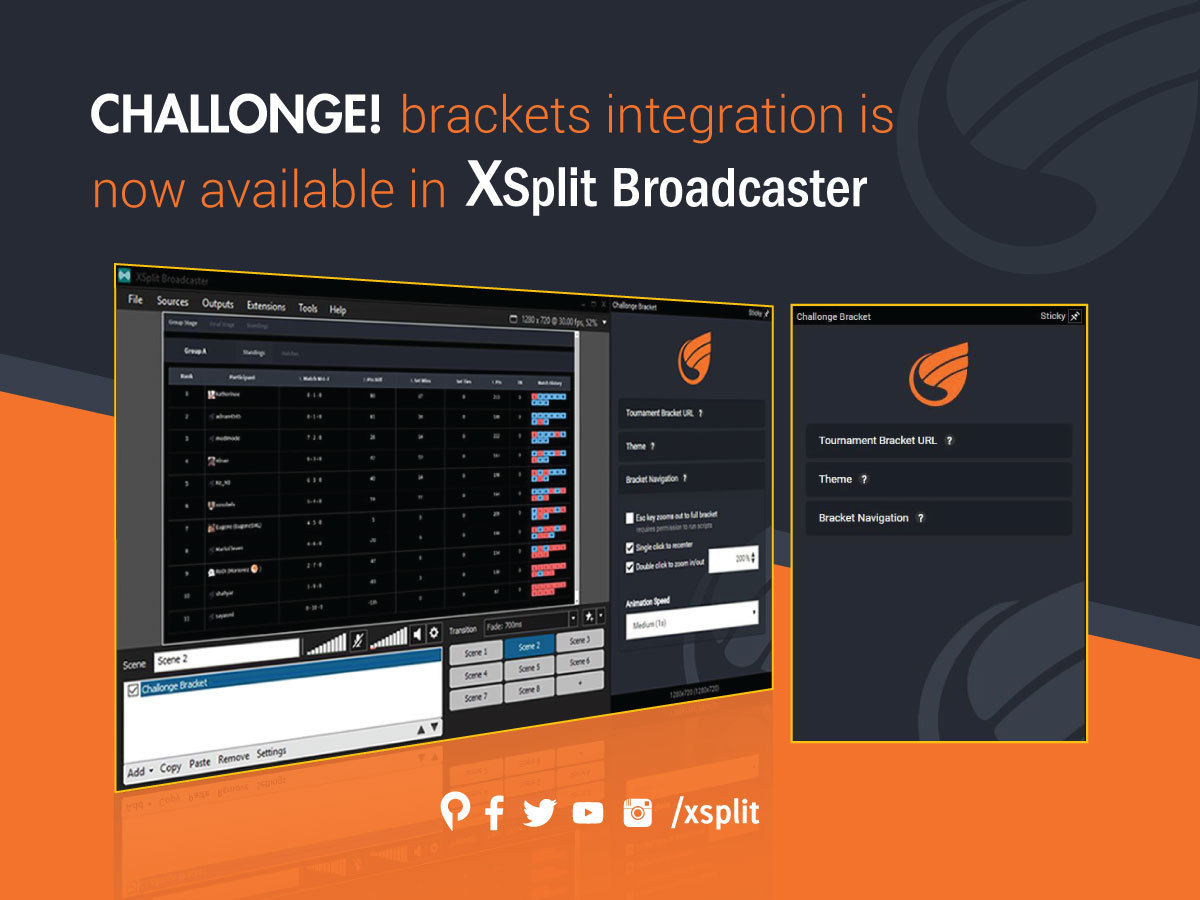
If you’ve been catching up to our presence and support for the recent competitive gaming scenes including some of the major esports venues, many tournament organizers were thrilled to use the Challonge tournament bracket management services for the competitors at the venue and for stream viewers at home.
While the Challonge integration sounds awesome for the stream director to communicate with the tournament bracket organizers, their only current solutions were to either use the ‘screen capture’ feature or for more advanced users, to use the ‘webpage url’ feature within XSplit Broadcaster.
With the announcement of the recent XSplit 3.0 Public Test Release (more info here), we are trying to implement an actual Challonge bracket viewing plugin to be built into XSplit Broadcaster.
This will allow the stream directors to instantly focus and zoom into the current topic of involved players within the bracket while commentary personnel and their team can fluidly transition with natural conversations and transitions to prepare for the upcoming queue and schedule.
For those who’d like more vocal and visual insight for this upcoming plugin, our product manager and the stream tech guru of the global Fighting Games Community, Victor ‘Spooky’ Fontanez will guide you through the instructions on how they can be implemented for the modern esports and in any competitive atmosphere, which your deserving viewers will definitely appreciate.
We have created XSplit Broadcaster PTR in order to give daredevils access to new features and functions faster. We have many users who have expressed interest in getting access to a preview of upcoming software versions, but until now that has not been possible without overwriting the installed official stable software version.
XSplit Broadcaster PTR uses a different installer than the official stable builds of XSplit Broadcaster in order to allow:
Side by side installation: installing/uninstalling XSplit Broadcaster PTR doesn’t change any files of the official XSplit Broadcaster installation
Different update versions: more frequent updates containing the latest features will be pushed to the XSplit Broadcaster PTR track, while XSplit Broadcaster application only stable updates
Aside from component isolation between XSplit Broadcaster PTR and XSplit Broadcaster application, plugins (broadcast, source, and extensions) are also isolated.
Presentation, broadcast channel settings, user settings continue to be shared between the stable installation and PTR. We will consider to make a complete isolation based on user feedback, but currently we feel it is important that users can quickly jump between the stable release installation and PTR.
If you have installed XSplit Broadcaster using the PTR installer, you will be forced to install new updates released on the PTR track, but you can still maintain an installation of the stable official XSplit Broadcaster release side by side (much how Chrome and Chrome Canary work).
Click here to visit the release website for XSplit Broadcaster PTR.
Our community management team just keeps growing bigger and bigger! We are pleased to announce that we’re adding one more to the team. Say hello to Anastasiya Bila, more known as “Obezianka”, as she joins the team and adds a much needed girl firepower to our pool of Community Managers.
Just like how current CMs were introduced before, we did an interview with Ana so the community can get to know her better.
Tell us what you’ve been doing prior to joining the XSplit team
Before XSplit, I was a full time content creator on Twitch at twitch.tv/obezianka. I also run an online jewelry store.
How do you feel about becoming a part of the XSplit Team?
My whole streaming career has always been centered around helping others grow and facilitate the learning of everything from communication, community building and streaming programs. XSplit and Player.me give me the opportunity to continue doing what I love without taking away my individuality. It’s a dream come true.
What do you think is the most interesting part about the video production and streaming community?
How interconnected and alive all of this is. Content creators strive to tell a story and make themselves and others happy. Streamers help uplift one another and grow. Streaming programs help make streaming seamless and intuitive. Everything in the streaming and video production world exist to make growth easier and opportunity accessible to all. We’re truly in a Golden age of streaming.
What additional awesome-ness do you think you can bring to the table for us.
Canada has a population of 35 Million as of my writing this. If we compare this to Tokyo city (13.5 M), California State (38 M) or the total population of the Philippines (98M) it seems that I don’t have much work to do. Therefore I intend to slack off.
Just Kidding.
To the XSplit community management team I bring my sense of humor (very important), fluency in French as well as Russian languages and a much needed female representation.
I look forward to working with you all. Thank you for welcoming me with such warmth.
March has been an awesome month for the XSplit team having just wrapped up PAX East, SXSW and our awesome community meet-ups! To celebrate the end of the month and #marchmadness we’re giving everyone a 50% discount on all XSplit licenses (yes, EVEN LIFETIME) meaning that you can get an XSplit License for life for $99. Interested? use the code “marchmadness” at checkout!
This offer is available until 9am Pacific, April 3 2017. *Please note that those purchasing a recurring 3 Month License, the offer only applies to the first 3 months. Got it?
We’ve worked with Humble Bundle in the previous years as some of you may know and we felt making XSplit part of their awesome bundles have been great for us and the community. So it’s a no-brainer for us to take part of their bundle themed to live streaming when the opportunity presented itself!
Introducing the Humble Bundle Streamers Edition
A 3-month XSplit Premium is part of their middle tier package. Not only do you get the Premium license but you also get with other cool games and software that you can use for live streaming. How cool is that?
Microsoft just released an update for Windows 10 to address the issue discussed in this blog post. Please check more information about the update.
UPDATE (Technical): March 16, 12:28 PM PST
We just got a chance to do a remote session with one of the affected users. It seems that something as simple as just adding Microsoft DTV-DVD Video Decoder filter to Graphedit crashes GraphEdit (both 32 and 64 bit) with following call stack (also pointing to CompPkgSup.dll). Replacing CompPkgSup.dll with an older version fixes the problem, but we do not recommend this. Until we get a better solution from Microsoft, then uninstalling the latest Win 10 update (KB4013429) is probably the recommended way to go for affected users who need to get XSplit running again.
We will continue to update you as we learn more about the issue or if new information from Microsoft comes out.
This crash seem to point to CompPkgSup.dll. We are still tracking down the issue, and will report to Microsoft when we have been able to reproduce internally.
We have some indications that it might happen only on systems that was updated from Windows 7, but we’re still trying to verify this information.
The only workaround we are currently aware of to resolve the issue for affected users is to Uninstall KB4013429 update or restore from restore point
After all the craziness from PAX East, our media production team will be heading off straight to SXSW to handle the live stream of ‘Twitch x Reddit IRL’, a partnership between Twitch and Reddit where they essentially do a live 4-day Ask Me Anything experience at the event. How exciting!
Live AMA’s will be conducted throughout the week and will be live streamed at twitch.tv/twitch. Topics vary from movies, to music, to gaming and more! Here’s the list of thing to look for to according to Twitch’s announcement.
Grandmaster Flash, hip-hop pioneer and icon*
AWGE feat. A$AP Rocky & A$AP Mob*
AMA: Gareth Edwards, director of Rogue One: A Star Wars Story
AMA: Steve Adler, Mayor of Austin
AMA: Adrian Grenier, star of HBO’s Entourage
AMA: Gaelynn Lea, folk musician
AMA: Jeremy Scahill, investigative journalist, The Intercept
AMA: Whiskey Shivers, Austin-based bluegrass band
AMA: Ed Boon, Mortal Kombat creator, with preview of Injustice 2, his latest video game
Panel: Fearlessly Female — Boardroom and Beyond: Austin Mayor Steve Adler, Jill Cress (CMO, National Geographic Partners), Ingrid Vanderveldt (Founder & CEO, EBW2020), and Suzi Sosa (Cofounder & CEO, GoVerb)
MC Lars, seminal nerdcore rapper*
Curse Mackey, Austin-based musician
VR concert by TheWaveVR, Austin-based tech startup that delivers concerts to virtual reality devices*
Sony Pictures LIFE Scare Booth, a special onsite activation to promote the upcoming sci-fi thriller film, Life, in theaters March 24.
For those tuning in from the comfort of their homes, you can watch Twitch’s full coverage of SXSW at twitch.tv/event/sxswgaming.