The Evolution of Live Streaming Software

As someone who’s been working in this space for quite a bit, it feels like live streaming has existed in eternity. Every kid and his grandparent are certainly familiar with it, and a lot of non-tech companies have started utilizing this in one way or another. It’s an industry that has grown quite rapidly yet one that will continue to grow in the coming years.

Without a doubt, the abundance of live streaming software that helps people get started with streaming or generally creating content has played a crucial role in making it a mass-consumer multi-billion dollar industry that it is today.

So why don’t we take a quick trip down to memory lane and see how live streaming software and various apps have evolved over the years which contributed to how the whole landscape looks right now. Keep in mind the sequence is not entirely chronological unless stated explicitly. Also, this is from my point of view so if I missed anything or stated something incorrectly, feel free to sound off in the comments section below.

The Ancient Days 

I’m sure someone can correct my factual errors by citing an even more ancient way of doing a live stream but let’s start with the one that most people can at least recognize. Flash Media Live Encoder. 

At the time, this one was the gold standard if you want to produce any live stream content. Incomplete? Yes! Confusing user interface? Oh definitely, but who cares! FMLE got the job done for the most part and that’s all that matters, especially at the time!

flash media live encoder

All you have to do is get another tool that allows you to capture your screen, and you’re good to go. If you were part of that era, I’m pretty sure you’ve heard one or more of the following screen capture tools: 

  • VH screen capture
  • Dxtory
  • Camtasia 
  • SCFH DSF

Now you have screen capture software and a live encoder you’re pretty much good to go!

Around this same time, perhaps even earlier, an all-in-one live streaming software called Wirecast was already available but the 2-prong more complicated approach was still the most popular because it was free. Not to mention Wirecast used to cost a fortune so it’s definitely not for an average Joe.

The beginning of where we are now

Inception of XSplit

Even though the development of XSplit started as early as 2009, it only started to become available in a beta program sometime in 2010, and it went out of beta 2 years after.

xsplit beta

In some ways, XSplit Broadcaster was like a combination of the FMLE + screen capture tool but much easier to use and also more feature-packed. It’s easily also a better version of Wirecast which people felt was even more complicated to use despite supposedly being an all-in-one solution. Those and many other factors contributed to the massive popularity of XSplit which in our biased opinion is a true pioneer in the streaming software space.

The birth of XSplit Gamecaster

XSplit Gamecaster was another streaming application that came out shortly after as a big portion of the market wanted an even more straightforward app where all they would have to do is start the app, hit the stream/record button, and go back to playing. This coincided with the rise of portable gaming workstations and it didn’t take much time before the app was bundled in a lot of the higher-end gaming laptops which made it easier for an aspiring gamer and creator to get started.

While there are obvious similarities, both XSplit apps fill vastly different needs of the market. XSplit Broadcaster is more catered to those who are looking to do more than just sharing their gameplay content whereas Gamecaster is aimed at the opposite group which puts more premium to ease of use. Those who want to stream, but still focus more on the game

As the industry matured, users began dictating and shaping which features were considered to be the absolute minimum for streaming applications. This made it almost unacceptable for an app to be too simple and devoid of functionalities outside of the basic streaming capabilities and what used to be the baseline scope of streaming got bigger and bigger. 

Ascension of OBS & other apps

I’m not going to bore you with OBS’ history because quite frankly, you’ll be served better with their Wiki entry so go read that instead. What I can write here is how the product started and evolved from my personal perspective.

OBS Classic

My first knowledge of OBS came in while managing the old XSplit Forum. Naturally, you get a lot of users talking about something no matter how big or small the feature is, and that’s when someone mentioned it. I forgot the exact sentence as it’s been almost a decade but I felt a serious major player had entered the space.

And the rest, as they say, is history. OBS grew into this larger than life endeavor that truly shaped the industry from thereon. In case it’s not obvious yet, we like OBS and we’re great friends with them (even though they like to feature us on their April Fools jokes!).

Apps utilizing OBS’ core

Streamlabs OBS and Stream Elements are two popular apps that were enhanced by the open-source project that is OBS. They utilized OBS differently but what they’ve both nailed is putting their own respective imprints to their apps by folding in some of their own specializations. 

I’d say their biggest advantage is already having that pretty much the same demographic they’re catering to so it’s more or less just consolidating their core functionality and adding OBS’ streaming capabilities to enhance the overall experience.

Other Solutions

Other notable but apps outside of XSplit and OBS include Vidblaster, VMix, Lightstream Studio, and NVIDIA Shadowplay. They all came out at varying periods of time and all of them are still being actively developed while continuing to have their own healthy user base.

Apps from Streaming Services

If you have a platform that hosts live streams and other forms of recorded content, it just makes sense that you also make the software that makes it easy for people to stream specifically to your service. Livestream and Ustream were the first to do this with their respective apps coincidentally both named Producer while Twitch was the most recent in this category.

Twitch Studio

Quite possibly the biggest advantage of this type is its direct integration with the platform. Naturally, the biggest drawback aside from being limited to the service is it also tends to be more barebone compared to other fully-fledged solutions in the market since they cater to the newer and intermediate types of audience.

Hardware-based

While clearly not in the same boat as every other solution mentioned so far, hardware encoders are worth a mention with how they fit in the grander scheme of things. They are aimed more towards the higher-end professional productions as it has capabilities that extend beyond the normal software-based counterparts.

The main difference between a hardware encoder like Tricaster versus a typical mainstream software like XSplit is that the former is more rigid and less flexible. There’s not a lot of customizations that can be done on the fly and there’s a steeper learning curve. On the positive side, you cannot beat its performance and reliability, as it should, being a physical hardware box whose sole job is to encode.

Did I mention yet it’s super expensive? Being an actual appliance, they are more complex in nature, and oftentimes require expertise in getting set up which in return adds up to the overall cost. Some of the recognizable hardware-based solutions available are Tricaster, Teradek, Boxcaster, and Niagara Video.

The Bright Future of Live Streaming

With so many options available currently, it’s hard to find a legitimate excuse NOT to get started. We often even tell users a lot of the available options today are good because the market is ultra-competitive. Great competition drives innovation, and ultimately everyone wins! 

The rise of exceptional options not only pushed us to do better but also allowed us to branch out a little by focusing on areas we feel are lacking or can be improved. XSplit VCam and Express Video Editor are two of those apps and there will be more to come. 

That doesn’t mean we’re moving out of the streaming space. As a matter of fact, we have our hands full in continuously improving XSplit Gamecaster and making it the best when it comes to recording and live streaming gameplay content in the easiest possible way AND without shortchanging you in features.

The same for XSplit Broadcaster which is now getting some big updates and refinements. We’ve really upped our game and put premium focus in providing a platform for users to speak and more importantly listening to what’s out there.

All in all, it feels the evolution of the live streaming software landscape also includes our own evolution as we’ve been around since the infancy of this hobby and have gone through some of the highs and lows together. All this great innovation only serves to provide a bright future for content creators and we couldn’t be more excited! 
The Best Webcam Backgrounds for your Next Call

Tired of having to always worry about what’s behind you during conference calls? Use these amazing webcam backgrounds listed in this blog post!

We have been sharing a number of things that can help you become more efficient in doing remote work, using XSplit Presenter to create media-rich, easy to absorb presentations online, to comfortably taking conference calls from home, our goal is to make a positive impact on the current situation based on the experience that we have and how we genuinely believe our apps can make a difference!

Everyone who’s been working from home for quite some time surely has participated in a form of video conferencing whether it’s a periodic check-in meeting with your team, a sales presentation with a client, or even just a casual video chat with your friends. The need for virtual webcam backgrounds, using programs like our own XSplit VCam, has more than tripled as most people do not enjoy the luxury of having a great space let alone their own room to conduct online calls.

Should You Use Virtual Webcam Backgrounds? When ‘TO’ & When  ‘NOT TO’?

A fun virtual webcam background is a great idea for many occasions but there are still a few cases when it should probably be avoided! For example, a sales call, an interview, or any meeting where you want to impress someone. Using them while you’re chatting with family, in an informal meeting, or taking part in the next online pub quiz can honestly make add a layer of fun that wasn’t possible before!

As an educator teaching young children you might find it’s fun to have an interesting background as a talking point for your class or to compliment what you’re discussing! With XSplit VCam you can also use video so if you’re discussing the ocean, you could be under the sea using a YouTube video for your online class. If you’re in an interview situation, however, you might not want your Simpsons couch background! In this instance, you should use XSplit VCams background blur feature. This will add a layer of choice and security by controlling what people can see while also remaining professional.

Free Webcam Backgrounds

With all the free time that we have, we thought why not scour the internet for the best webcam backgrounds, categorize and list them all in an article, so that maybe you can use some of them for your next work meeting or even for recreational fun with your friends! 

Related read: Background removal with no green screen

So here we go! 

Home

Sure you want to hide the mess of your home but that doesn’t mean you can’t use a different home that looks much better, right? 

living room background as a free webcam background
Photo by Outsite Co on Unsplash
living room background 2 as a free webcam background
Photo by Nathan Fertig on Unsplash
kitchen webcam background free webcam background
Photo by Naomi Hébert on Unsplash
Another living room scene as a free webcam background
Photo by Kara Eads on Unsplash
Another living room scene as a free webcam background
Photo by Curology on Unsplash
Another living room scene as a free webcam background
Photo by Dan Gold on Unsplash
A home office scene as a free webcam background
Photo by Chalo Garcia on Unsplash

Professional

For those who want to maintain that clear boundary between home and work, these backgrounds will surely make you feel like you’re still in a work environment!

An office scene with a computer on a desk as a free webcam background
Photo by Alesia Kazantceva on Unsplash
office webcam background as a free webcam background
Photo by kate.sade on Unsplash
An open plan office with some people sat around a central table as a free webcam background
Photo by LYCS Architecture on Unsplash
A conference room as a free webcam background
Photo by Benjamin Child on Unsplash
An open plan office with computers on desks as a free webcam background
Photo by Annie Spratt on Unsplash
A conference room in a large open space as a free webcam background
Photo by Nastuh Abootalebi on Unsplash
A large open plan office with a sofa in the centre as a free webcam background
Photo by Austin Distel on Unsplash
A small conference room as a free webcam background
Photo by S O C I A L . C U T on Unsplash

Attractions

Is tourist spots or a beach sunset your thing? This next list is for you. 

An idylic beach as a free webcam background
Photo by Sean O. on Unsplash
A clean beach with a large umberella
Photo by Elizeu Dias on Unsplash
A cove as the sun sets as a free webcam backgrounds
Photo by Joe Yates on Unsplash
A boat on a lake next to some mountains as a free webcam backgrounds
Photo by Pietro De Grandi on Unsplash
A view from a boat looking at a lake and some mountains
Photo by Luca Bravo on Unsplash
An image of italy with people on gondelas
Photo by Rebe Adelaida on Unsplash
An ancient city on top of a mountain as a free webcam backgrounds
Photo by Ayesha Parikh on Unsplash

Novelty

Studio Ghibli released some great museum backgrounds, followed by Final Fantasy, even Pokemon did! If this is your thing then we have you covered! 

Studio Ghibli

A studio ghibli scene as a free webcam backgrounds

A house from a studio Ghibli film as a free webcam backgrounds

My friend Totoro as a free webcam backgrounds

A shop from a studio ghibli film as a free webcam backgrounds

More: http://www.ghibli.jp/info/013251/ 

Pokemon

A Raichu fighting Garados as a free webcam backgrounds

A city from Pokemon Y as a free webcam backgrounds

A city from Pokemon Masters as a free webcam backgrounds

A scene from Pokemon Masters again as a free webcam backgrounds

More: https://www.pokemon.com/us/pokemon-virtual-backgrounds/ 

Final Fantasy 7 Remake

A shot of Midgar from Final Fantasy 7

A shot of Cloud from Final Fantasy 7

A shot from a church in Final Fantasy 7

A shot of a bar in Final Fantasy 7

More: https://square-enix-games.com/en_GB/news/final-fantasy-vii-remake-zoom-backgrounds

Fun and wacky

Maybe not as suitable for work as it is for general recreation activities with your friends but these fun and wacky ones will surely bring some smiles!

The Simpsons Sofa as a free webcam backgrounds
The This Is Fine meme as a free webcam backgrounds
The girlfriend reviews meme as a free webcam backgrounds
The room from Up as a free webcam backgrounds
This is just the surface of the moon as a free webcam backgrounds
The Bridge of the USS Enterprise D as a free webcam backgrounds
A shot from Animal Crossing New Horizons as a free webcam backgrounds

You’ll find more of these fun and wacky backgrounds here.

I hope you like the backgrounds that we’ve listed here and would find them useful for your next call. Now if you’re already using some backgrounds that you feel should be included here, feel free to sound off in the comments section below! 

When to Choose Which?

When it comes to webcam backgrounds different situations suit different backgrounds, so for example, an employee might use a background containing the branding or logo of your company. This would make the most sense if you are representing your company at, for example, a virtual conference.

Now, take some of the more fun ones above, they would work great if you’re going to be chatting with friends or you’re going to be hosting a quiz based on the specific theme the background comes from. Most of the time, the more formal the situation the more formal you want your webcam background to be, and the same can be said with it being more fun or informal. If you’re making a first impression, go for a more natural background, if it’s an old friend, something fun!

Do You “NEED”  a Green Screen to Use a Virtual Webcam Background?

It used to be that you needed to have a green screen and a program with the ability to chroma key yourself out of the green background in order to have a virtual background for your webcam. This was not only a complicated process but could be an expensive one! Not only that, a green screen is a pretty big commitment of space in your home!

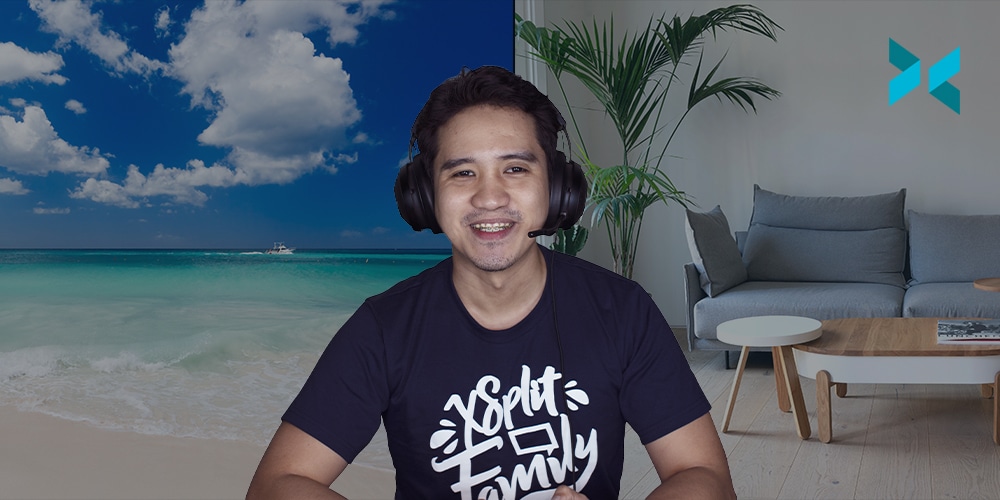
Now, with XSplit VCam you don’t need any of those things. The app does all the dirty work by replacing your current background regardless of your setup using AI to digitally remove your background! All you have to do is select your new webcam background in the app, choose XSplit VCam as your camera in your video conferencing app of choice and you’re all set!

To end this, I know some video conferencing apps such as Zoom, Skype, and Microsoft Teams have this built-in (though some only added it recently) but trust me when I say theirs are not as good as what VCam has to offer. Try it for yourself for free!

Taking Conference Calls from Home with Confidence

Taking conference calls from home surely isn’t new but it’s been on steroids as of late due to the ongoing pandemic. With most people forced to stay indoors, many have to adjust and get comfortable real fast performing tasks usually done from an office space and instead get it done from the comfort of their homes. In this blog post, we’ll be focusing on video conferencing calls and how you can make the experience seamless so you’re fully confident in doing it no matter where you are. 

Top video conferencing solutions

I figured this is the best spot to mention the background removal and replacement app that we’ve made called XSplit VCam. VCam functions as a virtual camera which essentially means it behaves like a physical webcam that you can select in other apps. 

To get started, open XSplit VCam and set up your desired background (or blur whatever your background is). Then go to whatever app or tool you’d like to use it on and select it as your web camera in place of your normal webcam, and voila! everything is now in place! Here’s a short video on how to use VCam with any of the apps and solutions we’re about to mention below.

You can download VCam at xsplit.com/vcam.

There’s a lot of apps that exist but we’ll just highlight the trusted ones which most of you are probably familiar with already. Please note this is not a comprehensive list nor a review as our goal is to simply list down the most commonly-used solutions today. There’s a lot of available resources out there that do comparisons but we find this one from PCMag to be the easiest to digest.

Google Hangouts/Meet

Arguably the most popular conference call solution for both small and medium businesses today, getting started with Hangouts is as simple as having a Google account which most of us have. If you’re into Google’s ecosystem already, it just makes so much sense to use this tool right away.

Skype

Back in the day, Skype was easily the most well-known conference calling solution thanks to its relatively intuitive and straightforward interface. Since then, there have been some roadblocks here and there but Microsoft has been constantly making improvements to the app by overhauling the user interface, adding features and making logical integrations. 

Zoom

Like Hangouts, Zoom is one of the most popular video conferencing solutions for businesses today. It has arguably also benefitted the most from the current pandemic as it’s seen a large bump-up in its total number of active users.

What sets Zoom apart from the rest of the competition is its extensive number of features that are simply just not available to other solutions in the market. 

GoToMeeting

GoToMeeting, while not as popular as other solutions mentioned above, is likewise a good option as it’s pretty capable in providing basic video conferencing needs. It’s not as feature-rich nor is the user interface as intuitive, but it’s reliable enough to get the job done.

Getting set up with any of the mentioned video conferencing solutions is about halfway through, perhaps even more. The other half is carrying out yourself well during the meeting, and we believe it can be achieved if you follow some simple but important tips that you’re about to read below.  

Video conferencing tips 

You can only become fully comfortable taking conference calls from home if you’re confident everything is correctly in place. So preparation is a big key here. A lot of the tips elaborated below are things that need to be done before the actual call. Remember, doing a call with your colleagues remotely is not really too different from a physical meeting so the basic principles apply. 

Familiarize yourself with the tools you’re using

We mentioned all the tools/solutions above, now it’s time to get used to them. They are very similar to each other in that you can mute/unmute your microphone, present your desktop, and so on and so forth, so it really boils down to how things are arranged and how their interface looks. 

Understand that you’ll likely use various functions of the tool that you’re using as the meeting progresses so familiarizing yourself with them goes a long way here. 

Make yourself presentable

I know working from home gives us a lot of flexibility that is simply not attained while working from our typical corporate environment. But it still works and there’s a line that needs to be tread so you can differentiate work from home. In this case, it’s you and how you look. 

Yes, XSplit VCam does the dirty work of prettying up your background so you don’t have to but the app doesn’t make yourself presentable. So go ahead, dress appropriately, make sure you look dap enough like you always strive to when working in an office space.

Have proper framing and lighting

This goes hand in hand with making yourself look presentable. While VCam’s detection is cutting edge, there’s still a big benefit in having good lighting and framing yourself properly. 

xsplit vcam lighting
xsplit vcam framing

You should also make sure to re-calibrate when you make changes or if you’re not satisfied with the overall look. We’ve written more tips for making the most out of VCam here.

Arrive on time early

Well, the same applies to any standard meeting but it’s especially crucial for remote ones. Being at least 10 minutes early allows you to conduct the necessary checks and ensure everything is in place and set up correctly. How many times have we endured calls where the first 5 minutes is about asking participants if they can be heard clearly and vice versa?

Coming in early also saves you from panicking in case something happens. I have been in meetings where someone arrives late, seemingly have to run 500 meters, and is huffing and puffing trying to catch a breath. Not a good look and the same is true for online meetings.  

Mute yourself when not talking

Working from home means you likely have other people with you at home which makes it imperative to only let your microphone hear you when it’s your turn to talk. And even if you’re alone, your microphone is likely to easily pick up any background noise from a whirring fan beside you, to your neighbor’s dog barking, even a loud vehicle outside your apartment. These types of noise can distract your colleagues and disrupt the overall flow of your meeting. 

One quick tip is to make use of keyboard shortcuts that mutes/unmutes your microphone. Almost all video conferencing services mentioned above support that in one way or another. 

Stay engaged

Make sure your colleagues have your full attention and it’s reflected during the call. A very common thing people do is ‘multitask’ during calls but not only does this come across as rude, but it’s also distracting. Remember your webcam feed is being constantly shown for the entirety of the call so anything that’s not about you reading or listening will surely be more noticeable.

Again, it’s easy to relax and think you’re doing this in the comfort of your home but that doesn’t make the call or your meeting any different from how you’d otherwise do it from your office. So pay attention and stay focused all the time, the same way you’d like people to do for you when you’re talking. 

Parting Words

Even as someone who’s done conference calls remotely many times in the past, I can understand why it’s hard for people to just naturally get used to it. But with some practice, and applying the tips we mentioned above, getting comfortable and confident with the whole process is doable.

I’d love to hear your thoughts on this matter. Do you have any other tips that you’d like to add to what was mentioned above? Or do you maybe disagree with some of what was mentioned? I’d like to hear it out so don’t hesitate to write in the comments section below. 

Tipping is now in XSplit Gamecaster V4

Tipping has arrived! Start getting tips from your viewers through this new feature in XSplit Gamecaster V4!

Tipping has been around for quite some time and is actually a very popular way to make money from your stream. But it hasn’t been always straightforward, as you would usually have to use third-party services and ultimately connect them all together. Having said that, we know it’s been popular so we’re not really trying to convince you to make any change if you’re already used to that set up. What we want to do is provide an alternative that is less complex to enable and is readily available to everyone.

Setting up tipping on XSplit

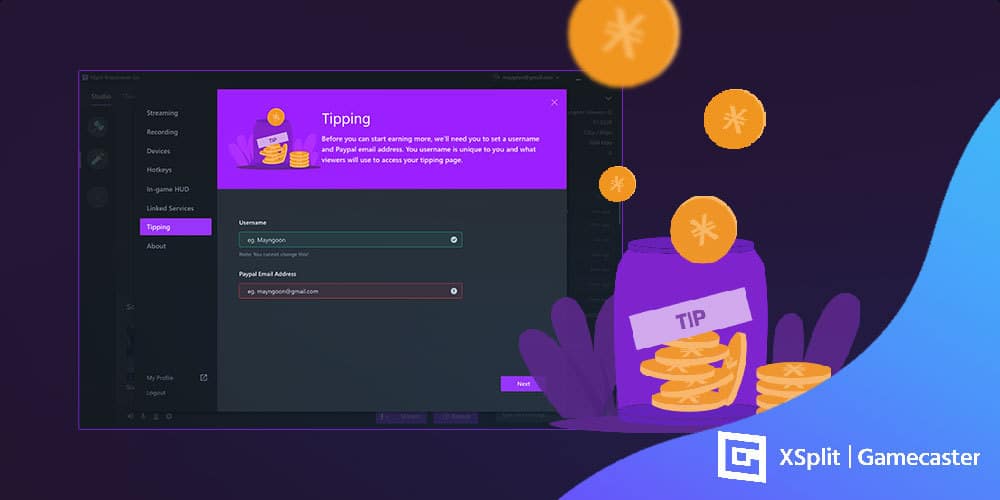
You can set everything up in less than 5 clicks. To enable, login to XSplit Gamecaster V4, click the settings cogwheel button at the bottom right, go to Tipping, input your details, and you’re all set!

Tipping on stream

That’s pretty much it! You can now promote your tipping page on your stream and your social media channels!

tipping page

All is good, right? We can just leave things there and have you figure out how to actually start getting tips and donations from your viewers? Of course not! 

Tips for getting tips (or donations)

Getting tips from your viewers is just one of the many ways you can earn money from Twitch or really any other streaming platforms. Having an option to do it directly from XSplit is nice and all but it’s not even half of the work needing to be done. Here are some of the things that you should both look into and work hard to maximize your chances of getting tips from your audience. 

Make it visible

Simple, right? You’d be surprised how many people don’t make it available and easy enough for their audiences to give them money. One area you can readily add it in your streaming panel. 

customizing stream panel

It’s just natural for new viewers to get curious about you if they happen to like your content, and there’s nothing closer to look at than your stream panels located at the bottom part of your stream. It doesn’t mean you’ll get tips guaranteed (duh!) but you’re making it easy for them to do it whenever they want. 

Stream panel or channel profile is just one of the many places you can show it. You can also link to it in your social media channels as mentioned above and more. 

Remember, the key is not spamming it all over the place. It’s about making the option available. It’s not just about you getting a tip, it’s also about making it easy for them to do it whenever they feel the need to do it.

Incentivize and reward donors

While viewers donate to show support for their favorite creators, they also do it because they appreciate being mentioned or credited in the stream. Incentivizing your donors is important as this achieves two things namely: 1). It rewards your audience for tipping but 2). It also reminds your other viewers that they can also get the same reward by doing the same. 

A simple shout-out is cool but you can take it up a notch by doing the following: 

  • Use custom alerts to showcase donors/tippers on your stream
  • Create a stream panel that lists your top donors for a specific period of time
  • Hold a mini raffle that aims to reward those who have given you a donation

Create a goal for you and your viewers

Stream goals
Photo by Estée Janssens on Unsplash

Everyone loves goals and this is one of the more interactive ways to engage with your audience. It makes them feel they’re a big part of what you’re trying to accomplish. And of course, they are more likely to tip or donate since they know where their money is going to.

The goal doesn’t have to be too ambitious, to begin with. It could be you buying new equipment to upgrade your gear or getting the latest AAA game available so you can share your content with them further. If you think about it, almost all of the goals are about allowing yourself to provide an even better experience to your viewers. So it’s a win-win situation for all

Finally, there are services such as Player.me and StreamLabs that allow you to visualize your progress and share them with your viewers. Something as simple as a progress bar, alongside incentivizing them as we mentioned above can motivate your audience to help you reach your goal.

Ask your viewers what they want

As you build your viewership up, you’ll start getting more interactions with your audience and at times, they’ll make suggestions on what they want you to do or what they want to see next. You can take this opportunity to poll them and get their input on various things. If you’re playing a specific game, it can be about the approach you need to take to move forward, or it can be what in-game item to buy. While this isn’t directly about getting donations, it helps in creating that trust that is important long-term.

You can even combine this with whatever goal it is you’re working toward. Say you’re goal is to get this much money in order to buy a game, you can very simply ask your viewers beforehand what’s the upcoming game they want you to see playing and work from there. Sure you won’t be able to please everyone, but you still get to keep the majority happy.

Aim for consistency

strive for consistency

Being consistent in many areas can help bring loyal viewers which is where most of the donations will come from. While it may happen sometimes, people don’t just tip or donate after watching a certain stream or content for the first time. You’re probably tired of hearing this cliche from your parents but trust is earned over time and the way you get that is by providing exceptional content with great value to your viewers on a consistent basis. That’s how you get them to watch you for your second, third and fourth stream. That’s how you get them to follow your channel and eventually support your channel more by donating, giving a tip and supporting whatever endeavors you have. 

Does it mean you have to be spotless in everything that you do? No. It just means giving a consistent effort to what you’re doing enables you to connect more with your audience which is how you essentially build a loyal viewership for your channel. 

Final thoughts

Getting tips from your stream is just one of the many benefits that you can enjoy if you build and cultivate your viewership the right way. At the end of the day, it all goes back to you providing great entertainment value. Having an audience that likes your content extremely well gives a lot in return and getting donations is just one of them. We hope those five things we listed above can help you and your stream.

Don’t forget to try out the new tipping feature in XSplit Gamecaster V4 and share with us any feedback that you have. We’re looking forward to those as we want to improve and expand this feature further down the line. 

Say Hello to the New XSplit Community Forum

A lot of what we do is based on what the community wants and that is magnified through our product updates and releases where we, especially more recently, highly consider and prioritize things that are sought after. Better overall user onboarding, quality of life improvements, highly requested features, bug fixes, even a no-frills free live streaming app for gamers! Those are all not possible without your feedback whether it’s from our social channels, Discord server, Feature request pages, in-app feedback, what have you!

The New XSplit Forum

xsplit community forum

It helps to have all those mediums but having a forum (yes, a forum!) is invaluable. Some of you OGs may recall us having one in the early days and that brought a ton of value both ways.

The new community forum is almost like a fusion of our live chat support and our Discord server since you’re going to get the best of both worlds. Official support from the XSplit team? Check! Interaction with our product managers and devs regarding something you strongly feel should be prioritized? Check! How about casual chitchat with our community managers, brand ambassadors, and fellow users? Check! 

Why not take a look at some of these interesting threads that have been getting some really nice interactions? 

But it’s not going to be an XSplit Forum without content that’s about XSplit products whether an in-depth guide on the new Custom LUTs & Filters, a quick resource thread listing all our guides and frequently asked questions, or hell even every release notes from every PTR updates no matter how small or big they are. You need information about XSplit products, it’s a good place to start. 

What’s going to happen with the current support system? 

It’s not going anywhere so you have nothing to worry about if you’re the type who prefers a one on one conversation with a support team representative. Besides, there are some cases where this type is more suited such as billing issues, remote controlling desktop computers, and so on. 

One advantage of a forum compared to one-on-one support is the former has public information that users can find whereas the latter is purely private. So say there’s a commonly-reported issue that crop up, the forum can just display a single page (which is called a thread) for it that is readily accessible and viewable by users. They can likewise share information on whether the solution or information is helpful or not. 

But the best part of all is the crowdsourcing aspect so there’s that. 😉 

In the end, it’s about what you want

To be perfectly clear, we’re not telling you there’s a better or more preferred way to get interaction with our team or other users. In the end, it’s about us catering to what people actually want and as they always say, to each their own. 

Having said that, we’d still love to see you in the XSplit Community Forum! Check it out and join in on the fun.

The Best Background Removal App Just Got Better – XSplit VCam 1.1

It’s been a year since we first released XSplit VCam to the world in early access so it’s fitting that we push out an XSplit VCam 1.1 update to celebrate!. While we have been incrementally providing updates to XSplit VCam to improve performance and nix out some bugs throughout the year, this 1.1 update is the biggest release so far as we’ve addressed some of the biggest things requested and also worked hard to make some quality of life improvements for better overall user experience.

A revamped user interface

We’ve been stepping up our UI/UX game for some time now as we know a good user experience equates to fewer clicks to get things done and provide an overall smoother experience. That’s what we’ve exactly done here with the new horizontal layout that makes going through various options a breeze.

XSplit VCam's revamped interface

Even better user onboarding

The whole idea behind XSplit VCam was enabling users in the easiest possible way to remove or replace their background without the need for a green screen. There was a lot of thought and effort put into improving the actual AI that does the processing but what we learned is if we can help our users improve their overall setup, the result is just way way better. And that’s what we did by including some handy quick tips that guide users to get better results.

XSplit VCam's better onboarding

Enhancements in Background Images Library

A lot of people use XSplit VCam to specifically replace their background and we know it’s an area that can make use of some tidying up. In the new VCam 1.1, we made it easier for people to select a background by showing an actual thumbnail of image backgrounds you’ve used previously as well as some of the search results. With this, everything is just in one place so you don’t need to jump around various windows to do what you need to get done.

XSplit VCam Enhanced Library

Future Updates

With this version, the VCam team will continue to focus on making VCam experience the best it can be. This includes improvements to the user interface but also to the underlying model and technology we use to mask you out from the background. As time goes on, we’re constantly improving our machine learning model which gives you, the user, better results. There are tons of variables when it comes to how a user’s webcam looks. From lighting to the cat sitting on the bed behind you. This means good results and perfection takes time but it’s something we’re striving for. On top of that, we’re always trying to make sure the resources it takes for your PC to the masking is efficient as possible so you can continue to use your computer as if you weren’t even running the app.

So make sure to update to XSplit VCam 1.1 either through the app or by downloading it on the VCam page. We’d love to hear your thoughts on this one so keep us posted! 

xoxo

Choosing the Best Streaming Headsets

Choosing the best streaming headset can be a headache when there are so many options in the market today. We’ve long reached a point where headsets are integral to our everyday lives regardless of what we’re doing. Just take a look around you. I can guarantee you’re going to be seeing at least someone wearing one.

Gaming headsets are no exception. It is without a doubt a must for the hobby but also if you’re planning to venture out into live streaming or recording. It lets you communicate both with your viewers and fellow players while also providing that audio clarity that is important for staying competitive with any game you’re playing. 

If you’ve stumbled upon this post, there’s a good chance you’re using a stock headset that came in free with a different tech peripheral purchase or you’re probably looking to upgrade for a better overall experience. In this blog post, we will cover all the bases from features to look for, to recommendations per price category, even compatibility with various devices. Our main goal is to help you with all these things which hopefully aids your decision in your purchase if it ever comes to that.

Features to look for in a streaming headset

I personally have an audiophile/headphone enthusiast background but I’m surprised how similar they eventually are with gaming and streaming headsets. The list comes in no particular order and you may value some of them more than others which is perfectly ok. To each, their own as pundits like to throw around.

Comfort and Build 

It all starts with these two. What’s the use of all the bells and whistles if you can’t stand wearing it for more than an hour or worse, can’t make it last for just a year? Thankfully, these are two qualities manufacturers are getting right more often than not these days. 

Comfort can be quite subjective as it very much depends on the size of your head, preference in materials (you like leather from dead animals or synthetic), and really just how you define ‘comfort’ as a whole. I know people who like a more snug fit but also know a handful who like things a little loose. Then there are other things to consider like do you find cables cumbersome enough for you to start looking into wireless options? Those and many others are things that you’ll have to decide for yourself.

Build quality, on the other hand, is more than just the materials the headset is made of. Something that’s built from aluminum or metal feels nice but there are a lot of plastic-made headsets that really feel durable. In the end, it’s worth exploring reviews from other users too since nothing can quite surpass real-life experience (this is a common theme in this review btw).

Sound features

We can probably all agree that having a good sounding headphone is a must. That, and the fact that audio quality can be quite subjective means only you will know what a good sounding headphone is for you. Perhaps a touch more thump in your bass, or more warmth in the midrange, or some sparkle up top? This one’s all on you.

Setting that aside, one specific feature you need to look into here is surround sound. Whatever it is you’re playing, getting good positional audio gives you a real advantage against the competition. Without that, you might as well just use a normal set of portable speakers.

Diving deeper to surround sound brings us to its two types namely virtual and true surround. As the name implies, virtual means simulating real spacious audio via software optimizations. There are many proprietary standards here such as Dolby, DTX, Creative, you name them.

The “true” in true surround sound, on the other hand, is the physical driver attached to the earcups. Unlike the virtual way, this setup literally lets you hear audio from various positions simulating a full speaker setup experience. One may argue this is overkill especially since not all games support Surround audio, but definitely having this gives you that immersive experience that you won’t simply get in a virtual setting. 

Microphone

Microphones in gaming or streaming headsets are often an afterthought, but it’s important to give it a key consideration when shopping around especially since you’ll be using this for streaming as well. Remember, a good microphone is important for high-quality live stream audio.

Do you see yourself using the microphone in the headset as your main one? Or is it more for on-the-go where you’d want to have it detachable so you can remove it when not in use? If it’s going to be the main one, then it’s important to ensure its quality is good and you’re also able to easily maneuver it. You’d be surprised by how adjusting things by an inch or two can make a huge difference in your voice quality. 

Finally, does the software that comes with it give you all the controls you need? Or does it even come with software that allows you to adjust things? You may not need these customizations if you’re just starting your streaming career, but they are handy to have as you progress.

Noise Isolation

This one is maybe not as necessary as the others in this list, but it’s handy to have for sure. How much noise isolation you want is up to you, but one thing to keep in mind is there’s a correlation between isolation, seal, and sound quality. Remember surround audio and the positional imaging it brings? It diminishes if the headset is poor at isolating noise. 

Another factor that can be related to this is the seal the headphone creates. Does the shape of the earcup contour well to your ears? Or is the headband fit snuggly to your head? Those are things that vary from person to person which is why reviews can differ a lot in this regard.

Tl;dr – This one’s gonna come up a lot, but if you can go to a physical store and fit the headset, do it. You’ll save yourself some headaches down the road.

Look & Aesthetics

You’ll be streaming, potentially in front of hundreds, hopefully, thousands of viewers. Of course, you want to look badass. One may argue this isn’t really needed because people will barely see or care about you on screen but let me ask you this, even if you’re just playing a game, do you not want to look dope? We gamers buy pretty stuff all the time even if it’s just for us so why skimp on your gaming headset? 

Now how you want the headset to look in your head is, again, completely up to you. Coming from the audiophile world, my taste is quite different but this one is surely gonna be in line with your personality and how you want yourself to come across. 

Imagine your keyboard, mouse, and rig lighting has some blue accents in them. Do you want your headset to be yellow and orange? You know the answer.

Streaming Headsets per Price Category

I wanted to preface this section by saying the headphone market as a whole is getting more and more competitive and the differences between a budget model compared to a super high-end one boil down either on the extra features or build materials (e.g. real leather pads vs pleather). With all of that being said, it will be hard to go wrong with any of the gaming headsets suggested in this list but there is no substitute still for visiting a local brick and mortar store and trying them out physically. And finally, the good old “your mileage may vary” disclaimer is something to keep in mind as well while reading our recommendations below.

Budget Headsets (Sub $100)

Corsair HS60 Pro

Corsair HS60 Pro
Corsair HS60 Pro

You think of a $50 headset and you immediately have your reservations about it. It probably sounds tinny, has a build that’s as flimsy as grandpa’s ankles, and is likely just unappealing to look at. Except it’s not. 

Corsair HS60 Pro probably has one of the more reserved aesthetics but it surely delivers more than its price on departments that matter. It even has a virtual surround and while you’re not gonna mistake it for a real surround spacious experience, it’s handy to have for $50.  

Check out the HS60 Pro on Amazon.

HyperX Cloud Stinger

HyperX Cloud Stinger

HyperX is a household name for reasonably-priced peripherals. Their Cloud Stinger headset is apt for that billing. 

They both have the stereo and 7.1 surround sound variants and I highly suggest you upgrade to the latter for $30 so you get the full experience. Just like the Corsair HS60, you’re getting a lot of value and quality for the price.

Check out the Cloud Stinger on Amazon.

Razer Kraken Tournament Edition

Razer Kraken Tournament Edition

Any list that’s about gaming peripherals won’t be complete without any mention of a Razer product, and for this one, it’s the Razer Kraken Tournament Edition.

Feature-rich, unparalleled comfort, decent audio quality, and a look that’s catered to mainstream gamers. Can’t go wrong with this one especially at its current price point.

Check out the Razer Kraken on Amazon.

Sub $200

Steelseries Arctis Pro

Steelseries Arctis Pro

They both have the wired and wireless versions of this headset but unless you really want the convenience of not having a cable, the former is more than capable of doing the job.

While it doesn’t have that big 50mm driver of some of its counterparts, Arctis Pro more than makes up for this with an added DAC (digital to audio converter) which makes for some of the best lossless music listening experience for this type of headset. What else does it provide? DTS X 2.0 for an immersive and spatial audio experience, a high-quality microphone for unparalleled voice clarity, and a luxurious comfort thanks to premium materials and good design choices.

Check out the Steelseries Arctis Pro on Amazon.

Logitech G Pro X

Logitech G Pro X
Logitech G Pro X

One of the more expensive Logitech cans, the G Pro X is ostensibly towards a competitive gamer. Someone who’s probably into esports, hence the Pro name in it. This headset has everything you’re looking for in a modern streaming headset. It looks good, sounds good, quite comfortable to wear for long hours, and is on-par with most of the more expensive items here feature-wise. 

The best feature for me though? The masterful microphone definitely takes the cake. It is comparable to most standalone desk microphone and also gives you a ton of software control through their G Hub software. Thanks, Blue!

Check out the Logitech G Pro X on Amazon.

$200 and beyond 

Sennheiser GSP 600

Sennheiser GSP 600
Sennheiser GSP 600

Want your audio big and bouncy? Sennheiser’s humongous GSP 600 headset delivers just that. If you don’t mind its heft, polarizing look, and its price, Sennheiser GSP 600 easily ticks all the boxes. 

While not as feature-rich as some in this list, it nails the ones that truly matter. High-quality microphone with automatic muting, check! Superb audio quality, check! Good comfort and noise isolation, check! Hard to go wrong with this one. 

Check out the Sennheiser GSP 600 on Amazon.

Astro A50

Astro A50
Astro A50

The most expensive gaming headset in this list, Astro A50 comes with everything we’ve listed here plus more. The command center software gives you complete control with both the audio and voice experience. It has a USB sound card function that allows audio access on your PC with no optical cables needed. Heck, it’s even mod kit ready, allowing you to customize the headband and earpads rather easily. 

For years, Astro has been quite synonymous with gaming headsets. While there are now more players in the market, their A50 headset remains competitive for the ultra-high-end category. 

Check out the Astro A50 on Amazon.

Last Words

We hope you enjoyed this article. But more importantly, learned a thing or two in choosing your next streaming headset (especially those at crossroads). If you’re already using one that you’re happy with, then maybe you can share your thoughts.

No gaming headphone or headset is perfect. Yes, we vouch for all the headsets included here but this is far from an exhaustive list, and that’s fine. Maybe you’ve tried or using a different headset that you think is really good but is not getting any credit. Or perhaps your experience with one of the headsets that we listed above is not good at all, even nightmarish! Whatever that is, we’d love to know. Tell us your thoughts on the best streaming headsets in the comments section or hit us up XSplit on socials.

Happy listening fam!

Team XSplit will be at Logitech’s Booth at TwitchCon 2019

It’s the 5th season of the best Twitch convention ever and just like in previous years, some of the XSplit staff members are going to be in attendance thanks to Logitech/Blue who will be having an exhibitor presence at the event. Our team will be staying on their booth for the entire duration of the event to demo some cool integrations we have with their products as well as share some of the cool things we’re working on recently.

We’ve been working closely with Logitech for quite some time now and it’s no secret that our products complement each other well (not to mention that we also like each other). They will have demo stations with the C922 and the Capture software on Logitech’s side and have their awesome and much-hyped Yeti X microphone on Blue’s end. They will also be bringing in some influencers on their area for all the days of the event which is definitely something to look forward to.

Friday: Dr. Lupo, DJTechLive, The Expedition Team

Saturday: VioTCZ and Jaybrotatoe

Sunday: Broken blade, Smoothie, Spica, Grig, Tactical, Lothar and Orb

From our end, we have our Director of Developer Relations Miguel Molina, US Community Manager AJ Arends & Chief Commerical Officer Sean Fee present at the event doing demonstrations and conducting business meetings. If you happen to bump into them, don’t hesitate to say hi and ask for an XSplit license!

We will be giving people an exclusive look at the next-gen XSplit Gamecaster version that we’re working on. The product is currently in closed beta with few people getting their hands on it, and helping us finetune it further. All I can say for now is it’s gonna be leaps and bounds better than the current version of Gamecaster when it gets out.  If you want early access and don’t mind getting down and dirty, you can join our Discord server and join the #gamecaster-v4-feedback channel.

If you’re going to be at the convention anyway, there’s no reason not to see the app in action. 🙂

Giveaway and Fun stuff

Logitech will be running a giveaway but the mechanics and other details are still being determined so make sure you follow their social channels for any further updates!

Not attending the event? Not a problem!

As awesome as it sounds that you guys are there and enjoying all the TwitchCon awesomeness, we perfectly understand not everyone can attend due to various reasons. Worry not! Our team will be doing social media coverage for the event just like the old times so make sure to follow and tune in (TwitterFacebook, and Instagram) so you don’t miss any of them.

But if you’re going…

We look forward to seeing you!  Drop by Blue and Logitech’s area, witness all the awesome new tech in action and ask for a swag. 😀 But seriously, you would want to see the new XSplit Gamecaster next-gen in action. Only then you’ll understand how exciting this new product of ours is.

All in all, I’m sure there’s enough hype for TwitchCon and you already know how you’re spending your three days so there’s no need for me to yap at the nitty-gritty stuff of the event.

Tips for Making More Money as an XSplit Affiliate

We created the XSplit Affiliate program to offer the ability to make money to a wider group of people. The requirements used to be much higher and as a result, only select users could participate in the program. With the new program, you can begin making money as an affiliate without needing to have a big viewership (having one does help though). You may only have 150 channel followers but if a good portion of them are interested in streaming, this affiliate program is for you!

We put together this blog post to help you maximize your revenue potential with our program by providing some easy to execute tips that you can implement right away. As you earn a commission on each sale and renewal, we all do well together!

Actually, all the tips mentioned in this blog post works with whatever affiliate product or program you’re in so you’re welcome!

Use the correct link

You’re not gonna believe this but we see a lot of people who represent a brand or product (XSplit included) as an affiliate but don’t use the correct link. Imagine people buying through your channel only to find out that the link you’re using is not the correct one!

So make sure to go to your affiliate program page, in this case, XSplit Affiliate on your Dashboard, get the correct link from there right on the front page, and use that and ONLY that link. Upon sign up to the program, you will have been given this link.

An image of the XSplit Affiliate link from your dashboard.
This is what your link Affiliate Dashboard (your one will be longer with your personal code in it)

A quick real tip about affiliate links is they’re neither short nor do they link directly to a page without long-ass parameters. So if you’re just linking to xsplit.com, then you know you’re doing it wrong.

Make it visible without being spammy

A common problem for any affiliates is not making commissions and when you ask them where they’re putting the link, they’re gonna say a page or two, like socials or the bio on a streaming site like Twitch, both of which aren’t updated often.

The key is making it visible in as many places as possible. If you just have it on your channel profile page, then why not use a chatbot that auto-posts it in your chat or floats it in your actual stream content? The options here are limitless. Now it goes without saying, but you don’t want to be spammy. As long as the link is promoted naturally and as a part of your ongoing conversation with your viewers, you’re doing it right.

An image of a chat window with a bot posting the XSplit Affiliate link.

Oh and don’t forget other channels and social networks too, something we will go on to discuss here!

Provide value (aka great content)

Providing value, some great buzzwords if ever we heard them! While that may be true, it does hold some real meaning and tends to separate those who make thousands of dollars in commissions from those who make less than a hundred.

The word Value on a scrabble board, something you want to provide on the XSplit Affiliate program!

The key here is creating something beneficial to your viewers and then indirectly selling them whatever product it is you are an affiliate of. A common example is making a video on YouTube whether it’s about walking them through your streaming setup, or a guide about how you do your nifty-looking transitions. You help them learn about something new or solve their problems, and the selling part becomes easy. Put yourself in the viewer’s shoes. Would you rather buy a product from someone who is flat out just telling you to buy something or a person whose content is actually enjoyable and explains why they like to use the product? You be the judge.

An example of a great YouTube video that helps people interested in the product and provides the discount code.

Now before you tell us “I don’t have a YouTube channel, you don’t know me!”, let me tell you first that this exact same thing works for other social networks like Twitter, Facebook, TikTok, Discord (which isn’t a social network by the way), hell even forums! I can’t tell you how many XSplit licenses were sold from those channels with us just providing valuable content to our followers.

Offer discounts

Seasonal discounts are the best and most affiliate products and networks, the XSplit Affiliate Program included, provide that! It’s a no-brainer after all! Someone is in the market to buy a product and you essentially turn that from a prospective one to a sure thing by offering them a discount by using your affiliate link.

An example of a sale for Valentines Day, something you could offer with the XSplit Affiliate Program
This was a discount promo we ran in Valentine’s early this year

We will definitely be letting you know once we have some live discount offers for XSplit Affiliates, but it’s also good for you to just be aware of various shopping periods where people are more likely to spend money.

Bonus tip: Incentivize!

Incentivization is a trick experienced marketers have been using for a long time. It is essentially just offering an additional thing or two whether it’s in the form of a product, service, or entertainment in exchange for buying a product under their affiliate link.

If you are making stream overlays or graphics, you can bundle it when they buy a license using your affiliate link. Or if you have an enormous number of followers on your channels, you can offer to ‘host’ or promote the person on your channels by doing the same. Whatever incentives you think of to use your code (beyond the discount they get already) be sure to check with whatever content provider you’re using what sort of incentives you can and can’t offer!

Join the XSplit Affiliate Program

It’s been out for quite some time now but I just wanted to reiterate again in case you missed the initial announcement. The program is steadily growing with more than 500 happy affiliates inside. Here’s what the program is about in three totally non-pitchy bullet points:

  • You will get a personalized code of your choosing giving your audience 10% off any XSplit Premium subscription
  • For every purchase made using your code you will receive a 10% commission
  • You will get that 10% for each recurring purchase someone makes

Sign up today at xspl.it/affiliate and begin implementing the tips mentioned in this blog post.

Be an XSplit Affiliate and Start Making Money

We’re always working on ways to make using XSplit both beneficial and enjoyable to our users whether through new features and improvements based on your suggestions, further refining our support systems, or even holding occasional promos and giving out free Premium license keys to people wanting to try out our products. Today, it’s about giving you an easy way to make money with your content.

We are excited to introduce the XSplit Affiliate Program!

  • Get 10% incentive for every referral sale made through your referral link.
  • Easily track your referral juice in one glance, from your very own dashboard.
  • Cash in your referral juice anytime you wish.
  • Take advantage of exclusive seasonal discount promotions for your followers.

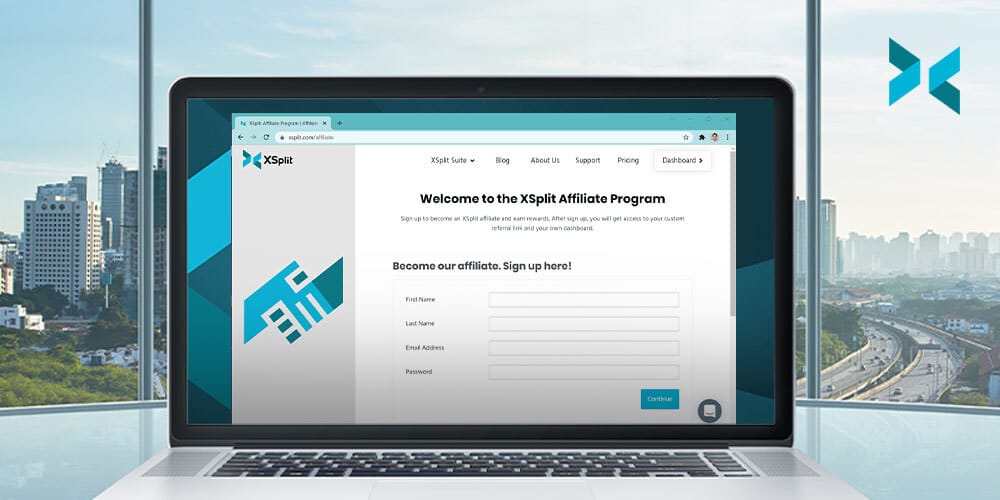
The opportunity to make referral sales were previously only available to Elites but we wanted to open this up to as many people as possible. With the XSplit Affiliate program, you don’t need a big following at all. All you need to do is sign up, login with your social accounts, and you’re good to go!

Inside the program, you can find your personal affiliate link that you can promote on your channels. You earn 10% of the amount for every sale made using your link. Tracking stats in real-time can also be easily done through a dashboard where you can find metrics such as clicks, commissions, and revenue over a specified period of time.

Join the program today at xspl.it/affiliate and start making money!