XSplit and Mad Catz partner for Evo 2015

XSplit and Mad Catz at EVO 2015

With thousands of fighting game players in attendance, EVO not only is the biggest fighting game tournament in the world, but also the biggest gathering of the fighting game community. Tons of side tournaments, grudge matches, gaming personalities, and game demos can be found at EVO. For EVO 2015, Mad Catz and XSplit are partnering to give you a glimpse into what can be found if you attended EVO 2015.

The XSplit team will broadcast a variety of side events from the Mad Catz booth at EVO 2015. Some highlights include the epic grudge match between Meltdown Luffy and Yubiken Super Santarouman in Ultra Street Fighter IV, Tekken 7 action, finals for the 3v3 Arc Revo Qualifiers, and much more! You can find the full schedule here. All the action will be broadcast on the Mad Catz Twitch channel, so make sure to follow the channel to know when it goes live.

Aside from watching all the action at the Mad Catz booth, make sure to follow both XSplit and Mad Catz on Facebook (/MadCatz and /XSplit) and Twitter (@MadCatz and @XSplit) for chances to win a variety of prizes.

What if I am at EVO 2015?

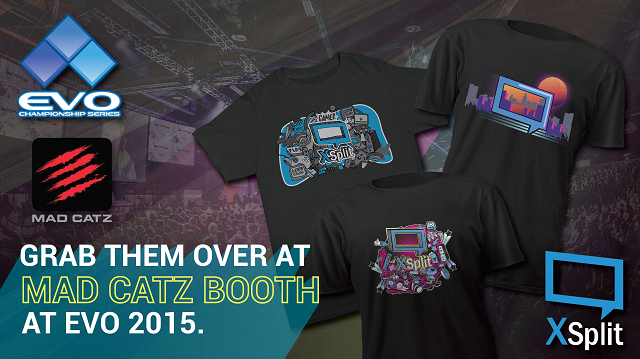
If you’re at EVO 2015, we’ve got you covered! Stop by the Mad Catz booth to get some free XSplit swag. Check out the image below to see what will be available in limited quantities!

grab free XSplit t-shirts at Mad Catz booth

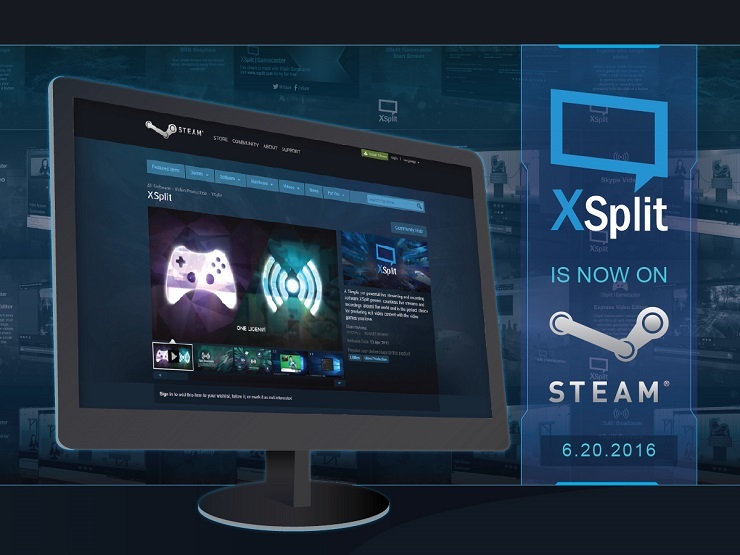
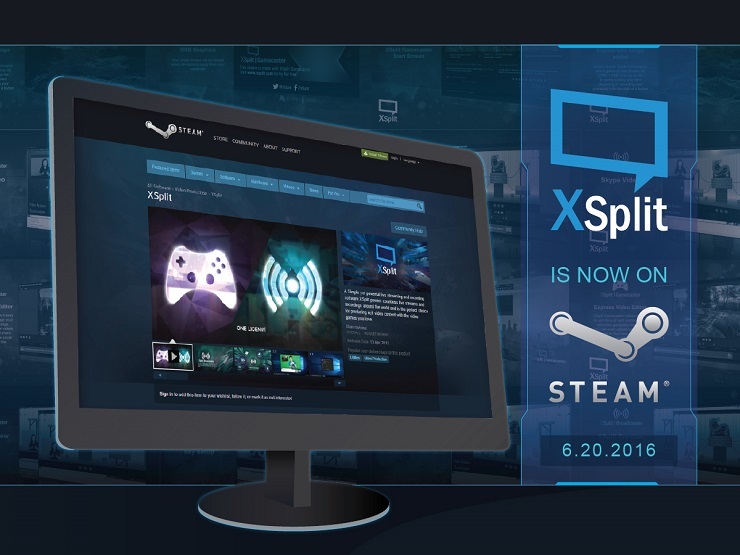
XSplit is now available on Steam

We are pleased to announce that XSplit have partnered with indie game publisher and chat lurkers Devolver Digital to bring XSplit Broadcaster and Gamecaster on Steam. XSplit free is available now on Steam for – well, free – and the fully featured XSplit Premium is available for $9.99 per month. Check it out here: store.steampowered.com/app/433800/

XSplit is Now on Steam

“We’re thrilled to be partnering up with Devolver Digital to bring XSplit to players on Steam” said John Howe Marshall, CMO for SplitmediaLabs “Getting started with live streaming right now couldn’t be easier, and we’re looking forward to ushering in a new wave of awesome content creators and help them shape the future of gameplay broadcasting.”

XSplit’s availability on Steam should be appealing to those who want to organize their things in one place and having your streaming software of choice accessible from the same place you access all your games is definitely convenient.

This launch on Steam goes hand in hand with the well-received XSplit 2.8 update that we pushed out at the beginning of the month. In case you haven’t updated to the latest version yet then make sure you update now either from our website/app, or through our XSplit Steam page.

Having this Steam version is also beneficial to those wanting to get a paid license but don’t have a credit card as Steam’s vast payment options can easily address the issue.

“There will never be a time in my life that I understand nerds watching other nerds play nerd games on the internet,” said Devolver Digital CFO Fork Parker. “That said, you should buy XSplit from me and then stream all sorts of nonsense and get them subs.”

We would like to take this chance and thank Fork Parker and Devolver Digital for making this happen. Make sure you guys check them out as well! Make sure to check out the full FAQ for our Steam release for more details.

XSplit is attending E3 2016

It is once again one of the most exciting times of the year for gaming, E3! Happening this June 14-16, XSplit will be in attendance for the second time in a row. Our very own @offcast will be coming to help with the production along with our lovely community managers @ugrgaming, @highgai and @burnoutfighter.

XSplit is going to E3

We will be once again presenting awesome Indie gaming content with Devolver Digital at their BBQ/Indie fiesta across the street from E3! There will be plenty of exciting content and activities, along with some timely announcements so make sure to stop by and get some XSplit swag as well. If you’re not attending, you can follow our updates through our Twitter, Instagram, and Facebook channels. Our main stage will feature Indie[dot]XSplit and Devolver Digital as we will have an E3 tailgate party showcasing various indie developers with interviews, first looks, and more!

Tune in to our live stream at twitch.tv/xsplit for exclusive indie game content from special guests as well as chat giveaways. We hope to see you all next week for the fun E3 activities and announcements. The road to E3 starts now!

XSplit Gamecaster v2.4 is Now Available

Our goal in this version just like with any other versions is to provide a stable and efficient product while ensuring that we’re attending to what the XSplit community wants based on their feedback. We feel that’s what we achieved with this version of XSplit Gamecaster which you can now get at xsplit.com/download

XSplit Gamecaster 2.4

We’re happy to say this version passed the compliance test for Windows 10 certification with anticipation of it’s public release on July 29th. We know a lot of you have been nagging us about Windows 10 compatibility so here it is. 🙂

This release is also prepared to support YouTube’s new gaming platform, which was unveiled last month at E3

Additionally we have also added support for Azubu’s brand new beta platform (dubbed Azubu 3.0) – allowing users to broadcast to Azubu with XSplit Gamecaster for the first time.

Finally we’ve made some minor revisions to our user interface to ensure that the overall flow of information is efficient. For a complete list of new features, fixes and improvements in this version, go to our release notes here.

XSplit Sponsors NorCal Regionals 2014

We are happy to announce that XSplit is sponsoring NorCal Regionals 2014. To those who do not know, NCR is a premier fighting game tournament that features the best players of the US fighting game community and is watched by thousands of gamers from around the world.

XSplit supports NorCal Regionals 2014

NCR 2014 is a 3-day event starting on April 18 up to April 20 2014. It will be taking place in Sacramento, California (see this map for full details). If you’re not able to attend in person, you can still enjoy watching it through the following channels:

XSplit License Giveaway

We will be running a daily competition from April 14-18 2014 and we will announce the lucky winners on April 22 at exactly 10 am PDT. To participate, just answer some tournament-related questions to be posted on our social media channels on each of the dates mentioned. That being said, make sure you’re following us on our Twitter, Facebook so you don’t miss out on the giveaway.

Interview With Sean “Day9” Plott Part 2

Welcome back to our second installment of our three part interview, if you haven’t already make sure to check out part one here. Today Sean provides us with a masterclass on how to build an audience, maintain a fanbase and overcome those initial obstacles every streamer and shoutcaster will face. 

Sean Day9 Plott

What do you guys think is the key for building and maintaining a dedicated fan base?

Sean: “Purely regularity (laughs) that’s probably going to be at least 100% of it. There is literally no way to have any relationship without regularity. I mean, it’s like marrying someone and then never talking to them again, it’s just not going to work out. You should probably see them lot. So I mean, for us the fact that not only do we have shows every single week, but there’s a clear schedule. It’s pretty much 7pm every day. Or on Friday it’s all day, and that regularity and that consistency is the biggest feat. There’s other things that go along with that, like the fact we have the calendar on the website for clarity we have a reference archives but the other thing that we feel is really critical is just talking to the fan base not as a fan base but as people.

When the show starts and I go live, there’s generally that ten to fifteen minutes where I’m doing general little setups like getting a cup of water and in those times I’ll just say “hey, how’s your day?” and if someone’s like “oh dude I have my final exams coming up!” then I’ll be like “what class? oh I was never any good at chemistry” and we just have an actual conversation with the community as oppose to being like “dude, you guys are the best, thanks for tuning in!” and that’s the only thing you ever say to them. We like to build those connections.”

When you first began streaming, what were your initial obstacles and how did you overcome them?

Sean: “So I know that this is a piece to talk about my use of XSplit, and this is going to sound like I’m trying to sell XSplit but it is true that the most horrendous, oh god, literally the worst thing in the universe was just the workflow. I mean I used to have to have like a fake video mixing. I used to literally, like layer eight different windows in the exact same space and I would alt-tab between them so it looked like I was switching between scenes because I didn’t have a scene switcher and we had to feed into Flash Media Live Encoder and there were all these problems with the codecs, and how those would talk to Sony Vegas and try to actually do that. I mean it was literally the biggest workflow mess. I would say that for every one hour show, there was two to three hours of work before hand and then another two to three hours work afterwards.”

Do you have any advice for those looking to start streaming in a professional capacity? For someone with a small production budget, what should they focus on?

Sean: “The number one thing is just to do it, and to fix it as you go. The biggest mistake that I think you can make as any creator in any medium, is trying to hold your product back and perfect it, so that way when you release it to the world, its amazing. That’s false, nothing works like that. Just get it out there. On my first show it was 4:3 I didn’t know how to do widescreen, I had a grainy camera with no lights. But I just talked, and that was really it but as time went on I started to get lights, I started to get a better computer; I started to try and fix it. So, I mean if you tune into Day 9 TV now, your going to see a pretty deliberate looking frame, your gonna see overlays and all that stuff and those are doodads, those are the extra ten percent. The first 90% of the difficulty is just making anything at all. Consistency, do it you just need a simple webcam a simple mic, you don’t actually need anything else.”

What do you feel has been one of the most challenging aspects of livestream production to master?

Sean: “On the production side of things, I think one of the most challenging things is that if something does go wrong, you do need to have some pretty sharp knowledge and it often doesn’t feel like you’re doing useful knowledge because your not using it everyday. Like for instance, if I lose out some key frames at the end of a broadcast, sometimes video programs won’t load it properly, so I have to cap the broadcast with a proper end slate so it can be read, and that happens maybe one out of every hundred shows, so I still know how to do it in case something goes wrong and there’s like fifty thousand things that you know “one will crop up here, and one will crop up there” and that wealth of knowledge only comes up from having a lot of experience and a huge amount of time. To of had screw ups and to spend an even trying to crack it and go “oh! that’s how you do it, I’ll have to remember that”.

On the hosting side of things, one of the most challenging things is to not get distracted and to really hold on strongly to your train of thought, because lets say your doing a show and you’re talking about a game and you look over at the chat and everyone’s typing “oh my god! oh no!” what do you do then? I see so many broadcasters go “oh wait, is something wrong? oh wait, you guys were talking to each other” ok nevermind, everything is ok, and doing that every now and again is inevitable because sometimes you just get trolls who screams down, or ,maybe there was a simple misunderstanding but I see people get distracted by that on almost every one of their broadcasts. Or lets say y’know, a light goes out and there just like little cats, they just stop and stare. Its so important to know exactly what you’re doing so that if a light goes off and you need to turn it back on, you just keep talking, turn it back on and sit down to make sure that through line is there, because any little disruption that you make is a very jolting and jarring experience. I mean hell 50% of the people that watch our show, watch it work, so they just want to have something nice to listen to in the background. So I’m not going to be like “is everything screwing up? oh no, everything is fine” because that just makes it not a pleasurable experience.”

Have you had any mentors in developing Day[9]TV?

Sean: “Definitely the biggest mentor was my mom. She’s very entrepreneurial. She’s very fearless in terms of just getting into stuff and she taught me a very important lesson that “as much as you might want to know the right way to do it or as much as you might want to ask the person for the template business or what are the ideas everyone else is doing” You actually don’t need to have any knowledge at all. You just think, huh how would I do that? And then you just march right on and do it. This is how we got into doing event planning. That we said “lets make an event! What would we need to make an event work? Well I guess food, and having bathrooms for people to use, having a show to show content. Let’s think of the logistics to prevent people wandering around and causing damage how do we make a schedule, how do we secure transportation ” – we didn’t really go online and Google “how do we plan an event” we certainly did some of that, but most of it was just like “this could be a cool way to do it, so lets just do it this way” or “hey we want to build a relationship with our community? here’s some ideas that are intuitive” – just do it. That was definitely the biggest experience.

Kevin Lin from Twitch.TV is always giving us great advice and great feedback, he’s awesome. Also the fact is, pretty much anyone we talk to, we have always tried to just get feedback from like the guys at Jinx. Like our relationship at Jinx we talk to them about how they would do merchandise, help us out. What do people think is cool. Having a talk to see how we can get things to MLG etc and ask them. People like Carmack or Sundance. Talking to all of these people and just not having any presumption like “oh I know best I don’t need anyone.”

So a big thing that Marcus “djWHEAT” Graham helped me with a lot is this notion of drowning out mistakes with good content. If you do a bad show, the wrong thing to do is to try to explain to everyone what were the circumstances that made it bad and then to apologize and promise to make it better, that’s just wrong. What you do is just do a better job next show, and just keep doing good shows. Everyone is going to have a good show, that’s ok you just want the quality of the average to be as high as possible and then its ok to completely bomb (laughs)”

Whats one piece of advice you were given that has helped your development as a producer and broadcaster?

Sean: “One piece of advice i got from my mother was to just ask questions that are really stupid and then once you realize it was a stupid question? don’t beat yourself up, just thank the other person more profusely. Take anything you don’t know and turn it into a puzzle”

Be sure to check-back this weekend for our final installment of our three part interview. Find out what Sean is currently obsessed with playing, his favorite live streams he likes to tune in for and whether StarCraft II is actually dead!

Using the Image Slideshow and Video Playlist Plugin

Update: This post is outdated. Please reference to this new post instead

In one of our more technical posts, we explained how you can add custom sources to your XSplit Broadcaster presentation using configurable SWF files. Obviously that article is targeted more towards developers and technical people. With that in mind, we decided to create this blog post too that will instead just explain how normal users can use the newly-created image slideshow and video playlist plugin.

To start things off, you need to first click on “Add SWF plugin…” under the File menu. This will open up the “SwfPlugins” folder, look for the file “ImageLoader.swf” for image slideshow and the file “VideoLoader.swf” for video playlist.  It will then add a blank element on your stage which you can easily configure by right clicking that source and clicking “Configure”. Another small window will open and you can now do what you want. Just don’t forget to press OK to save your changes. Here’s a screenshot of how the window look like:

XSplit Broadcaster Imageloader Configuration

Image Slideshow configuration window

xsplit video playlist configuration window

Video Playlist configuration window

“Slideshow Controls” for Image Slideshow and “Video Controls” for Video Playlist buttons works immediately upon click, affecting the current show as needed. But for the other controls just like the “Playlist Controls” buttons on the Video Playlist configuration window, the “OK” button will have to be clicked in order for the  playlist to be updated. Please note that the Video Playlist uses the FLVPlayback flash component and so only supports a limited number of file types.

That should be it. These two new sources should give you more options with your presentation. See it in action!

XSplit is Back for this year’s 8-Bit Salute

XSplit supports the upcoming 8-Bit Salute Military Appreciation Month event for May 2016. We will be providing FREE Premium licenses to qualified participants and also join the initiative by live streaming games ourselves during the event period.

What is 8-Bit Salute and why are we supporting it?

XSplit supports 8-Bit SaluteWe’ve been supporting Operation Supply Drop since 2014 because we believe in the importance of giving back to Veterans. We don’t want to just do it through donations — we want to raise awareness about the importance of supporting Veterans and more importantly how anyone can get involved with Operation Supply Drop to do just that.
8-Bit Salute is an annual charity event run by Operation Supply Drop, an organization founded in 2010 to aid active duty service members and veterans. They support veterans through three major programs: The Teams, Thank You Deployments and The Teams.  The most notable of the programs are “Supply Drops” which are video game care packages delivered to active duty Veterans deployed, in hospitals or on military installations around the world.  The best part is that OSD supports US, NATO and ANZAC veterans.

How is XSplit supporting 8-Bit Salute?

XSplit is supporting the 8-Bit Salute event two ways — first, we are providing participants with FREE XSplit Premium license codes so they can make the most out of their live streams, and second, we are joining the month-long event ourselves! For the XSplit license, there will be a free 1-month license for every qualified participant and a 3-month Premium license for those who can raise more than $100 in donations.

To spice things up a bit, we will host a contest during the event month where those who donate $25 or more to our team (Located Here) will be entered into a drawing for two XSplit Lifetime Premium licenses. The winners will be chosen and announced at the end of the event period.

As for participating ourselves, we are ready to rock and we would love for you to join our team here: https://www.tiltify.com/teams/xsplit-team.  As part of our team, you will get some love through our social media when you go live during the month of May. We will also post your schedule on our team page so everyone knows when to catch you up. 🙂

How can I get involved?

The easiest way is to Sign Up and Participate in the event. If you are a gamer, and you love to stream, then there’s simply no reason not to join this endeavor.

If you’re already participating or even organizing an event for #8BitSalute, then we want to hear more about it! Send us a tweet via @xsplit and we’ll be happy to have a look and promote your event. 🙂

Finally if you are part of our stream teams through Twitch and Hitbox, then we are counting on your involvement for this. You’re not only supporting us in our participation but you’re supporting a good cause.

What are you waiting for? Sign up now and get yourself ready! 🙂

XSplit at PAX East 2016

The second PAX event of 2016 is upon us and we’re once again heading up to exhibit at the event this coming April 22nd to 24th 2016. We are located at booth #9188 and we’re looking forward to catch up with you there.

Continuing on the tradition of showcasing Indie games, we have partnered with Devolver Digital and Indie Megabooth in providing you content for the entirety of the event. Here’s how the schedule looks like including the games that will be showcased during the event:

PAX East 2016 Friday Schedule

PAX East 2016 Saturday Schedule

PAX East 2016 Sunday Schedule

It’s going to be really exciting as we’re bringing in a lot of our staff to the event. We will have guys from the headquarters such as @DigitalAnomaly but we will also have the ever-so jolly @ChrisSlight and Victor Fontanez aka @TeamSpooky as our presenters for the event. Rounding up the line up will be our community managers @Sllayt3r and @highgai helping us out during the event.

Expect the same kind of fun and excitement, if not more, for this event. If you’ve been in any of our previous events then you know what we’re talking about. If not, then this is your chance to experience it. We have T-shirts, lanyards, wristbands, XSplit licenses & more on the booth so make sure to drop by and say hi! 🙂

For those not attending, you can watch the happenings at twitch.tv/xsplit. We will also be having some fun giveaways on social media during the event week so make sure to follow us on Twitter, Facebook and Instagram so you don’t miss it out.

See you there!

Text Sources Now Support BBcode

You can now use BBcode in your text sources. This includes adding images and changing text size and color and using css styles!

Here’s a table that shows you the supported tags, what they are used for, and examples on how to use them:

TAG PURPOSE CODE RESULT
[b] Makes text bold [b]Title[/b] Text Title Text
[color] Changes the color of the text You can use either a standard color name or a hexadecimal value. [color=red]Title[/color] Text Title Text
[color] [color=#FF0000]Title[/color] Text Title Text
[i] Makes text italic [i]Title[/i] Text Title Text
[img] Shows the image indicated [img]https://cdn4.xsplit.com/cms/XSplit-logo.svgz[/img]
[size] Changes the font size of the text. This uses pixels as its unit of measurement. [size=50]Title[/size] Text Title Text
[sub] Changes the text into subscript [sub]Title[/sub] Text Title Text
[sup] Changes the text into superscript [sup]Title[/sup] Text Title Text
[style] Used for detailed CSS styling [style=styleString]Title[/style] Text Title Text
You can also combine tags [size=50][color=red][b]Title[/b][/color][/size] Text Title Text

Technical Notes:

  • Since the Text source itself has its own styling, you may use any css style but it is not always guaranteed to be shown properly (this includes, but is not limited to: alignment styles and spacing styles)
  • When using the underlined or strikethrough Text CSS property, setting the color through BBcode is not reflected on the underline or strikethrough stroke (It follows outline color, which in css, is -webkit-text-stroke-color)
  • When used together with the fade effect, please use unusual characters in HTML, for example, “||” (double pipes, without the quotes) as your delimiter, so that you don’t split in-between the tags. Also, please do not place delimiters anywhere between an opening and a closing tag because doing so will only result in the BBcode being applied to the the first fade segment enclosed in the tag.
  • Text source settings such as outline thickness and alignment are computed based on the original font-size. These are some of its consequences:
  • Using the size tag with a relatively smaller value than the computed one and placing a line break, will make it seem that multiple line breaks are present, but it is actually only a single line break with the original font-size
  • Using the size tag with a relatively smaller value than the computed one and adjusting the alignment properties through the align buttons may show limited and unexpected changes.
  • BBcodes may also be used with custom scripts (such as Load Text from File).