How to Ace Your Virtual Job Interview

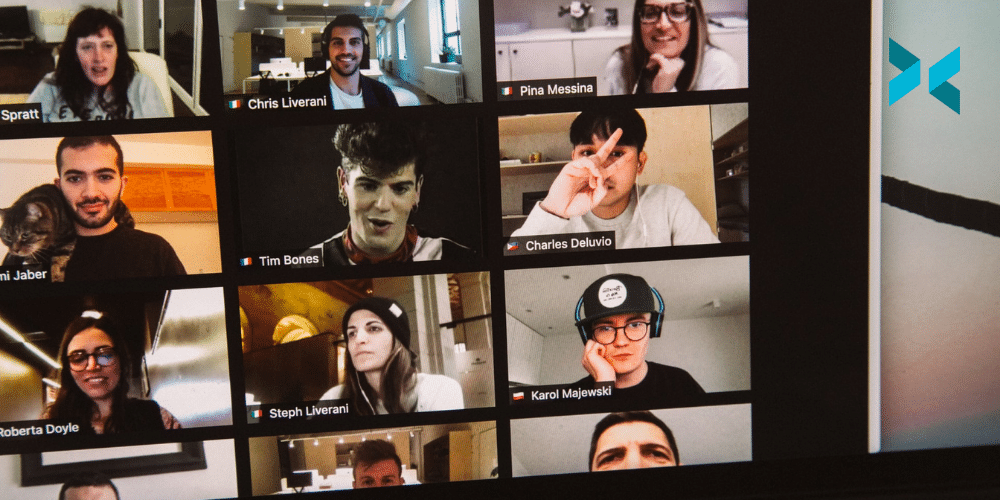
If you’re job hunting at the moment, you should be prepared for remote interviews. While there are some advantages to this – no worries about being late due to traffic – there are also risks, including technical problems or accidentally having a cat filter on. Here, we discuss some best practices for having a successful virtual job interview.

Prepare your space for a virtual job interview

While you don’t need to have a dedicated space for the virtual job interview, you do need to make sure that the space you are using shows off your best side and reflects your personality. This means finding, or creating, a spot that is clean and uncluttered. You can then “dress” the space to create a lasting impression. For instance, if you have a hobby that’s relevant to the position you’re interviewing for, you might discreetly place evidence of this in view. You could even go the extra mile and use XSplit VCam to create a background that relates to your work or interests. How about a virtual conference room to demonstrate your professional outlook, or producing your own bespoke image to showcase your creativity?

You also want to make sure the interviewer can see you clearly. Light yourself from the front to avoid displaying as a faceless silhouette. If you have pale or plain walls, you can soften their effect by lighting them with lamps rather than overhead lights. Try to use cool as opposed to warm lighting, as this will give a cleaner, brighter look.

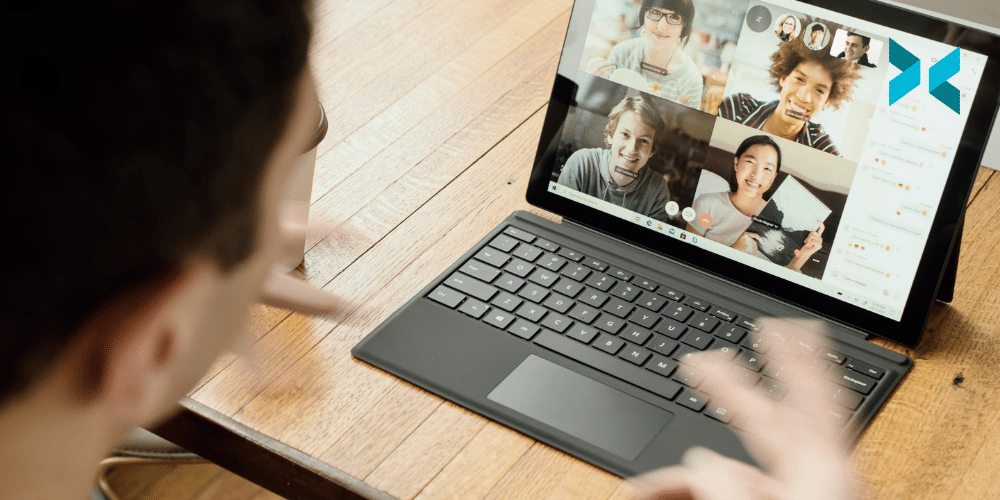
A person sat on their sofa at home using a laptop to take part in a virtual interview.
Photo by Surface on Unsplash

Prepare your technology

There’s nothing more annoying than lagging internet or getting cut off just as you’re making a brilliant point. You can minimize the risk of this by doing a speed test ahead of time and asking other people in the house to stay offline during your interview. If you have trouble with your WiFi, it can be worth plugging your device directly into the local area network via an ethernet cable.

High-quality audio is another key factor in having a successful virtual job interview. If your built-in microphone isn’t great, consider buying a separate one. It’s fine for this to be in the shot during the interview, but it’s a good idea to make sure it doesn’t obscure your face. Opting for a dynamic microphone will also help you filter out background noise.

When conducting a remote interview or using another communication platform for the first time. Try a test run first to make sure you know all the ins and outs of the app beforehand. You can practice using the features by doing some mock calls with a family member or a friend. XSplit Presenter is compatible with platforms including Microsoft Teams, Google Meet, and Skype. So, you can use it no matter which one your interview is being conducted on! Plus, you can record your test run and watch it back if you know your questions in advance!

Prepare yourself

Finally, you want to make sure that you are well-prepared for your virtual job interview, just as you would in person. You might want to consider using XSplit Presenter to walk your interviewer through your CV or show any examples of your work – these could be helpful prompts for your conversation, and you’ll be able to highlight your relevant experience in real-time.

Because elements of communication, like body language and tone, can be different when speaking remotely, rehearse for your interview to make sure you are using appropriate pacing and gestures. Research has shown that keeping an open posture and not crossing your arms makes it easier for people to connect with you.

When you speak, you should make eye contact with the interviewer, rather than at the picture-in-picture view of yourself or at your reflection on the screen. If you are using Presenter to appear on the screen while delivering a presentation, look at the material that you’re explaining rather than yourself.

Whether we like it or not, remote interviewing is likely here to stay. Be ready for this eventuality, with the right space, setup and preparation, and you will land that job!

The Best Work from Home Apps of 2021

We are living in an age of rapid developments in remote working as employers and employees alike are realising the many benefits of working remotely, at least part of the time. But that doesn’t mean there aren’t challenges as well, many of which have to do with technology. To help, we’ve taken a look at some of the best work from home apps to support teams in staying productive and efficient, even when working at a distance from one another.

Guaranteeing a slick presentation

Nothing will ruin a meeting or presentation faster than background noise. Handily, Krisp is on hand. This AI-powered noise-cancelling tech suppresses pesky ambient noises picked up by your microphone. It offers one-button operation and, since all audio processing takes place locally on your device, it also guarantees your privacy. Better yet, the basic app is available for free.

Of course, our own XSplit Presenter is one of the best tools out there for making your delivery super polished when you have to present online. Use it to insert your webcam into a presentation, add in a virtual pointer to quickly draw focus. Even annotate your presentation in real-time if a colleague thinks of something brilliant to include mid-meeting. You’ll also find it makes it hassle-free to import from Microsoft Powerpoint or Google Slides, add videos, websites, connect to other platforms as you present and even bring in guests!

Those who take privacy seriously will also be glad to know XSplit VCam allows you to remove, replace and blur your background with any webcam, and without the need for expensive green screens and complicated lighting setups. This alone makes it, in our opinion, one of the best work from home apps!

The best work from home apps for you and your team.

As collaboration tools become more common, so do apps designed to manage those collaboration tools. One of the most talked about is Figma, an interface design system for team-based creative projects. Already a staple in design-related industries, the company’s FigJam app is an online whiteboard. This makes it easy for teams to creatively brainstorm together, so you can enjoy all the benefits of close collaboration from afar.

If you’re also finding it difficult to manage projects in synchronous chat platforms like Slack and Microsoft Teams can help. If you’re looking for an all-in-one project management tool, ClickUp that lets you keep everything in one place. Import your work from other productivity apps, organise it however you want, and create your own view. ClickUp allows you to manage docs, spreadsheets, time tracking, and more. It also offers an excellent free plan.

A person sat at their desk at home working on a laptop with a notebook, glasses and a phone on a desk looking for the best work from home apps.
Photo by Corinne Kutz on Unsplash

Balancing me time vs team time

If you’re struggling to get a real sense of exactly how you’re using your time while working remotely, you might consider Rescue Time, perhaps one of the best productivity apps available. It’s an automated tracker that monitors the time you spend on apps, internet sites, and even individual files. It then generates detailed reports about exactly where your time’s going to help you understand and manage your performance. What’s more, you can even track offline time to create a complete picture of your day and a free version is available.

While working from home is great for productivity, there’s no getting around the fact that it’s just not the same as seeing each other face to face, especially when it comes to connecting with colleagues on a personal level. If you’re a team manager looking for ways to help your remote team connect, consider Donut. It works in Slack and allows you to create virtual water cooler meetings, CEO coffee lotteries, peer learning events, DEI discussions, and more.

As remote working evolves, new tools and apps will continue to appear, aiming to improve your remote working experience and performance and keep your team productive and efficient. Staying current will help you choose the best tools for your particular needs!

Content Creation Strategies for Brands to Build Audiences

There are many different ways to build a brand identity. Content creation for brands is an excellent method for generating visibility and interest, as well as finding new audiences. You can build a greater connection with your customers by making content that shows who you are, what you represent, and what your goals are. So, what are some of the best strategies to use for content creation?

Use content creation to tell a story

A well-presented brand story is a very effective marketing tool. Storytelling helps people to learn new information because narratives are easy to remember. Research shows that neural activity increases when listening to a story, as the brain’s sensory cortex is stimulated. This enables the listener to feel, hear, taste, and even smell the story – and you can harness this for your brand.

A compelling and authentic narrative can build connections, loyalty, and interest. For example, for its 2016 ‘Live There‘ campaign, Airbnb developed content that told the stories of its customers rather than its business, to create the idea that Airbnb was not just about property rental, but about its global community. Their storytelling encouraged potential customers to see themselves as part of this community. 

Framing your story in an original way can help to differentiate your brand. Take software company Zendesk, which created an “anti-content” video featuring a fictional rock band called Zendesk Alternative. By poking fun at themselves, Zendesk seemed more relatable, and in turn, this humorous angle made the content very sharable. Content creation for brands will allow you to show your target audience that you share their values.

A person using a laptop to make a podcast, something that could be great content creation for brands.
Photo by Soundtrap on Unsplash

Stand out from the crowd

While stories provide a way to relay facts using an entertaining narrative, there are a lot of stories out there – hundreds of millions of Twitter, Facebook, and Instagram posts are published daily. That’s a lot of content.

In order to differentiate yourself, you could consider creating branded content that stands out from regular social media posts. You could start by using XSplit Broadcaster to create compelling videos, podcasts, and live-streaming events. This software lets you create rich content, broadcasting it as it happens with handy features like professional scene switching and multiple audio tracks. You can emphasize community development by creating content around your customers and their needs. For example, if you are a travel company, you could post video journals from the point of view of your holidaying customers.

Or, you could consider incorporating augmented reality features into your content marketing. These could be simple – AMC Theatres allows users of their app to scan movie posters to receive information like cast lists and trailers; or more complex – Sephora created an AR experience that lets customers virtually “try on” their makeup products. Anything that builds a connection between you your customers will help grow your brand.

Someone sat at a desk with a laptop in front of them, pouring coffee and thinking about content creation for brands.

Use content creation to define your values

It is no longer enough to have a great product – consumers also want brands to reflect their own values and identity. Developing content that reflects your values will help you to keep customers engaged and excited about your brand. Your content, and the channels you use to push that content, should align with the interests and concerns of your target audience.

This may mean going where your customers are and publishing content where they will be most likely to see it. It also means being realistic with what you produce – anything that looks too idealized and “perfect” will come across as inauthentic. You could consider including imperfections in your content, such as pairing untouched photos with humorous copy, to demonstrate that your brand is genuine or that it doesn’t take itself too seriously.

You can also use content to engage in conversations with your customers by sharing news, seeking feedback, asking questions, and demonstrating that you are listening by answering.
From telling your unique brand story to defining your values to differentiating yourself from the crowd, you can grow your customer base by creating unique videos, podcasts and live streams.

How to Use Color Effectively in Your Presentations

Colors have an impact on the way we see and interpret visual information. They can influence emotion, set the mood, build structure and emphasize certain elements. This means that choosing the right colors can make your presentation stand out and control how it’s received. So, what are some critical tips for using color theory in your presentations?

Using color theory in your presentations

Colors are often associated with emotions. Warm colors, like reds, oranges, and yellows can be used to communicate energy, excitement, optimism, and enthusiasm. In contrast, cool colors such as blues, greens, and violets lend feelings of professionalism, dependability, and elegance. 

Whether you’re designing PowerPoint slides, printed material, or infographics, using color theory for presentations will help you add depth and meaning. In XSplit Presenter, you can set the color of your slides and backgrounds to suit the mood and tone of your content. Why not subtly personalize your presentation? Choosing colors that align with either the brand identity of your company or of the client that you’re presenting to can really help!

You can make your material ‘pop’ by deploying complementary colors. The two colors that sit opposite each other on a color wheel, such as red and green or orange and blue. Using both complementary colors on a slide, for example, using one for the background and one for the text provides maximum contrast and achieves a high impact as a result.

It’s worth knowing that pure hues (color without any white or black pigment added) all have the same intensity and value (lightness or darkness). Sticking within that group will give a flat and unimpressive look. To avoid this and add interest, you should vary the tones, shades, and tints of the colors you use.

A yellow slide with black text being show to a large room of people. Even for simple slides, like this yellow background, makes a big difference for how people feel viewing it for color theory in presentations!
Photo by Charles Deluvio on Unsplash

Keep it simple

One key rule in the use of color theory for presentations is to keep colors simple and balanced. Choose a palette of no more than three colors (black and white don’t count as colors for this purpose). Create a simple but eye-catching color scheme by choosing two tones, shades, or tints of one color. Then selecting a third accent color which is at least three spaces away on the color wheel.

Another rule for balancing the proportions of colors in presentation and design is called the 60-30-10 rule. According to this rule, once you have chosen your three colors, you should use the primary color for 60% of the space on the slides. The secondary color for 30% of the space, and the accent color for 10% of the space.

Use a consistent palette throughout your entire presentation, so that the same colors appear on every slide. This builds a color association with your audience and helps them to remember your presentation or brand. Using your company color palette serves much the same purpose. What’s more, consistent color-coding on headers and data can also make it easier for you to organize your presentation.

Color theory for presentations could include these sorts of colors on a color swatch, seen on the ground.
Photo by Taylor Heery on Unsplash

Use color to build structure

You can also use color theory to give a clear structure to your presentations. For example, using shapes or negative space can help control the flow of visual information by highlighting the different sections of a slide.

We’ve all been subjected to presentations that consist of just a few text-crammed slides. Instead, build interest and keep the attention of your audience by spreading your content out into smaller chunks of information. You can then spread this out over more slides. Then, vary the arrangement of the colors you use to make each piece of content stand out.

You can also impose structure by using the same colors for headings and subheadings on every slide. This can help your audience to find the information they need at a glance.

By playing around with colors, you can draw your audience’s attention in the direction that you want. Ensure that your presentation flows naturally, and make your presentation, and possibly your brand, more memorable to your audience! This is something we have discussed on this blog in more detail talking about how better online presentations can help you stand out!

Remote Team Motivation: How to help your team stay on track!

With so many businesses moving to remote work, some managers are finding that they need a whole new set of skills to help with remote team motivation and connectivity. Here, we take a look at several strategies you can use to keep the spark of teamwork alive from a distance.

Increase communication

Research shows that promoting casual conversation and regular breaks in the workplace can boost productivity and teamwork. It may also present the opportunity for casual brainstorming. Create some virtual water cooler moments by setting up a chat room in Slack dedicated to, well, chat. And, instead of just setting it up and leaving it, jump in occasionally with ice breakers and suggestions of topics for discussion.

Schedule a time for co-workers to ‘hang out’ by hosting a mini-conference that focuses on your colleagues’ personal interests. Invite employees to demonstrate their hobbies or skills or give a short talk on a favorite subject.

Another good idea for remote team motivation is to have lunch together. Once a week, schedule a video call, where people can catch up while they eat. You could also randomly pair people up for lunch in breakout rooms or using a purpose-built app like Donut, which invites participants into a custom Slack channel. Even better, send each team member a voucher so they can have lunch delivered while they chat.

Someone sat, side on, using their laptop on their kitchen table, working from home requires some remote team motivation.
Photo by Christin Hume on Unsplash

Inspire collaboration and learning

Working from home can be tedious, with no one to bounce ideas off, learn from, or brainstorm with. Keep your remote team motivated by offering them the chance to improve or gain new skills. This could involve various online courses or skills development workshops, or providing vouchers for sites such as Skillshare to learn a new skill or brush up on an old one.

Clear communication is essential for remote collaboration. Make sure your team has all they need to connect with each other in a variety of ways. This could include the use of tools, such as XSplit Capture, which allows team members to record their screen as a video with a voiceover and instantly share it as a link, or TinyPulse, which lets you collect continuous employee feedback and run surveys.

A person sits on a sofa, talking on their laptop to a colleague from home, remote team motivation is important to keep everyone happy and productive!
Photo by Surface on Unsplash

Encourage self-reliance

Remote work situations can make some managers feel the need to constantly check in with everyone. However, it is important that you give your team the space to make their own decisions. Of course, you need to define responsibilities, expectations, and deadlines, but you will win the respect of your team by demonstrating that you trust them to produce the work instead of focusing too much on many of the minor details surrounding delivery. This can go a long way to help with remote team motivation

Instead of long meetings, consider a remote daily stand-up meeting – a quick 15 minutes where team members can share what they are planning to accomplish that day, what they need to complete, and what hurdles they think may crop up. Inject fun by adding a 2-minute dance party, house tour, or pet parade.

Using the right collaboration tools, like Jira, Asana, or Slack can help you effectively track your team’s progress. Use naming systems, documentation, tagging, and workflow, to keep a handle on who’s working on what, who had it last, who’s getting it next, and when it’s done.

Remote work, at some level, is likely here to stay but that does not mean that adjustments may not be needed along the way. Above all, make sure that you keep the lines of communication open with your team and remain flexible at all times and you’ll be sure to help with remote team motivation. You can find out more about apps for better remote management here.

The Future of Work: Advantages of a Hybrid Office

With the pandemic changing the way we work, businesses are beginning to think about how they will operate in the future. Instead of choosing to simply bring everyone back to the workplace, many are considering permanently switching to a hybrid office, where employees work part of the time remotely and the remainder in-office. In this blog, we will take a closer look at some features of the hybrid working model and highlight some of the benefits it can offer to both employers and employees.

Emphasis on productivity and flexibility

Instead of measuring performance based on whether everyone is at their desk and looking busy, a hybrid model allows you to focus instead on whether the work is actually getting done on time and to a high standard. This emphasis on performance can actually help managers to focus more on the outcome, by giving them more time to support teams with the resources they need.

For employees, the reduction in time wasted on lengthy commutes and interruptions means a less stressful workday, more focus on work, and improved productivity.

One key to this is using project management and scheduling tools such as Asana and Slack to organize workflows between and among hybrid working teams, along with presentation tools like XSplit Presenter in order to better communicate information remotely. These tools can manage projects, improve presentations so they’re engaging, organize staff schedules and meetings, and even facilitate more casual ‘watercooler’ conversations.

There is no single model of hybrid working. The version you chose will depend on your employees, the nature of your business, and the working situation. The at-will model, which allows employees to choose the work arrangement that suits them best, may not be practical for every office.

Instead, a model where employees split the week between working from home and working in-person, or alternate one week at home and one week in-person, may work better. The benefit of moving to a hybrid office is that it offers flexibility to both employees and employers, and a chance to create a workable solution tailored for each individual company.

A man working from home, sat on his bed cross legged with headphones on using his laptop as part of a hybrid office.
Photo by Garett Mizunaka on Unsplash

Lower costs

A number of businesses have realized that fewer people in the office at any one time means smaller offices – and lower costs. In fact, one recent report by Global Workplace Analytics found that “employers could collectively save over $500B a year — roughly equal to the GDP of Sweden, Belgium, or Poland— or almost $11k for each employee who works at home half of the time.”

The savings don’t stop at rental costs – fewer people in the office also means lower energy costs, and less spent on office supplies, while employees will save on their commuting costs and food (and coffee) expenses.

Many businesses will need to invest some money in new technology and software, but the savings gained from reduced overheads will far outweigh this expenditure. A hybrid office could also make businesses more agile and adaptable by allowing them to reorganize employee work patterns and work in tandem with these to their advantage.

A healthier, happier workforce

Being able to choose how to work and when to come into the office, could also improve employees’ wellbeing. It is easier for employees to take breaks to exercise or simply get some fresh air if they don’t have to worry about being seen as taking an undeserved break – or coming back from a run dripping in sweat.

Less exposure to ill co-workers, environmental and occupational hazards, and the ability to work while recovering from illness or surgery all help reduce both stress and absenteeism in a hybrid office. And reduced absenteeism and turnover eventually translate into a healthier bottom line for the company.

Hybrid work also sends the message that the employer cares about their employees and prioritizes their wellbeing. Hybrid work can also benefit employees by allowing them to live outside major cities or in cheaper areas – reducing stress associated with the high cost of living.

A person sat at their desk at home working on a report in as part of a hybrid office.
Photo by Surface on Unsplash

Access talent from anywhere

Hybrid working is a way for businesses to hire the best people for the job – no matter where in the world they are. Hiring an employee who lives 1,000 miles away is no longer a barrier to effective working. This means that companies can have access to the best talent without the requirement to pay for costly VISAs or relocation costs. On top of this, potential employees need no longer be put off by the prospect of having to relocate for a job.

A hybrid office also allows companies to be more flexible about hiring part-time workers or those with commitments at home who might not otherwise think to apply. This could be a particular boon for people with children, who no longer have to contemplate choosing between work and spending time with their family. Such a model gives people more options which in turn maximizes their potential for productivity.

Reducing turnover

Every time a company hires a new employee, there is a cost of anywhere from 10 to 200 percent of the salary involved in finding someone, interviewing, onboarding, and training them. High turnover rates can have a huge effect on the bottom line, as well as on employee morale, productivity, and team dynamics. High turnover can also impact customer confidence and lead to delays.

A hybrid model creates flexibility, which can reduce turnover at a low cost to the company. The Global Workplace report cited above also found that flexibility was so important to employees that, “a third [of employees] would take a pay cut of up to 5 percent for the opportunity [to work from home] and nearly a quarter say they would forego over 10 percent of salary.” Money talks and that alone is a pretty compelling reason for companies to consider switching to such a working model in the future.

Working remotely full-time may not be right for every business or every employee, but there is strong evidence that a hybrid office model offers more benefits than drawbacks. The future, it seems, is hybrid.

How To Combat Zoom Fatigue For Your Remote Team

Many people find video calls much more draining than in-person meetings. This may be partly because they force us to focus more intently on conversations in order to absorb information, while at the same time making it easier than ever to lose focus. The good news is that there are some different ways to help combat Zoom fatigue in your team and we’re here to talk you through them.

Reduce onscreen stimuli

It can be pretty exhausting having to constantly stare at lots of faces all at the same time. If you’re on a call with five people, it can feel like you’re in five different rooms at once. This makes it difficult for many to maintain focus and process information.

To combat mental fatigue, encourage your team to use plain backgrounds during meetings, or agree as a group to have everyone who is not talking turn off their video. Blurring the background can also help, by making it easier to focus on the people, rather than trying to see what books they have on their shelves. If you opt for blurring, check out XSplit VCam which makes it easy to not only blur but also remove and replace your background.

A person sat in a cafe having a coffee whiule working at the same time, multitaking can contribute to zoom fatigue.
Photo by Jonas Leupe on Unsplash

Avoid multitasking

While, in theory, an online meeting should make it easier to multitask, the reality is that trying to do several things at once cuts into performance. In fact, research has shown that switching between tasks has strong negative effects on both productivity and memory.

To combat this, encourage your team to maintain focus on the meeting alone by making it an inbox and phone-free zone. Draw in your team’s attention by starting off with a fun activity, such as a mini-quiz. This will help everyone to relax before focusing on the meeting which will ultimately lead to greater collaboration and productivity.

Making your meetings more engaging and informative can really save a lot of time, something XSplit Presenter can help with. Letting you add yourself into your slides so people don’t have to stare at the cold “screen-share” can mix up what the call feels like for the viewer. Also, adding real-time annotations and pointers so you can immediately address questions all save time and more importantly extra meetings!

Establish ‘No online meeting’ zones

One easy way to reduce Zoom fatigue is to simply reduce the volume of Zoom meetings. Switch to email and chat platforms like Slack or Twist, or use Cloud collaboration tools like those in Google’s Workspace or Basecamp, that let teams work collaboratively on the same document simultaneously. Or, just pick up the phone. If possible, designate times or days when there will be no online meetings.

Let’s face it, sometimes it just doesn’t require a meeting and a quick email can communicate all you need. When meetings are essential, however, you can use a calendar assistant like Clockwise, which will automatically optimize your schedule, as well as your team’s, so that you can choose no-meeting blocks that work for everyone.

Alternatively, set aside a portion of the day just for meetings, and mandate the rest of the day as an online meeting-free zone. This way, you can check in for regular meetings, but also make sure that your team has a block of time free for concentrating on their work. This can also help prevent yourself and your team from burning out on any one task.

Someone with their back to the camera in a zoom call trying to combat zoom fatigue.
Photo by LinkedIn Sales Solutions on Unsplash

The stand-up call

You have likely heard of stand-up meetings, where the entire meeting is conducted while standing in order to force everyone to keep it short. You can organize stand-up online meetings with the same goal. Doing this has the added bonus of giving the team the opportunity to get the blood flowing for a few minutes which they are likely to welcome.

To help keep it short, you could send out an asynchronous video of the key points ahead of time, for the team to review. This allows you to spend the meeting focusing on questions and sharing ideas, rather than on getting everyone up to speed.

With many people continuing to work from home, the feelings of anxiety and stress arising from videoconferencing are expected to grow. If you want your team working at its peak, it is a good idea to implement some measures now to combat Zoom fatigue.

Best Video Conferencing Apps for Work and Family

Today, video conferencing is a fact of life – whether we are using it to work from home, attend school or keep in touch with family and friends. And its popularity will likely continue with the increasing numbers of remote jobs and home workers. So, what are the best video conference apps? The answer depends on what you will be using it for, so we’ve covered as many options as we can in this blog.

A person, viewed from behind, is on a video conferencing app talking to another person on a laptop that is on their kitchen table.
Photo by LinkedIn Sales Solutions on Unsplash

Best for freelancers and small businesses

In the last year, Zoom has become almost ubiquitous with the term video conference apps, thanks to its fairly generous free plan (Zoom basic), dependability, and ease of use. The free version allows you to hold unlimited meetings for up to 100 people and offers streaming, screen sharing, session recording, and breakout rooms, among other features.

Its biggest downside (although some would argue this is also a positive) is the 40-minute limit on any meeting with three or more attendees. However, there are paid plans for companies that require longer meetings, live tech support, cloud storage, company branding, or having more than one person schedule meetings.

Microsoft Teams is another good choice for online meetings, and its full integration with Office 365 and dedicated conversation channels makes it very flexible for work teams.

A person is sat in a cafe at a desk with a whiteboard in front of them, looking at a video conference app on their laptop, which is on a desk with someone on a call with them.
Photo by LinkedIn Sales Solutions on Unsplash

Best for family and friends

When meeting up with family and friends, the emphasis is usually on ease of use rather than business-friendly features. Google Hangouts is great for this, and while the free version only allows online meetings of up to 10 people, it requires just a few clicks to set up a meeting and can be used either in a web browser or via the app.

If you want to spice up your get-togethers with more features, the free Jitsi Meet is a good video conference app choice. It requires no setup or account and boasts extras like in-meeting YouTube video playback and live-streaming. It even allows tech-minded users to download the source code and set up their own server.

Skype Meet Now is a popular choice for those who are already familiar with Skype. Its free tier offers video conferencing for up to 50 people, screen sharing options, and the ability to automatically blur backgrounds as well as adding live subtitles.

A person lays on a bed looking at their laptop which is displaying a web conference app with multiple people displayed on the screen.
Photo by Surface on Unsplash

Best for larger businesses

Provided as part of Google Workspace (formerly G Suite), Google Hangouts’ premium brother, Google Meet, is geared more towards business. The free offering has a 100 person, 60-minute limit, with paid plans which offer the ability to host meetings for up to 250 people and 100,000 live-stream viewers, a large amount for a video conference app.

For those who need a more serious video conferencing tool, GoToMeeting has paid plans that will support up to 3,000 guests, and include automatic transcription, unlimited cloud recording, whiteboard capabilities, and 24/7 phone support. Hosts can even hand over control to another participant.

Another option is Bluejeans, a high-end video conferencing service that is both easy to use and to adapt to your needs. Hosts can create up to 20 breakout sessions and annotate the screen like a whiteboard. The service also supports directional audio for Dolby Sound-enabled rooms.

Cisco Webex Meetings, on the other hand, has a professional feel and allows free video meetings with up to 100 people, including private chat rooms. Paid plans offer the ability to make and store MP4 recordings of your meetings, customizable layouts, and a number of AI-powered features, such as a voice-activated digital assistant to automate common meeting tasks, real-time transcription, and closed-captioning.

Whether you’re organizing a D&D session for 10, a family birthday party, an online lesson, or a business conference for 1,000 participants – there’s a video conferencing service out there that will suit your needs. Find out how you can also add XSplit VCam to some of these apps easily here to remove, replace or just blur your webcam background! Something that’s vital for privacy but also great to add a bit of fun to a family call!

Choosing a Streaming Platform That’s Right for You!

Making a decision about the best places to stream games can be overwhelming. There are a huge number of streaming platforms, with their own unique strengths and weaknesses. While the best way to find a platform that suits is to try them out, it helps if the choices can be narrowed down a bit first. So, let’s get narrowing.

A mobile phone on a desk displaying the Twitch app, is that the best place to stream games? Let's find out!
Photo by Caspar Camille Rubin on Unsplash

Going for community

While almost everyone on these sites is a gaming fan, different platforms can have a different feel to them. For example, major streaming site Twitch is probably the service most people associate with game streaming, but there are a lot of options.

The Twitch community has created a host of unique live streaming events, including Twitch Plays Pokémon – a crowdsourced Pokémon video game using commands sent by users through the channel’s chat room; and last year’s nostalgic Bob Ross marathon.

Amazon-owned Twitch is widely considered one of the best places to stream games, where you can watch your favorite gamers stream their games, and interact with them on a real-time basis. The site also contains a lot of different gaming communities that have regular viewers, making it a good place to build friendships with people from all over the world.

A gaming PC setup with a microphone and lighting ready to find out what the best place to stream games is.
Photo by Jack B on Unsplash

Follow the money?

In addition to Twitch, two other big streaming sites are YouTube Gaming and Facebook Gaming, which last year merged with Microsoft streaming site Mixer and sees these companies making an even bigger play to be one of the best places to stream games.

Facebook requires a high level of followers (10,000) before you can start monetizing. And that has to be as a single page, not a profile, which is a harder barrier to reach. Compare this with just 50 followers needed to start monetizing on Twitch.

With YouTube Gaming, you can live stream directly using the same software that you use for Twitch. However, while YouTube is often considered nearly as good as Twitch, its main focus is not purely on gaming. However, it is worth noting that a lot of the largest creators on YouTube do have a gaming element to their content. Do remember that monetizing on YouTube also requires a lot of followers.

That said, YouTube Gaming is both simple and easy to use, and it also provides excellent quality and features that make transcoding easier. One suggestion for those who want to monetize is to stream to Twitch, and then post highlights of your streams to YouTube or Facebook. It’s also worth noting that both of these sites are investing heavily in becoming the best places to stream games so these monetization goalposts are always going to be changing!

Someone stood at a PC with headphones on playing a game wondering what the best place to stream games is.
Photo by Fredrick Tendong on Unsplash

Even more options

Popular with Asian users is Bigo Live, which is offered in around 150 countries worldwide. The site uses Artificial Intelligence and Augmented Reality to help deliver its streaming services. Bigo supports live game streaming but also features a wide number of other options such as fan events.

Those who are more interested in shooting videos with their smartphones could consider Instagram Live. Instagram Live has become more and more popular but is currently only available via the smartphone app unless you happen to read this article from us that runs down how to stream from your PC to Instagram which could make it one of the best places to stream games if you have a large audience there or are looking to build one.

There is also Caffeine.tv, which offers decreased lag times and the ability to host your own sports broadcast, as well as a unique monetization pathway that involves asking viewers to purchase digital items for your stream. These innovations, however, as with many places, are becoming more common elsewhere as time goes on.

GosuGamers is another up-and-coming game streaming site. It is very popular with the esports scene and boasts a wide range of games. At the moment, monetization is mostly limited to winning tournaments and challenges though – so this site is worth considering if you are really into competitive esports.

If you’re hoping to stream your gaming, there are now a huge number of places to do this. But the great news is that XSplit Broadcaster works with all of them – making it easy to try out any number of sites to find the best game streaming platform for you!

Online Presentations: Top Tips to help you Succeed!

Online presentations have, quite simply, never been more important than they are today. With remote work now the new normal for most of us, making a good impression on screen should be a priority. Whether you’re presenting to colleagues at work, or to a prospective client, it’s important that you have the best and most flexible setup and tools available. Here at XSplit, we can help you out with some useful advice and amazing tool recommendations. Read on to learn more!

A person sits at their laptop, surronded by notebooks as they themselves make notes in preparation for an online presentation.
Photo by Windows on Unsplash

Preparation is key

The right preparation can help you to create a better remote presentation. Before you start, make sure that the lighting will leave you looking your best, or at least visible. Ensure that you have a good front light, so it shines brightly on your face. If the room you are using doesn’t have enough natural light, you could consider purchasing supplemental lighting to enhance your image.

Try to use a background that enhances your professional image and is aligned with your message. This will mean avoiding clutter and distracting images. Using a presentation platform that allows you to blur the background or, even better, inserting a virtual background with XSplit VCam, can be a big asset in creating the perfect look and feel for any presentation.

A remote presentation is a type of performance, and the best way to a smooth online performance is to know your technology. It’s a good idea to have a dry run, including a soundcheck, to get comfortable with the platform features, and to have a co-host or moderator to assist you with the technology during the presentation.

If possible, plug your computer directly into your router using an Ethernet cable. This will give you the best shot at a stable internet connection. Remember that a weak or unstable internet signal can ruin even the best presentation.

An above view of a desk, someone is using their laptop with notes next to them and a cup of tea as they give their online presentation.
Photo by Daniel Thomas on Unsplash

And … action! What to do in front of the camera

Just as it’s important to make eye contact with an audience when presenting live, you should look directly into the camera when presenting remotely. One trick is to place the camera at eye level – this helps to avoid the dreaded double-chin appearance from a camera that is positioned too low, or constantly looking up at people if it is positioned too high.

Ideally, the camera should frame your face, neck, and shoulders. Practice your positioning to find the sweet spot between being too far away, so you appear far off in the distance, and being too close, so that you are just a giant, disembodied head.

Standing up can add a sense of animation and energy to your presentation. If you are sitting, you can add some energy by leaning forward, as if you were a TV news anchor. Leaning back and slouching gives the impression that you are disconnected from the audience.

Remember that the best way to keep people engaged virtually is to be engaging. Research shows that happy and engaged people retain information better than bored people, so model the energy that you want to create. One trick to doing this is to smile. This can help you sound, as well as look, more engaged.

A side shot of a person at a desk with their notes and phone next to their laptop as they give an online presentation.
Photo by Headway on Unsplash

Adding visual appeal

Researchers have found that people remember much more of what they see than what they hear. This means that creating a visually interesting online presentation could be the key to engaging your audience. Consider incorporating polls, videos, raised hand features, etc. Try not to speak for more than a few minutes without some sort of audience engagement.

The flip side to this is that audience comments and chats can be distracting, particularly if you try to read them while speaking. Instead, have the co-host or assistant monitor this for you. Another option is to engage directly with the chats by acknowledging them, reading them out loud, and then commenting on them, a bit like a radio show.

One benefit of remote presenting is that you can dispense with the slides and use more engaging visuals – incorporating videos and using elements like virtual pointers, and scrolling infographics. Or present information as a design feature, giving your presentation a more cinematic feel. Incorporating a ‘guest’ speaker also adds interest and can generate a sense of excitement.

To accomplish this, and make your presentations really pop, you can use a tool like XSplit Presenter! Find out how in the next section.

A person working at their fashion business easily giving an online presentation with XSplit Presenter.
Photo by LinkedIn Sales Solutions on Unsplash

An app that can do it all – and more!

The new XSplit Presenter can help you create exciting and engaging presentations with its wide range of features. Add the personal touch by becoming part of the presentation. It uses AI technology to allow you to remove your background without a green screen and integrate yourself into your presentations. Instead of a talking head – your audience will see your online presentation, with you standing at the side, narrating. XSplit Presenter also allows you to annotate your presentation in real-time, and add a virtual pointer to make rapid annotations and draw viewers’ attention to a particular point.

If something comes up during Q&A that needs you to share a window or application on your computer, you can share just that window with a few clicks – and avoid showing the audience everything on your desktop. XSplit Presenter also makes it easy to add remote guests or co-hosts into your presentation with both their webcam and microphone, whether it’s an expert to talk on a specific subject matter or someone different. It will also allow conference call guests to hear and listen to the media you play.

As for visuals, XSplit Presenter allows you to add scene transitions and to add your webcam and other overlay elements. Particularly useful are features that support YouTube, LinkedIn, Facebook, and other types of streaming, allowing you to get your presentation in front of more eyes.

Although tech like XSplit Presenter can help you create the perfect presentation, only you can bring it to life. Whether you are presenting to clients, co-workers, or investors, letting your personality show through will have the most lasting effect.