New XSplit 2.9 Update with Beam FTL Support

As of January 30, 2017 11:00 AM EST: We have updated the DOWNLOAD PAGE with an updated version of XSplit Broadcaster 2.9 which now supports Beam FTL.

The following has been addressed since the initial 2.9 beta with FTL support that was released last January 17:

  • Resolved issues with AV Sync
  • Resolved a leak in the Beam plugin (ping threads not terminated)
  • Added parameter to NVENC to avoid B-frames (B-frames are currently not supported)
  • Added parameter to Quick Sync to avoid B-frames
  • Added bitrate and frame drop status for FTL
  • Resolved issues wherein automatic ingest selection did not work well outside of US (still improving the automatic selection including showing the resolved ingest)

We have published a maintenance update of XSplit Broadcaster v2.9 with support for Beam’s new low latency protocol called FTL. An update to XSplit Gamecaster is also planned to follow in the near future.

This release contains new core components, and while we believe it to be stable, it is still deemed a beta release undergoing testing. If you install this release, note that it will automatically be updated when the final 2.9 update with FTL support is released.
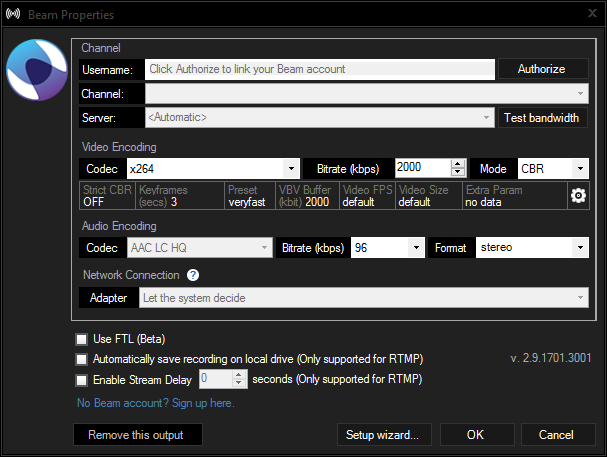
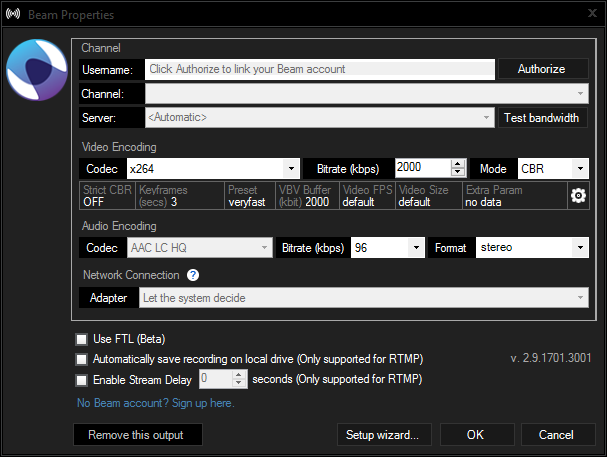
XSplit Beam Properties

The FTL support is baked into the original broadcast plugin for Beam as a checkbox. If selecting FTL please note the following caveats:

Missing features

  1. Stream recording
    The option to save your live stream locally is disabled. You will still be able to record locally while streaming, but you will need to manually start a local recording which requires an extra encode.
  2. Adaptive bitrate
    The experimental adaptive bitrate settings still show, but the function is not yet implemented for FTL.

Encoders

When selecting x264 encoder, we add additional encoder settings to optimize for low latency. For other encoders, we have not yet performed this optimization so selecting other encoders than x264 may result in added latency of about 0.5 to 1 second.

Low latency is great but it does come at the expense of video compression. So if you want to keep the low latency and get slightly better compression, but more CPU usage, then change your x264 preset from “veryfast” to “faster” , “fast” or “medium” if you have a monster rig.

We expect to make some updates to the Beam broadcast plugin over the coming days, so stay tuned to this blog post for more information.

NOTE:  Due to the changes to Beam’s infrastructure, RTMP streams (the original protocol used in XSplit) will now get upwards of 15 seconds delay when streaming to Beam. 
Remove XSplit User Access Control Prompt

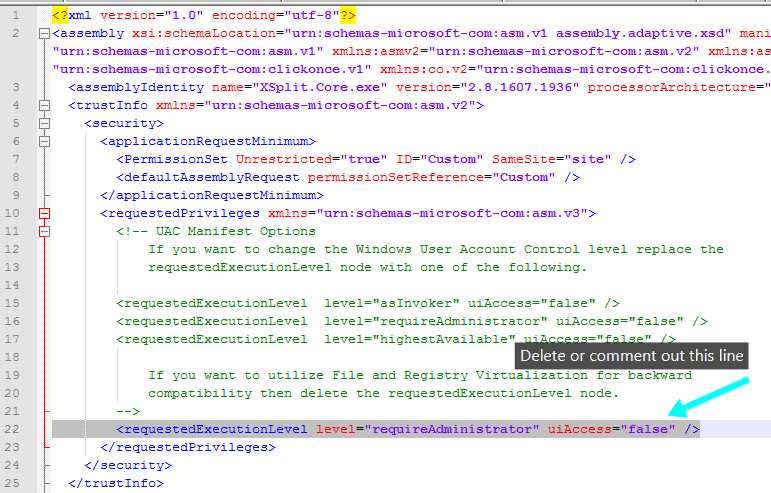
As the live broadcasting community grows so does the need to have broadcasting software implemented in various environments. By default XSplit is set to run as Administrator for compatibility with other programs (e.g. games) that may also run as Administrator. This “setting” is included in the application manifest, removing it will allow you to launch it without the UAC Administrative prompt.

Please be aware that UAC virtualization is in effect for XSplit when launched with this change.

To run XSplit without administrative privileges, please do the following.

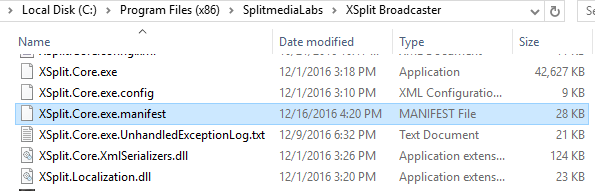
  1. Edit the file “XSplit.Core.exe.manifest” by locating it in the default directory
    \Program Files (x86)\SplitmediaLabs\XSplit Broadcaster\XSplit.Core.exe.manifest.

    You can use an editor of your choice or even the included windows notepad to do this.
    XSplit Core exe manifest

  2. Delete or comment out the requestedExecutionLevel noderequestedExecutionLevel
  3. Save the changes.
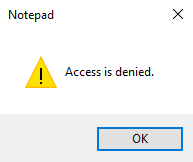
    Please note that if you get a “Access is denied” message, you will need to save the file to another directory and then paste it in the \Program Files (x86)\SplitmediaLabs\XSplit Broadcaster\ directory, overwriting the original file.

    notepad access is denied

  4. Run XSplit.Core.exe

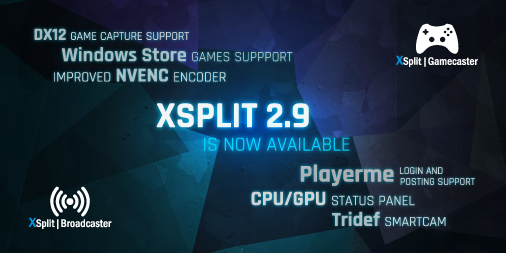
XSplit 2.9 is now available

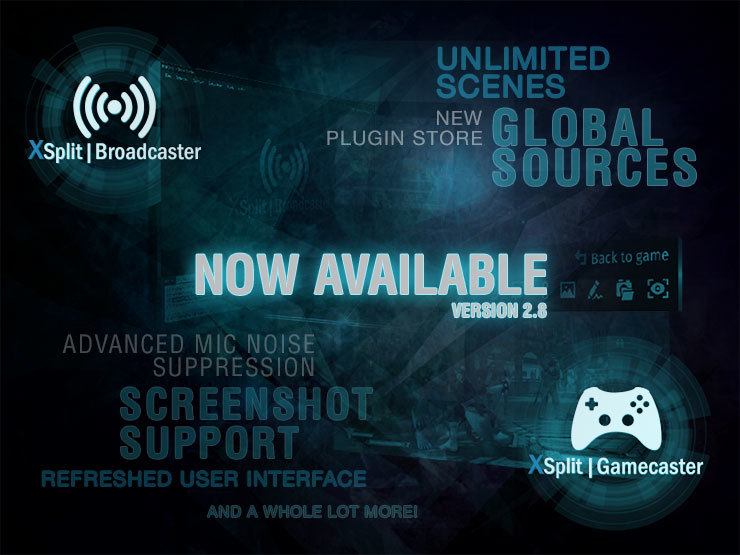
Our XSplit 2.8 release was well-received thanks to some kickass new features like unlimited scene support, global sources, new plugin store and a refreshed user interface among many other things. With XSplit 2.9, we worked on adding even more features as well as making improvements on the existing ones based on all the feedback you gave us.

We want to announce this version release a little different and instead of going through each of the new features in text as we normally do in the past, we had our product manager, Victor Fontanez aka Spooky go through each of them in a video so you can see them all in action. 

You can get the latest version through the app or from our website here. For the full list of new features, improvements and bug fixes, check out the respective change logs for XSplit Broadcaster and XSplit Gamecaster

Enjoy this version update and let us know your feedback through the comments section below.

DX12 Capture Support is Now Available

More and more games are coming out with DX12 support and the XSplit community has been making it clear that we need it in XSplit as soon as possible. Well, we’re happy to announce that we now have support for DX12 capture in XSplit 2.9 beta – if you’re a daredevil and you love testing bleeding edge streaming features then give us a hand by trying it out and reporting any issues you come across.

Popular DX12 games such as Forza Horizon 3, Gears of War 4, Battlefield 1, to name a few, can currently only be captured through screen capture if running in DX12 mode. With DX12 game capture support, you will now be able to capture these games with  XSplit.

Download and try out XSplit Broadcaster and Gamecaster 2.9 beta with DX12 support through the links below

As always, we’d love to hear your feedback on this release and if you find any bugs or come across any other issues you can comment below or create a support ticket at xsplit.com/support. Enjoy, and let us know if Vulkan support should be next!

DISCLAIMER: This is a beta version of XSplit 2.9 and not recommended for production. This product contains several new features, improvement and fixes, but has not yet been fully quality tested, so please don’t shout at us if it’s not perfect ;-).

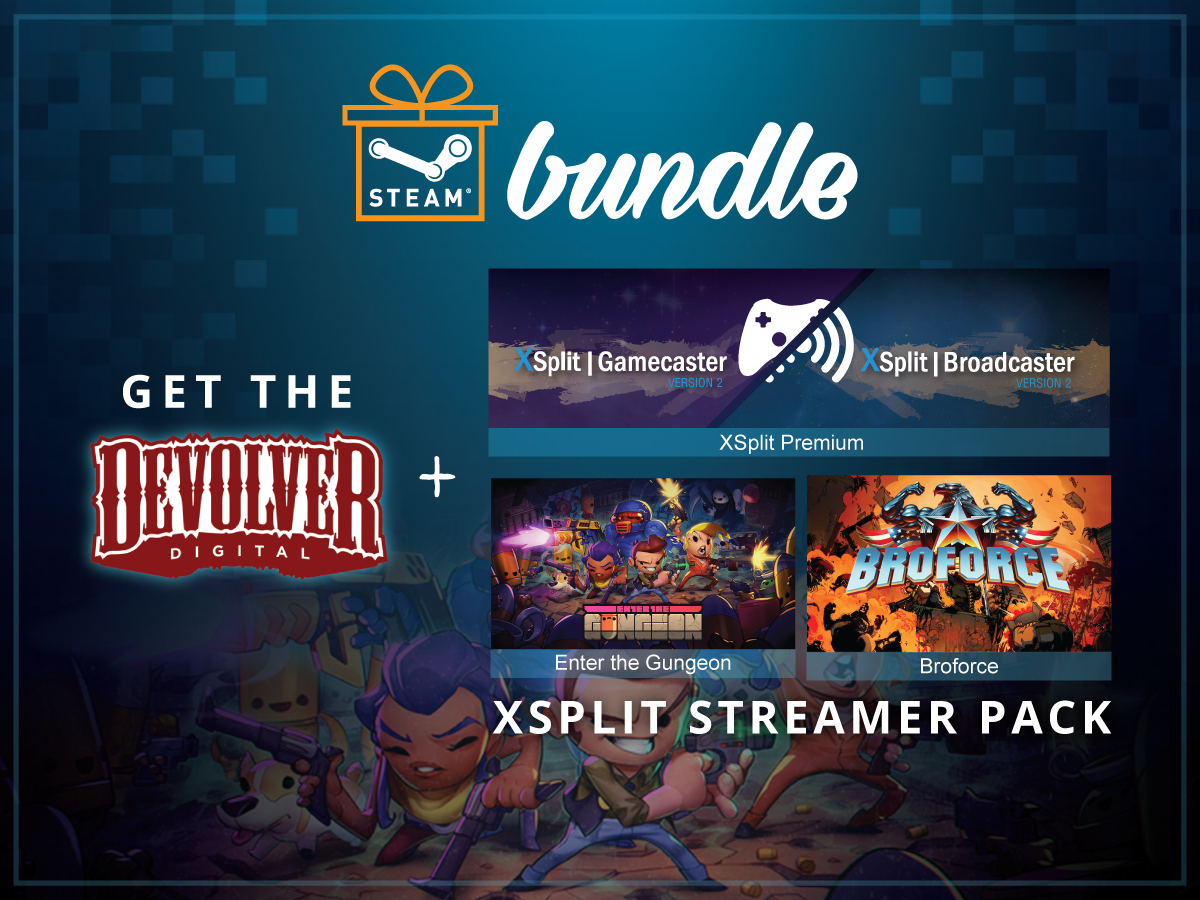
The Ultimate Streamer Pack Steam Bundle

We have partnered with the renowned video game publisher Devolver Digital to bring you the Ultimate Streamer pack bundle on Steam. The bundle contains an XSplit Premium along with Broforce and Enter the Gungeon games from Devolver Digital.

Devolver and XSplit Streamer Pack Steam Bundle

Here’s a quick description of the bundled games in case you’re not too familiar with them:

Broforce When evil threatens the world, the world calls on Broforce – an under-funded, over-powered paramilitary organization dealing exclusively in excessive force. Brace your loins with up to four players to run ‘n’ gun as dozens of different bros and eliminate the opposing terrorist forces that threaten

Enter The Gungeon is a bullet hell dungeon crawler following a band of misfits seeking to shoot, loot, dodge roll and table-flip their way to personal absolution by reaching the legendary Gungeon’s ultimate treasure: the gun that can kill the past.

These two exciting, action-packed games can be streamed of course using XSplit. The Premium license more than allows you to share your gameplay to the world with ease. It is the same XSplit that powers countless live streams and recordings around the world.

Save 25% by getting this bundle exclusively from Steam today.

Improving your XSplit Experience with NewTek NDI

The latest update to XSplit Broadcaster and XSplit Gamecaster 2.8 includes some important improvements for our NewTek NDI integration. We now support NDI inputs and outputs with audio and alpha channel for video. We’ve also made a variety of stability improvements for NDI sources.

What is NewTek NDI?

NDI is NewTek’s new protocol that can allow software and hardware to interact with each other via LAN.

Why would I use NewTek NDI?

While NewTek NDI may seem like a complex feature, it can actually be used in a variety of situations by both new and experienced broadcasters. This article will outline some use cases for NDI, both simple and complex.

Using NewTek NDI to create Multiplayer Gameplay Content

One of the common requests we’ve received in the past is an easy way to allow players to display multiplayer gaming sessions with their friends. As long as you have a router with open ethernet ports, this can be easily achieved with NewTek NDI!

Say you have a friend over to play Overwatch with, and you want to share both your screens on your stream. If you are connected to the same LAN network, have your friend open up XSplit Gamecaster and go to the settings tab. In the settings tab, check the “Enable NewTek NDI Output” box.

XSplit Gamecaster settings tab enabling NewTek NDI Output box
On another PC, launch XSplit Broadcaster and go to Sources > Other > NewTek NDI Stream and select the broadcast from your friend’s PC.

XSplit Broadcaster Sources NewTek NDI Stream
Now arrange your scene as you like and create multiplayer content with your friends!

multiplayer gameplay content using NewTek NDI

Using NewTek NDI to connect XSplit Broadcaster with NewBlueFX Titler Live Broadcast

One of the biggest benefits to NewTek NDI is that it allows XSplit Broadcaster users to gain access to a wide array of high end production software. One of great piece of software is NewBlueFX’s Titler Live Broadcast. Titler Live Broadcast allows you to easily create dynamic 3D graphics similar to what you see during sports broadcasts with scoreboards and lower thirds. Using NewTek NDI, you can easy bring your Titler Live Broadcast graphics and animations in your XSplit Broadcaster scene.

First, make sure to enable the NewTek NDI output in Titler Live Broadcast. Go to Settings -> Device and select the NDI option.

enabling NewTek NDI output in Titler Live Broadcast

Now add the NDI output from Titler Live Broadcast to XSplit Broadcaster. Go to Sources > Other > NewTek NDI stream and select the machine that is running Titler Live Broadcast.
adding NDI output from Titler Live Broadcast to XSplit Broadcaster

Once you have positioned Titler Live Broadcast’s NDI output on your scene, anything you display in Titler Live Broadcast will appear in XSplit Broadcaster.

Titler Live Broadcast in XSplit Broadcaster

And that’s how easy it is to use different applications with XSplit Broadcaster via NDI. There are countless of other ways you can use NewTek NDI with XSplit Broadcaster. Make sure to follow XSplit’s social media for more NewTek NDI guides and you can read more about NewTek NDI here.

We’ve acquired Challonge! and Player.me

The #XSplit family just got bigger. 

Today is a momentous day for both me and the entire XSplit Family as I am incredibly excited to announce that both Challonge! and Player.me will be joining forces with the XSplit team here at SplitmediaLabs.

The XSplit Family Just Got Bigger

When we launched XSplit almost six years ago, we set out on a mission to make live streaming and recording simple. In that time, both broadcasting and gaming changed dramatically, with the advent of new live streaming services, the birth of the Twitch Streamer, and the explosion of eSports capturing the imagination of players across the globe.

Fast forward to 2016 and the world’s top gaming personalities, eSports teams, game developers, publishers and millions of people worldwide are using XSplit to create innovative, hilarious, entertaining and meaningful content that has impacted audiences of all ages. Live streaming has helped bring people together from all walks of life, and with hundreds of thousands of new users joining us every month, that number is set to grow higher still.

Yet this is still only the beginning. Our aspirations for the future are much bigger, as we envision a world where players can seamlessly connect to one another in a dedicated space, share and create content, compete with one another and grow their own communities. To turn this dream into a reality though, we knew we needed the right expertise, technology and people to make this happen.

This is where social discovery platform, Player.me, and tournament management service, Challonge come in. Between these two services we see the potential to create a platform that connects the entire gaming community and serves the needs of all players in their daily lives.

We’re going to shake things up a bit over the coming months by combining the Player.me community and discovery engine with Challonge’s tournament bracket technology to create a future where players, content creators, eSports entrepreneurs and event organizers, can connect with one another seamlessly and beautifully.

Both Sean Fee (CEO of Player.me) and David Cornelius (CEO of Challonge), two top entrepreneurs and leaders in their field share this vision to build a connected experience, and we cannot wait to show you what’s coming in the near future. On a final note, we would like to thank our community, our partners and of course you – our users for being with us on this adventure.

– Henrik Levring, CEO of SplitmediaLabs

To see a glimpse of the future, check out Player.me on web and visit challonge.com

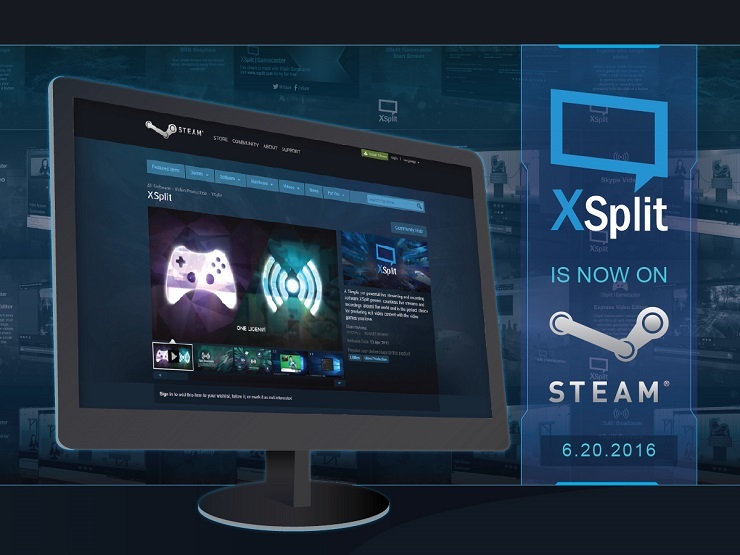
XSplit is now available on Steam

We are pleased to announce that XSplit have partnered with indie game publisher and chat lurkers Devolver Digital to bring XSplit Broadcaster and Gamecaster on Steam. XSplit free is available now on Steam for – well, free – and the fully featured XSplit Premium is available for $9.99 per month. Check it out here: store.steampowered.com/app/433800/

XSplit is Now on Steam

“We’re thrilled to be partnering up with Devolver Digital to bring XSplit to players on Steam” said John Howe Marshall, CMO for SplitmediaLabs “Getting started with live streaming right now couldn’t be easier, and we’re looking forward to ushering in a new wave of awesome content creators and help them shape the future of gameplay broadcasting.”

XSplit’s availability on Steam should be appealing to those who want to organize their things in one place and having your streaming software of choice accessible from the same place you access all your games is definitely convenient.

This launch on Steam goes hand in hand with the well-received XSplit 2.8 update that we pushed out at the beginning of the month. In case you haven’t updated to the latest version yet then make sure you update now either from our website/app, or through our XSplit Steam page.

Having this Steam version is also beneficial to those wanting to get a paid license but don’t have a credit card as Steam’s vast payment options can easily address the issue.

“There will never be a time in my life that I understand nerds watching other nerds play nerd games on the internet,” said Devolver Digital CFO Fork Parker. “That said, you should buy XSplit from me and then stream all sorts of nonsense and get them subs.”

We would like to take this chance and thank Fork Parker and Devolver Digital for making this happen. Make sure you guys check them out as well! Make sure to check out the full FAQ for our Steam release for more details.

XSplit 2.8 – Our Best Update Yet

It’s time! We’ve been working really hard to bring you this update that not only brings a lot of what you’ve been requesting, but also enhances some of the existing features that you love using! The revolutionary XSplit 2.8 is now available at xsplit.com but can also be installed through the application.

Rebranded and Refreshed

We know how familiar you’ve become with our brand and how our product looks but we feel like the new design aligns better with direction that we’re heading to. We implemented new splash screens, notice dialogs, desktop icons, and community window but we’ve also made great improvements to the overall user interface of both applications.

To match the ‘new look’, our website has been also updated. It looks more modern yet is simpler than the previous design with less text, clutter, and shorter loading times.

New Features

XSplit Broadcaster Version 2.8 Now Available

You might have been seeing us tease the new features of XSplit 2.8 on social media and chances are most of you probably what they’re about and how they work. But don’t take our word for that. Over the next few days, we will be releasing video guides for these new features so you can utilize them fully.

Additionally, we have revamped our YouTube video playlists (XBCXGC) to reflect the new UI and features. Keep an eye on the playlists as we will be publishing more videos regarding some of the new features in the coming weeks

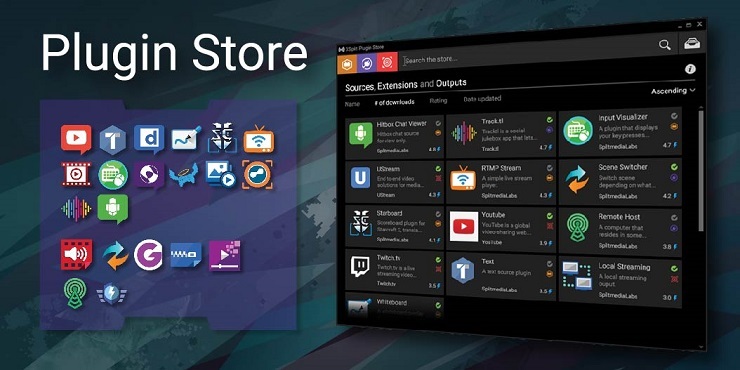
New Plugin Store

As part of the XSplit 2.8 update, we introduce you a brand new plugin store that looks both cleaner and optimized. The best part about the new plugin store is it also showcases a range of really great new plugins and extensions. Look!

XSplit Broadcaster V2.8 Plugin Store

For a full list of all the new features and bug fixes, please check out the respective release notes for XSplit Broadcaster and XSplit Gamecaster.

All these new features and improvements are your contributions. Without your feedback, none of these would be implemented so we are very appreciative of your efforts in making XSplit better, and we hope we’re able to return the favor with this update.

Where is XSplit Version 2.8?

Over the last few weeks we have been teasing our next big release for XSplit Broadcaster and XSplit Gamecaster, and we’re confident that this will be a great update full of highly requested features.

It’s with this in mind, that we have chosen to postpone releasing XSplit 2.8 until early next week, so that we can squash the last few bugs to ensure that our final public release is polished, stable and delivers on our promise.

We’d like to thank you, our ever awesome community for following us as we have slowly revealed what will be coming in XSplit 2.8, and ask for a little more of your patience, so that we can take the next few days to make sure that, upon release, we can give you the best experience possible.