What to do and not to do during a Livestream

Streaming is a great way for gamers to gain online notoriety and if you play your cards right, you might become the next big thing. With the help of XSplit’s broadcasting system, you could be the next Ninja or PewDiePie. But, that really depends on what kind of format you want to use for your channel. There are different options that content creators can base their channels on. There are a few things that online gamers should and shouldn’t do when they’re trying to produce their own content. Especially to a live audience, otherwise, you’re going to catch the wrong kind of attention.

Do Talk During Your Livestream 

As an aspiring gaming influencer, it’s important that you interact with your audience and express yourself with enthusiasm. One of the best ways for you to do that is by talking into the microphone during your live stream. If you’re planning on doing a live gaming podcast, it requires a lot of vocal legwork from your end.

Start your video by introducing yourself to your viewers, talk about the game you’re playing, and how far along in it you are. You can also try making a guide on what you want to talk about during the stream. It saves time before start shooting, to know what you want to say and when to say it. It lessens instances where you don’t know what to say and lessen the fillers. This way, you can have a set of talking points during the broadcast and create a natural to start the conversation with your audience.

It’s okay if you find yourself stuttering, and stammering during the broadcast, nobody’s perfect, especially first-timers. But it can help serve as a chance for you to figure out what kind of character or personality you want to present to people when you’re streaming. 

Do Not Scream or Swear Into Your Microphone

As important as it is, that you should express yourself on the internet, it’s also just as important that you watch what you say in the middle of a live stream, cause you never really know who’s watching, especially when there’s a finite possibility that it might be children.

When you’re deeply immersed in the gameplay and your character suddenly dies in the middle of a match, any normal gamer will start to get frustrated and upset. You might start raging and along the line, you may have dropped a couple of F-Bombs without even knowing it. This kind of an outburst is very common among gamers age twelve and under, and it usually ends with viewers having to listen to them have some kind of a tantrum that may or may not end with a very offensive racial slur.

Outbursts like this can have a serious impact on a player’s reputation. Such language can cause your channel to be flagged for being vulgar and be taken down.

We are only human and outbursts are normal. Here is where we need to exercise some restraint and control. We’re not saying that you should filter your language, we advise you to react appropriately and civilly even when provoked/ teased during a broadcast.

Do Look Into The Camera 

For gamer streamers using a close-up camera for their film setup, looking into the camera is great for showing your viewers how expressive you are, and how you react when your playing. This will allow your viewers to get a closer look into your personality, and make you feel like you’re bonding with your subscribers from beyond the screen.

This can also serve as practice for content creators who want to spend more time in front of the camera in the future. They can observe how they project on-screen, how to get used to being in on camera, and maybe practice a signature catchphrase. A lot of gamers come off as more entertaining when they express themselves more, and more often than not begin to make more direct contact with the camera.

This is especially true for gamers who plan on developing a podcast on their channel with video included. 

Dress Appropriately on Camera 

There are cases of streamers taking off their clothes on a broadcast. Sometimes it’s accidental but in other cases it’s intentional. One pro-tip for those who want to keep their content family-friendly, make sure to end your stream properly. Content creators will be caught off guard and it might be an accident but let’s not try to prevent that from happening. Turn off the camera and end the stream properly to avoid unnecessary content.

Videos content like this is likely to get flagged and taken down. Your channel will take a beating, demonetized or worse deleted. Your channel will most likely have a community strike and will hinder you from streaming or posting as you like. Inappropriate content might be taken down but it doesn’t mean that it’s gone from the internet. If you have the time, read your platforms’ Community guidelines and know which content to avoid. You can read the extensive list over at Twitch and Mixer to know more about this.

Do Talk To And Interact With Your Chat 

In line with speaking to your audience frequently while streaming, it’s important that you acknowledge the live-chat of comments that will be appearing from your subscribers while you’re playing. This will allow you to be more interactive with your audience like the way a musician interacts with a large crowd of fans during a concert.

This is particularly important when you plan on doing a live Q&A broadcast with your fans and subscribers. People are going to be constantly typing in questions and comments, some of them might seem pretty repetitive, so it’s always important that you make it a point to scroll through the chat feed to find the more individual questions that you can answer while also acknowledging the users who simply just want to say hi.

Do Not Insult Or Threaten Your Chat Subscribers 

Everyone knows that when there are fans on the internet, there are just as many haters and trolls too. And they’ll definitely be commenting in your live-chat posting mean comments about how your gaming is, or maybe just want to talk about how bad your outfit looks.

Other times there are going to be commenters that want you to take your clothes off during the stream. People who want to post comments like that are, intentionally, trying to provoke you to curse at the chat comments.

Instances like this can have serious damage on an influencer’s brand, especially if they end up saying something incredibly offensive and racist.

So as nice as it is to talk to your live-chat, it’s also important that you watch what you say around them, so as not to start a whole is a thing.

These are just a few tips for how to handle yourself during a gaming live stream, good luck out there, and have fun.
Types of Games You Will See On A Livestream

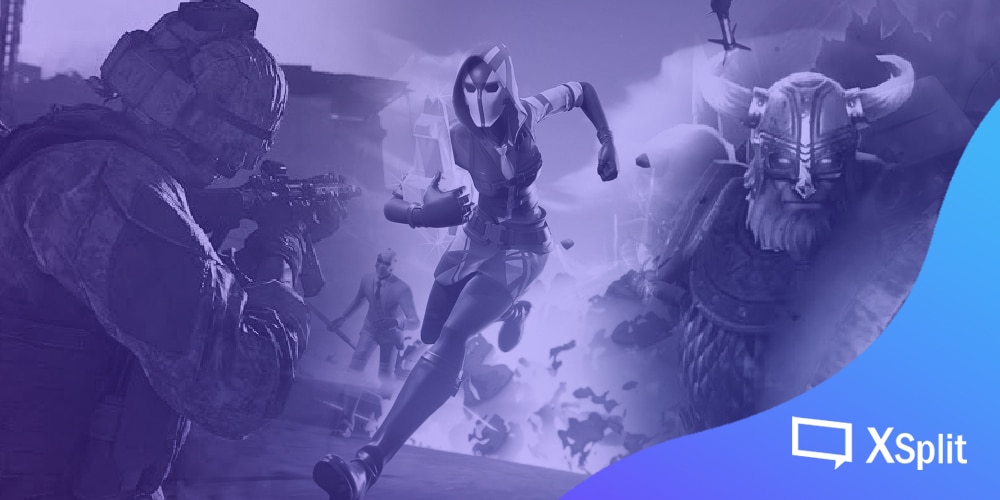
When you’re browsing through streaming channels, there are a lot of different forms of gaming content that you’ll find online, there’s more than one way to run a streaming channel, just like there’s more than one way to cook a steak or to drive to the mall. The internet is a massive treasure trove that’s capable of showing thousands, if not millions, of different faces and personalities of the gaming world. And with the help of XSplit’s Gamecaster’s streaming technology you can go to Youtube, Twitch, or Mixer, you’re going to find people more than just one kind of gaming platform, some more than others. Here are some of the most common gaming platforms that you will see being played on a live stream. 

Online Multiplayer Shooters

One of the most common content featured on your subscription feed, gamers like to use their streaming platforms to upload footage of themselves playing popular first-person shooter games like Counter-Strike, Call of Duty or Rainbow Six. 

The content that they show on their streaming channel for games in this kind of genre would feature the streamer playing online with two or more friends in the middle of a deathmatch against an opposing team of players on a selected challenge map. They’d be fighting for a limited amount of time, seeing who can get the most kills, and seeing who respawns more than others.

This form of content is popular for its fast-paced action, infinite loadout options and constant development updates for their online gaming community on a regular basis. It provides players with numerous social sharing opportunities. These kinds of games are regularly updated with new challenge maps, weapons and competitive gaming opportunities for players to take part on a regular basis. 

Open World Roleplaying Games

This type of gaming takes place on multiplayer titles that are set more in a fantasy-based environment. Titles like this include popular titles like World of Warcraft, League of Legends, and DOTA (Defense Of The Ancients).

These games feature players using custom characters to explore a fictional kingdom alone or with the help of online friends. Players can use a mystical spell, weapons, and strategies to progress while earning experience points, and leveling-up.

Gameplay content like this is popular among PC gamers. Fantasy titles like Warcraft, provides players with the chance to think about battle strategies on a more spaced-out map.  

Online Battle Royale Matches

Battle Royale games are growing in popularity these days and you’ll see more gamers playing this during a live broadcast. Gaming titles that are popular in this category are PUBG (Player Unknown Battlegrounds), Fortnite, and Apex Legends.

Similar to a multiplayer deathmatch – where players are fighting to the death but with very different mechanics and rules.

For starters, there is one main battle map where players are dropped onto after jumping out of a moving air-vehicle. They will have to scavenge for weapons hidden around the area after they land. Players do not respawn here, once your character dies, you’re out, and the last player standing is declared the winner.

Games like this are great for testing a player’s survival skills. Players are tested in a setting that almost mimics the Hunger Games – with realism and science-fiction elements that make gameplay interesting. 

This particular gaming platform has been gaining popularity in recent years. Players have more freedom to explore within the game, and game developers are constantly adding new content to keep players playing.

Triple-A (AAA) Single Player Story Titles

These critically acclaimed game titles that are well-known for their storylines, relatable characters, and cinematic set.

Single-player story games are popular online for their cutscenes and gameplay walkthroughs. Also, special videos containing secrets and treasures are scattered around the open-world map.

Games like this are popular on the streaming scene during the release. Some viewers are more likely to watch walkthroughs to learn how to play the game. It is most likely that they already know the storyline of the game and would want to know how to complete it.  

Gaming Podcasts

While not based on playing games, speaking about gaming is also medium that content creators use their live streaming platforms. 

In gaming podcasts, content creators can talk about their favorite video game titles. They can also share their thoughts on the unique aspects of latest game releases. They can also let their audience know that makes a game worth playing. Set an interview with game developers and let them share their creative process when they conceptualized their most popular titles.

This is something a lot of popular video game journalists have done in the past and continue to do. Whether they are from a known publisher or indie, creators use podcasts as a way to talk about their thoughts in the world of gaming.

These are just a few of the popular options that you can find when surfing your Twitch or Youtube subscriptions. As a gamer, you can choose one of these outlets to base your streaming channel on. Or you can come up with a new outlet all on your own together. 

Good luck, and just remember to have fun.

It’s Okay to Stream for Your Friends

With the rise of today’s superstar streamers, there is a growing misconception that to stream means to chase big numbers in the hopes of making it big. As such, this may actually discourage some people who might be interested in streaming otherwise.

Let me make it clear, despite what others say, watching the Ninjas, the DrDisrespects, and the PewDiePies of the world – you don’t have to chase big viewer counts when streaming. It’s okay to stream just for your friends.

Over the years, big steps have been made towards making streaming a viable way to earn a living. At its core, it is a way for an average person to share their experiences live over the internet.

Why we live stream.

When you think about it, streaming scratches the same itch that led to the creation of the first video cameras. For video game streamers, this is the same push that led me to connect the PlayStation to the VCR. People naturally want to share their experiences with others, and what better way to do that, then via live video.

Since primitive man created cave paintings, we are driven to find ways to share our own experiences with our peers. The development of the ability to record video is arguably the biggest breakthrough when it comes to this. While we had the ability to share images from an event, thanks to still photography; video allowed people to record and share an actual sequence of events. This allowed for more information to be shared, helping someone to experience the same things, even if they weren’t there.

The next big step after the recorded video was the ability to share that video in real-time. Of course, this was something that has existed for some time now, even before recording came about. Live video broadcast was limited to bigger organizations who can afford it.

However, this all changed as thanks to the advent of the Internet. People realized that it could be used to broadcast video. Now, with the use of high-speed Internet, it allows creators to created broadcasted content.

Going live brings a number of advantages that simply recording video could not. Now, you can share any moment or experience with friends across the internet, almost as if they were there with you. For gamers, this is great for when they have friends who they used to play with but aren’t able anymore. I personally have some friends who have moved to different countries who still tune in to my streams just to relive “the good old days.”

Yes, a number of people have found ways to turn this simple act of sharing into a livelihood, and even a shot at stardom. However, it pays to remember these roots. When people first started streaming, it wasn’t to get big, to become the next internet star, it was simply to share, and to connect with other people.

Streaming has never been easier.

Admittedly, when streaming first became a thing, trying to reach big viewer numbers in the hopes of getting some form of sponsorship was more important This is because streaming was a much more expensive hobby back then. Even just the software needed to capture and stream footage cost so much more. Add in the hardware, and streaming back then could turn into an investment beyond the means of most average gamers.

These days, however, streaming is a much more affordable hobby. You can stream on your computer and other devices as well. Most gamers are probably already aware that most video game consoles can live stream, even if they don’t use the feature. Meanwhile, for those gamers who do stream, and are looking to have a more “professional” looking presentation, not only are there more capture cards on the market, their prices have gone down as well.

Moreover, software like XSplit Broadcaster and OBS are more affordable to license. Back in the day, it took a lot more technical know-how and even money to do things like green screen, animated transitions, and more. Nowadays, Xsplit Broadcaster comes with the ability to do these things out of the box.

All in all, it has become much easier to stream at the hobbyist level, doing it simply for your own enjoyment, or that of a small group of friends has become so much easier. These days, all it really takes is a bit of creativity and know-how to be able to put out a well-produced stream.

Stream for friends, stream for the numbers, but always stream for fun

Whether or not you decide to simply stream for fun or grow into a big streamer is up to you. Should you chose to go the latter route, then that’s okay.

That said, you should never forget why people started streaming in the first place. People stream to share their experiences, and sharing experiences can be a fun and rewarding thing to do. In fact, part of what keeps people streaming is just because of how fun and rewarding it can be.

However, there will come a time when doing no longer feels fun. When streaming no longer feels rewarding for you, then maybe it’s time to think about scaling things back a bit. Instead of trying to get as many viewers possible, how about taking a break and share streams that you enjoy.
Your handy pre-streaming checklist

If you’re new into streaming or a seasoned streamer, a good and simple checklist can help you make streaming prep easier and faster. It also ensures that everything is ready for your broadcast and there’s a lesser chance of your live going bonkers in the middle of everything. Read on to know how you can create your own handy pre-streaming checklist below.

No matter how prevalent the streaming trend is, some might opt to be an audience more than be the streamer themselves. Why is that the case? Some people think that only tech-savvy people go into streaming/ live broadcasting, too many things to prepare and learn into doing before actually getting to the actual streaming content. They aren’t wrong, but unbeknownst to anyone in the streaming realm – it need not be complicated at all! So here’s a little pre-streaming checklist for those who are new to the industry. No need to follow this list to the tee, this aims to create a non-professional guide for new streamers and interested individuals on how they can prepare before going live on stream.

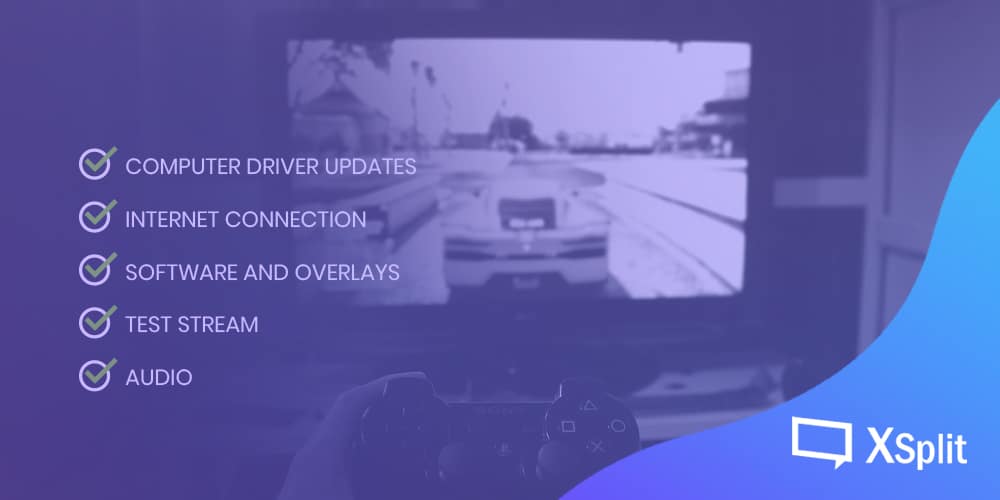
There are mainly 5 things that I think are crucial when beginning any stream, these are:

  • System and computer driver updates
  • Internet connection
  • Software and overlays, stream presentation
  • Test stream, and
  • Audio. You can read more below why these 5 things are the most crucial when starting a stream.

Check for updates

One pro-tip to live by is to make sure that everything – from your laptop or desktop software are up-to-date. I cannot emphasize this enough, you don’t want an update pop-up ruining a perfectly good stream or an unavoidable restart prompt after a driver update. Or worse, the stream crashing or a black screen because of driver compatibility and system issues. That’ll definitely throw you off the mood to restart the broadcast. You also have to note that this can’t be 100% foolproof, updating everything before a stream can be risky. What if something breaks or a compatibility issue arises after the update? Here’s where doing a test stream can be helpful to check if everything is ready for broadcast or if something broke and you need to fix it. Something to keep in mind.

Check your internet connection

Who doesn’t rage when the internet speed drops? Nobody wants nor has the patience to watch a laggy and/or buffering stream. Admit it, even watching a video on YouTube at 240 on mobile and have to wait for at least 5-minutes to load – takes a lot of patience and you’ll more likely to close the tab or window than watch it.

Having a bad internet connection can also cause you to stop streaming even before you start it. Think about it, you yourself wouldn’t watch it; so what makes you think that others will? Now, don’t start blaming your service provider – slow internet can be a direct result concerning a myriad of issues.

So, before streaming, make sure that your connection can handle the broadcast – some seasoned streamers say that a minimum of 5mbps up speed is enough, but then again, it still depends on the requirements of the game you’re streaming and if your system can handle the streaming at all.

I generally use Ookla to check the internet speed but you can use whichever is available in your area if you can – you may also opt to wired internet connection over WiFi whenever possible for stability purposes. While you can still broadcast in lower bandwidth, most streamers still highly recommended having at least 3-5mbps speeds for streaming to ensure stability during the broadcast. 

Software and overlays, if any

Now, it’s time to open up your software (whichever one you choose is okay, no discrimination here; but it’ll be nice if you get to try the new XSplit Gamecaster *wink emoji* when it’s free to download and use for your streaming needs. Did we mention that there are hundreds of ready to use overlays in-app?). 

Upon opening the software, check if your sources are all on the presentation. Are the layout and design okay for you? Are the placements alright? Would you need to add more elements to make your content more interesting? If all looks good then we go do a test stream.

Test stream, always

Pros being confident of their setup, it still pays to be extra careful of everything before going live.

Before doing an actual public stream, to check if my stream is ready to go, what I do is I stream privately first (on YouTube, my platform of choice) – to preview my set up and see if there are any tweaks that need to be made. If there’s none – then I end the private stream and start the actual broadcast! But don’t ever forget about the audio! I almost left that one out, but that’s one thing that you can never ever forget to check before a live stream!

Audio

They ask why audio is part of the most crucial parts of the pre-streaming checklist – then ask them back, do you like listening to whacked music, garbled speech, and buzzy interference? Nobody likes that and so does your potential audiences. Double-check if you have the correct audio source in the presentation, and make sure that the audio monitoring is turned off or on depending on what you need for the broadcast. Check if the audio volume is audible enough for crisp sounds if you have background music on during the stream or the audio from the game you’re playing – make sure that the volume levels are in perfect harmony with each other, that no one audio source overpowers the other.

Remember, check ya S-I-S-T-A before going live. System and driver updates – Internet connection – Software and overlays – Test stream – and Audio! I hope this helps new and seasoned streamers in their pre-streaming setup. I wanted to create an acronym that’s easy to remember (and I tried to be witty on this one) and easily understood by all – maybe, but you get the idea.

Don’t forget ya S-I-S-T-A before you stream-a.

I’ve also written a few things on the blog, you can find those here. If you have more questions about live streaming and techy stuff then join our official Discord server. We’re also on Twitter and Facebook, technical support is here and most tutorials are on YouTube as well. Let us know if you need help with anything and happy streaming!

most tutorials are on YouTube as well. Happy streaming!

What to Say In Front of the Camera When Streaming

So, you’ve finally decided to make the jump. After some thought, you’ve finally plugged in your camera, added it to XSplit, and then told it to go live. But then, it hits you — you don’t know what to say in front of the camera.

Now, this is actually quite normal. Not everybody immediately knows how to speak out loud and connect with an audience. Indeed, being able to do so is something that takes a bit of time and practice to learn.

Of course, there are some people who are hit harder by this. We don’t even need to look far, I, for one, suffer from anxiety issues when talking to other people. Of course, anyone who knows me is probably scratching their heads upon hearing this. Didn’t I do commentary for a number of fighting game tournaments a few years back? Don’t I still help stream and cast a number of community events today? Well, yes I do, but that doesn’t mean I still don’t have these same anxiety issues. It’s just that I’ve learned to deal with them in a number of ways.

Fool yourself with the magic of the internet

One of the most beautiful things about the internet is that it offers separation between you and your audience. You don’t directly see your audience, so you don’t see exactly how many of them there are. This is quite helpful for people who aren’t comfortable with public speaking.

Popular Slavic YouTuber Boris, from the Life of Boris channel, recently discussed a technique he used in one of his videos. When recording a video or going on stream, he imagines that only as many people as he’s comfortable with are watching him.  

In other words, he ignores the actual size of his audience. And imagine only talking to as many people as you’re comfortable with. If you’re fine talking with hundreds or even thousands of people, then imagine that. If you find yourself getting nervous talking to more than a handful, say five or six people, then it’s okay to imagine that number as well.

One trick I’d like to add to this is to not just imagine a certain number of people, but also a specific set of people (or even person, should that be the case). See, the number of people you imagine isn’t all that matters, sometimes it’s also who these people are.  

If you find yourself more comfortable talking to your friends or family, than to a group of nameless people, then imagine that you’re simply talking to your friends of the family. Talk as if you’re talking to the people who you’re comfortable walking with. Just don’t get too comfortable and say things you’d only want these people to hear.

Hide behind a “mask,” both literally and figuratively

One other useful (though sometimes dangerous) thing that any form of communication over the internet allows, is a level of anonymity. The internet has allowed so many more ways for people to communicate and express themselves without fully revealing who they are. 

This anonymity can be applied to streaming as well. In fact, there are a number of streamers and content creators (especially from Asian countries like Japan) who tend to cover their faces behind masks. This is done to take attention away from themselves, and draw it instead of what they’re doing. 

Of course, you don’t have to go through such lengths when you stream. You may simply be content to turn off the camera facing you when going live. At the very least, this allows you to lose that feeling of having somebody watching you (instead of your gameplay) when streaming. This works especially well when you’re streaming for a small audience who may already know you.

However, there are some times when you will have no choice but to have a live camera pointed at you when streaming. If you’re lucky, you may still be able to wear a medical facemask to help boost your confidence.  That said, you won’t always have this luxury. In these cases, there is another kind of mask that you can wear, a figurative one.

Many streamers tend to don a specific “persona” when going online. Instead of streaming as themselves, folks such as the popular streamer Dr. DisRespect, portray a created character when they go live. It’s very similar to how actors take on a role when on television or in a film. Or better yet, it’s like how professional wrestlers take on a different, in-ring character when they’re performing. This is done to elicit a reaction and for entertainment purposes.

Now, you may be thinking that portraying a character isn’t easy, and you’d be somewhat right. The key here is to create one based on something of yourself that you’d be fine with exaggerating. The best online personas and characters are those who draw from a bit of truth about the person who created them. By doing so, you won’t have to stray too far from who you are, which also means there’s less risk of you falling out of character and exposing yourself.

Whatever you do, enjoy yourself

Streaming has never been easier as it is now. Software advancement like XSplit Broadcaster made it easier for casual hobbyists to create good looking streams. In the rush to get into the hobby, we should not forget why we started streaming. People started streaming because they genuinely enjoyed sharing in-game experiences live over the internet.

With this in mind, you have to remember to enjoy yourself regardless of what method you use to get over your anxieties when streaming. In fact, it’s this enjoyment that’ll make it much easier to get over your fears. Conversely, the moment you stop enjoying it is also the moment when it starts to become much harder to control your fears and succumb to your anxiety.

In short, just be sure to have fun streaming, and you shouldn’t have any problems finding things to say yo your audience.

Best Time to Stream

Out of all the streamers in the world, not very many are doing it full time. Not everyone can stream their content for 16 hours a day because of just life generally getting in the way – whether it’s a full-time job or just other hobbies. There are non-full time streamers who still want to take their content to the next level, and they’re the same people who might want to optimize what little time they have to stream.

We took the liberty of taking a look at the data to try and give you some insight so you can choose the best time that works for you. Please take note that these times are all based on the UTC timezone, so adjust accordingly.

When are there the most viewers on Twitch?

To maximize your streaming time, it might make sense to take a look at when there are the most viewers on Twitch. Since Twitch has the most available data, let’s take a look at when their viewers are on.

According to TwitchTracker, over the last week, viewer behavior and peak times are different for weekdays and weekends.

On the weekdays, peak viewership is usually at around 6PM to 8PM at an average of 1.6 to 1.75 million viewers. It’s very likely because this is when adults just get back from work or kids just finish their homework and start to wind down. At around 8:30 – 9PM, it starts tapering down.

On the weekends, when more people have time in general. Peak times come earlier and there are generally more people watching. The most number of viewers are on from 4PM to 6:30PM with around 2.3 to 2.7 million viewers. However, during the weekends, you’ll also see that there are just generally more people starting 11AM and it just ramps up until the peak hours and then viewership tapers down at around 6:30PM.

Interestingly, regardless of the day of the week, the lowest viewership is usually in the morning, at around 7AM to 9AM.

So, just based off this information, it makes sense to just start streaming as soon as you get home at around 5PM and stay on until 9PM, right? 

Well, not so fast. There are a lot of other factors to consider.

When are there the most other streamers?

There’s only so much time each viewer has to give. With more choices, you will have to compete with more streamers for eyeballs. It’s very likely that those streamers who have full time jobs or school will also have the same stream schedules. It might not be the best thing to try and jump in when there are the most number of people competing for attention and views.

And again, the streamer behavior is different for weekdays and weekends. 

Unsurprisingly, the peak times for viewers are also the peak times for the streamers on weekdays. The most number of live channels are live 6PM to 8PM with around 60k live channels, except for Friday mornings! For some reason, after people stream on Thursday night, people come back on really early morning on Friday – the peak starts back up at 1AM to 2AM with around 63K live channels. 

On weekends, when people generally have more time, the peak still starts at around 8PM, but with way more live channels at 72k to 73k live channels.

On the other end of the spectrum, we have those times when there’s barely anyone streaming. And surprisingly, no, it isn’t the wee hours of the morning. Across all days of the week, the time with the lowest number of live channels is 9AM. On the weekdays, there are about 22k to 23k live channels and on the weekends, there are 27 to 31k.

Basic logic would dictate that if there are very few live channels in the mornings, then it makes sense to stream then, right? Well, not exactly. Remember, viewership is also lowest at around those times.

What you should be aiming for is an ideal ratio between viewers, the demand, and the live channels, your competition.

When is the best viewer to streamer ratio?

See, if you consider the viewers as the demand, then the streamers are the supply. You, as a streamer, are part of the supply. You should consider all other live streamers are competition. When there are way too many live channels, and not enough viewers, each channel will have fewer viewers – assuming, of course, the viewership is equally divided, which we know isn’t really the case. But for the sake of just finding a good equilibrium, let’s just say the nuances of popularity and relevance are moot for now.

According to SullyGnome, the most viewers per channel on weekends is at 28 to 29 viewers per channel. It happens at around 4PM to 6PM. This is true for Mondays through Thursdays. It’s a little different for Fridays, where there are about 38 to 40 viewers per live channel at around 6PM to 7PM. 

On Saturdays, peak viewers per channel happens usually at 12NN to 2PM with 40 to 45 viewers per page. It goes gangbusters on Sunday, though. It happens at the same time, from noon to 2PM, but with a peak of 50 to 60 viewers per page.

On the other side of the spectrum, the worst viewer to live channel ratio is usually at 1AM to 3AM on weekdays, with 18 to 19 viewers per channel from Monday to Thursday and 20 to 21 viewers per channel on Fridays.

On weekends, this happens a little later at around 3AM to 4AM with about 18 to 19 viewers per page.

Armed with this knowledge, we can see that some complexities and nuances starting to form. Do we stream when there are the fewest other streamers or do we follow the best viewer to live channel ratio? Not so fast, there’s quite a bit more to take into consideration.

Other factors to consider

If you look at purely just the numbers, then it looks like there are cut and dry answers, but each streamer is different and there are a multitude of other minute factors to considers. 

One of the things you have to determine is who your audience is and what is the most likely time this type of person would be down to watch some streams.

Here are some things to consider:

What is the type of content you stream? Know your audience.

If it’s usually content for students, it might be best to stream after school hours. Working people? Might be good to go after working hours? It’s really hard to tell because an audience can get very varied. 

Who is your main competition? 

If you’re a Tekken streamer, maybe it might be good to pick a time that the most popular Tekken streamers aren’t on. Or maybe you can pick a time when your content complements the content of similar streamers. It’s up to you to devise a strategy.

What’s the most convenient time for you?

Your own schedule is going to be the most important factor, too. You’ll need to make sure whatever time you decide to stream fits your own lifestyle. 

So what is the best time to stream?

After considering all these factors, the best time is going to be very specific to you and your schedule. There isn’t going to be a clear cut answer, but at least now you’ll be able to make a more informed decision.

If you have to hazard a bet though, you should at least give 4PM to 6PM UTC on weekdays because you’d have the most number of viewers with the least competition, and then work your way from there.

Choosing the Best Streaming Headsets

Choosing the best streaming headset can be a headache when there are so many options in the market today. We’ve long reached a point where headsets are integral to our everyday lives regardless of what we’re doing. Just take a look around you. I can guarantee you’re going to be seeing at least someone wearing one.

Gaming headsets are no exception. It is without a doubt a must for the hobby but also if you’re planning to venture out into live streaming or recording. It lets you communicate both with your viewers and fellow players while also providing that audio clarity that is important for staying competitive with any game you’re playing. 

If you’ve stumbled upon this post, there’s a good chance you’re using a stock headset that came in free with a different tech peripheral purchase or you’re probably looking to upgrade for a better overall experience. In this blog post, we will cover all the bases from features to look for, to recommendations per price category, even compatibility with various devices. Our main goal is to help you with all these things which hopefully aids your decision in your purchase if it ever comes to that.

Features to look for in a streaming headset

I personally have an audiophile/headphone enthusiast background but I’m surprised how similar they eventually are with gaming and streaming headsets. The list comes in no particular order and you may value some of them more than others which is perfectly ok. To each, their own as pundits like to throw around.

Comfort and Build 

It all starts with these two. What’s the use of all the bells and whistles if you can’t stand wearing it for more than an hour or worse, can’t make it last for just a year? Thankfully, these are two qualities manufacturers are getting right more often than not these days. 

Comfort can be quite subjective as it very much depends on the size of your head, preference in materials (you like leather from dead animals or synthetic), and really just how you define ‘comfort’ as a whole. I know people who like a more snug fit but also know a handful who like things a little loose. Then there are other things to consider like do you find cables cumbersome enough for you to start looking into wireless options? Those and many others are things that you’ll have to decide for yourself.

Build quality, on the other hand, is more than just the materials the headset is made of. Something that’s built from aluminum or metal feels nice but there are a lot of plastic-made headsets that really feel durable. In the end, it’s worth exploring reviews from other users too since nothing can quite surpass real-life experience (this is a common theme in this review btw).

Sound features

We can probably all agree that having a good sounding headphone is a must. That, and the fact that audio quality can be quite subjective means only you will know what a good sounding headphone is for you. Perhaps a touch more thump in your bass, or more warmth in the midrange, or some sparkle up top? This one’s all on you.

Setting that aside, one specific feature you need to look into here is surround sound. Whatever it is you’re playing, getting good positional audio gives you a real advantage against the competition. Without that, you might as well just use a normal set of portable speakers.

Diving deeper to surround sound brings us to its two types namely virtual and true surround. As the name implies, virtual means simulating real spacious audio via software optimizations. There are many proprietary standards here such as Dolby, DTX, Creative, you name them.

The “true” in true surround sound, on the other hand, is the physical driver attached to the earcups. Unlike the virtual way, this setup literally lets you hear audio from various positions simulating a full speaker setup experience. One may argue this is overkill especially since not all games support Surround audio, but definitely having this gives you that immersive experience that you won’t simply get in a virtual setting. 

Microphone

Microphones in gaming or streaming headsets are often an afterthought, but it’s important to give it a key consideration when shopping around especially since you’ll be using this for streaming as well. Remember, a good microphone is important for high-quality live stream audio.

Do you see yourself using the microphone in the headset as your main one? Or is it more for on-the-go where you’d want to have it detachable so you can remove it when not in use? If it’s going to be the main one, then it’s important to ensure its quality is good and you’re also able to easily maneuver it. You’d be surprised by how adjusting things by an inch or two can make a huge difference in your voice quality. 

Finally, does the software that comes with it give you all the controls you need? Or does it even come with software that allows you to adjust things? You may not need these customizations if you’re just starting your streaming career, but they are handy to have as you progress.

Noise Isolation

This one is maybe not as necessary as the others in this list, but it’s handy to have for sure. How much noise isolation you want is up to you, but one thing to keep in mind is there’s a correlation between isolation, seal, and sound quality. Remember surround audio and the positional imaging it brings? It diminishes if the headset is poor at isolating noise. 

Another factor that can be related to this is the seal the headphone creates. Does the shape of the earcup contour well to your ears? Or is the headband fit snuggly to your head? Those are things that vary from person to person which is why reviews can differ a lot in this regard.

Tl;dr – This one’s gonna come up a lot, but if you can go to a physical store and fit the headset, do it. You’ll save yourself some headaches down the road.

Look & Aesthetics

You’ll be streaming, potentially in front of hundreds, hopefully, thousands of viewers. Of course, you want to look badass. One may argue this isn’t really needed because people will barely see or care about you on screen but let me ask you this, even if you’re just playing a game, do you not want to look dope? We gamers buy pretty stuff all the time even if it’s just for us so why skimp on your gaming headset? 

Now how you want the headset to look in your head is, again, completely up to you. Coming from the audiophile world, my taste is quite different but this one is surely gonna be in line with your personality and how you want yourself to come across. 

Imagine your keyboard, mouse, and rig lighting has some blue accents in them. Do you want your headset to be yellow and orange? You know the answer.

Streaming Headsets per Price Category

I wanted to preface this section by saying the headphone market as a whole is getting more and more competitive and the differences between a budget model compared to a super high-end one boil down either on the extra features or build materials (e.g. real leather pads vs pleather). With all of that being said, it will be hard to go wrong with any of the gaming headsets suggested in this list but there is no substitute still for visiting a local brick and mortar store and trying them out physically. And finally, the good old “your mileage may vary” disclaimer is something to keep in mind as well while reading our recommendations below.

Budget Headsets (Sub $100)

Corsair HS60 Pro

Corsair HS60 Pro
Corsair HS60 Pro

You think of a $50 headset and you immediately have your reservations about it. It probably sounds tinny, has a build that’s as flimsy as grandpa’s ankles, and is likely just unappealing to look at. Except it’s not. 

Corsair HS60 Pro probably has one of the more reserved aesthetics but it surely delivers more than its price on departments that matter. It even has a virtual surround and while you’re not gonna mistake it for a real surround spacious experience, it’s handy to have for $50.  

Check out the HS60 Pro on Amazon.

HyperX Cloud Stinger

HyperX Cloud Stinger

HyperX is a household name for reasonably-priced peripherals. Their Cloud Stinger headset is apt for that billing. 

They both have the stereo and 7.1 surround sound variants and I highly suggest you upgrade to the latter for $30 so you get the full experience. Just like the Corsair HS60, you’re getting a lot of value and quality for the price.

Check out the Cloud Stinger on Amazon.

Razer Kraken Tournament Edition

Razer Kraken Tournament Edition

Any list that’s about gaming peripherals won’t be complete without any mention of a Razer product, and for this one, it’s the Razer Kraken Tournament Edition.

Feature-rich, unparalleled comfort, decent audio quality, and a look that’s catered to mainstream gamers. Can’t go wrong with this one especially at its current price point.

Check out the Razer Kraken on Amazon.

Sub $200

Steelseries Arctis Pro

Steelseries Arctis Pro

They both have the wired and wireless versions of this headset but unless you really want the convenience of not having a cable, the former is more than capable of doing the job.

While it doesn’t have that big 50mm driver of some of its counterparts, Arctis Pro more than makes up for this with an added DAC (digital to audio converter) which makes for some of the best lossless music listening experience for this type of headset. What else does it provide? DTS X 2.0 for an immersive and spatial audio experience, a high-quality microphone for unparalleled voice clarity, and a luxurious comfort thanks to premium materials and good design choices.

Check out the Steelseries Arctis Pro on Amazon.

Logitech G Pro X

Logitech G Pro X
Logitech G Pro X

One of the more expensive Logitech cans, the G Pro X is ostensibly towards a competitive gamer. Someone who’s probably into esports, hence the Pro name in it. This headset has everything you’re looking for in a modern streaming headset. It looks good, sounds good, quite comfortable to wear for long hours, and is on-par with most of the more expensive items here feature-wise. 

The best feature for me though? The masterful microphone definitely takes the cake. It is comparable to most standalone desk microphone and also gives you a ton of software control through their G Hub software. Thanks, Blue!

Check out the Logitech G Pro X on Amazon.

$200 and beyond 

Sennheiser GSP 600

Sennheiser GSP 600
Sennheiser GSP 600

Want your audio big and bouncy? Sennheiser’s humongous GSP 600 headset delivers just that. If you don’t mind its heft, polarizing look, and its price, Sennheiser GSP 600 easily ticks all the boxes. 

While not as feature-rich as some in this list, it nails the ones that truly matter. High-quality microphone with automatic muting, check! Superb audio quality, check! Good comfort and noise isolation, check! Hard to go wrong with this one. 

Check out the Sennheiser GSP 600 on Amazon.

Astro A50

Astro A50
Astro A50

The most expensive gaming headset in this list, Astro A50 comes with everything we’ve listed here plus more. The command center software gives you complete control with both the audio and voice experience. It has a USB sound card function that allows audio access on your PC with no optical cables needed. Heck, it’s even mod kit ready, allowing you to customize the headband and earpads rather easily. 

For years, Astro has been quite synonymous with gaming headsets. While there are now more players in the market, their A50 headset remains competitive for the ultra-high-end category. 

Check out the Astro A50 on Amazon.

Last Words

We hope you enjoyed this article. But more importantly, learned a thing or two in choosing your next streaming headset (especially those at crossroads). If you’re already using one that you’re happy with, then maybe you can share your thoughts.

No gaming headphone or headset is perfect. Yes, we vouch for all the headsets included here but this is far from an exhaustive list, and that’s fine. Maybe you’ve tried or using a different headset that you think is really good but is not getting any credit. Or perhaps your experience with one of the headsets that we listed above is not good at all, even nightmarish! Whatever that is, we’d love to know. Tell us your thoughts on the best streaming headsets in the comments section or hit us up XSplit on socials.

Happy listening fam!

How to Stream Magic: The Gathering and other CCG games

Editor’s Note: Whether it’s Hearthstone, Gwent or the granddaddy of them all Magic: The Gathering, Digital CCG games have never been more popular. From cracking packets to skillful deck building, these titles have become a pillar in esports and Twitch live streaming, with top tier prizes, celebrity pro players and tentpole announcements at events such as Blizzcon.

But what if you want to go back to the routes of CCG, broadcasting real head to head matches within your own community. Jeri Reyes, an active member of his own M:TG community has provided a round-up of helpful tips and content ideas for whether you want to stream Magic: The Gathering or any number of other popular collectible card games.

If you’ve been around and aware in the mid-1990s and early 2000s, chances are you have witnessed a crowd of people intently watching a certain card game. Heck! You may even have a couple of friends who got hooked on that card game, cutting classes just to hang out in an LGS (local gaming store/shop), whiling away their time, flipping and tapping expensive cardboard. 

That card game is Magic: The Gathering, recently dubbed as “the world’s most complicated game” and…wait, what? What’s Magic: The Gathering? Well, for starters, it’s a popular card game which is the brain-child of Richard Garfield and published by Wizards of the Coast. You essentially role-play as a Plainswalker and build 60 card decks with spells, creatures, and artifacts to duel your opponent with and there are lots of ways to achieve victory, besides hammering down your opponent’s life from 20 to 0, milling out their decks, locking down their resources (STASIS LOCK!), and so forth and so on. Anyway, as I was saying, despite numerous points in time where doomsday prophets announced its demise, M:TG has been going pretty strong decades after the fad was supposed to die out into obscurity like their other contemporary CCGs/TCGs (Collectible/Trading Card Games). Sure, the local community is no longer as numerous and influential as it was back in the olden days (I started playing back in ’96) but there is still a solid following as new sets roll in and new players replace old ones… ones who strayed far from the ways of the Plainswalkers. 

The advent of technology may have altered the definition of “hobby” as traditional tabletop games gave way to MMOs, MOBAs and other online/mobile games. Similar to other trends that endured, M:TG assimilated technology and gave us M:TG Arena, an online, micro-transaction laden game that mirrors what online games generally are these days. Social media has also made the hobby very accessible, both for those looking for information and updates as well as those seeking all-powerful pieces for their physical decks. In line with this, however, I would like to point out a generally “untapped” (cheers! If you got the reference) online resource in the local community: Live-Streaming. 

Though M:TG Arena has no shortage of those; well, you know, being an online game and everything, actual live casual tabletop duels, multiplayer pods and similar activities are generally limited to local gaming stores and/or private venues. Soooooo… please allow a self-styled, veteran Plainswalker discuss further. Shall we? 

Live Multiplayer EDH Pods

Playing Winter Orb on a pod won’t make you lots of friends but playing Stranglehold ensures your quick demise 

EDH or Elder Dragon Highlander or, simply, Commander, is a format in M:TG wherein you’ll construct a deck of 99 Cards around one Legendary Creature, your designated “Commander.” Imagine playing an online, PC or console RPG which allows you to customize your character’s creatures, resources, equipment, spells, etc., and you will get the feel of constructing and playing with an EDH deck. EDH sub-formats include Duels and Oathbreakers and everything in between, but the true challenge, in my opinion, lies in the multi-player format. EDH is a newer format that is not yet around when I started playing back in my day (HA! I bet you read that in an old-timey voice) and I find it quite appealing and refreshing. After all, it’s always good to explore something new and stored knowledge about the basic mechanics makes the transition a breeze. Anyway, I played my custom deck in a few pods against 3 to 7 players and I can attest that there is always something new to learn and see and something that will surprise even hardened veterans. 

The very unpredictability of the format can actually be an entertaining live content as come-from-behind victories, early turn kills and unleashing ultimate, game-winning/changing, infinite combos are all regular fare even for casual EDH pods. I am pretty sure there are local stores who had done this before and, perhaps, doing it now during their tournaments or casual games but never on a regular basis as tournaments are far in between and casual pods are, well, casual. Raw, unedited and unregulated humor and interaction during casual games can be a bit too much for social media maybe? 

The length of an EDH pod may vary as well, sometimes it takes an hour or so unlike the more commonly live-streamed Standard and Modern duels that resolve quicker. Minor issues aside, I see an opportunity here to inform and educate enthusiasts on how EDH works. Live-streaming an EDH pod regularly can actually be a nifty, little marketing and/or advertising stratagem that can encourage new and old players alike to try the format since not everyone has the time to hang-out in an LGS to watch an EDH pod of Plainswalkers throw down their gauntlets LIVE. EDH Deck-building can also be discussed and explored during live-streamed pods and also a few informal commentaries by the actual players to discuss their Commanders, cards being played and their interaction with the board as well as combos. 

Live Box or Pack Cracking

3 Easy Steps to Get Broke: 1. Buy a box > 2. Open It > 3. Buy Some More 

Though box-opening videos are not really something new across a lot of different hobbies – action figures, statues, video games, shoes, gadgets and what-not – Live box-cracking is something I rarely see in the local M:TG community. Big name YouTube sites like Alpha Investments, Bad Boy Gaming, Openboosters, to name a few, have made their names in the worldwide M:TG community doing box opening videos for their patrons or personal collections of M:TG expansions and special edition sets. Discussion of card values, strengths and weaknesses of the sets, speculations and chase cards are just some of the most common topics during unboxings. 

It would be awesome to participate in or even regularly sponsor an actual live-streamed local box- opening video that the audience can actually participate in online. There is a certain level of interaction that a live-streamed box-opening video can receive from its audience that is not present on the edited, more polished ones that are uploaded on YouTube. 

Setting it up is also very simple to execute as opposed to live-streaming actual games but the level of interest and interaction can be, arguably, much higher than live-streamed pods. As any person who has experience opening random stuff in hopes of finding something of value (Hell! maybe even a priceless treasure!) will attest to, there is a certain charm in opening sealed booster packs with hopes of pulling a high-value chase card or an out-of-print gem. That excitement carries over to the audience as evident on the high viewership and subscription base of the aforementioned famous M:TG YouTube channels. A live-streamed box-opening video can be a very effective marketing tool for a local store or local trader/seller since there is always that hope of pulling-out “THE” card that everyone’s going crazy about and hunting for their decks or collections; especially from a newly released set, that will hold your audience’s attention and will keep them glued to the stream. 

As I have mentioned, discussion on the financial value of the cards during box-openings are also commonplace so it is also a good way to inform and update the audience about current market price, spikes and speculations on the next big thing. The audience can even comment and discuss the expansion with the host in real-time and maybe even place their dibs or trade offers on some of the cards, well, if it’s a selling live-stream that is. Hey, speaking of selling… 

Fire-Sales

Mystical Tutor – “That Time Spiral works well with me. BUY IT! I won’t judge you, I promise!” 

Everybody loves a good bargain and it is instinctively human to buy cheap stuff, even those we don’t really need at the moment sometimes, HA! most of the time! Bargains are a test of willpower and the enduring balance between needs and likes. As it is, live-selling on Facebook is old news by now. 

Clothes, accessories, toys, gadgets and any other brand-new or pre-loved items are, one way or another, being regularly sold Live. The premise is very simple and straightforward: Seller shows or, in some cases, wear an item; seller names an asking price then any viewer can haggle and/or call dibs on the item. One of the most awaited and highly-anticipated promotional stunts or activities in local M:TG communities are Fire-Sales which are usually conducted regularly by individual sellers or stores alike. Participation is generally high since there is a chance to get some mid- to high-value cards for a considerably lower-than-regular-market price. Generally, this is done on Facebook pages or groups but doing a Fire-sale live-stream is something that is rarely seen in the local community. Fire- sales are favorite hang-outs of casual players, collectors, pros and even resellers so you can be sure to have a decent number of audience, most of which are there to purchase/participate. 

There are a lot of other things to discuss and opportunities to explore regarding Live-streaming in the world of tabletop gaming in which Magic: The Gathering is just one of many. Vanguard, Final Fantasy TCG, Warhammer, Pokemon and maybe even HeroClix, well, I think the last two are still alive and kicking. A potential hindrance to that opportunity though would have to be the limited online mobile access of a fair chunk of the target market but then there are always workarounds on such issues. Looking closer, I can still name a few more activities in the tabletop gaming industry that are ripe for live-streaming such as Booster Drafts, Pre-Release events, Collection showcases, etc. I feel we have just barely scratched the tip of the iceberg. 

Creating Fighting Game Content with XSplit

The fighting game community or FGC has grown tremendously since the release of Street Fighter IV in 2009. With Riot’s fighting game on the horizon, the FGC is poised for another boom and exposure to a whole new community. This means there are many more opportunities for content creators to build their audience with FGC content. XSplit has all the tools you need to create unique FGC content

xsplit gamecaster main ui

Streaming Online Matches

By far the easiest way to start creating FGC content is by streaming your online matches, especially ranked mode to show how you stand against the best players in the world. If you want to stay focused on your matches and not have to worry about a complicated stream setup, then XSplit Gamecaster is the perfect choice. All you need to do is login with your streaming platform of choice and XSplit Gamecaster will help you configure your perfect stream with overlays and alerts already setup. XSplit Gamecaster also features an in-game overlay so you can chat, view stream event and control your stream all without leaving your game.

Creating Educational Content

Now if you aren’t planning to become the next Capcom Cup champion, there is still a huge need for people to teach fighting game fundamentals to all the newcomers. Concepts like footsies, bread and butter, and mind games are better shown through gameplay. XSplit Broadcaster offers a variety of tools to help break down difficult concepts.

The first tool is the gamepad visualizer. The gamepad visualizer allows you to display the inputs from the controller you’ve connected. It also has skins for different controller types like arcade sticks and hitbox.

gamepad visualizer

Another important part of educational content is review specific points of a match to teach things like option selects or explore match psychology and decision making. There’s two methods of doing this with XSplit Broadcaster. First you can record your matches using local recording and then play the recordings within XSplit. Combine this with XSplit Broadcaster’s whiteboard source and you can do really detailed analysis of footsies and other tactics.

whiteboard plugin

If you’re looking to take a quick look back at the end of a round or a short moment, then that’s where the replay sources comes in handy. Just add the replay source to a scene and set the length of the replay and a hotkey to trigger it. Now anytime something hype happens, you just have to hit the hotkey to display the replay. 

FGC Podcasts

Sometimes, the best way to start creating content is with friends and colleagues. One of the best parts of the FGC is the diverse set of voices from all over the world telling their stories. XSplit Broadcaster gives you powerful tools for creating high quality podcasts. For the best quality, it is recommended to use skype, which has integrated NDI technology. When you start a video call on Skype, if you have enabled NDI you can add each video independently as a source in XSplit. This will give you more flexibility in positioning each guest’s video feeds, especially if you plan to use lower thirds and other graphics.

XSplit NDI support

If you are using other VOIP software, then you can use XSplit’ screen capture to capture different video feeds from the call.

Finally, audio is extremely important for podcasts, especially if you will be uploading your archives to audio only platforms. XSplit Broadcaster’s audio mixer extension is extremely helpful in making sure you have proper audio levels. The audio mixer will give you accurate decibel levels for your system sound and microphone devices, so just make sure one level isn’t higher than the other and that your audio isn’t clipping or going over 0 db.

audio mixer

FGC Tournaments and Event Production

Possibly the most popular use of XSplit has been for live stream production of FGC tournaments and events like EVO, Final Round, and CEO by crews like Team Spooky and Ten/o productions. Now covering the ways to setup an FGC stream with XSplit can be its own separate blog post, so I just want to cover some important tools and features XSplit has for FGC events.

First and foremost is the projector mode! Projector mode let’s send video from your live scene or any other scene you have to each one of the outputs on your video card. So one projector output can be for the live audience, one output could be a raw gameplay feed for recording and one output for your commentary team. 

Next is enabling adaptive bitrate, especially if you will be broadcasting in a variety of venues where stable internet isn’t a guarantee. You can find the option for adaptive bitrate in the advanced encoding settings of your broadcast plugin.

video encoding setup

Finally make managing audio easier with the per scene audio extension. This extension will allow you to set audio levels for microphone and system sound for each scene. This will help avoid issues like when you are playing a video ad while your commentary team is still talking. 

per scene audio

Creating and Manage VOD Content for the FGC

Just because you’ve streamed doesn’t mean you are done creating content. You can repurpose your archives into highlights or VODs to upload to YouTube or on your social media.

As mentioned before, XSplit has a local recording function, but if your PC doesn’t have the juice to stream and record, then you can use the carbon copy function. You can enable carbon copies being generated via the broadcast settings plugin. Just note that these carbon copies will reflect any frame drops that happen during the broadcast.

automatically save recording

Next you can use the free Express Video Editor to make highlight reels of your clips. For even faster editing, cue points are automatically generated every time a scene is switched. You can also insert your own cue points with a hotkey.

XSplit Express Video Editor

Finally XSplit’s media manager will allow you to upload your videos directly to YouTube! Go to file > my recordings, right click on your video and upload to YouTube!

Upload directly to YouTube

That about wraps up all the tools you can use to create fighting game content with XSplit for Twitch, YouTube, Mixer, Instagram, wherever you want to build your digital empire! If you have any questions about this let us know in the comments!

7 Lesser-Known PC Horror Games to stream this Halloween

Whether you are a diehard survival horror gamer or are just looking for something a little creepy to help set the mood, we have curated a list of 7 games for you to stream this Halloween!

It’s Halloween! A time for Trick or Treaters, pumpkin carving, or dressing up in costume and hitting the town. Or you could just stay in and stream video games. Though what game are you gonna play?

You could go with the classics such as Resident Evil, Silent Hill or Outlast or even jump into Dead By Daylight. We wouldn’t blame you. But for those looking for something a little different, we wanted to suggest a handful of games that have maybe been somewhat overlooked and will help your live stream score extra points for originality this October 31st. 

Lost in Vivo

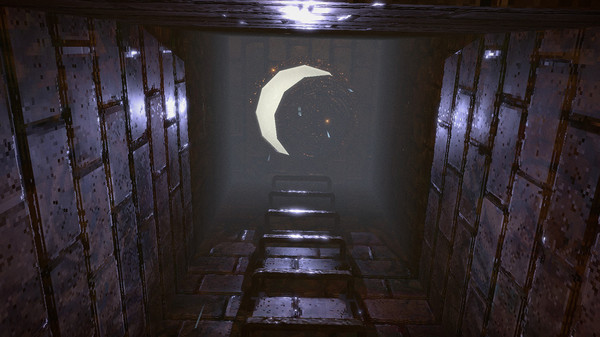
Lost in Vivo game

Released towards the end of last year, Lost In Vivo is an indie horror title in the vein of classic survival horror games such as Silent Hill or Fatal Frame. Developed by KIRA and played entirely from a first-person perspective, Lost In Vivo tasks you the player to venture down into the storm drains and sewers in search of your lost corgi. It’s a deliciously simple setup beautifully realized in the game’s opening moments, with a grimy aesthetic reminiscent of classic PlayStation games and a whirring industrial soundtrack that recalls the work of Akira Yamaoka.

As you venture deeper into the sewers and soon into a whole manner of other locales, Lost in Vivo continually twists and turns, disorientating the player into a nightmare dreamscape from which to escape. A stunner from beginning to end, Lost in Vivo is a fantastic throwback to classic horror games, reinterpreting and remixing what makes them work for modern players. Also, it has a Corgi. A CORGI!

Pathologic 2

Pathologic 2 game

Developed by Ice-Pick Lodge and published by tinyBuild Pathologic 2 casts you in the role of a doctor, thief, detective, or all-round miscreant in a small town slowly being devoured by a deadly plague.

You the player have 12 days to save the town from a fast-spreading disease and itself, all while staving off illness, hunger, and keeping yourself alive and relatively sane. Pathologic 2 moves away from linear jumpscares instead opting to create a deeply unsettling atmosphere, where characters talk to you in cryptic riddles all while a clock slowly ticks down to you and the town’s demise. At the time of its release, Pathologic 2 received some critical backlash for being too difficult but has since been updated to include all manner of options to tweak the game as you see fit. Pathologic 2 is a great title to stream due to its semi non-linear narrative and its ability to give the player many tough choices which can be a fantastically engaging experience for you and your viewers. 

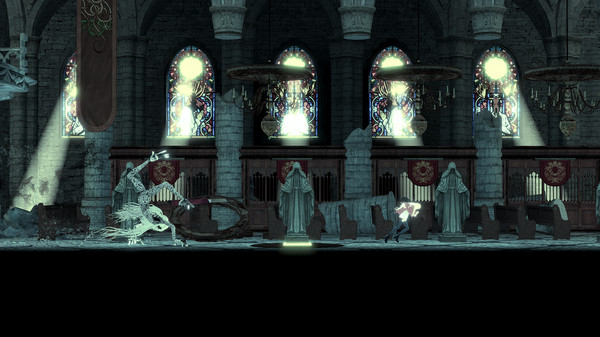
The Missing: J.J Macfield and the Island of Memories

The Missing: J.J Macfield and the Island of Memories game

How is this for a hook? The Missing is a 2D puzzle platformer that often requires the player’s character to inflict self-harm as a means of progression through the game. A small game with something to say, The Missing is a slightly different approach to horror, catapulting the player into a ghoulish premise with a multi-layered narrative.

Cast in the role of J.J, you the player must explore the island of Memoria in search of your missing best friend. As you proceed through the game you quickly discover that as you sustain injury your character always survives, regardless of being battered, bruised, burned, or missing limbs. Both a deeply personal work that meditates on life, love, and loss and a twisted darkly comic body horror, The Missing is a singular work by White Owls Inc, directed by seminal auteur Swery65. 

Man of Medan

Man of Medan game

Developed by Supermassive Games, Man of Medan is a spiritual successor of sorts to Sony’s 2015 horror adventure Until Dawn.

Pitched as the first of a new series of short stand-alone games known as The Dark Pictures Anthology, Man of Medan at once feels like a throwback to classic adventure and survival horror games, while also utilizing similar choice-based mechanics seen in the likes of Telltale’s The Walking Dead series. Utilizing a continuously branching narrative, a full cast of controllable characters and a rather unique online co-op mode optimized for audience interaction, Man of Medan is a ghost story perfect for a short concentrated burst of terror. 

Hunt: Showdown

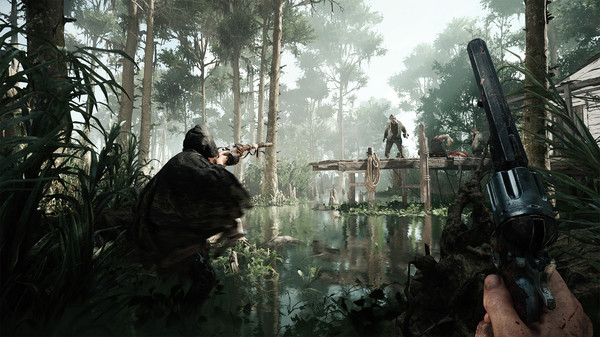
Hunt: Showdown game

Set in a fantastical interpretation of the backwaters, bayous, and swamps of Louisiana, Hunt: Showdown is a tactical PVP first-person shooter that utilizes a dynamic environment full of all manner of nightmarish creatures.

Each game supports up to 12 players, who set out to track a monstrous bounty. Choosing to either team up, or go it alone you must stalk and hunt the monster all the while collecting gear and avoiding mobs of smaller creatures, and other players. Developed by Crytek, the makers of the Crysis trilogy, Hunt: Showdown is beautiful, dynamic, and quietly revolutionary in how it aims to mix up the ebb and flow of multiplayer games, creating dynamic and shocking moments for you and your audience. 

Moons of Madness

Moons of Madness game

Moons of Madness wonderfully asks the question, “what if Doom except you’re not the Doom Slayer?” Facing off against cosmic horrors, Moons of Madness is a first-person adventure set on Mars. As an ordinary engineer stationed on a remote research outpost, you must do battle against your rapidly deteriorating satiny and all manners of Lovecraft-inspired denizens. By far the newest release on this list, Moons of Madness has already started to generate some buzz, offering a beautifully realized and terrifying world for players to explore, and a fantastical narrative grounded by an interactive explorable station.  

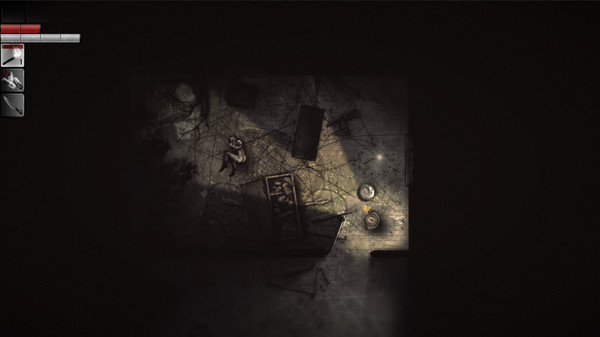
Darkwood

Darkwood game

After a protracted phase in Early Access, Darkwood was released back in 2017 and has quickly grown a cult following thanks to its eerie and inspired setting, and unique take on survival horror gameplay.

Finally making the jump to consoles earlier this year, there has never been a better time to check out Acid Wizard Studio’s Darkwood. A top-down horror roguelike, you are tasked with choosing to fortify your cabin or venturing out into the night, scavenging and exploring a dark and shifting world. Featuring some wonderfully acerbic dialogue, a cast of colorful characters, and some truly shocking set pieces, Darkwood offers an incredibly unique and new perspective on classic survival horror. Just make sure you are holding a weapon when you hear a knock on your cabin door at night. 

These are just a few games we handpicked on sale now but do let us know what spooky games you will be streaming over the Halloween weekend.