Speeding up the PTR Train

The XSplit Broadcaster Public Test Release or as it’s better known the PTR, is a place where we’re able to release new features before undergoing rigorous testing. This means that you, the user, gets to use brand new features before they make it into the main release. The way it works is we work on the new features and updates for the next update, we then go through some pretty extensive quality assurance (QA) and when the main features are ready to go, we make an update to PTR and allow you to test it out and give us feedback. 

Going through such deep QA means there’s usually a considerable delay before we get to put new features into your hands which can make it feel like not much is going on when it comes to development. That’s very far from the truth though as we’re working very hard on Broadcaster every day, aiming to make it the best possible tool for broadcasting and recording. We even introduced the feature vote page to allow the community to voice the features they would like to see next. I look at the feature vote page every day to approve ideas and comments and rest assured, all of the popular items marked as planned are either in active development or have been fleshed out and ready to work on.

To make it more clear that work is going on, we’ll be changing up our PTR schedule. We will now be releasing a new build every week on Wednesday regardless so you get a chance to see the app as it progresses. All information regarding the releases will be posted in the #ptr-announcements channel on our Discord which you should totally check out by the way. Whilst there may not always be a new feature with these weekly releases, it’ll contain bug fixes and anything else that is being worked on which means if you do have a piece of feedback, it’ll be much quicker to see the results.

With this approach, we hope to change our process a little bit internally to have more confidence in pushing new things without copious amounts of QA and testing with the knowledge that if need be, we can patch it with an update. In a similar way, we would also eventually like to take the same avenue with the public release in a way that doesn’t require a full app download every time. We just want to make the process as streamlined as possible and get updates into your hands faster and the weekly releases for PTR is a way to do just that.

Remember, if you have ideas for XSplit Broadcaster you can suggest them on our feature vote page. If you wish to reach out to me, other staff members or just the XSplit community in general, you can join our Discord and reach us there. If you’re having any issues with the PTR or even the public release, don’t hesitate to contact our 24/7 support.

4 Hidden Features in XSplit Gamecaster’s Theme Overlay Editor

On the surface, XSplit Gamecaster V4 presents a simple and streamlined user interface to make streaming PC and Console games easier than ever before. In just a few short clicks a user can launch Gamecaster, select a theme and go live in less than a minute.  

However the team didn’t stop there, and alongside creating an intuitive game streaming and recording app, also managed to cram in a ridiculously powerful theme overlay editor too. Initially, users that open the theme editor from the studio (by clicking the edit button) will have the ability to update their username, choose from a selection of sounds, add widgets choose which social icons to display and much more.

From the get-go, the theme editor gives the majority of users everything they need to fully personalize their stream to create something that fits their needs. Did you know though, there is a selection of additional options hidden behind the settings cog which can help take your stream to the next level. But before we dive into these secret features, it’s worth giving a little context as to how the theme editor came about.

XSplit Gamecaster’s frankly insanely powerful theme editor was built on the foundations of Strexm, a popular live stream overlay design tool that gained a ton of industry buzz a few years ago before being quickly snapped up by SplitmediaLabs (developers of XSplit) back in 2017. 

Since then, Strexm’s co-founders Jon Young and Gareth Reynolds continued to iterate on the editor with our development team, working hard on refining, improving and rebuilding the editor into what it is today, a powerful and fully customizable WYSIWYG editor that removes the need for advanced graphic design applications. 

With that history lesson over, let’s dive into some of the cooler and more hidden features in the editor:

Level up with Advanced Mode

Have you ever felt like the Gamecaster Theme Editor is not powerful enough for your needs? Or are you someone that just likes to have complete control over everything? Consider enabling the advanced mode within the editor. This feature is hidden behind the settings cog which can be accessed in the top left corner of the editor. Click it to open and you should see the option to enable advanced mode. 

A small word of caution however, this feature is not for the faint of heart. With the advanced editor enabled, absolutely every element on your stream presentation can be fully adjusted. We’re talking fonts, size, colors, positioning and more. Advanced mode essentially unlocks a whole host of additional customization options which comes with its fair share of pros and cons. Pro’s, of course, being that you have complete control of the look of your broadcast, Con’s being… well, you have complete control of everything. This means that the probability of creating a hideous monstrosity frankenstein theme shoots up to ten fold. But hey… you do you, if fluorescent yellow all bold comic sans is how you roll, then more power to you.  

Razer Chroma Support for RGB goodness

Love Razer and own Razer hardware? XSplit Gamecaster supports Razer Chroma by syncing the popular hardware manufacturers’ keyboards and peripherals with your customized theme. At first glance, this feature feels completely superfluous, and to some degree it absolutely is. However, on closer examination this neat little feature provides streamers with some additional ambient visual feedback, by triggering a change in color when a stream event occurs. This can be rather handy if you have turned your attention to your gameplay or something else going on, but it also just looks dope as hell too.

Potato mode for your old as dirt PC. 

Whether your PC is in serious need of an upgrade, or you just like squeezing out every last drop of performance from your hardware, Potato PC Mode is a handy feature built for you. Essentially removing any animations and flourishes from themes, Potato mode is great for whether you are trying to maximize performance or are looking for a no-fuss presentation. Potato mode can also be useful when troubleshooting issues, allowing you to get a better idea of what could be causing any frame drops in your stream presentation. Also, it’s called Potato mode which is really really dumb and awesome.  

Access a library of reference background images

Depending on how you build your stream presentation, this feature will either be really useful or entirely unnecessary, but for this streamer, I was thankful it existed. Hidden away in the options is the ability to use a series of reference images from popular titles to get an idea of how your overlay will look, all without the minor annoyance of having a game running. Navigate and choose from a selection of game screenshots available from titles such as PUBG, Minecraft, League of Legends and more. 

I’ll be honest, It’s a very small detail, but can be incredibly useful if you are in the process of tweaking and testing a few elements in your broadcast. Let’s face it, without this feature, you would be forced to either run the game (which seems a little like overkill) or grab your own screenshot, and who honestly has time for that? It’s a handy little feature that won’t be for everyone but demonstrates the attention to detail the team has to help with saving a few precious seconds. 

Change colors without leaving the editor

XSplit Gamecaster has more than 300 themes, but did you know many of them are available in multiple color variations? You may have noticed this when scanning for a theme on the marketplace, but for those looking to easily switch between the different color palettes on offer which editing, this feature is essential. 

In particular, it can be great for when you’re just trying out some of the new themes available, and want to get an idea of how it will look in neon pink. To be honest, it’s just an appreciated little feature that allows you to get a better idea of the options available without having to close your theme, go back to the theme selection directory and choose another. And hey, who doesn’t enjoy saving a little time?

That about rounds it up for hidden features in the theme overlay editor, though in many ways only begins to scratch the surface on the customization options available. We still have yet to dive into the array of widgets available and what they do, as well as some other cool hacks our community have been discovering by testing out the editor.

As always, while XSplit Gamecaster is in Open Beta, anyone who tries out the app will be granted Free access to it for life, with no watermarks and no restrictions. So if you are curious to try out the theme editor, or some of XSplit Gamecaster’s other awesome features, now is the best time to do so.  
We also have a growing Discord community which our product and dev team are a part of, along with a feature upvoting system for if you have any suggestions or improvements that could be made to the editor.

So let us know your thoughts on what we can do better, and drop us a message if you have tried out some of these hidden features for yourself.

Getting the most out of Gamecaster’s In-Game Stream Control

XSplit Gamecaster V4 has been out for nearly a couple of weeks now and represents some huge steps forwards for XSplit’s in-house streaming technology. In particular, one of the big touted features has been XSplit Gamecaster V4’s in-game stream control, a revolutionary new feature that aims to give users the ability to control every facet of their stream without having to leave and ALT+TAB out of their game. For those who are still on the fence though with this new and improved feature, we wanted to show you why is it so special, and how it can it help elevate and improve your stream production:

Streamlined Scene Switching in-game

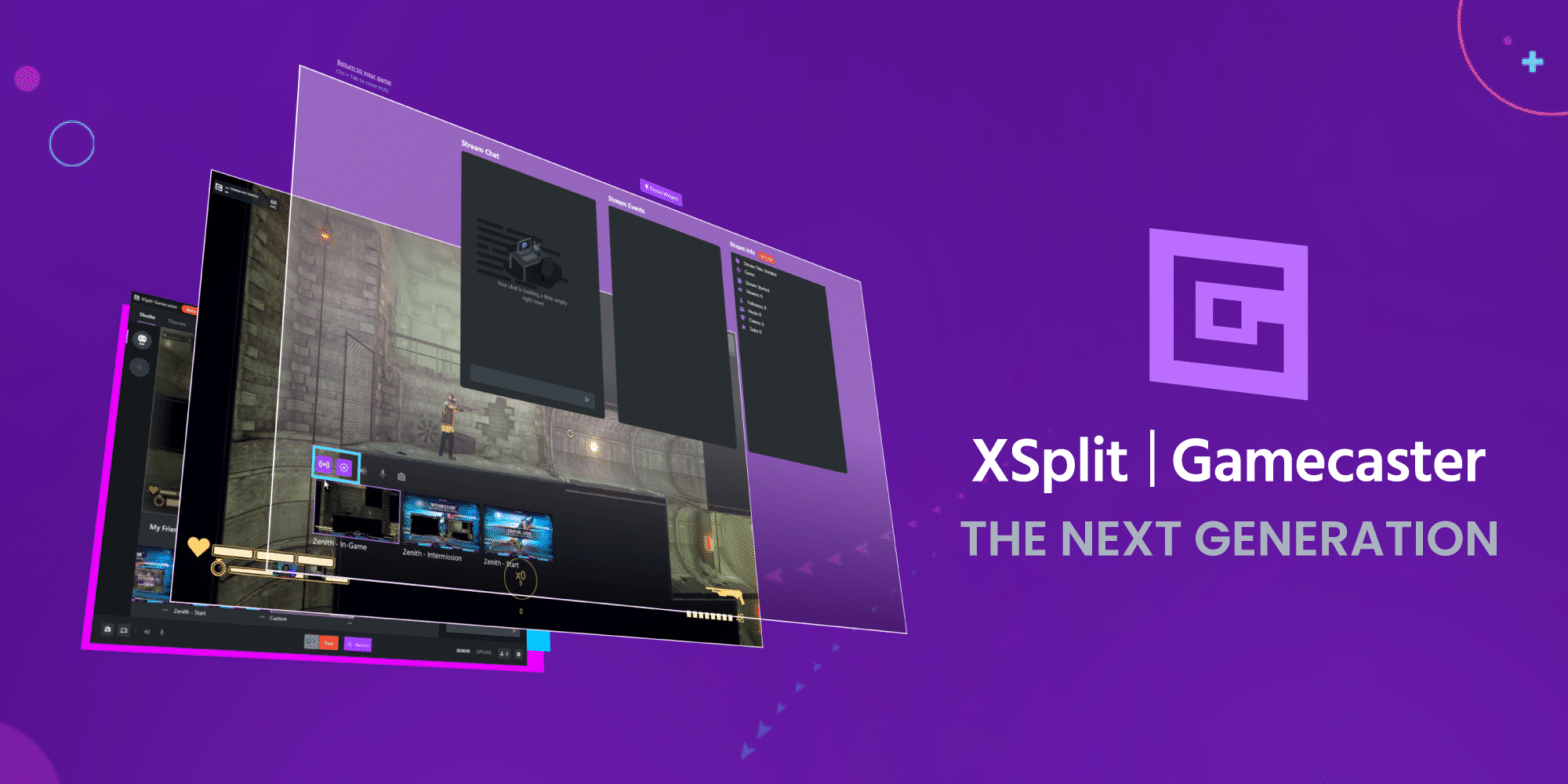
While it’s true that some form of an in-game HUD has been present in earlier versions of XSplit Gamecaster, and even XSplit Broadcaster’s 3.8 release. Gamecaster V4’s update levels up the experience with the introduction of scene switching from within your game. While some more experienced users have grown accustomed to purely using hotkeys and remembering which scene to switch to from pure memory alone, XSplit Gamecaster V4’s in-game HUD offers a clean interface that gives you a visual representation of what is in each scene as well as also displaying the custom name for them. This can be especially useful when needing to quickly hop between a few different views i.e. cutting between an in-game feed to a BRB screen, without having to minimize or take your attention away from the gameplay. This can be super effective when needing to cut between scenes a few seconds before the next round of a game starts.

xsplit gamecaster scene switching

Easily Monitor Stream Performance

Another essential feature of Gamecaster V4’s in-game HUD is the ability to easily monitor the performance of both your stream, the game and your PC in general. This type of quick info can be handy to help troubleshoot if your audience complains of the dreaded “Stream Lag”. In particular, some of the more demanding games out there, especially the ones still in early access can be inefficient with how they utilize your PC’s CPU, maxing out your cores and degrading your overall stream quality. Gamecaster V4’s Stream performance monitor will help you get a quick heads up on what is going on. meaning you can quickly alter graphics settings without having to cut your stream short as well as monitor dropped frames or choppy stream quality. 

All the important Stream Info

Often overlooked, but essential to maximizing your viewership is making sure all the essential stream info is present and correct. Have you ever got 30 minutes in a stream only to realize you don’t have the correct game tagged? What about having a completely incorrect stream title? These types of mishaps can happen all the time and can easily be overlooked when setting everything up to go live. However, Gamecaster V4 puts all of that information front and center which can be very helpful as you go live. 

xsplit gamecaster stream info

Starting and stopping your live stream and recording from in-game

Presentation is everything, and the last thing you want to do is go live and then have to boot up a game, adjust the settings and then wait for the barrage of developer logos to finish. Most pro streamers start their stream while in the lobby, which (let’s face it) can be a minor inconvenience when you are trying to run a game in exclusive full-screen mode from a single display. XSplit Gamecaster can help with this though, by letting you start your stream and update all of the relevant info before going live. This can help streamline your pre-live checklist, essentially meaning you just have to boot up XSplit Gamecaster and then set-up the rest from in-game. Oh yeah, (and BTW) you can also start and stop your recording too, which can be a lifesaver for quickly testing your broadcast or just wanting to record a quick moment even if you are not going live. 

Track all of your stream events and chat from in-game

When your 6 hours deep into an immersive open-world RPG it can be easy to lose track of what is going on in your stream. There is nothing worse than realizing a couple of folks visited your stream only to “peace out” because there was no response to your chat message. Gamecaster’s stream events and chat widgets will help stop that from happening. Once these essential widgets are pinned, you can easily monitor everything from in-game, and even better easily post replies and messages into your chat. Stream events also help to track any donations and viewer activity, so if you get a new follower, subscriber or someone starting to host your stream you will be the first to know about it. 

xsplit gamecaster streaming events
xsplit gamecaster stream chat

Take quick and handy screenshots in a second 

Whether its an NPC ragdolling through the floor, a beautiful in-game sunset or just for the hell of it, screenshotting those moments can be important to you. Up until now you have probably been reliant on a 3rd party application, Steam’s screenshot capture or *shudders* the print screen key (Editor: Do people even still use this?). Anyway, XSplit Gamecaster V4, lets you do it easily from in-game from the same UI which is a nice handy bonus when you want to screenshot something without thinking about it. 

Adjusting audio settings and muting your microphone

Avoid the nightmare scenario of accidentally streaming a hot mic by easily muting and unmuting without leaving your game. Seriously, how many streamers careers could this feature have saved by just letting you do this from in-game. Seriously though, XSplit Gamecaster’s in-game stream controls lets you more easily tweak and adjust the all-important microphone settings which can be great if you are coming in too soft or loud. 

The power of pinned widgets

Often overlooked but should never be underestimated, XSplit Gamecaster’s widget pinning can be super useful for keeping tabs of everything in-game. Pin specific widgets so they are visible even with the In-Game Stream Control closed, this means you can pin and monitor your chat, in-game without making it visible to your audience. 

xsplit gamecaster pinned widgets

Are you streaming with one display or two?

XSplit Gamecaster’s In-Game stream control is super handy for those streaming from a single monitor or gaming laptop. Though don’t sleep on the feature if you have two displays. A lot of these features can complement your existing setup by presenting vital information in a clean and compact way. Even if you have two screens, Gamecaster’s in-game HUD lets you save on having additional browser windows open, reducing system resources to focus on your game and stream output.

Try out Gamecaster, and help us make it even better!

So there you have it, XSplit Gamecaster V4’s In-Game Stream Control features can be a powerful addition to anyone’s setup, and even better we are just getting started. Gamecaster is in open beta which means more enhancements and features are set to be added in the future. So what are you waiting for? Jump in and give XSplit Gamecaster V4 a shot while it’s still in beta and get it free for life. 

Do you have any ideas for features we can add to XSplit Gamecaster V4’s In-Game Stream Control? Hop onto our official Discord server and join the conversation with our community and team of developers! You can even suggest a feature via our ideas page, which will be voted on by other users. Our product team and developers are always looking for any feedback to improve Gamecaster, so be sure to let us know if you have any!

Be sure to look out for more handy guides for XSplit Gamecaster in the coming weeks, as well as our other applications XSplit Broadcaster, XSplit VCam and XSplit Express Video Editor

Compromised password being tested on XSplit.com

Update: A very similar thing happened on November 8, 2019. Please refer to the blog post below for the details.

——————————————————

This morning, we found something odd on our dashboards. Web Logins increased from an average of 300 to 4000+ since October 17th.

After a little bit of digging in our logs, we found out that some accounts were being logged in from over ~6500 different IPs. Based on data from haveibeenpwned.com, the accounts attacked were from past leaks from other sites.

XSplit.com rate limits based on IPs, but the attacker circumvented it by using a big list of IPs. To counter that, we quickly implemented a rate limit based on User IDs and tries. It worked well enough: the attacker stopped trying out compromised accounts, but we knew that they could come back anytime with a better script. In order to reduce the possibility of this happening ever again, we:

  • Figured out exactly which accounts logged-in erratically from the non-usual IPs
  • Invalidated the passwords on those accounts
  • Pushed a new security feature that causes multiple attempts on login to lock the account for a while, regardless of IPs used
  • Pushed a new security feature that checks for compromised password on haveibeenpwned.com. We will no longer accept compromised passwords on XSplit.com
  • Sent an email to all compromised accounts pointing to this blog post for explanation

In the near future, we will implement these extra security features:

  • When logging in using a password that has been compromised in the past, a notice will pop out, urging you to change your password. (again, using the API from haveibeenpwned.com)
  • Optional two factor authentication for apps and web login

Even though the accounts breached wasn’t from XSplit, we felt like we could do more to secure the users, regardless of their breach origin.

Stay vigilant and do not reuse passwords!

The Next Generation of XSplit Gamecaster is Here!

Easy streaming for Gamers

TLDR: XSplit Gamecaster V4 is in Open Beta and is completely free for all users to try! It has scenes. It has themes. It supports Twitch, Facebook, YouTube, and Mixer. It has alerts, event lists, stream labels and more. It’s designed for game performance. It’s the bomb!

xsplit gamecaster v4 download

In 2014, we launched XSplit Gamecaster as the simplest way to live stream. You opened your game, pressed CTRL + TAB and bam!, you were able to stream your gameplay without complications. Today we’re pleased to announce XSplit Gamecaster V4! It’s the same level of simplicity, only with way more features so that your streams always look awesome.

What’s new?

We’ve rebuilt XSplit Gamecaster V4 from the ground up to make it the best in performance, simplicity, and features, including:

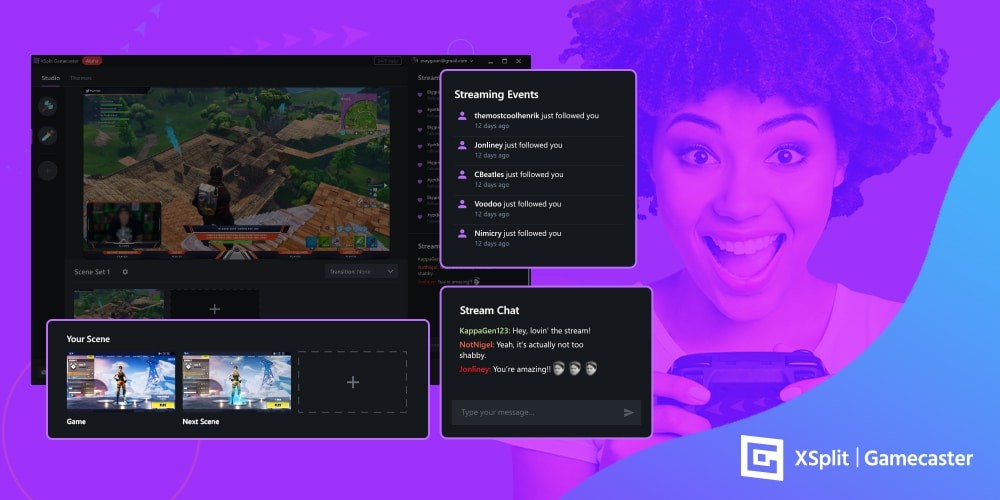
  • An overhauled user interface. Visually see your scenes, interact with chat, see your followers and subscribers as they acknowledge your greatness AND go live in an instant, all from one place.
  • Stream to your favorite platform. We have full and complete support for Twitch, Facebook, YouTube, and Mixer.
  • Single monitor dream. Only have one monitor to play with? Pin your chat on top of your game or even control your broadcast from inside your game with our revolutionary in-game HUD. It’s as if the app doesn’t even exist.
  • Become a pro in seconds. We have over 300 themes in a range of colors, League of Legends to Fortnite, animated to static, FPS to MMORPG. You name it, we’ve got it.
  • Optimized for gaming. You may have 99 problems but a potato ain’t one with Gamecaster. We’ve worked hard to make sure each setting is carefully tuned to meet the demands of your system. Enjoy a lag-free experience next time you stream!
  • Out of the box capture card support. XSplit Gamecaster supports a number of capture cards. Whether you’re trying to capture your master race PC, or your Xbox or PlayStation, it’s easily done.
  • Lastly, it’s completely free

What’s next?

Your feedback is incredibly important to us. We read and try to respond to everything that’s sent our way, and over the next couple of weeks and months, you’re all we care about. If you’re having an issue, need a tissue, or want to recommend a feature, just drop us a message on Discord and we’ll do our best to help or let you know our thoughts.

Will XSplit Gamecaster Always be Free?

Update: XSplit Gamecaster will ALWAYS be free to anyone who joins during the open beta period.

We want to use this open beta to work hand in hand with the community to get a better understanding of not just how to improve the app, but also to find the best way to ethically charge for XSplit Gamecaster in the future (our devs need to eat, they can’t just live on the cake). However, unlike other apps, we want to do this in a way that neither restricts or hampers the core experience of the app, or catches you off guard. 

So with this in mind, over the next period we will be watching, listening and working very closely with the community to determine the best way to go about this. 

Regardless though, we know not everyone can pay, which is why we will also be exploring ways you can continue to use the app for free long after the beta. This is something we look forward to sharing details on in the future. 

XSplit Gamecaster V4 is our next-gen product, and represents nearly a decade’s worth of experience in creating apps for gamers and content creators. We are incredibly proud of the thousands of hours of work our team have put into this, and are thrilled to share it with you and the world. 

xsplit gamecaster v4 download

See you in the app and happy streaming!
Team XSplit

Top 5 Industries using Live Streaming: Retail & Sales

Live Streaming is BIG…

You heard it here first folks, Live Streaming is the next behemoth of Marketing. What? You’ve heard it before? Well, what if I told you people spend more time watching live videos than… Huh? You’ve heard of Twitch and Facebook Live before? Well, I guess my job here is done…

I kid of course.

We here at XSplit have always believed in the power of Live Streaming and we think the industry has yet to reach its full potential. Sure, you’ve heard of Gaming and Esports taking the planet by storm, all those Gen-Zers with their yeets and yikes are micro-influencers in their own right. But today folks, I want to discuss the success we’ve seen in other industries and use cases where live streaming has brought about a new era of brand marketing and awareness expansion.

You might make fun of kids sitting at home and playing video games for a chance to earn money, but what if I told you, you could be selling whatever product or service you want from the comfort of your couch, also limiting conventional advertising costs and you know, staying in for the day! Those kids don’t seem so crazy now, right? Salesmen have been cold-calling random folks since the telephone was invented. Sure, prospecting clients has gotten slightly better, but no one wants to pick up the phone to be given an elevator sales pitch right?

Kids these days would rather hear their favorite content creator on YouTube tell them what PC to buy while playing the trendiest game at the time (Skyrim is still cool right..?). Women prefer seeing their favorite Instagram model eat [insert brand] granola bars every day for breakfast than a cheesy TV ad spot of a happy family, sat down at the breakfast table, smiling up to their ears (come on guys, we all know what everyone is like in the morning before work/school…).

Retail: a dead end for marketing innovations?

First is an area that I truly feel is one of the biggest potential winners if they were to leverage live streaming to its full capability: Retail & Sales. We all know e-commerce has taken over and physical stores are no longer the sure bet they used to be; with an emphasis on location and flashy street signs, why would it be more effective than an online store?

Online advertising might be expensive, but it sure as hell isn’t more expensive than a rental space on High Streets. Why wouldn’t you at least try to switch to a digital-only model? Whilst one might think it involves more complex logistics, the reality is, the supply chain is much more streamlined, delivering the output straight to the consumer and only worrying about overall stock & inventory rather than checking performance of individual stores, and looking into an ungodly amount of factors that may or may not be the reason for a decline in sales.

Yes, physical retail stores will remain for years to come, but what of the profit margins on each one of them? Heavily cannibalized by both competitors and their own online stores. An argument can be made that it is not a zero-sum game, and both can grow alongside one another. But my email transaction receipts vs the number of receipts in my wallet says otherwise, I bet yours do too. My point is, Physical Retail peaked long ago. Online Retail? It’s booming, sure, but it can still grow way beyond the current scope.

Facebook: The online store and marketplace open to all

Mark my words, live streaming on Facebook might just be the next QVC, and I’m staking my reputation on the line by declaring it will be exponentially bigger than anything ever achievable on cable TV. The meer nature of the content living on a digital platform makes the whole buying experience seamless and is already second nature to most digitally-connected consumers nowadays: browse Facebook, watch a live stream, follow the page, within the week that user will be clicking that attached link and with fast checkout on mobile and next day delivery, why would anyone ever watch TV at 5am and pick up a landline phone? It is the most natural evolution for the QVC world and retail purchasing. I don’t need to keep hammering the notion that an overwhelming majority of purchases are done online, with mobile phones, etc. The way customers consume content and advertising have shifted drastically, with some businesses striving off of their digital presence only, abandoning print as a Marketing avenue completely.

So far, I can say I am really surprised no big player has truly taken advantage of it. To compare to the Gaming Industry, we’ve seen companies like EA Games bring in the biggest names in the NBA to promote their video game, I don’t understand why they haven’t been doing the same for live Nike shoe releases, perhaps some interactive events with fans? That’s easy quality content with high social value. Apple and Tesla do keynote announcements, why can’t other brands do the same? Even at a lesser scale, fans would show up and buy. Afraid of a mistake once live? There are other avenues, try a behind the scenes design sneak peek, that is a viable option to determine the demand of a certain product before it even comes out of concept phase and hits production.

There are countless ways to build hype, share an announcement, FAQs/support sessions, do some market research, with live video content. Perhaps once Facebook’s own Libra currency comes into play, we will see a huge boom in the adoption of the model with a payment platform fully integrated into Facebook. Amazon should be very worried about Facebook as its main competitor in the E-commerce space I believe.

Network Marketing & Micro-Influencers

Remember those countless Facebook posts about those magical weight-loss wraps and how within a week, the effects are immediately noticeable! Their livelihood depended on going online, posting on social media and selling the product they represent. With live streaming available, doesn’t that method seem like the equivalent of cold-calling? A somewhat tactless, shotgun approach to generating leads? That’s right, the core model of those referral marketing businesses are based on a reliable and reputable individual selling one-to-one.

Do you know what would make it more impactful than a before and after picture? That’s right, a daily live stream so users can follow you on your journey. While a daily text post every day might be enough to captivate some, wouldn’t you feel much more compelled if you saw daily live streaming showing both process and results? I know I would. Live demonstration, Q&A sessions, a visual journey that potential customers can follow through before deciding to purchase. That is what Brand Engagement should look like, in its most genuine form and with an interactive component.

Facebook in itself is a platform built for Network Marketing based on real user recommendations and feedback, and not just any customers, customers you might be friends with! The constant sharing and tagging may be somewhat misused for memes and political nonsense, but there is, without a doubt, a huge market for the Sales teams to penetrate.

Sephora saw the potential in leveraging live streaming a couple of years ago by hosting live sessions on Facebook to answer all questions and providing a more in-depth insight that a poster ad simply cannot express. (source: https://www.facebook.com/sephora/videos/10154206592984405/). Couple that with an influencer guest, and you’ve probably got the best recipe to empty your inventory within an hour. Don’t forget a time-limited discount only valid for the duration of the show. Maybe throw in a giveaway/raffle by letting users tag others in the show, and you’re set for success.

Clothing, Jewelry, Makeup, Sports gear are all industries that would greatly benefit from adopting Live Streaming into their Marketing Mix as it has a relatively low-risk factor and potential huge ROI. Additionally, as with any form of video content on social media, plan your content adequately and you may have a viral marketing campaign on your hands.

Live video in its simplest form can tick all the checks of a marketing campaign: informative Q&A and support, influencer testimonials and advertisements, social media marketing, incentive marketing with prizes and time-limited discounts and last but definitely not least, a rapport with your customer, one that lasts. Does that not sound more efficient than a banner ad limited to a 300×100 pixel image with a word count of 20? The best part is, you can start with a very basic setup: a laptop, a camera, a social media account, and a streaming and recording software (how convenient, we have one of those available for free to try out!).

Let us know in the comments what you think might be the next big thing in live streaming, and we might just cover it in our next post!
Exploring NVIDIA RTX Broadcast Engine with XSplit

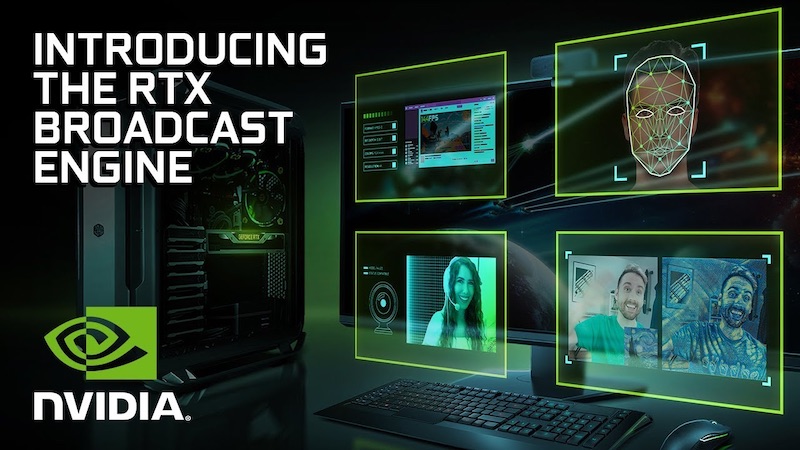
The NVIDIA RTX Broadcast Engine represents a huge leap forward for content creators using GeForce RTX GPUs, providing them with new avenues to enhance their productions. By utilizing the Tensor Cores on these RTX cards, AI-powered operations are able to run in real-time, streamlining the production output of creatives and enabling them to increase the quality of their content to a level that’s unheard of on consumer-grade hardware.

On our end, we are looking to augment XSplit VCam’s background removal for users with RTX GPUs. We believe that we can improve our app’s performance and efficiency, either by using NVIDIA’s RTX Greenscreen AI model or optimizing our existing model to fully take advantage of Tensor Cores. We are also considering RTX AR and RTX Style Transfer as potential feature updates for XSplit VCam.

In addition, while the RTX Broadcast Engine highlights its strengths through its real-time capabilities, we think that there’s also a big opportunity to use these same features on the XSplit Express Video Editor. Being able to use these on existing videos can serve multiple purposes, from breathing new life into old content to diversifying the creative flow of users by letting them try out different effects during post-production without needing to commit to applying them during the initial recording.

We are excited to start tinkering around with the RTX Broadcast Engine and look forward to more innovation from the NVIDIA team. You can check out NVIDIA’s full press release here.

The Awesome XSplit Broadcaster 3.9 is Here

It’s been a while since our last major update but I’m excited to announce that XSplit Broadcaster 3.9 is now available. It includes a bunch of new features and some quality of life improvements that will hopefully make your life as a content creator easier. The more notable features include source grouping, audio mixer, gamepad visualizer, and the dark horse, scene presets. Excitingly, these aren’t the only tasty updates 3.9 has.

Audio Mixer improvements are something that is long overdue and as I’ve mentioned in the previous blog post, audio is something we want to continually focus on to make sure it has all the features you need. With 3.9 there will be a new audio mixer extension that you can download from the plugin store. This will show your audio levels in a more convenient way using the decibel(dB) scale and will help identify when audio is too loud or quiet. Whilst the audio mixer is still fairly basic in its current form, we already have a handful of improvements in the pipeline that we hope to roll out over the next while.

Source grouping is a quality of life improvement that is long overdue. A simple feature on the surface but this will help you organize and categorize your sources better. You then get the added benefit of being able to move and resize those sources together. A great example would be selecting a webcam frame image and a webcam source and then grouping them. This allows you to move them together in the mixer area but also you can collapse them in the sources area and rename it so it becomes a single item at a glance.

The phrase or term “scene preset” might not mean a lot on its own but it’s a way of configuring the same scene with the same sources in multiple ways. An example might be having the webcam in the top left in one preset and the top right in another. It seems crazy that you would have to duplicate or rebuild the same scene just to have a webcam in a different position when all the other sources are the same. The coolest part is that you can add a transition time to presets that causes the presets to animate between each other. You can almost think of it like keyframes. The position, the rotation, the color correction and more will all animate if you change them from one preset to another. This allows for some pretty powerful combinations and can really up the production quality.

In our previous 3.8 release, we added the brand new in-game HUD that allows you to control your stream from inside your game whilst playing, but also keep on top of your stream chat and stats. In 3.9 we’ve added a brand new in-game HUD widget; Stream Events. This widget will show you events as and when they happen such as a follower on Twitch, a subscriber on YouTube or a share on Facebook. This makes it easier if you’re using a single monitor or even if you just don’t want to turn your neck every two seconds to see if any new action is going on.

And finally, we have the Gamepad Visualizer plugin. A lot of you are already familiar with Input Visualizer but one of the requests that we keep on getting every time the feature is mentioned is the ability to also do the same for gamepads! Now it’s here!

As with big updates, Macros extension has been updated to include new events and actions for scene presets meaning you can add them into your automation. On top of that, we’ve also added better support for media and video playlists as well as playing out via projector. Macros is an extension we continue to update and is something we’ll be looking to overhaul when it comes to UI/UX to make it easier to manage. If you’ve never used Macros and would like to find out more, you can check out our support page on the feature here.

So those are the more big-hitting items that have arrived in 3.9, however, there’s more to come in the near future. We’ll be adding a way to easily import your Open Broadcaster Software (OBS) scenes to make it even quicker to get started and we’ll be releasing the stream dashboard extension in the coming weeks too which will allow you to see stream chat, events, and stats while streaming using XSplit Broadcaster.

As per usual, we truly appreciate your feedback and continued usage. If you have an idea for a feature or feedback on existing features, be sure to head on over to our feature upvote page where your voice can be heard. Additionally, you can join the discussion on our Discord community or if you want to personally get ahold of me, hit me up on social media @Gazreyn.

Happy streaming!

Tips for Making More Money as an XSplit Affiliate

We created the XSplit Affiliate program to offer the ability to make money to a wider group of people. The requirements used to be much higher and as a result, only select users could participate in the program. With the new program, you can begin making money as an affiliate without needing to have a big viewership (having one does help though). You may only have 150 channel followers but if a good portion of them are interested in streaming, this affiliate program is for you!

We put together this blog post to help you maximize your revenue potential with our program by providing some easy to execute tips that you can implement right away. As you earn a commission on each sale and renewal, we all do well together!

Actually, all the tips mentioned in this blog post works with whatever affiliate product or program you’re in so you’re welcome!

Use the correct link

You’re not gonna believe this but we see a lot of people who represent a brand or product (XSplit included) as an affiliate but don’t use the correct link. Imagine people buying through your channel only to find out that the link you’re using is not the correct one!

So make sure to go to your affiliate program page, in this case, XSplit Affiliate on your Dashboard, get the correct link from there right on the front page, and use that and ONLY that link. Upon sign up to the program, you will have been given this link.

An image of the XSplit Affiliate link from your dashboard.
This is what your link Affiliate Dashboard (your one will be longer with your personal code in it)

A quick real tip about affiliate links is they’re neither short nor do they link directly to a page without long-ass parameters. So if you’re just linking to xsplit.com, then you know you’re doing it wrong.

Make it visible without being spammy

A common problem for any affiliates is not making commissions and when you ask them where they’re putting the link, they’re gonna say a page or two, like socials or the bio on a streaming site like Twitch, both of which aren’t updated often.

The key is making it visible in as many places as possible. If you just have it on your channel profile page, then why not use a chatbot that auto-posts it in your chat or floats it in your actual stream content? The options here are limitless. Now it goes without saying, but you don’t want to be spammy. As long as the link is promoted naturally and as a part of your ongoing conversation with your viewers, you’re doing it right.

An image of a chat window with a bot posting the XSplit Affiliate link.

Oh and don’t forget other channels and social networks too, something we will go on to discuss here!

Provide value (aka great content)

Providing value, some great buzzwords if ever we heard them! While that may be true, it does hold some real meaning and tends to separate those who make thousands of dollars in commissions from those who make less than a hundred.

The word Value on a scrabble board, something you want to provide on the XSplit Affiliate program!

The key here is creating something beneficial to your viewers and then indirectly selling them whatever product it is you are an affiliate of. A common example is making a video on YouTube whether it’s about walking them through your streaming setup, or a guide about how you do your nifty-looking transitions. You help them learn about something new or solve their problems, and the selling part becomes easy. Put yourself in the viewer’s shoes. Would you rather buy a product from someone who is flat out just telling you to buy something or a person whose content is actually enjoyable and explains why they like to use the product? You be the judge.

An example of a great YouTube video that helps people interested in the product and provides the discount code.

Now before you tell us “I don’t have a YouTube channel, you don’t know me!”, let me tell you first that this exact same thing works for other social networks like Twitter, Facebook, TikTok, Discord (which isn’t a social network by the way), hell even forums! I can’t tell you how many XSplit licenses were sold from those channels with us just providing valuable content to our followers.

Offer discounts

Seasonal discounts are the best and most affiliate products and networks, the XSplit Affiliate Program included, provide that! It’s a no-brainer after all! Someone is in the market to buy a product and you essentially turn that from a prospective one to a sure thing by offering them a discount by using your affiliate link.

An example of a sale for Valentines Day, something you could offer with the XSplit Affiliate Program
This was a discount promo we ran in Valentine’s early this year

We will definitely be letting you know once we have some live discount offers for XSplit Affiliates, but it’s also good for you to just be aware of various shopping periods where people are more likely to spend money.

Bonus tip: Incentivize!

Incentivization is a trick experienced marketers have been using for a long time. It is essentially just offering an additional thing or two whether it’s in the form of a product, service, or entertainment in exchange for buying a product under their affiliate link.

If you are making stream overlays or graphics, you can bundle it when they buy a license using your affiliate link. Or if you have an enormous number of followers on your channels, you can offer to ‘host’ or promote the person on your channels by doing the same. Whatever incentives you think of to use your code (beyond the discount they get already) be sure to check with whatever content provider you’re using what sort of incentives you can and can’t offer!

Join the XSplit Affiliate Program

It’s been out for quite some time now but I just wanted to reiterate again in case you missed the initial announcement. The program is steadily growing with more than 500 happy affiliates inside. Here’s what the program is about in three totally non-pitchy bullet points:

  • You will get a personalized code of your choosing giving your audience 10% off any XSplit Premium subscription
  • For every purchase made using your code you will receive a 10% commission
  • You will get that 10% for each recurring purchase someone makes

Sign up today at xspl.it/affiliate and begin implementing the tips mentioned in this blog post.

Be an XSplit Affiliate and Start Making Money

We’re always working on ways to make using XSplit both beneficial and enjoyable to our users whether through new features and improvements based on your suggestions, further refining our support systems, or even holding occasional promos and giving out free Premium license keys to people wanting to try out our products. Today, it’s about giving you an easy way to make money with your content.

We are excited to introduce the XSplit Affiliate Program!

  • Get 10% incentive for every referral sale made through your referral link.
  • Easily track your referral juice in one glance, from your very own dashboard.
  • Cash in your referral juice anytime you wish.
  • Take advantage of exclusive seasonal discount promotions for your followers.

The opportunity to make referral sales were previously only available to Elites but we wanted to open this up to as many people as possible. With the XSplit Affiliate program, you don’t need a big following at all. All you need to do is sign up, login with your social accounts, and you’re good to go!

Inside the program, you can find your personal affiliate link that you can promote on your channels. You earn 10% of the amount for every sale made using your link. Tracking stats in real-time can also be easily done through a dashboard where you can find metrics such as clicks, commissions, and revenue over a specified period of time.

Join the program today at xspl.it/affiliate and start making money!